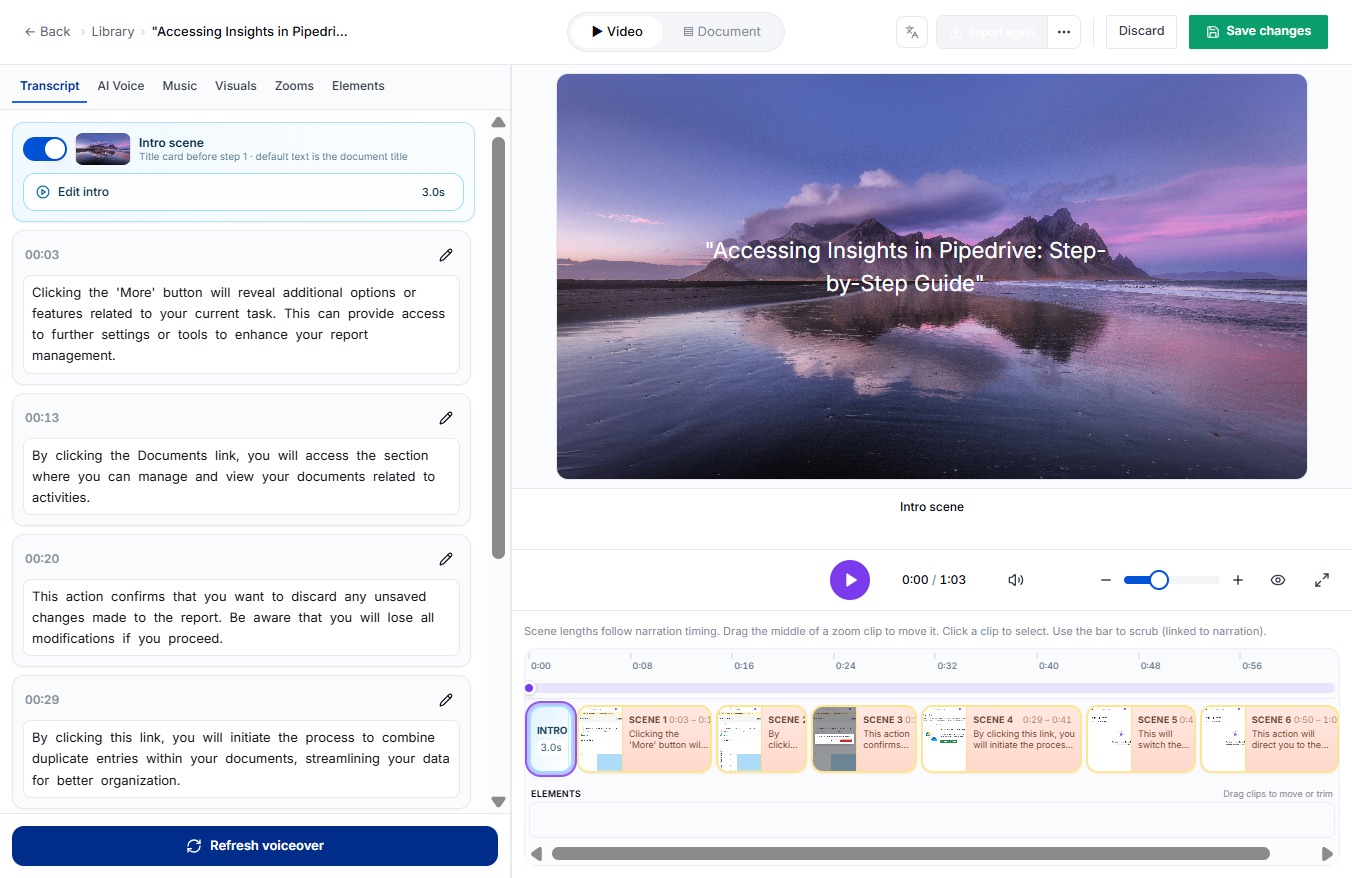
Click the Select transition button
Clicking this button allows you to choose a transition effect for your scene. This will enhance the visual flow of your intro scene.

Loading screenshot…
100%
In this guide, you'll learn how to effectively use the DocuFast Dashboard to enhance your projects by selecting transition effects, saving your edits, and initiating the export…
 viktoria
In this guide, you'll learn how to effectively use the DocuFast Dashboard to enhance your projects by selecting transition effects, saving your edits, and initiating the export process for your selected data. Follow these three easy steps to streamline your workflow and improve your visual presentations.
Clicking this button allows you to choose a transition effect for your scene. This will enhance the visual flow of your intro scene.
By clicking this button, your changes will be saved, ensuring that your edits are preserved for future access.

This will initiate the export process for your selected data once more.