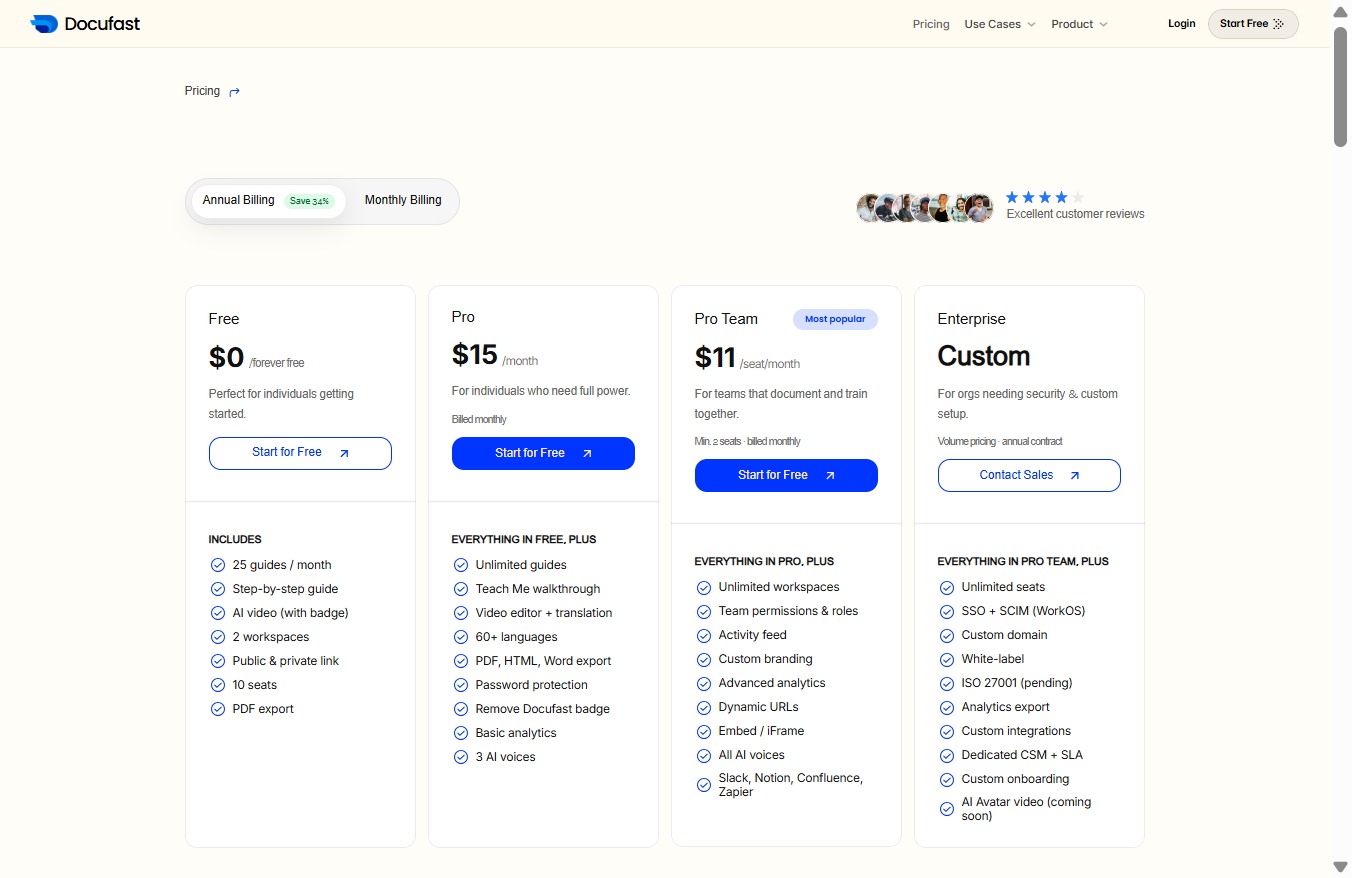
Click the Upgrade plan button
Clicking this button will take you to the subscription options where you can choose a different plan to access additional features.
Loading screenshot…
100%
This how-to guide walks you through the process of upgrading your subscription plan on the DocuFast Dashboard.
 1vicpet
This how-to guide walks you through the process of upgrading your subscription plan on the DocuFast Dashboard. You'll learn how to access subscription options, compare available plans based on features and pricing, and manage monthly billing options to enhance your experience.
Clicking this button will take you to the subscription options where you can choose a different plan to access additional features.
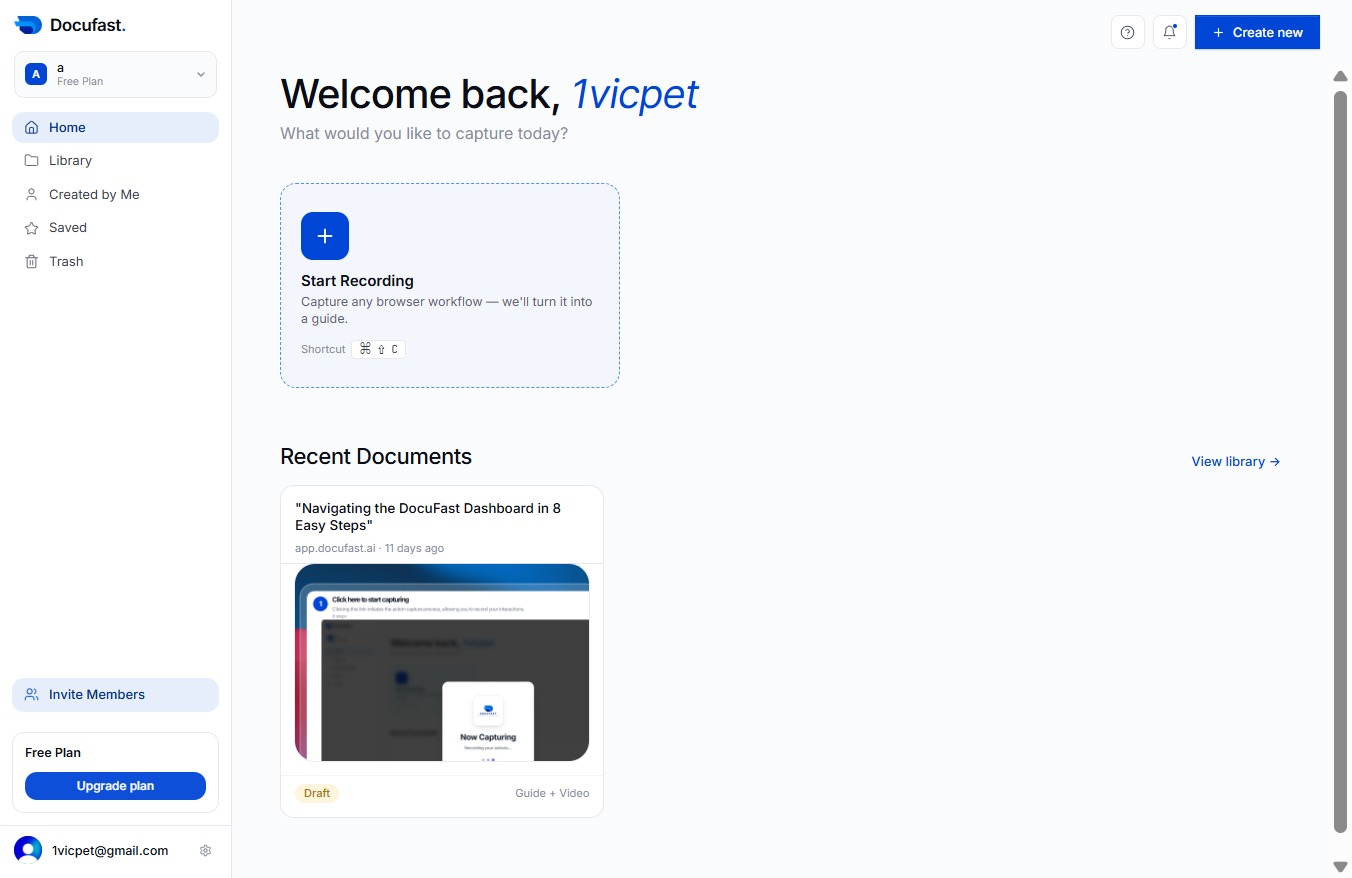
This action opens a detailed comparison of all available subscription plans, allowing you to evaluate features and pricing to make an informed decision.
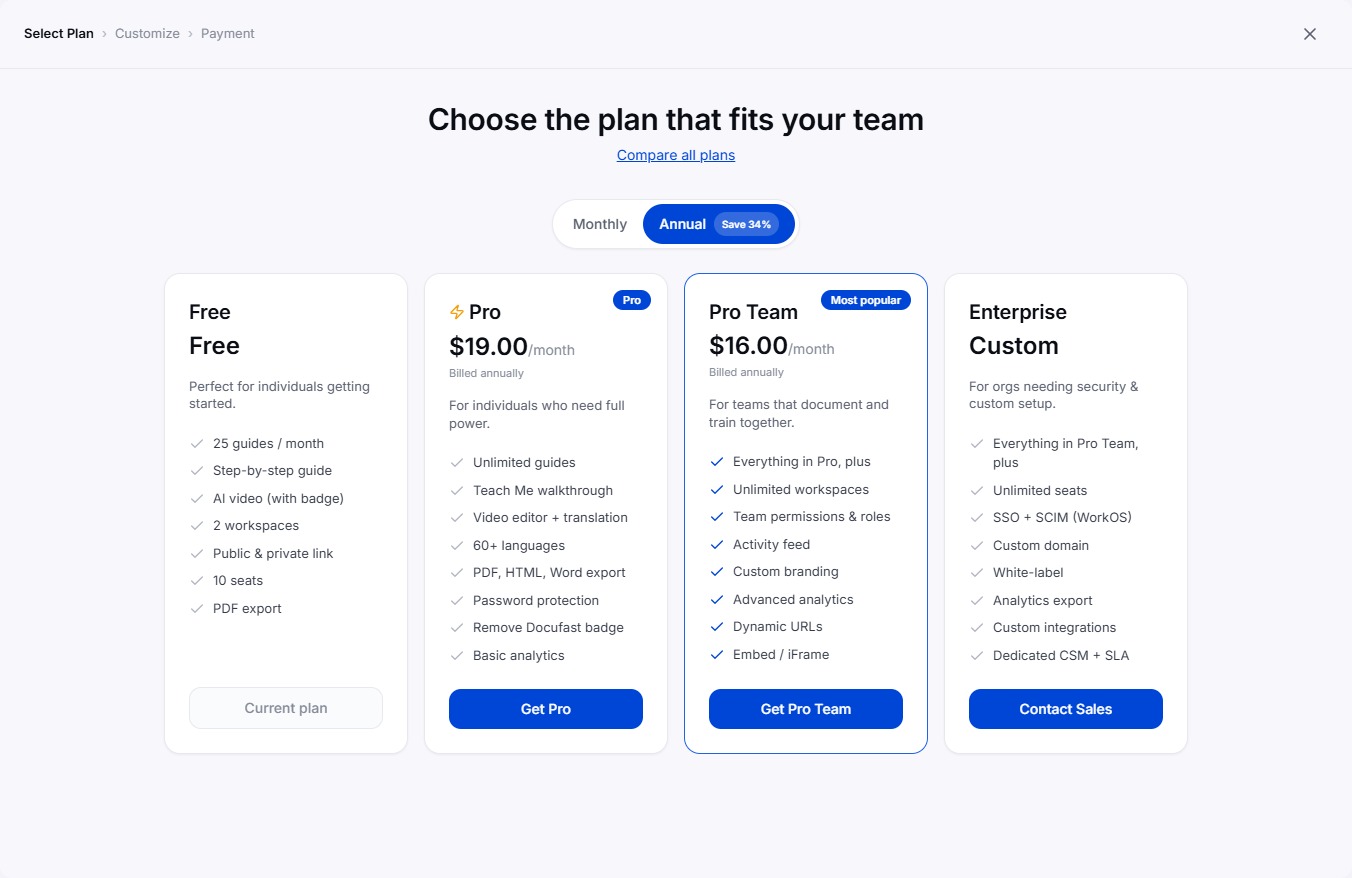
Selecting the 'Monthly Billing' option allows you to view and manage your subscription options for monthly plans, including pricing details and feature comparisons.