Geteilte Anleitung

How to view pipeline statistics

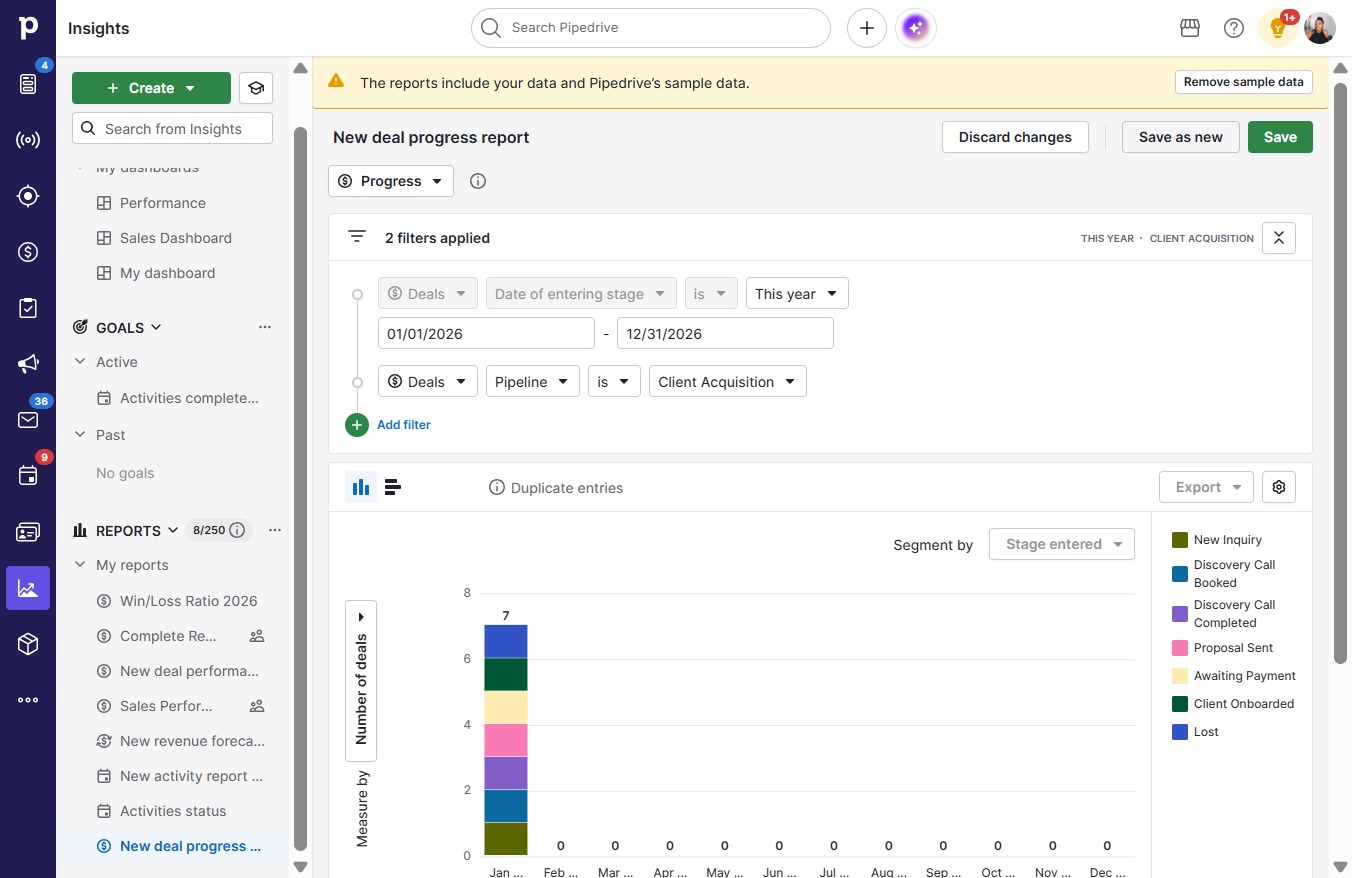
In this guide, you'll learn how to efficiently view and save pipeline statistics by navigating through the insights menu.

victoriaworkflowsvictoriaworkflows
·9 Schritte·76 Aufrufe·Veröffentlicht

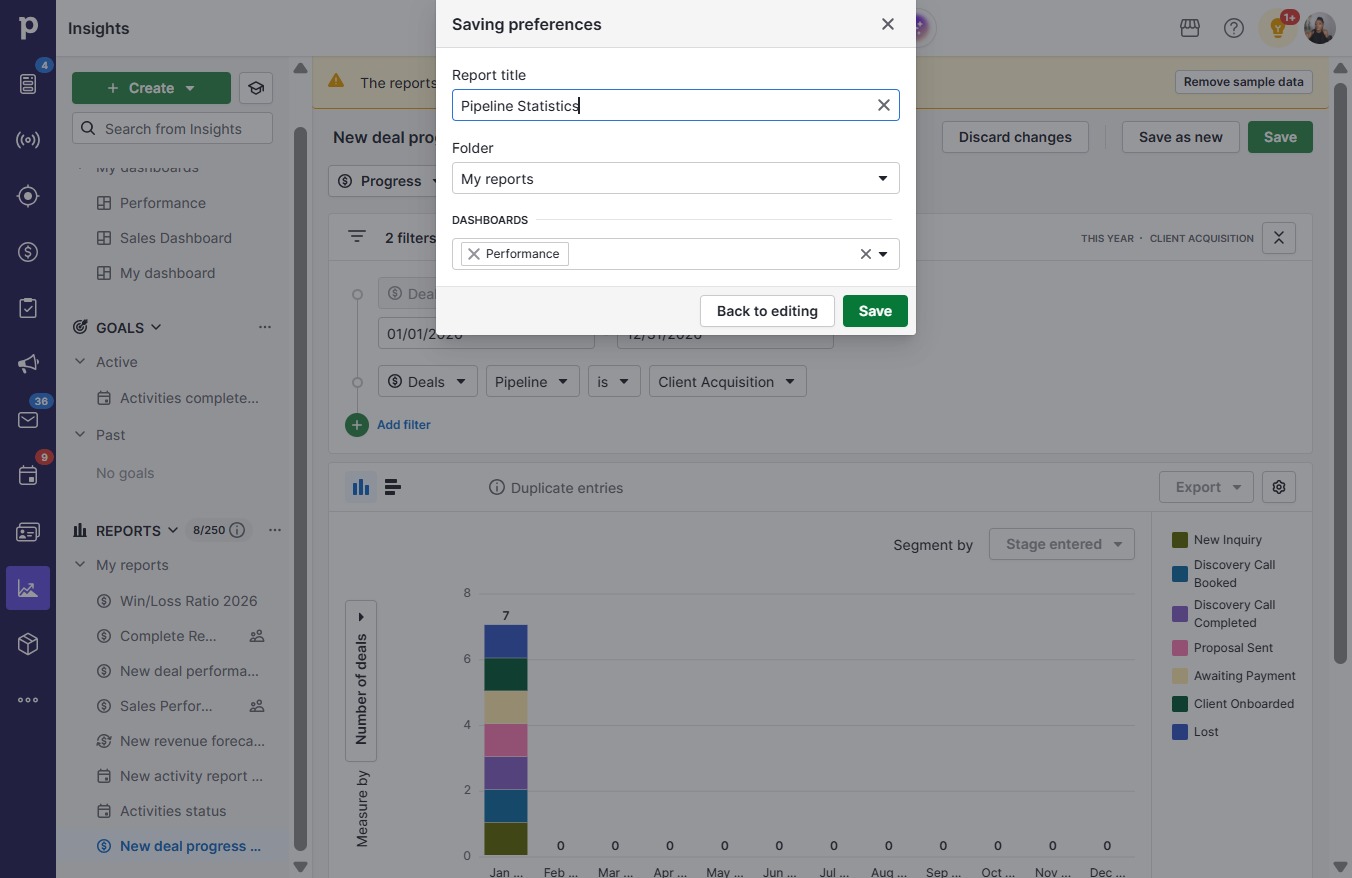
In this guide, you'll learn how to efficiently view and save pipeline statistics by navigating through the insights menu. Follow the simple steps to create a customized report named "Pipeline Statistics" and access valuable data to enhance your sales performance.

Step-by-step Guide9 Schritte
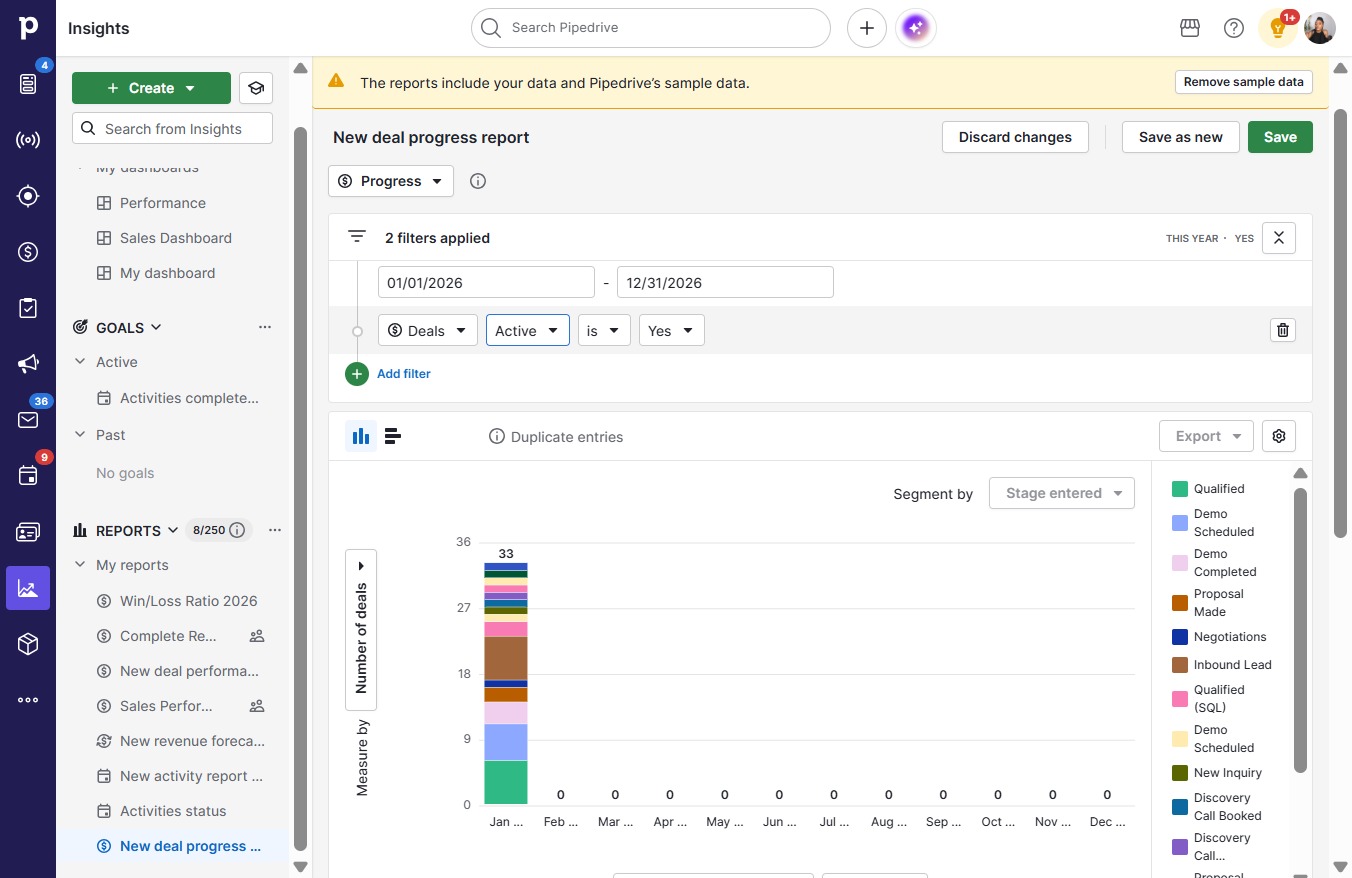
  1. Click on "Click here."

    Click on "Click here."
    Loading screenshot…
    100%
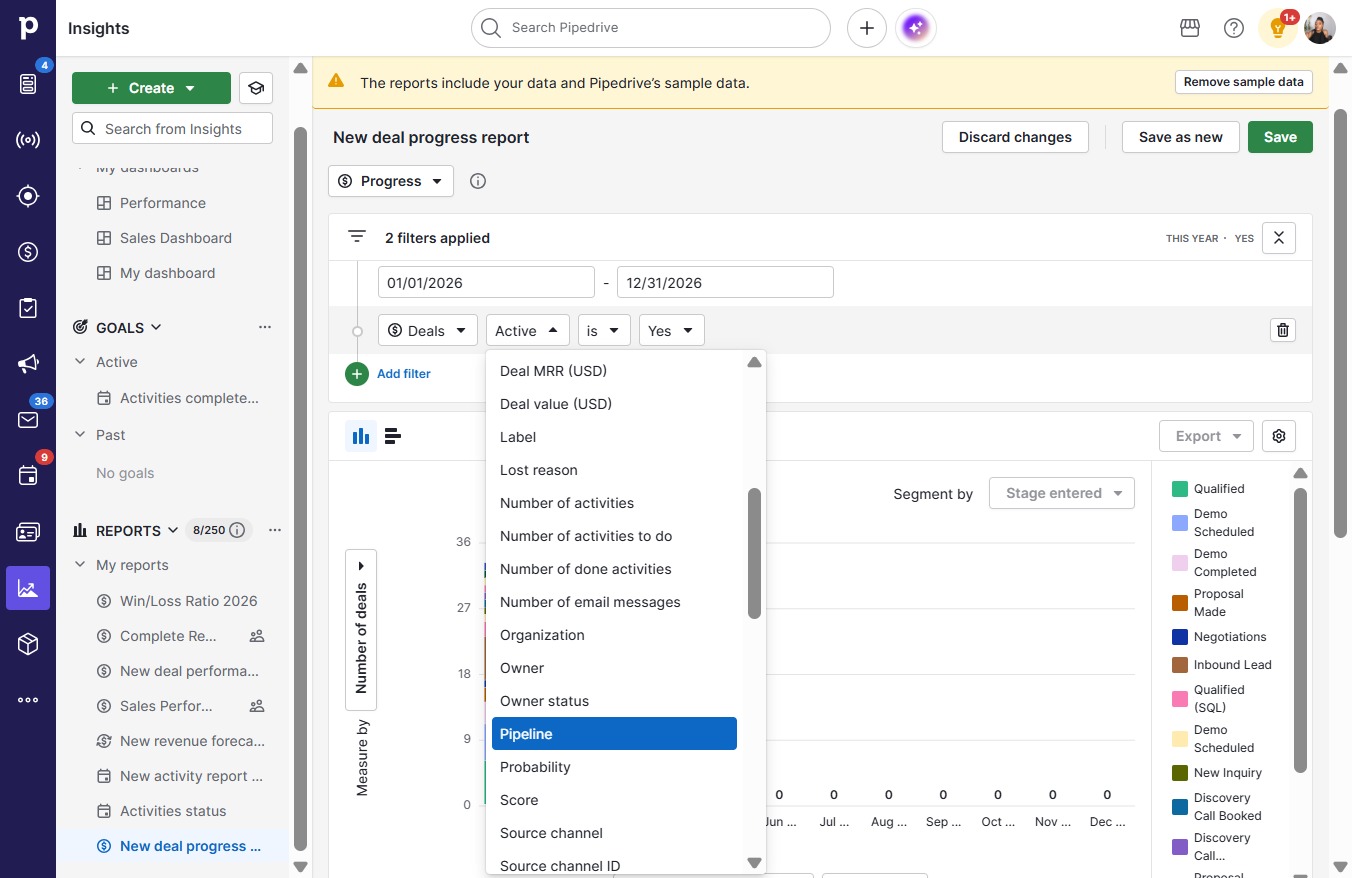
  2. Click open menu

    Click open menu
    Loading screenshot…
    100%
  3. Click Pipeline

    Click Pipeline
    Loading screenshot…
    100%
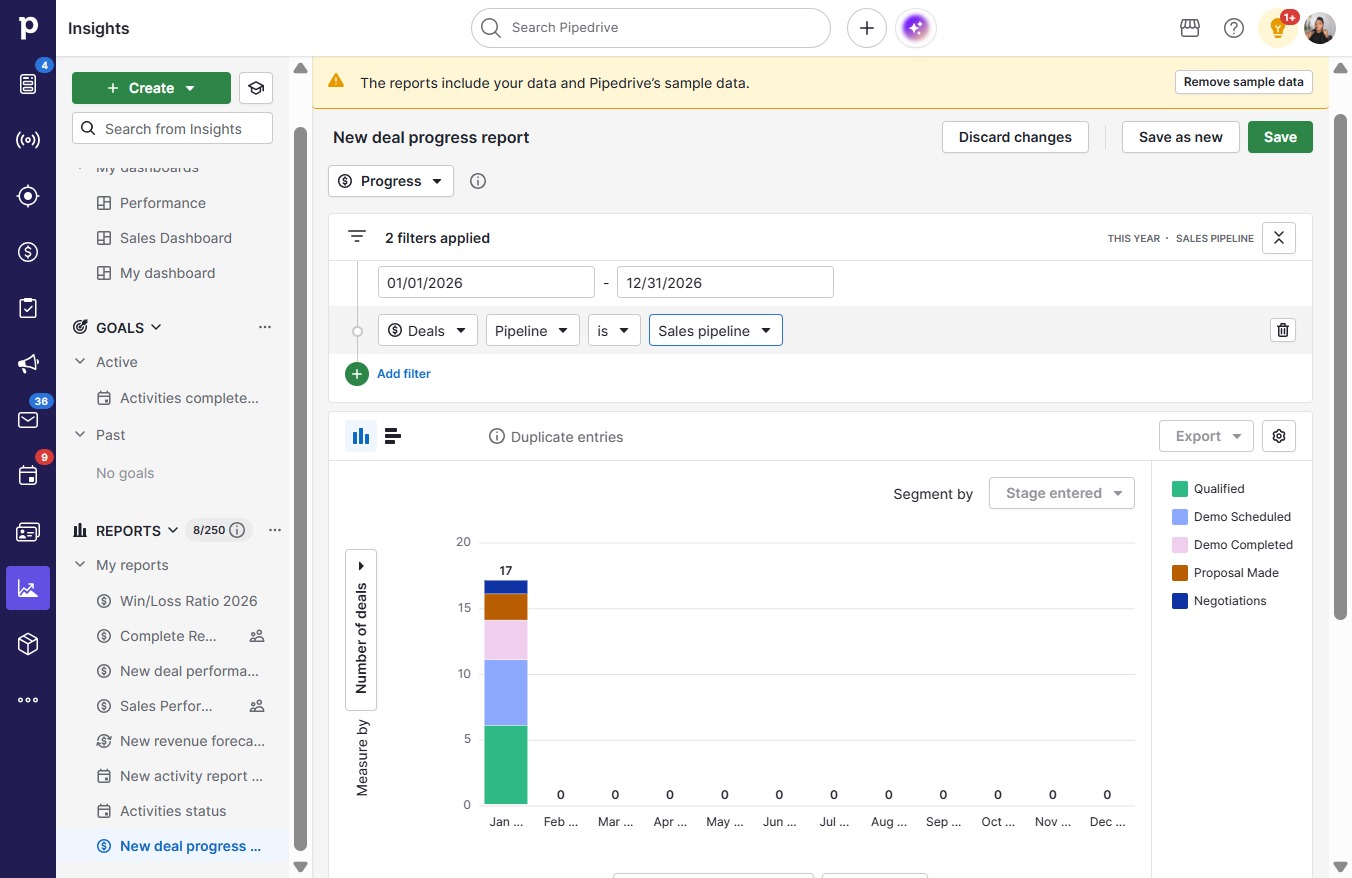
  4. Click Sales pipeline

    Click Sales pipeline
    Loading screenshot…
    100%
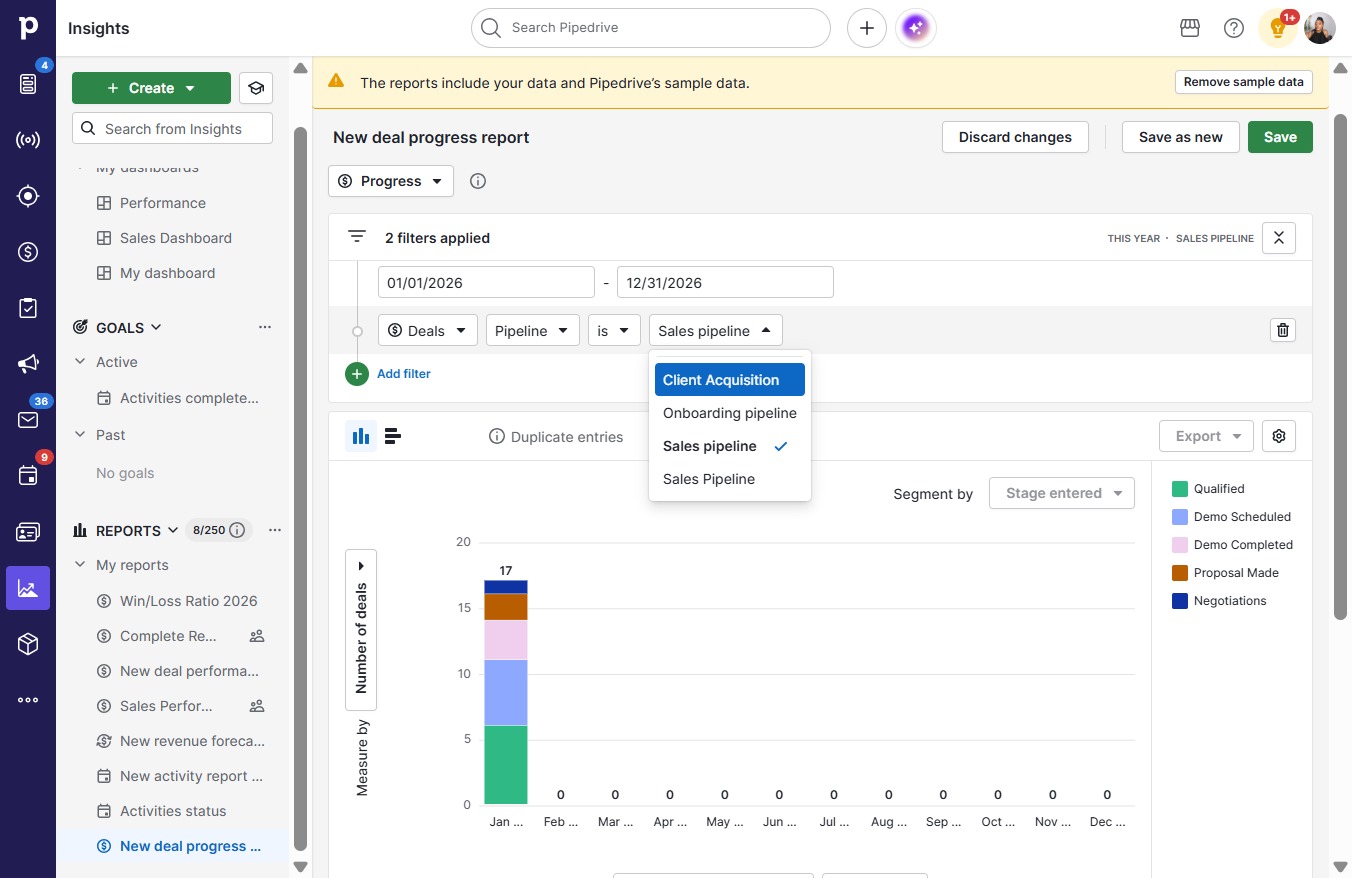
  5. Click Client Acquisition

    Click Client Acquisition
    Loading screenshot…
    100%
  6. Click Save as new

    Click Save as new
    Loading screenshot…
    100%
  7. Press a

  8. Type "Pipeline Statistics" in Report name

  9. Click Save

    Click Save
    Loading screenshot…
    100%