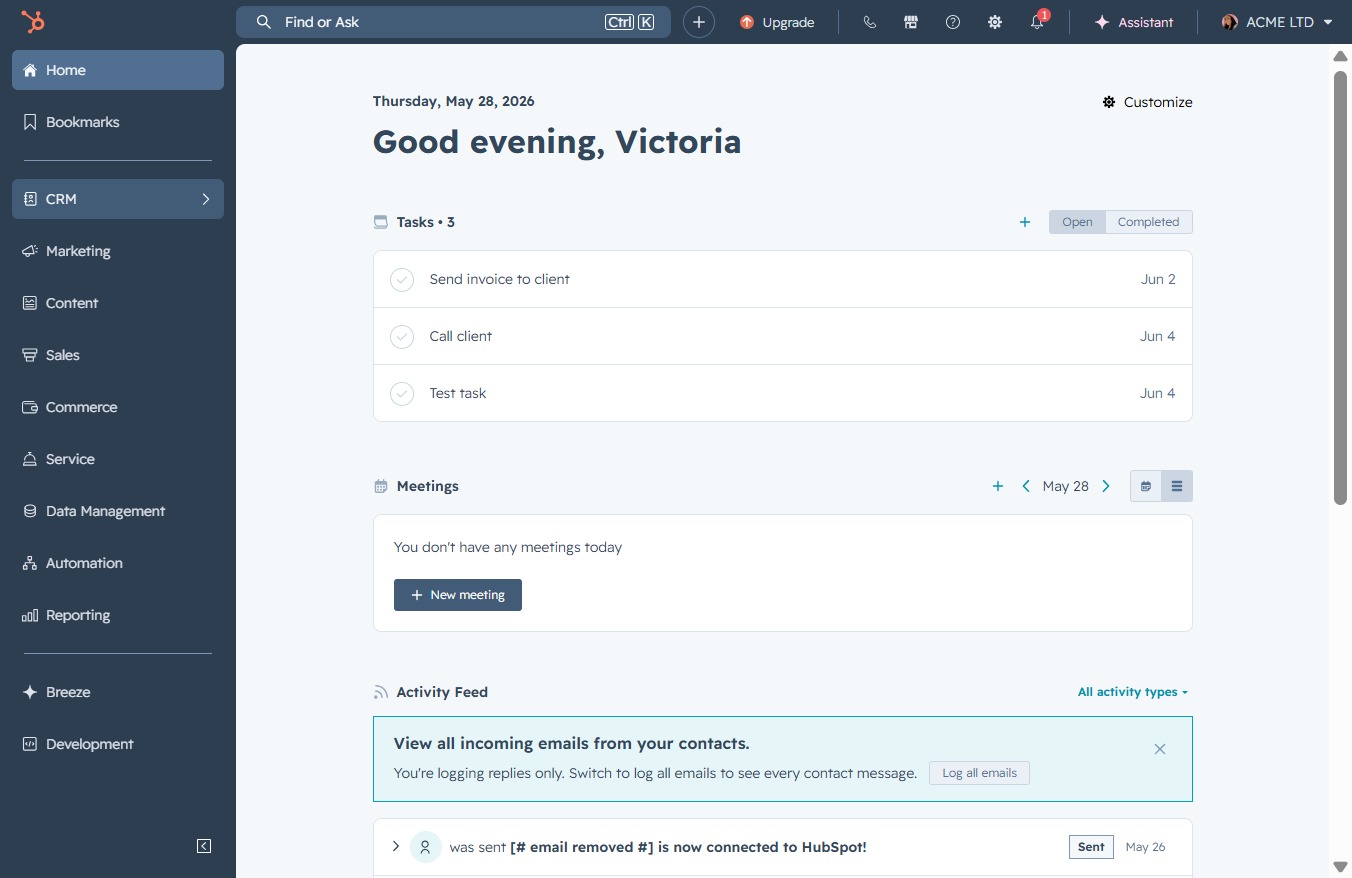
Click the CRM option
Clicking the CRM option allows you to access customer relationship management features and tools, enabling you to manage interactions, track engagement, and organize customer data.
Loading screenshot…
100%
View overdue tasks in the CRM by applying the Overdue filter to focus on tasks past their due dates and prioritize items that need immediate attention.
 viktoria
View overdue tasks in the CRM by applying the Overdue filter to focus on tasks past their due dates and prioritize items that need immediate attention.
Clicking the CRM option allows you to access customer relationship management features and tools, enabling you to manage interactions, track engagement, and organize customer data.
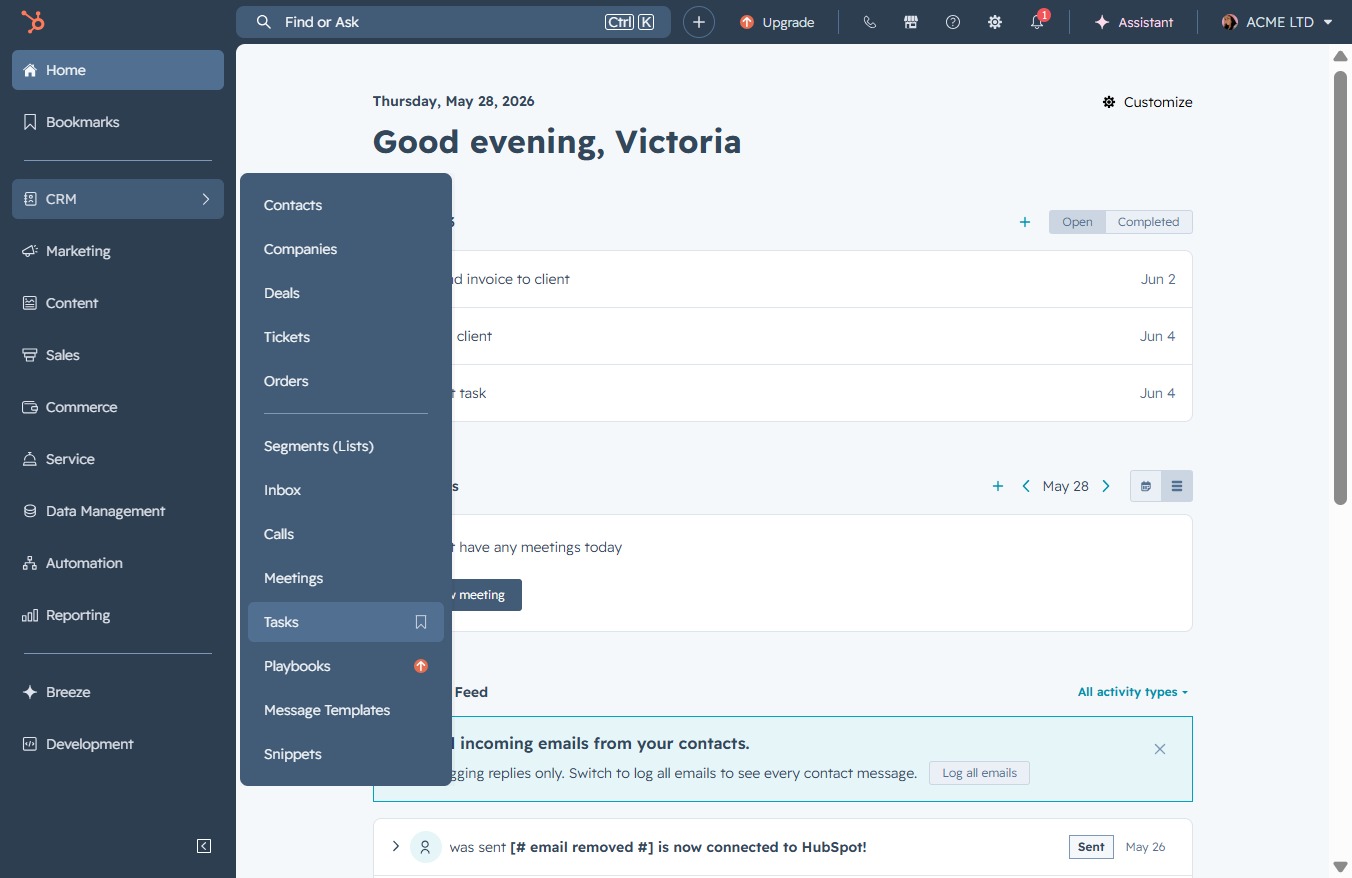
Clicking the Tasks link will take you to the tasks section, where you can view and manage your current tasks and to-do items.
This action allows you to create a new custom view for your tasks. You can choose specific filters and settings to tailor the presentation of your tasks according to your needs.
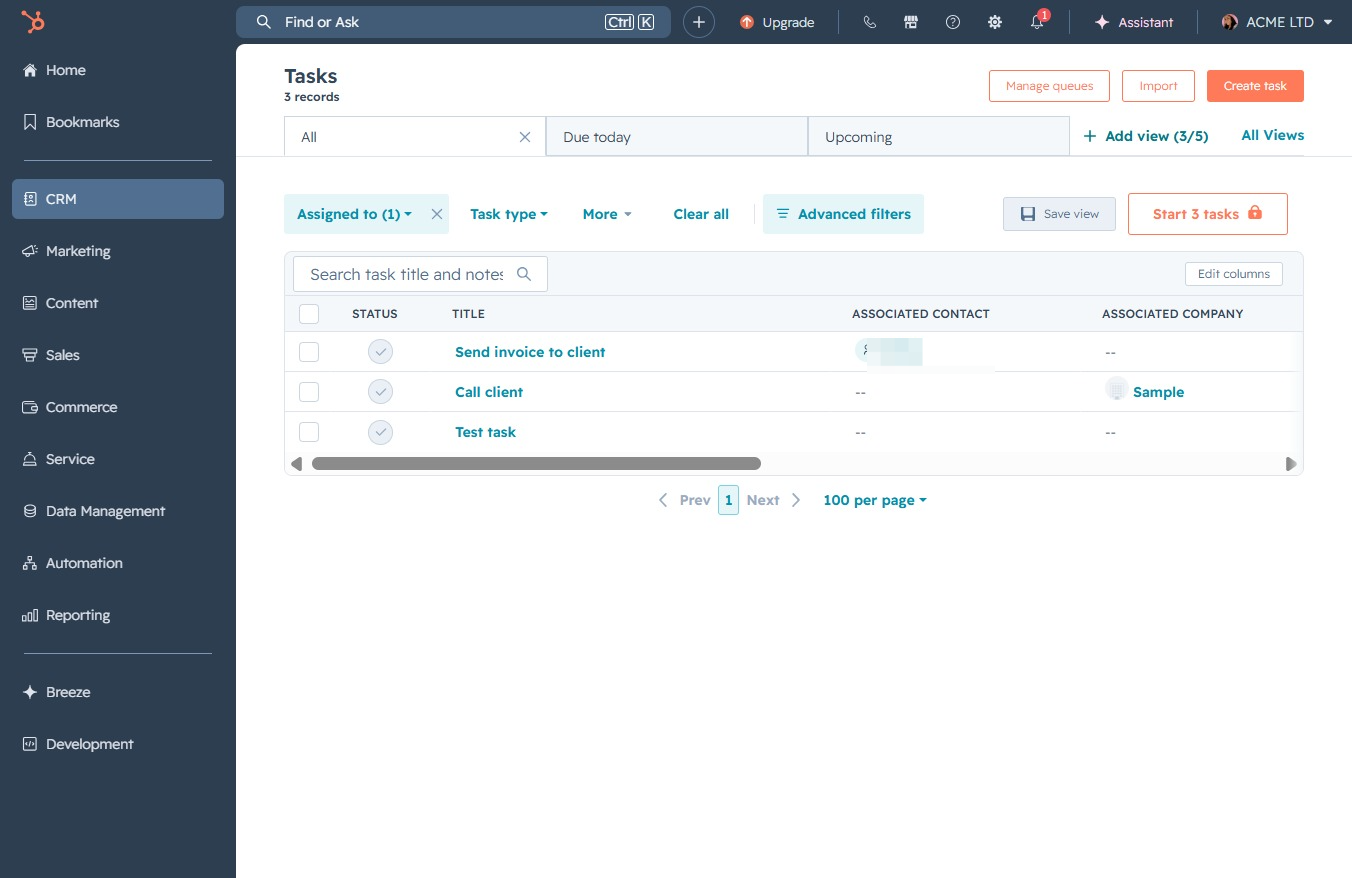
Selecting the Overdue filter will display tasks that are past their due dates, allowing you to focus on items that require immediate attention.
