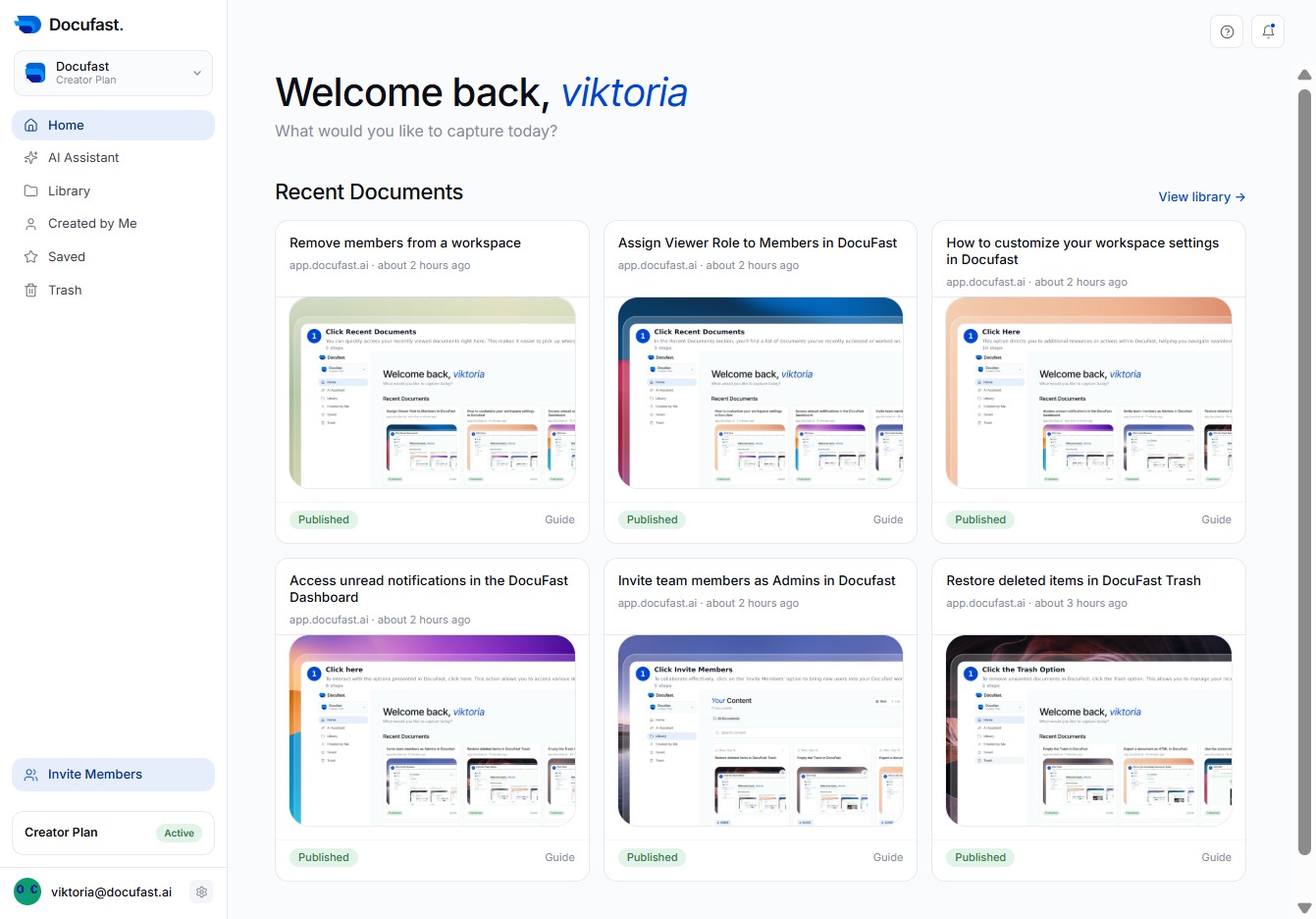
Click Here
To access more options in Docufast, click the designated area marked 'Click here'. This will help you navigate to additional features or settings you might need.
Loading screenshot…
100%
View and manage your workspace's billing information in DocuFast by accessing the Billing section through Workspace Settings, ensuring your subscriptions and payment methods are…
 viktoria
View and manage your workspace's billing information in DocuFast by accessing the Billing section through Workspace Settings, ensuring your subscriptions and payment methods are current.
To access more options in Docufast, click the designated area marked 'Click here'. This will help you navigate to additional features or settings you might need.
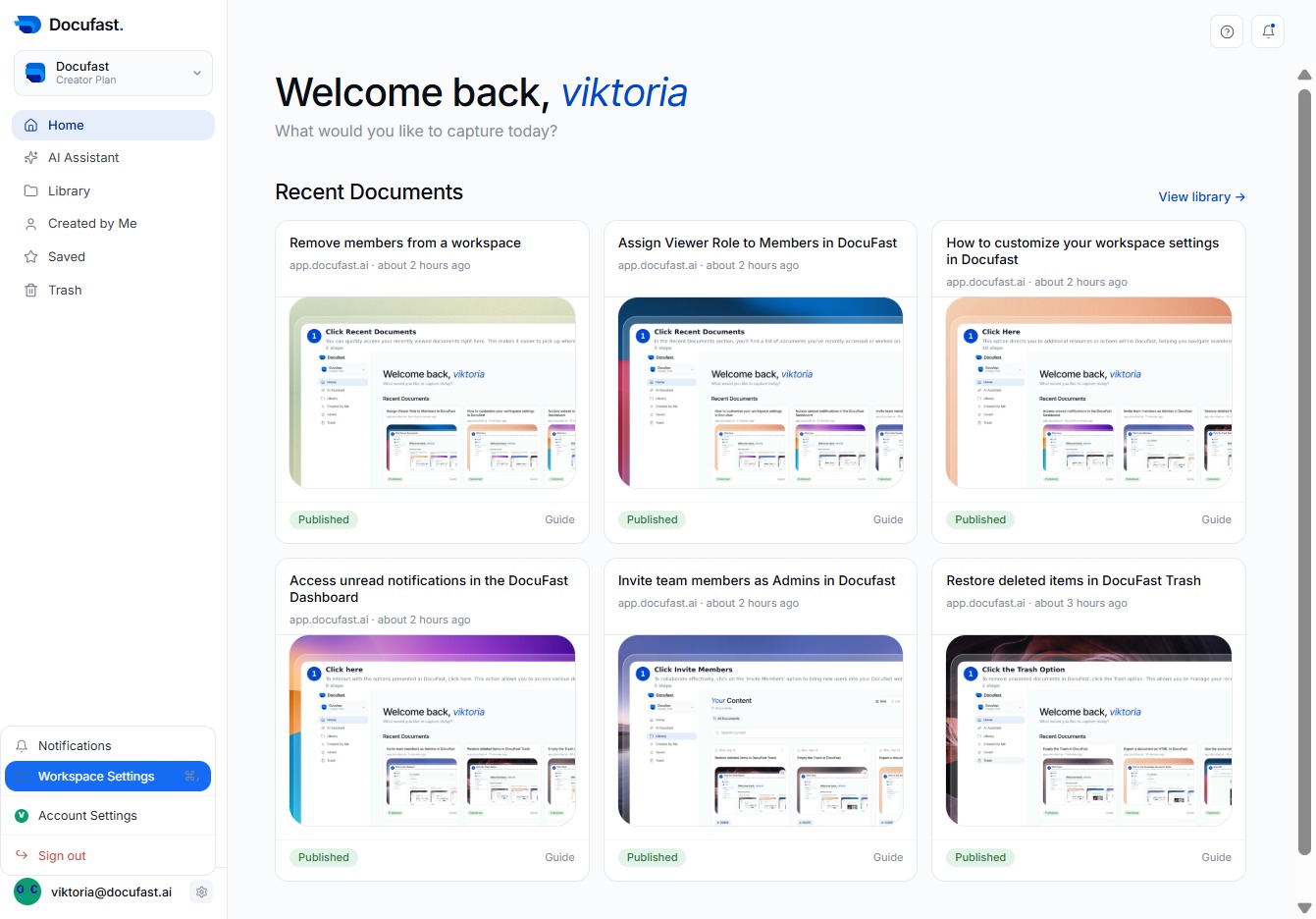
By clicking Workspace Settings, you can access various options to customize your workspace experience and manage your preferences in Docufast.
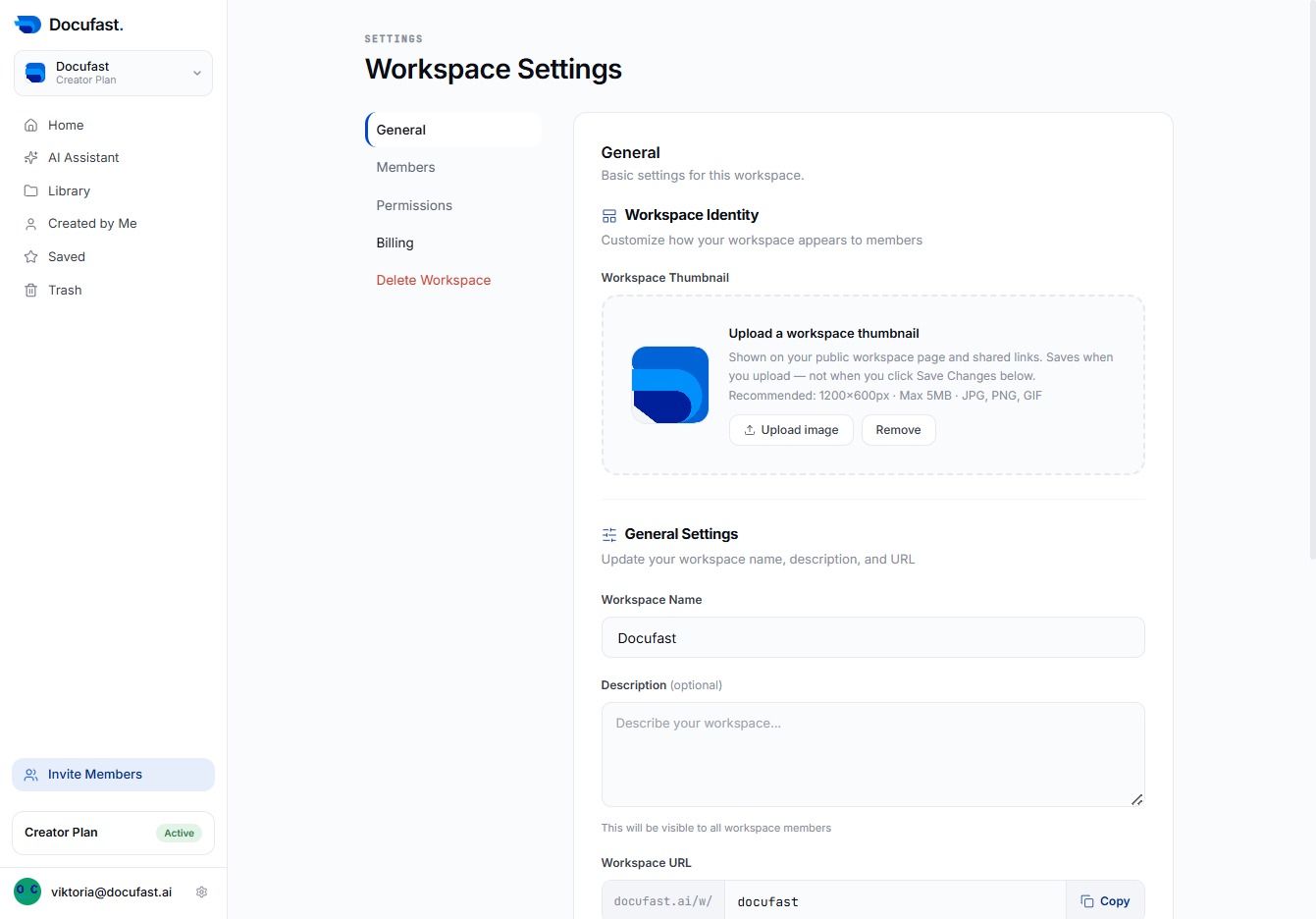
You’ll access the Billing section where you can manage your workspace’s billing details and subscriptions. This area helps ensure your account remains active and updated.
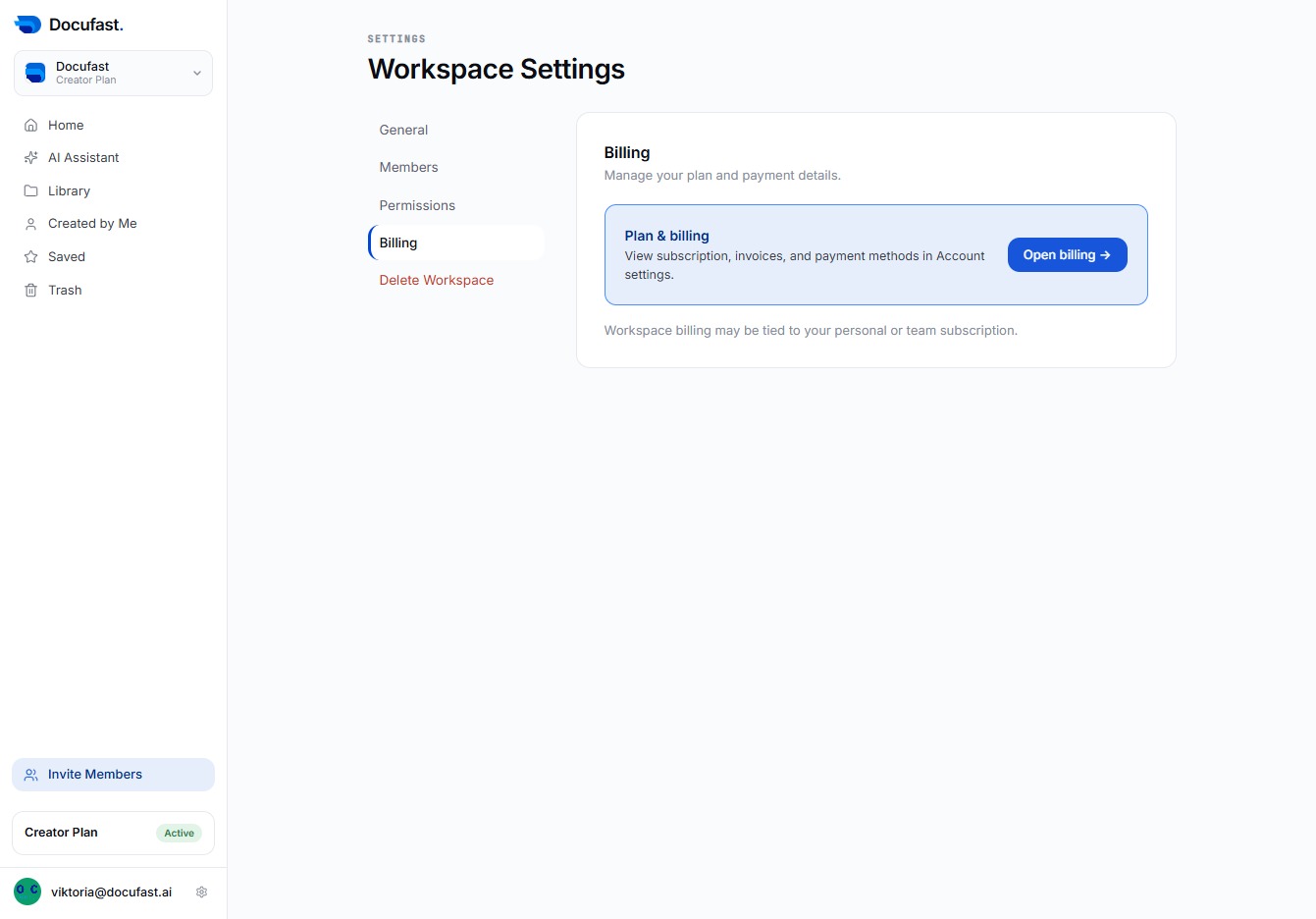
You'll find detailed information about your subscriptions and payment methods in the Billing section. Click 'Open billing' to manage these settings easily.