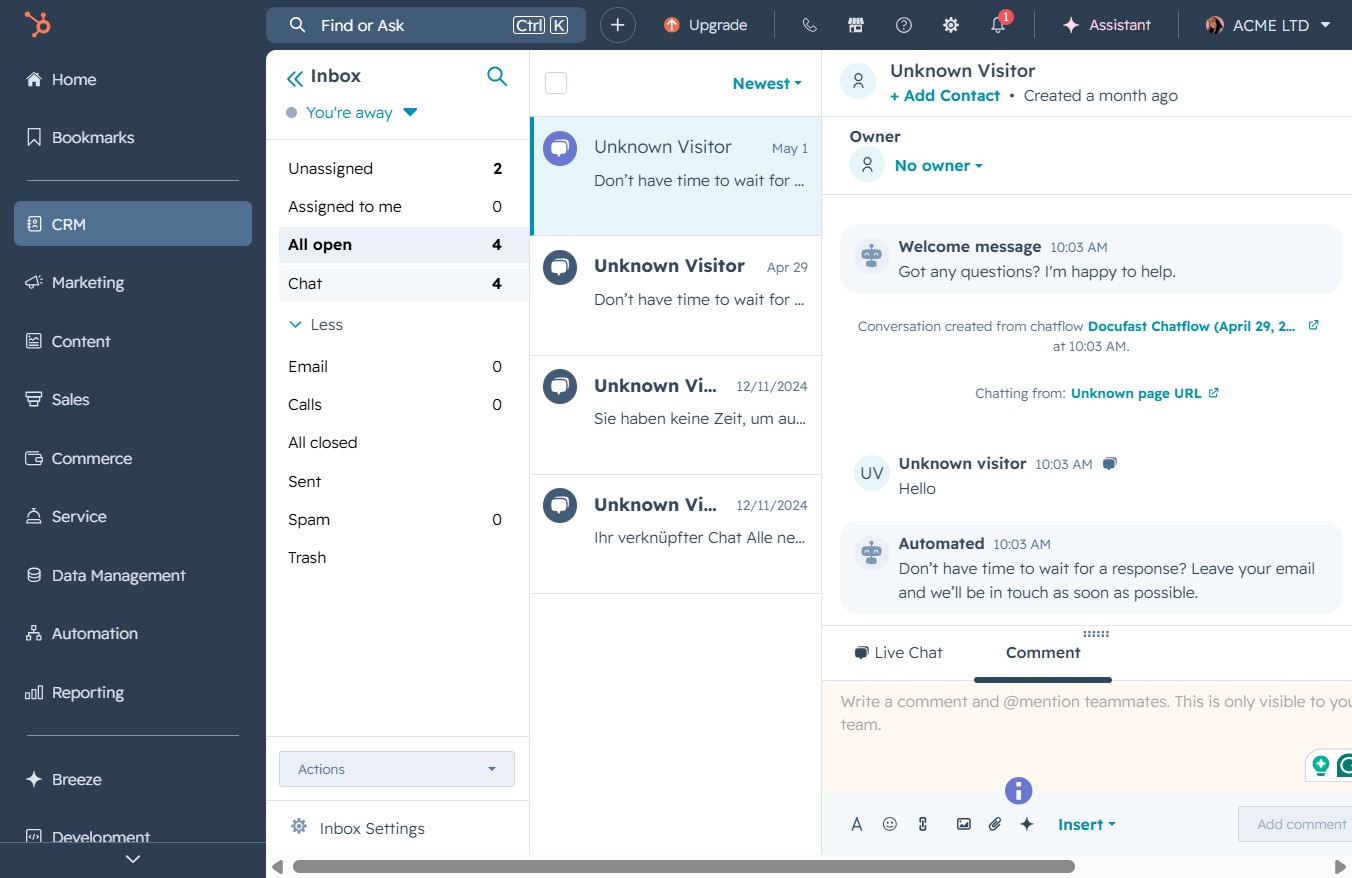
Click the CRM icon
This will navigate you to the Customer Relationship Management section, where you can manage your contacts, sales, and marketing activities.

Loading screenshot…
100%
Navigate to the Conversations Inbox in CRM to manage messages, notifications, and active discussions, facilitating efficient interactions with your contacts and visitors in…
 viktoria
Navigate to the Conversations Inbox in CRM to manage messages, notifications, and active discussions, facilitating efficient interactions with your contacts and visitors in real-time.
This will navigate you to the Customer Relationship Management section, where you can manage your contacts, sales, and marketing activities.
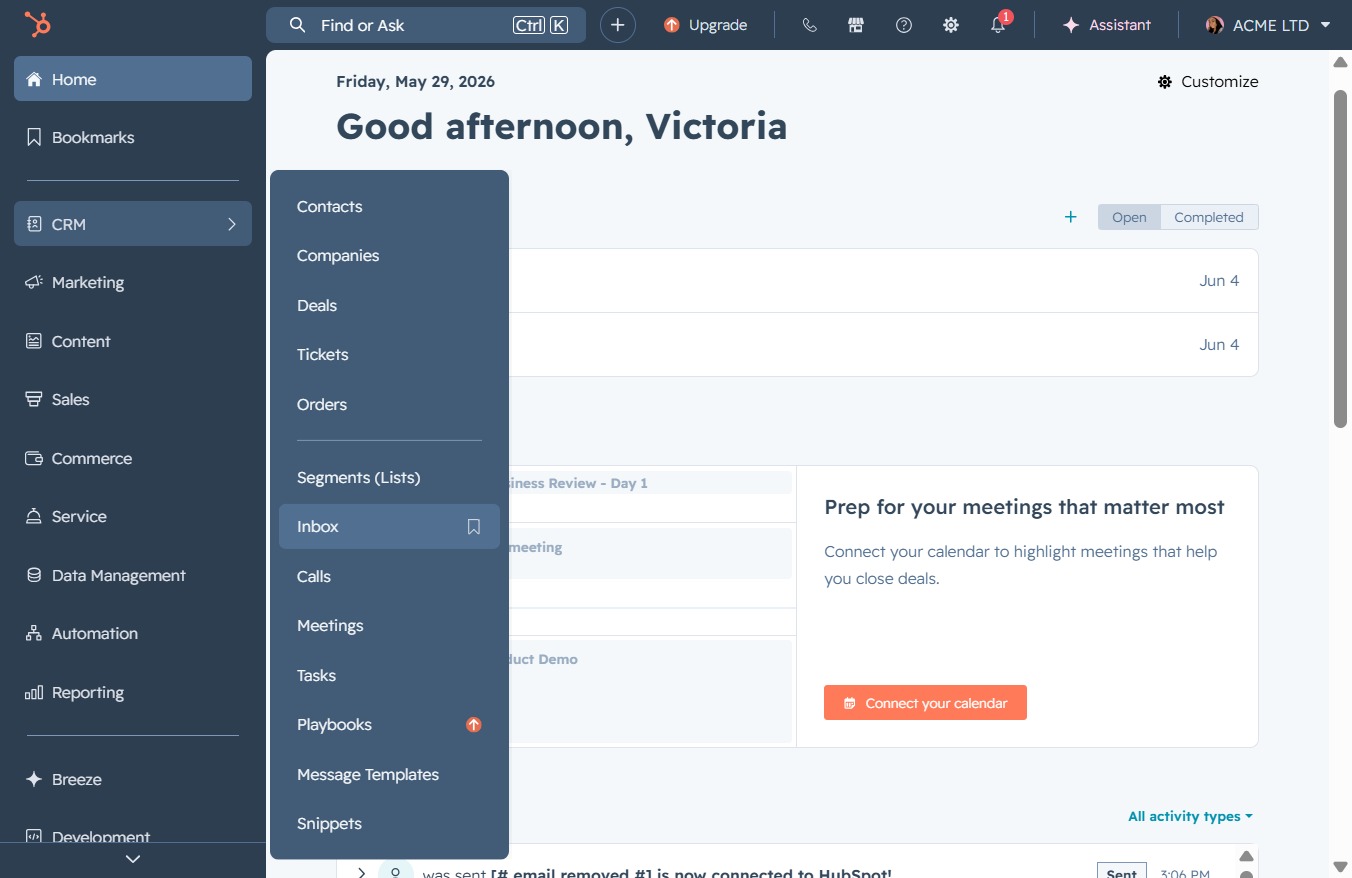
This action will take you to your Inbox, where you can view your messages and notifications related to meetings, tasks, and other activities.
This action will filter your conversations to show only the currently active discussions. It allows you to manage and review all open interactions efficiently.
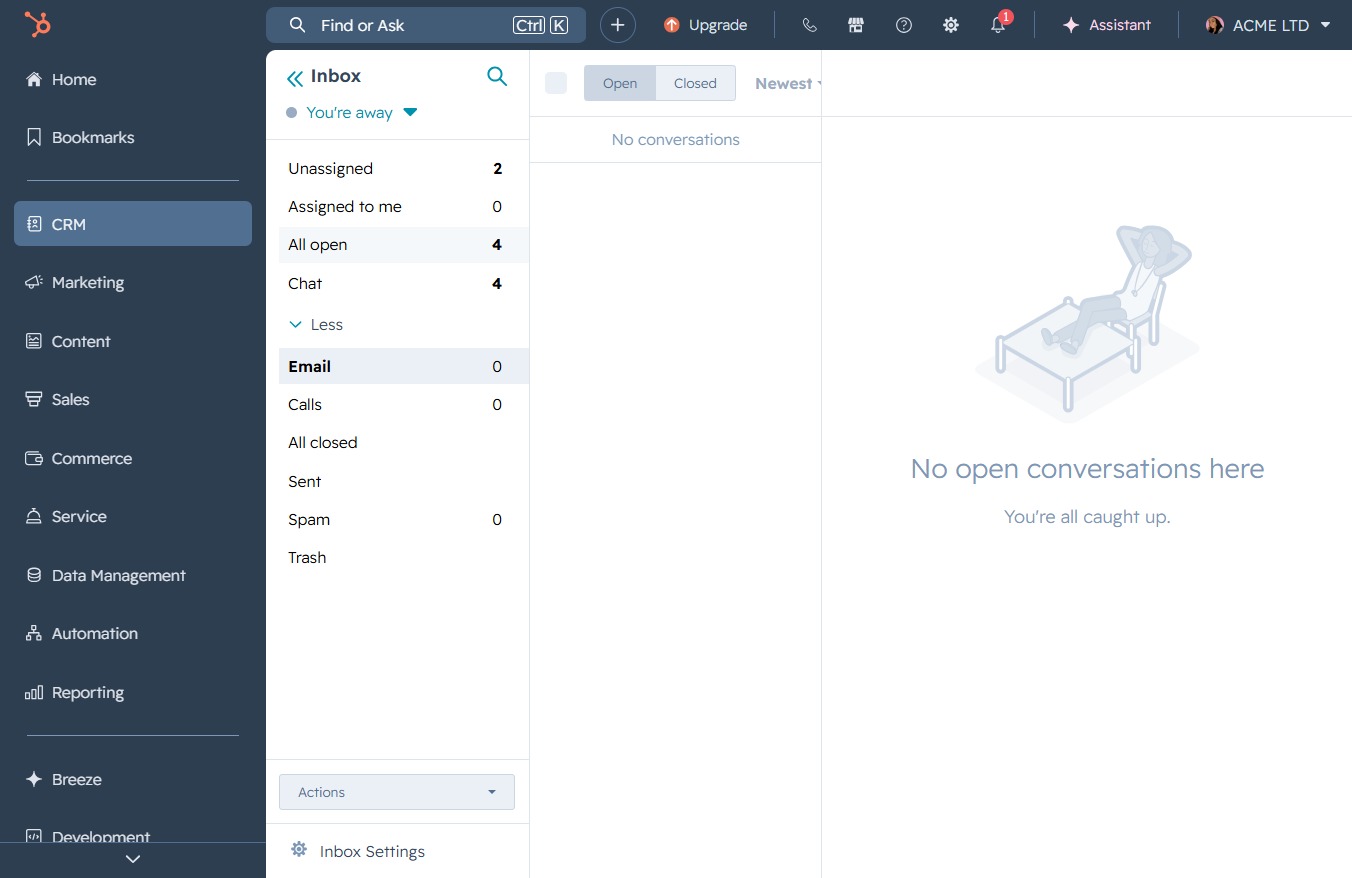
This will open the Chat4 interface, allowing you to manage conversations and interact with your visitors in real-time.