Click the Operations section
This will direct you to the Operations page, where you can view and manage related tasks and updates.

Loading screenshot…
100%
This how-to guide teaches you step-by-step how to effectively use page templates in Confluence, including navigating to the Operations page, creating new documents, and using the…
 viktoria
This how-to guide teaches you step-by-step how to effectively use page templates in Confluence, including navigating to the Operations page, creating new documents, and using the DevOps Runbook template to streamline your workflow. Follow the outlined steps to easily create organized and accessible documents tailored for your team.
This will direct you to the Operations page, where you can view and manage related tasks and updates.
This action will open a menu allowing you to create new pages or content within the Confluence space.

Selecting this option will allow you to initiate a document or page creation using a predefined template, streamlining your workflow in Confluence.

This action opens the DevOps Runbook template, allowing you to create a new document based on this predefined structure.
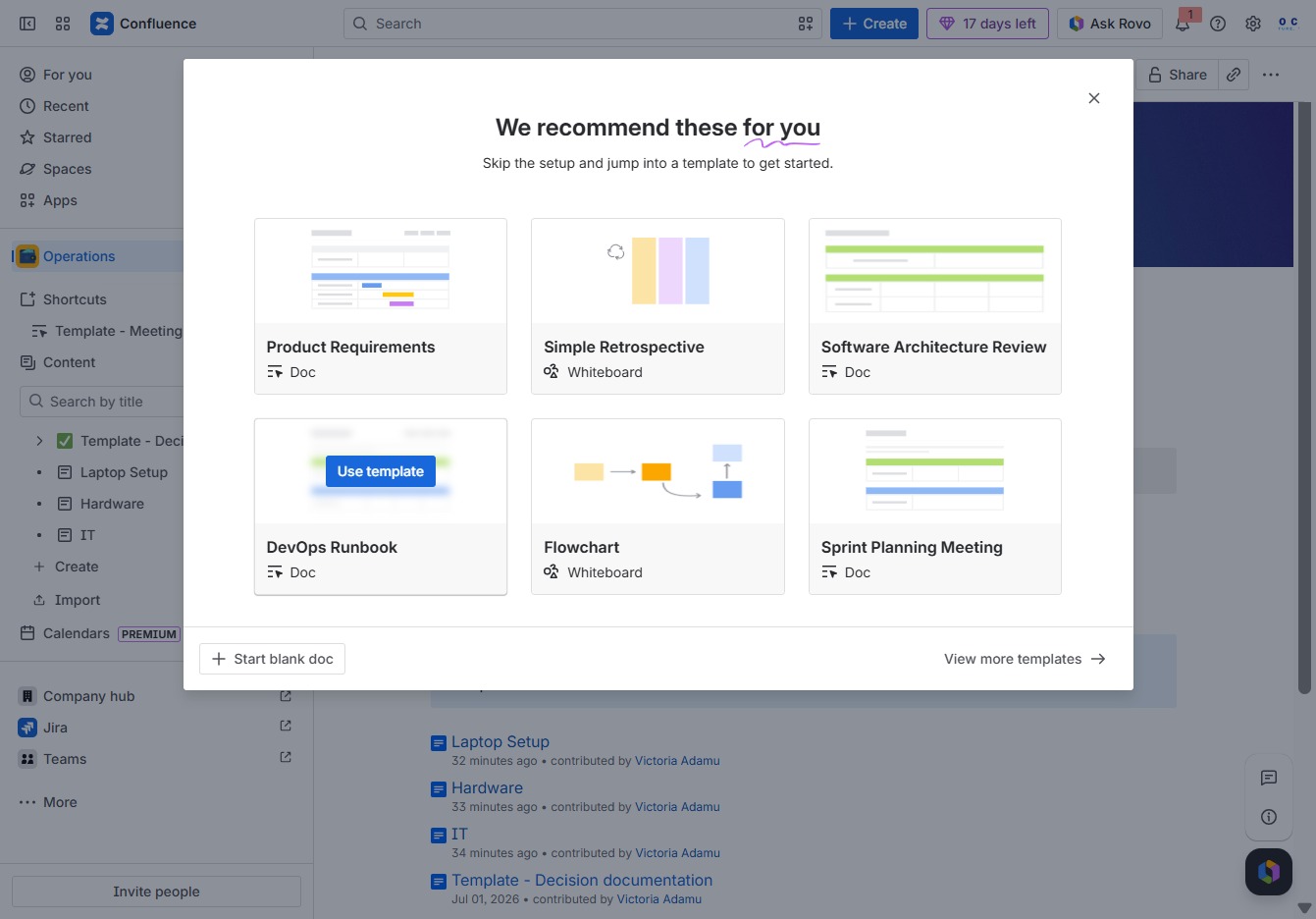
Type a title for your live document in the designated area to define its purpose. This title will help users identify and access the document easily.
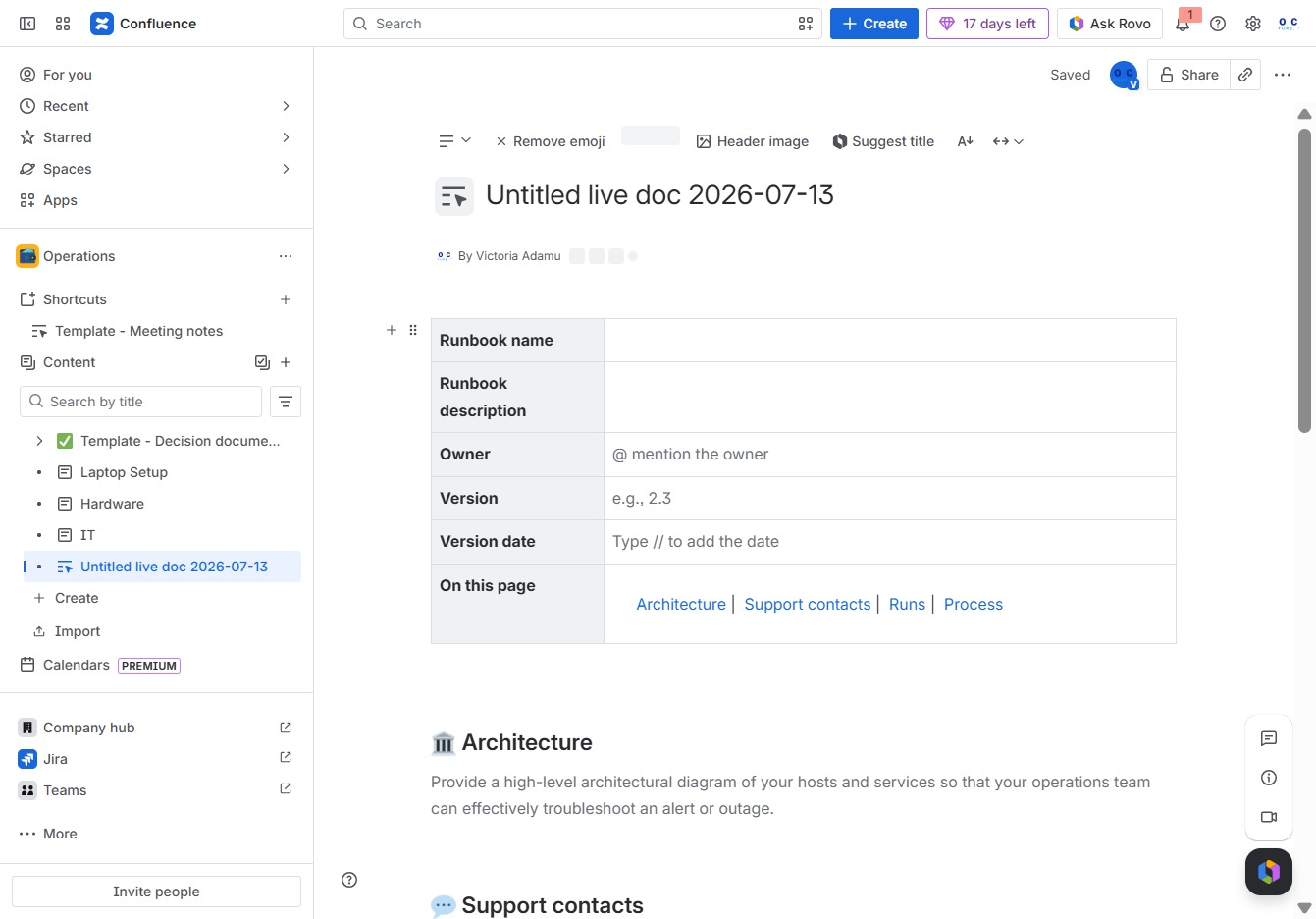
Enter 'DevOps' in the 'Give this live doc a title' textarea to specify the document's title, which helps identify its purpose within Confluence.
