Geteilte Anleitung

How to use advanced filtering with multiple conditions

In this how-to guide, you'll learn to use advanced filtering techniques with multiple conditions to streamline your deal management process.

victoriaworkflowsvictoriaworkflows
·8 Schritte·93 Aufrufe·Veröffentlicht

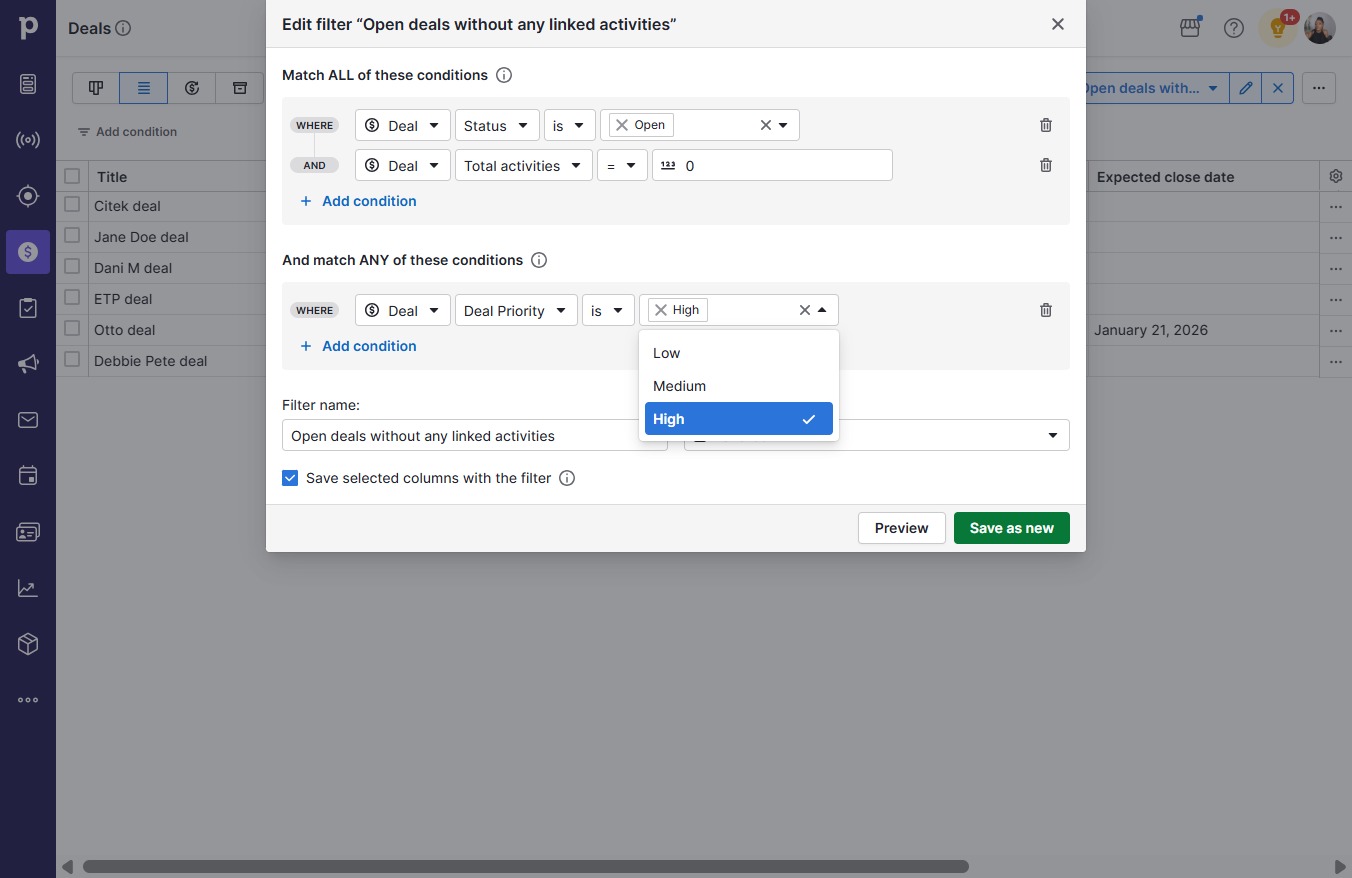
In this how-to guide, you'll learn to use advanced filtering techniques with multiple conditions to streamline your deal management process. Follow these simple steps to set filters based on deal priority and save your preferences for efficient tracking and organization.

Step-by-step Guide8 Schritte
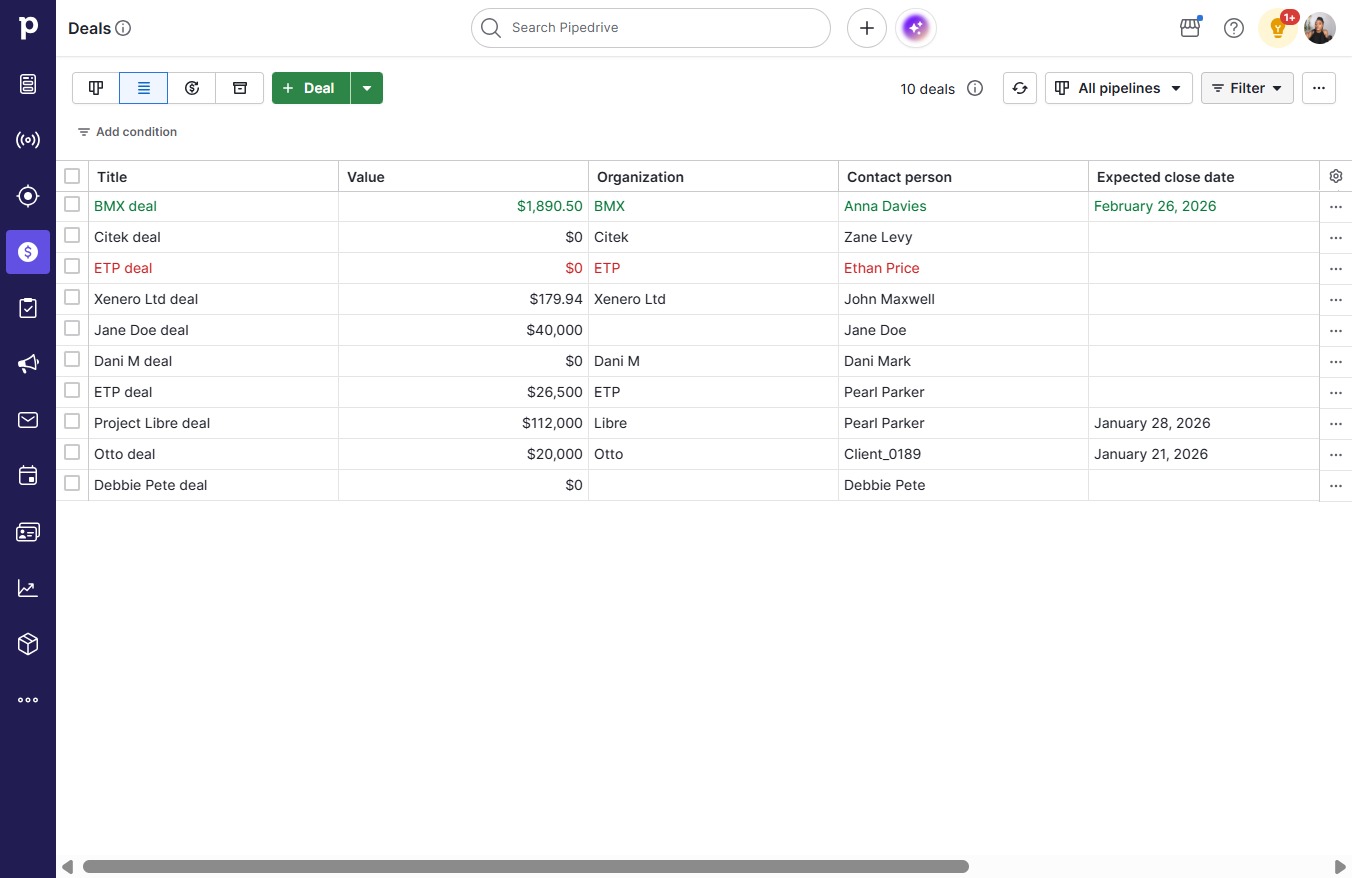
  1. Click on "Click here."

    Click on "Click here."
    Loading screenshot…
    100%
  2. Click on "Click here."

    Click on "Click here."
    Loading screenshot…
    100%
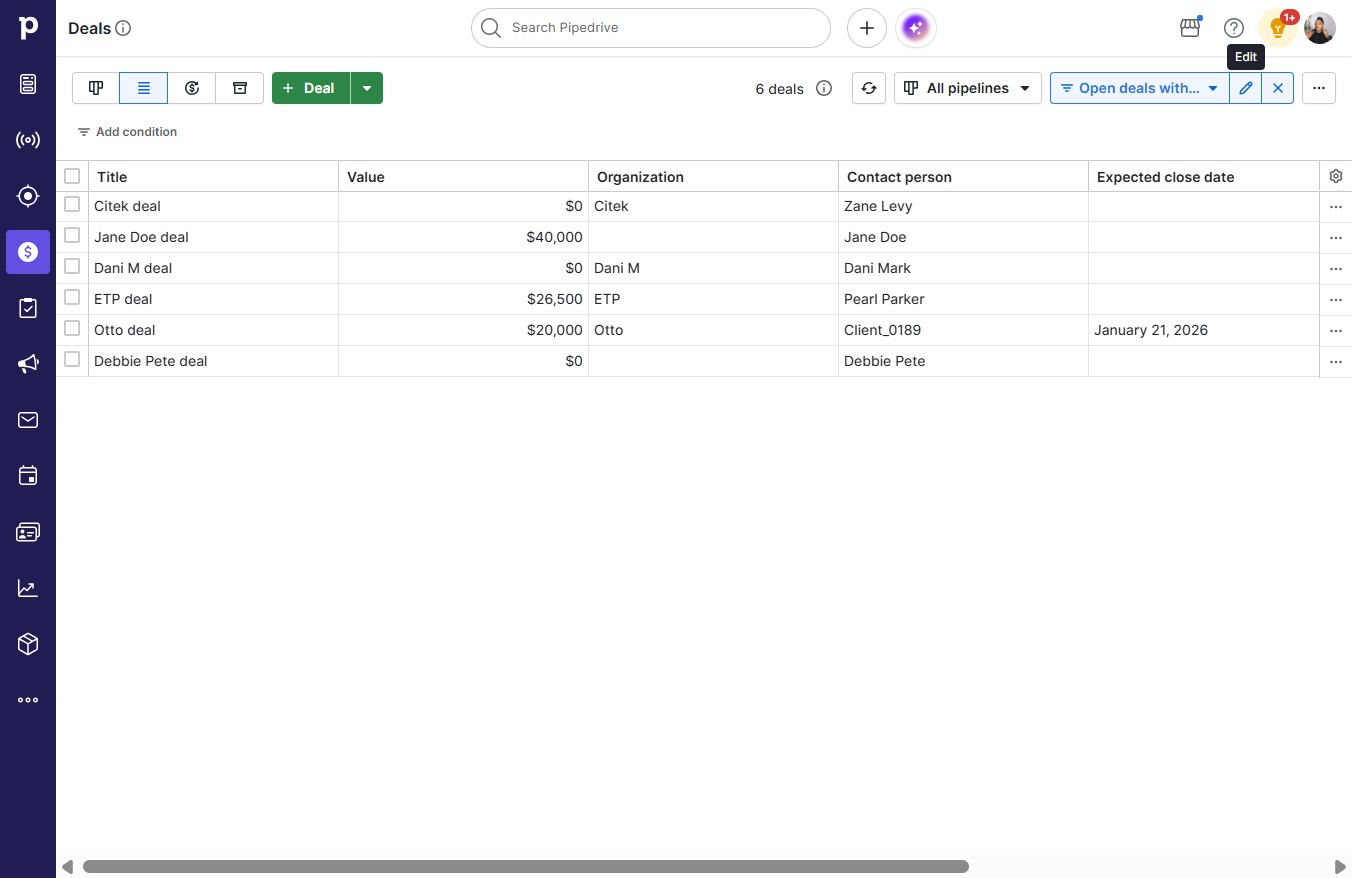
  3. Click Open deals without any linked activities

    Click Open deals without any linked activities
    Loading screenshot…
    100%
  4. Click on "Click here."

    Click on "Click here."
    Loading screenshot…
    100%
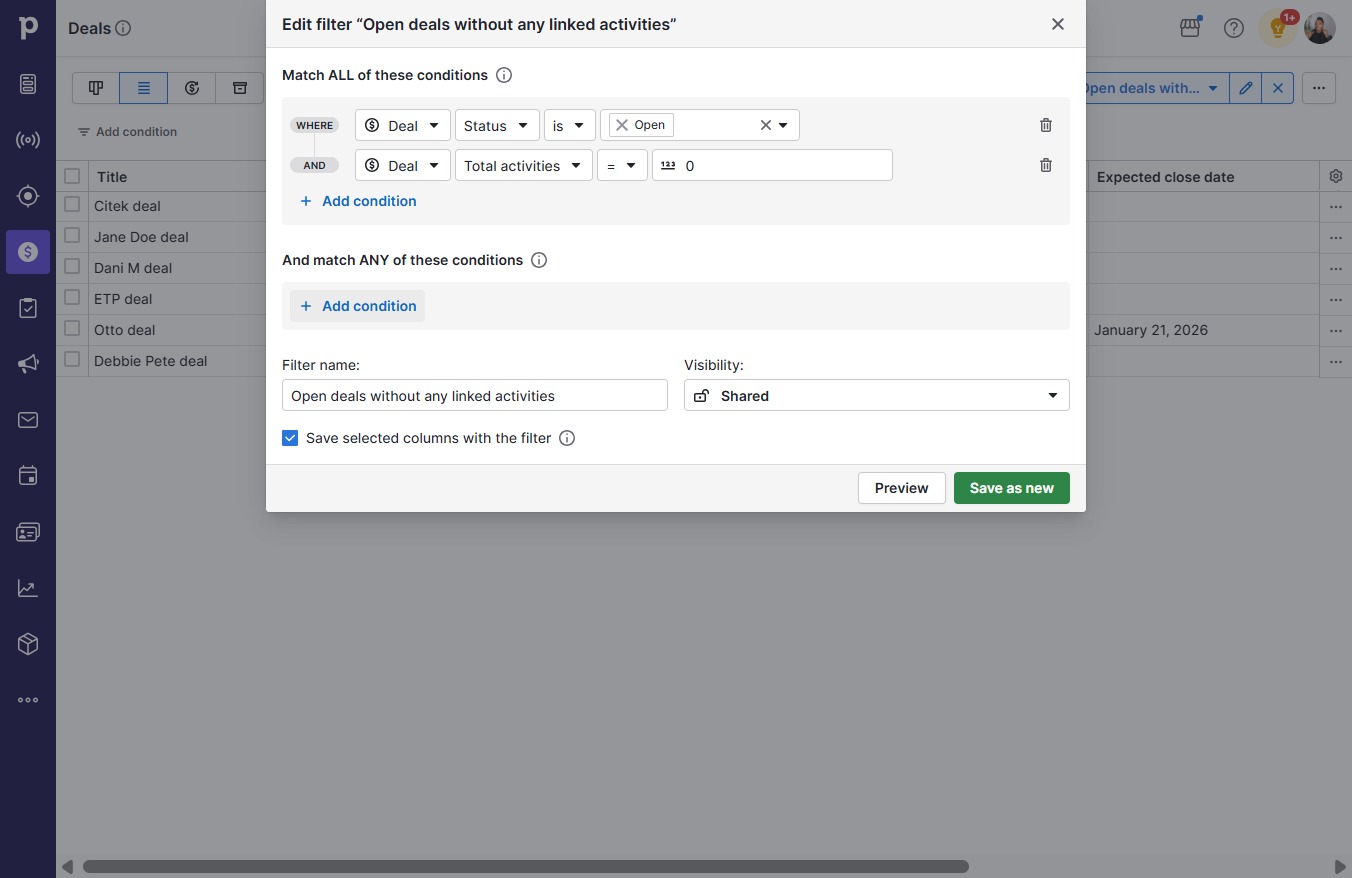
  5. Click Add condition

    Click Add condition
    Loading screenshot…
    100%
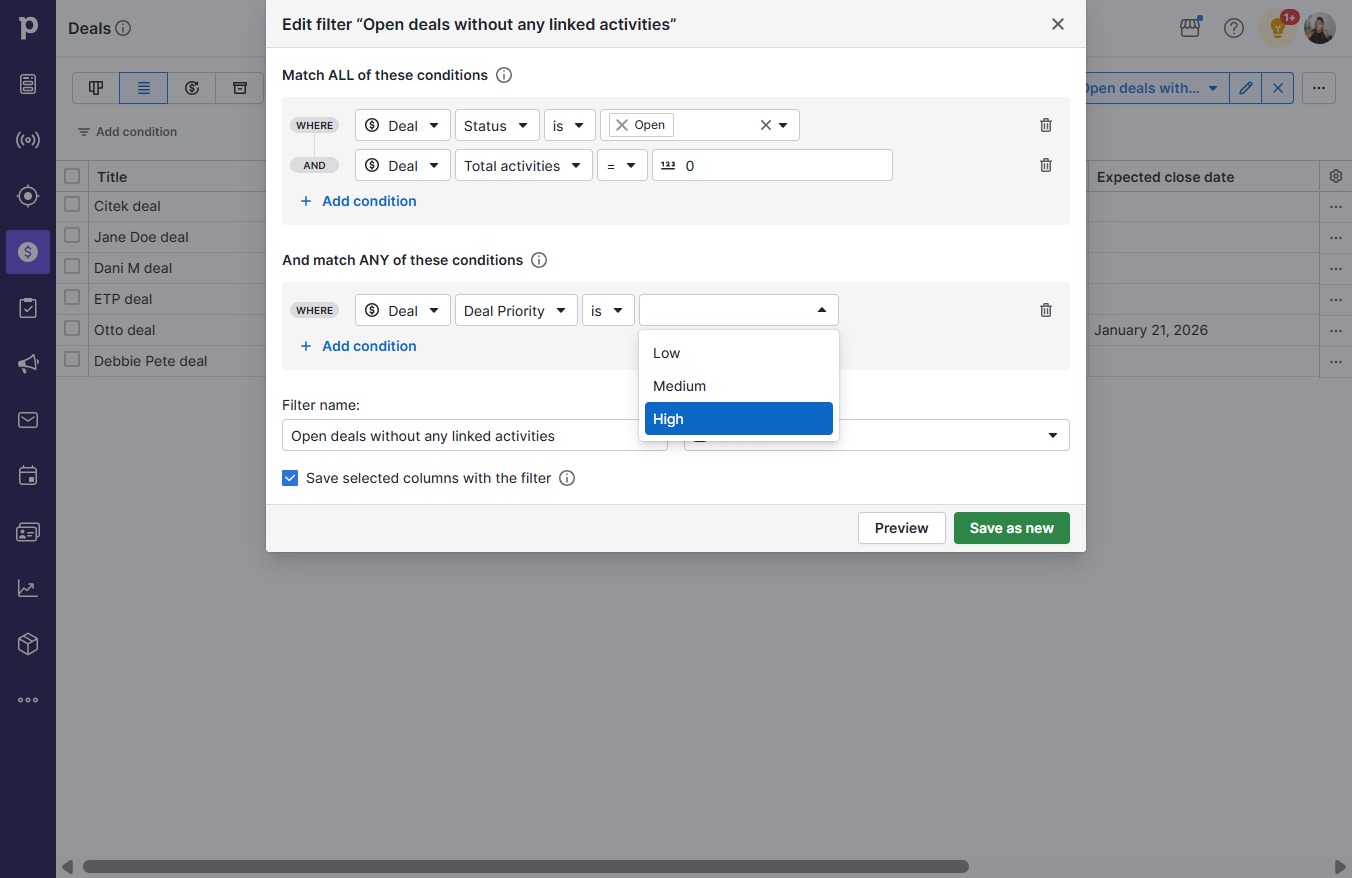
  6. Click Deal Priority

    Click Deal Priority
    Loading screenshot…
    100%
  7. Click High

    Click High
    Loading screenshot…
    100%
  8. Click Save as new

    Click Save as new
    Loading screenshot…
    100%