Click the Ads link
Selecting the Ads link will take you to the advertising campaigns section where you can manage and analyze your advertising efforts.

Loading screenshot…
100%
Use HubSpot to track ad performance for the last year by filtering metrics to evaluate impressions, clicks, and overall effectiveness of your advertising campaigns.
 viktoria
Use HubSpot to track ad performance for the last year by filtering metrics to evaluate impressions, clicks, and overall effectiveness of your advertising campaigns.
Selecting the Ads link will take you to the advertising campaigns section where you can manage and analyze your advertising efforts.
After clicking 'Analyze', you will access in-depth performance metrics for your ad campaigns, allowing you to evaluate impressions, clicks, and overall effectiveness.
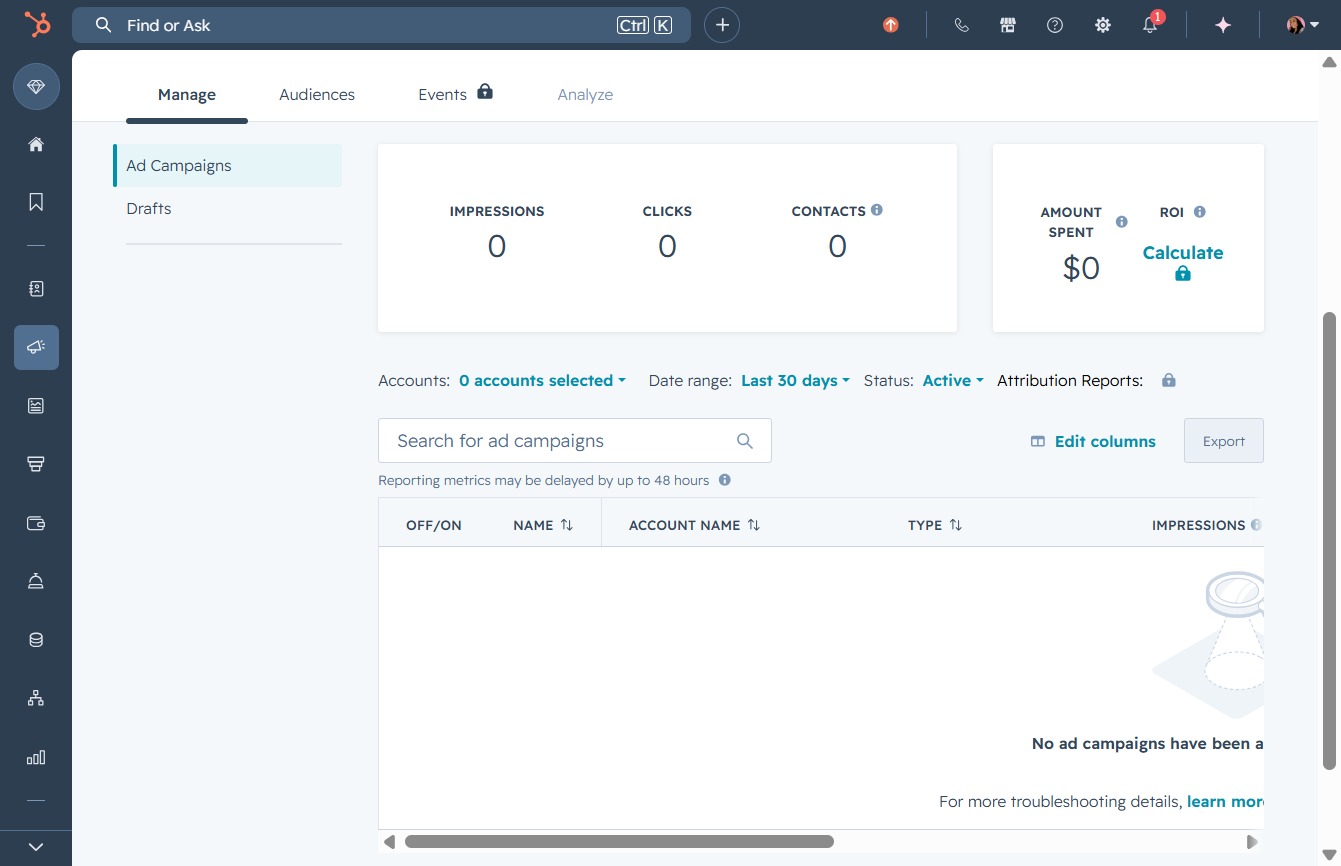
Selecting 'Last 30 days' will filter your analytics to display data from the past month, allowing you to review performance metrics such as impressions, clicks, and contacts during that timeframe.
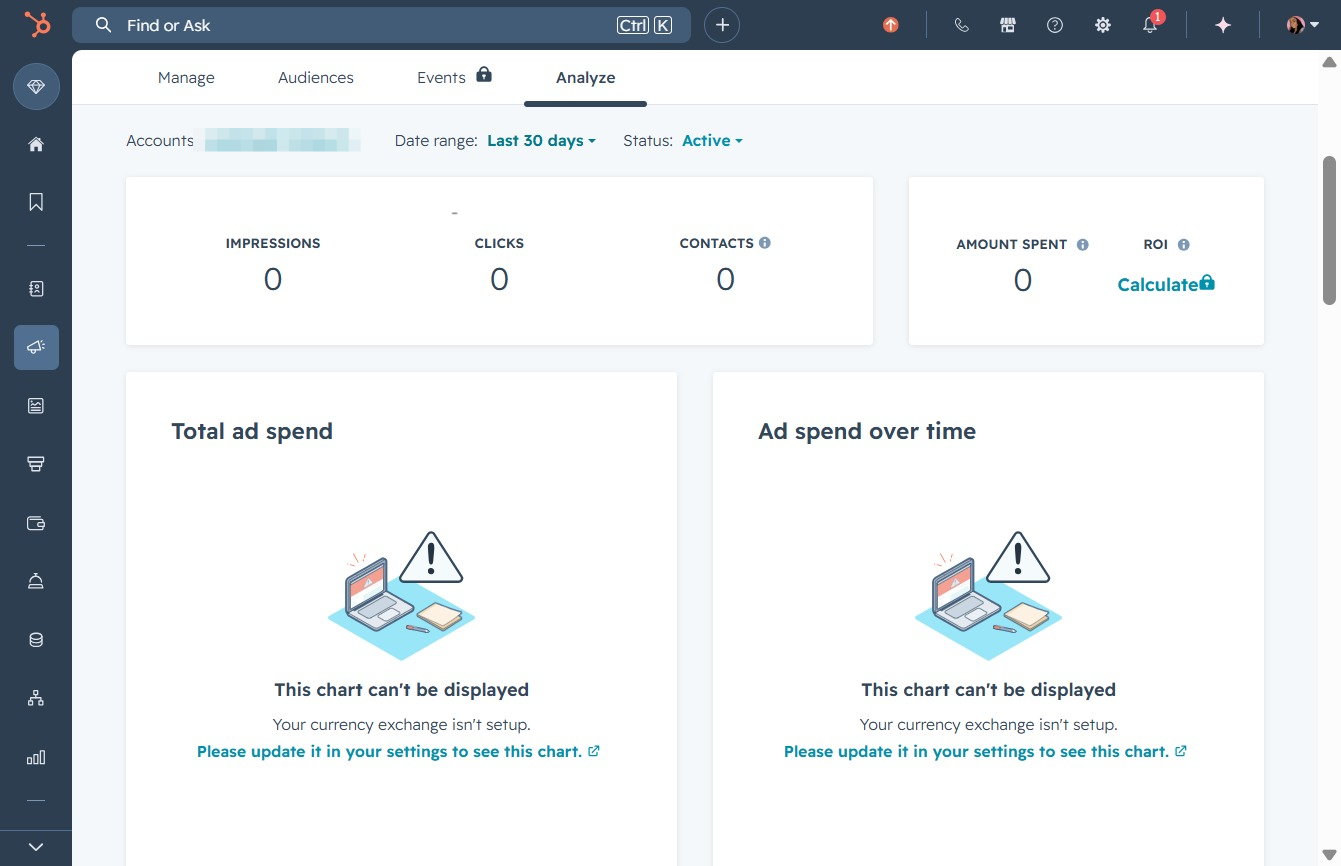
This action selects the date range for the current year, which will update the displayed analytics and metrics related to your advertising performance.
