Shared guide

How to share reports with team members

In this how-to guide, you'll learn the step-by-step process to effortlessly share reports with your team members, ensuring everyone has access to vital insights and data.

victoriaworkflowsvictoriaworkflows
·7 steps·65 views·Published

In this how-to guide, you'll learn the step-by-step process to effortlessly share reports with your team members, ensuring everyone has access to vital insights and data. Follow the straightforward navigation and click-through instructions to successfully share the Sales Performance 2026 report with your colleague Kayla D.

Step-by-step Guide7 steps
  1. Click on "Click here."

    Click on "Click here."
    Loading screenshot…
    100%
  2. Click Sales Performance 2026

    Click Sales Performance 2026
    Loading screenshot…
    100%
  3. Click on "Click here."

    Click on "Click here."
    Loading screenshot…
    100%
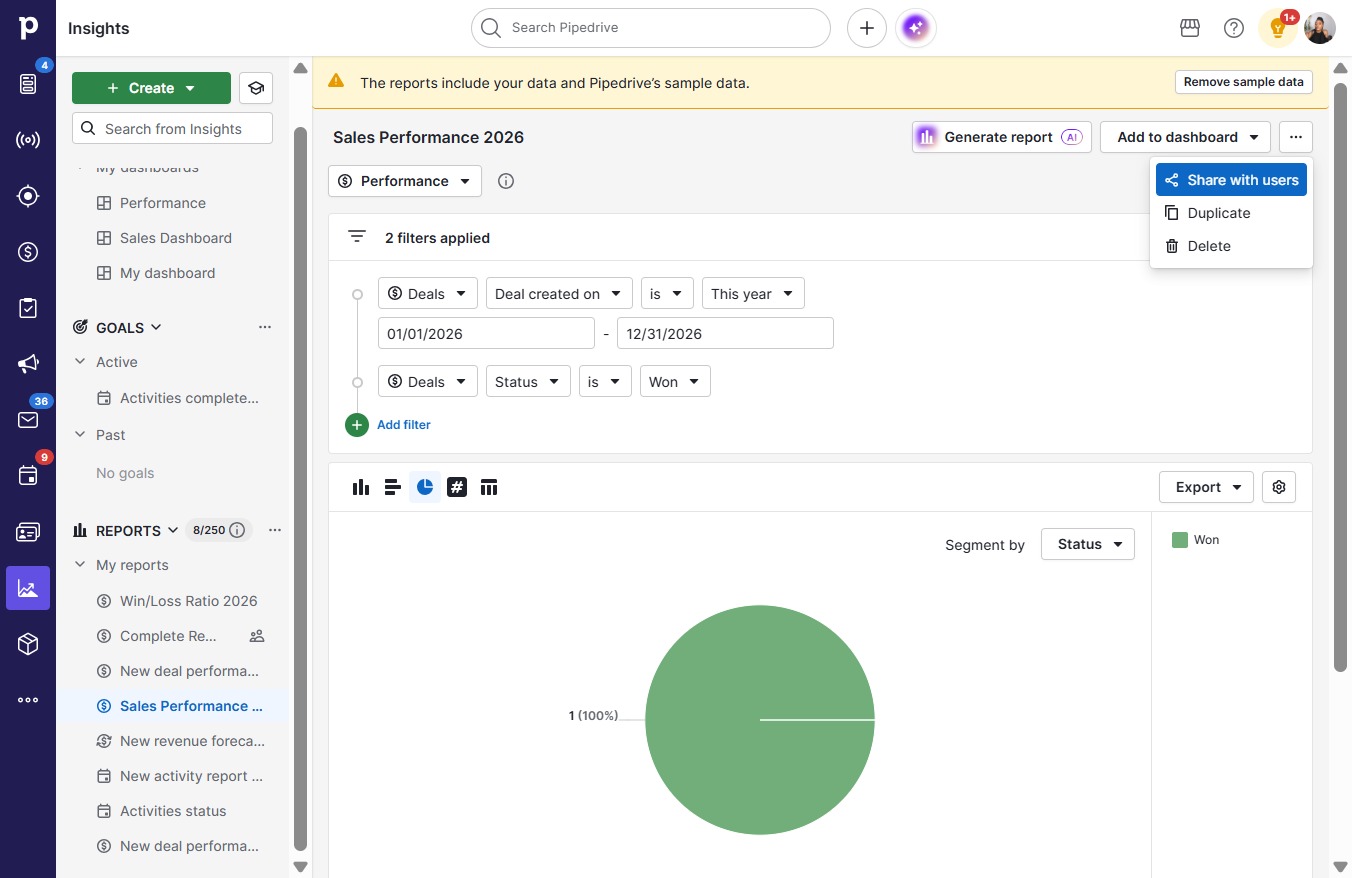
  4. Click Share with users

    Click Share with users
    Loading screenshot…
    100%
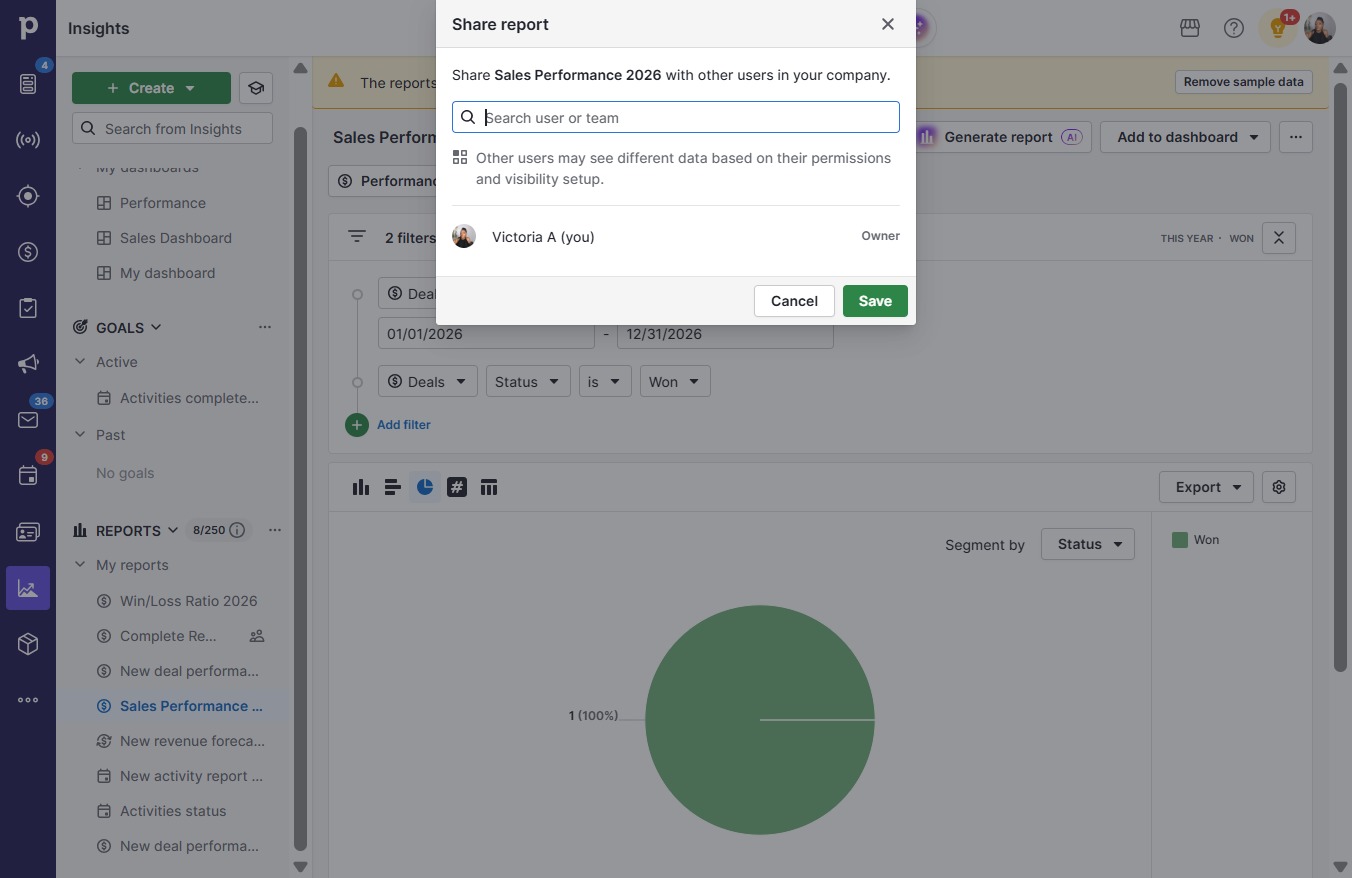
  5. Click on "Click here."

    Click on "Click here."
    Loading screenshot…
    100%
  6. Click Kayla D

    Click Kayla D
    Loading screenshot…
    100%
  7. Click Save

    Click Save
    Loading screenshot…
    100%