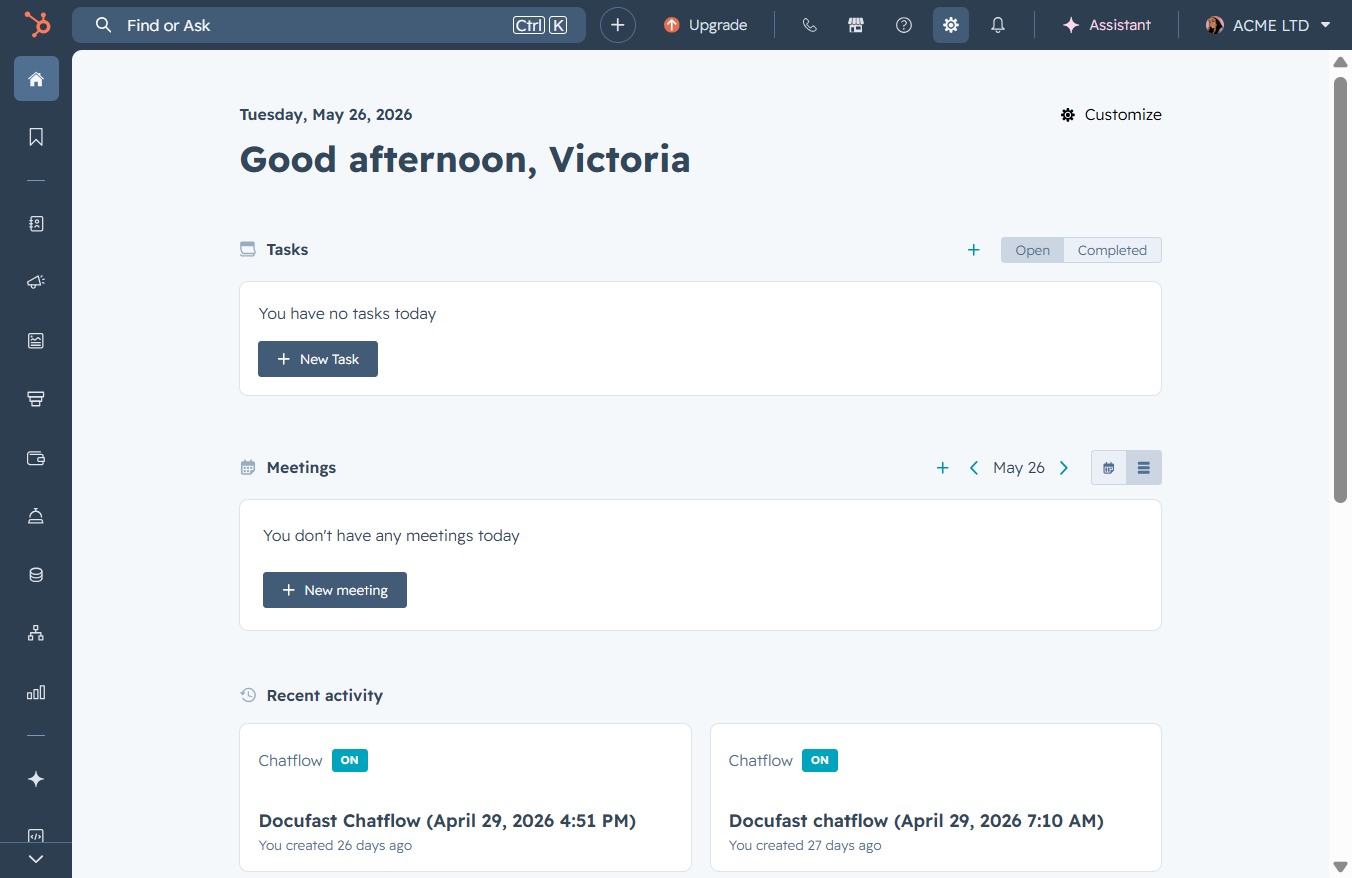
Click the Settings link
Clicking the 'Settings' link will take you to the configuration page where you can manage your account preferences and customize application settings.
Loading screenshot…
100%
Manage user permissions in the application by accessing Users & Teams settings, and customize access rights for individual users based on their specific roles and needs.
 viktoria
Manage user permissions in the application by accessing Users & Teams settings, and customize access rights for individual users based on their specific roles and needs.
Clicking the 'Settings' link will take you to the configuration page where you can manage your account preferences and customize application settings.
This will open the Users & Teams settings, allowing you to manage user permissions and team configurations within your account.

This will allow you to modify the permissions for the selected user, enabling you to customize their access rights within the account.

This option allows you to specify detailed permissions for the user, tailoring access to the features they need.
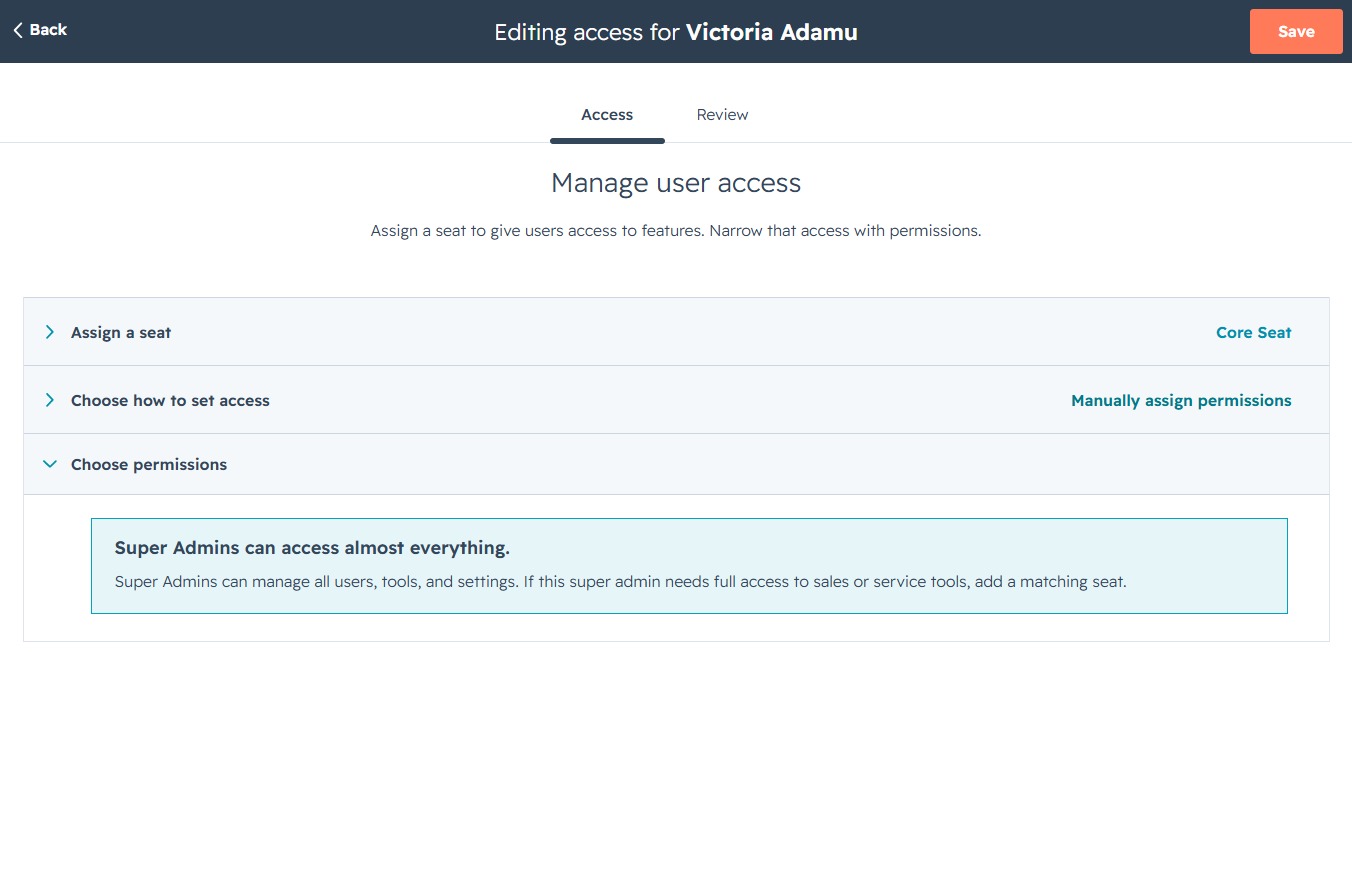
Select this option to proceed with assigning specific permissions to the user, allowing you to customize access based on their needs.
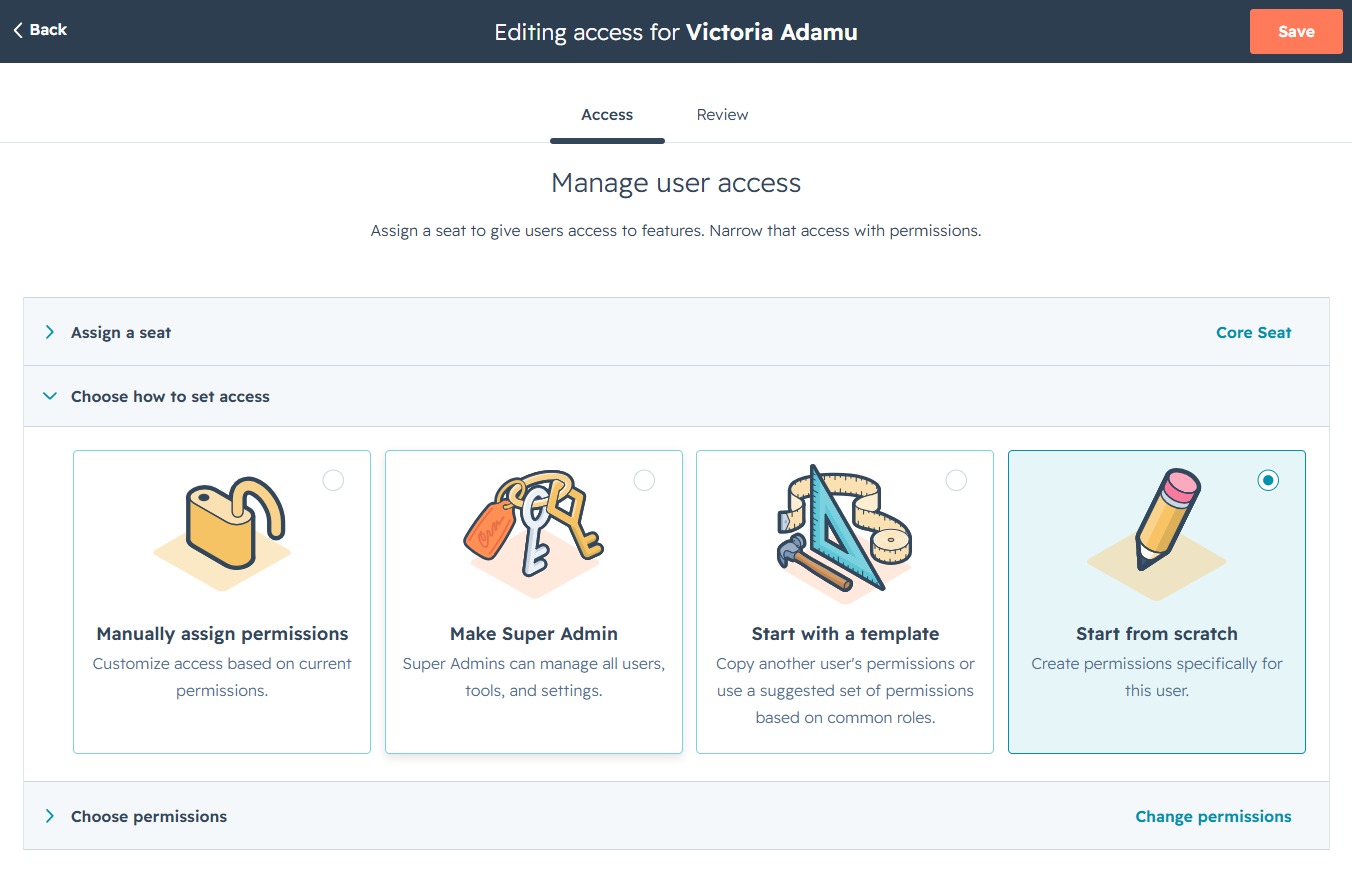
This action will save the changes made to the user access settings for Victoria Adamu. Ensure all selections and configurations are correct before saving.
