Geteilte Anleitung

How to set up two-factor authentication

Learn how to enhance your account security by setting up two-factor authentication in this easy-to-follow guide.

victoriaworkflowsvictoriaworkflows
·5 Schritte·57 Aufrufe·Veröffentlicht

Learn how to enhance your account security by setting up two-factor authentication in this easy-to-follow guide. We’ll walk you through the necessary steps, from navigating your profile settings to enabling the verification link for added protection.

Step-by-step Guide5 Schritte
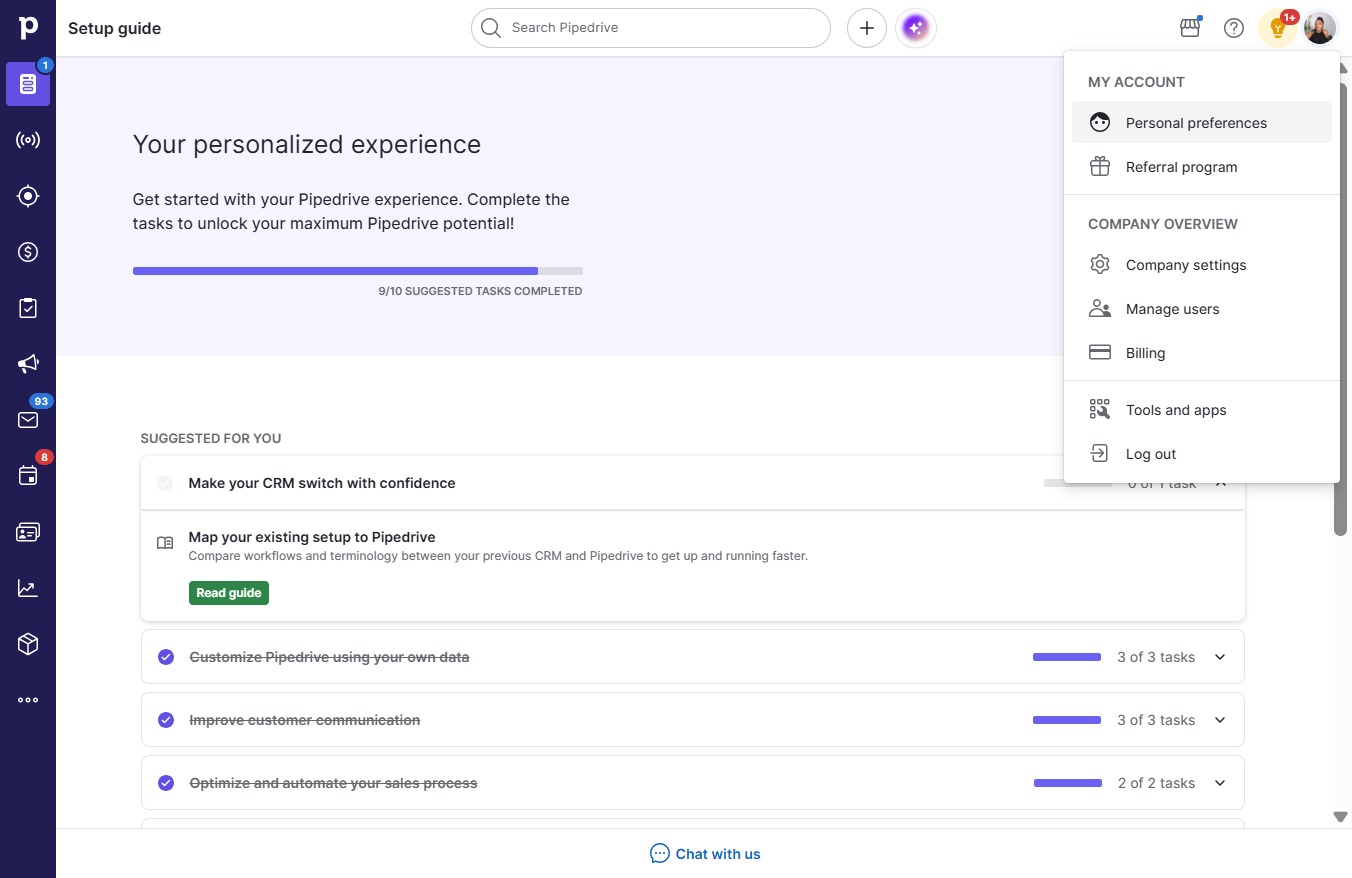
  1. Click on "Click here."
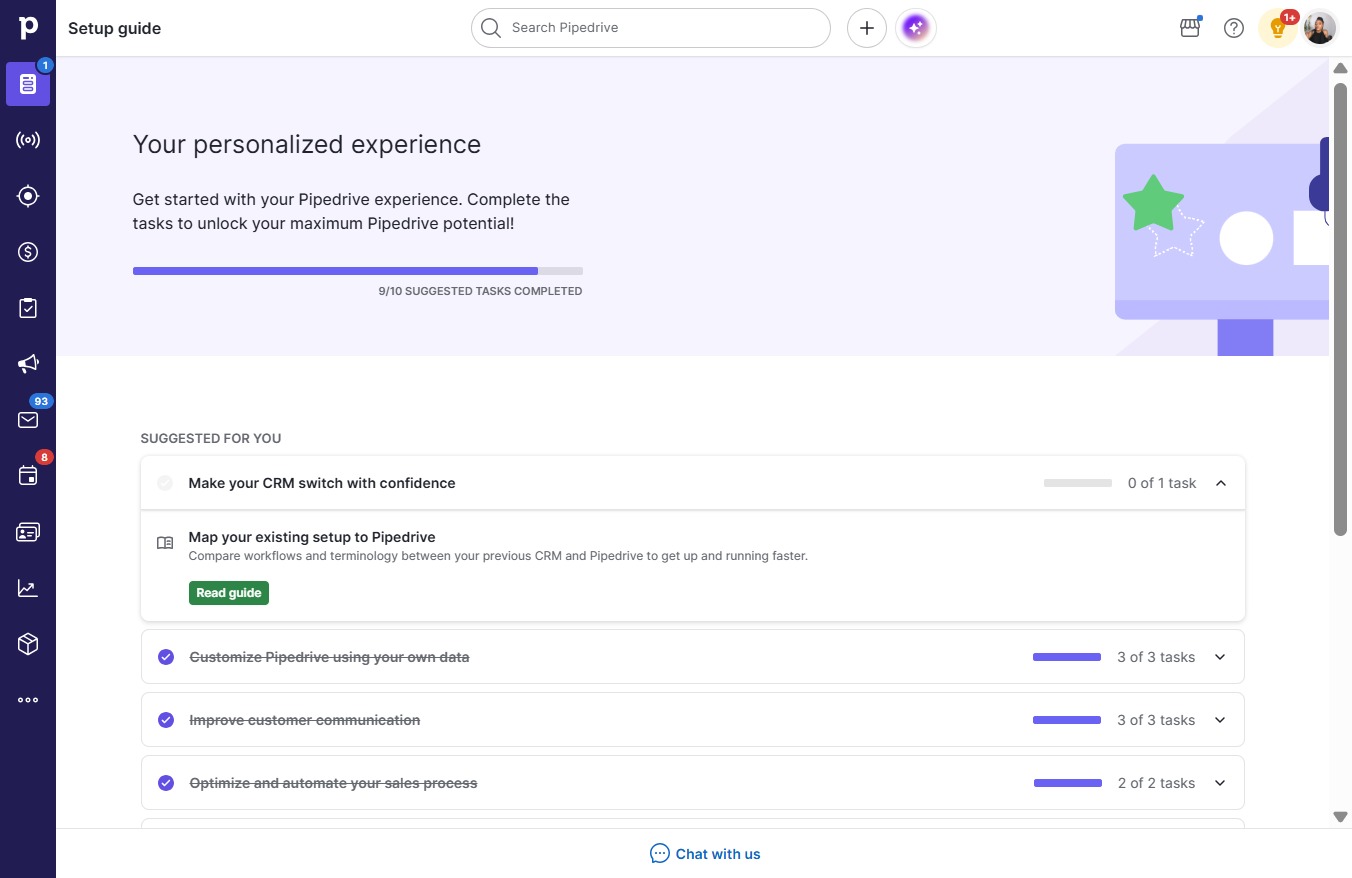
    Click on "Click here."
    Loading screenshot…
    100%
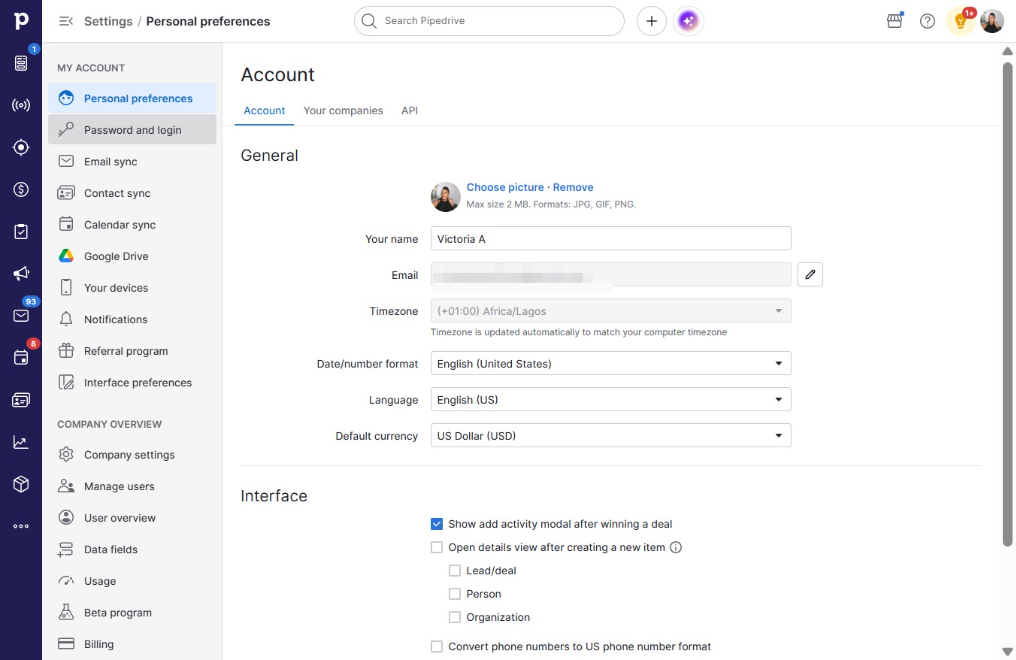
  2. Click Personal preferences

    Click Personal preferences
    Loading screenshot…
    100%
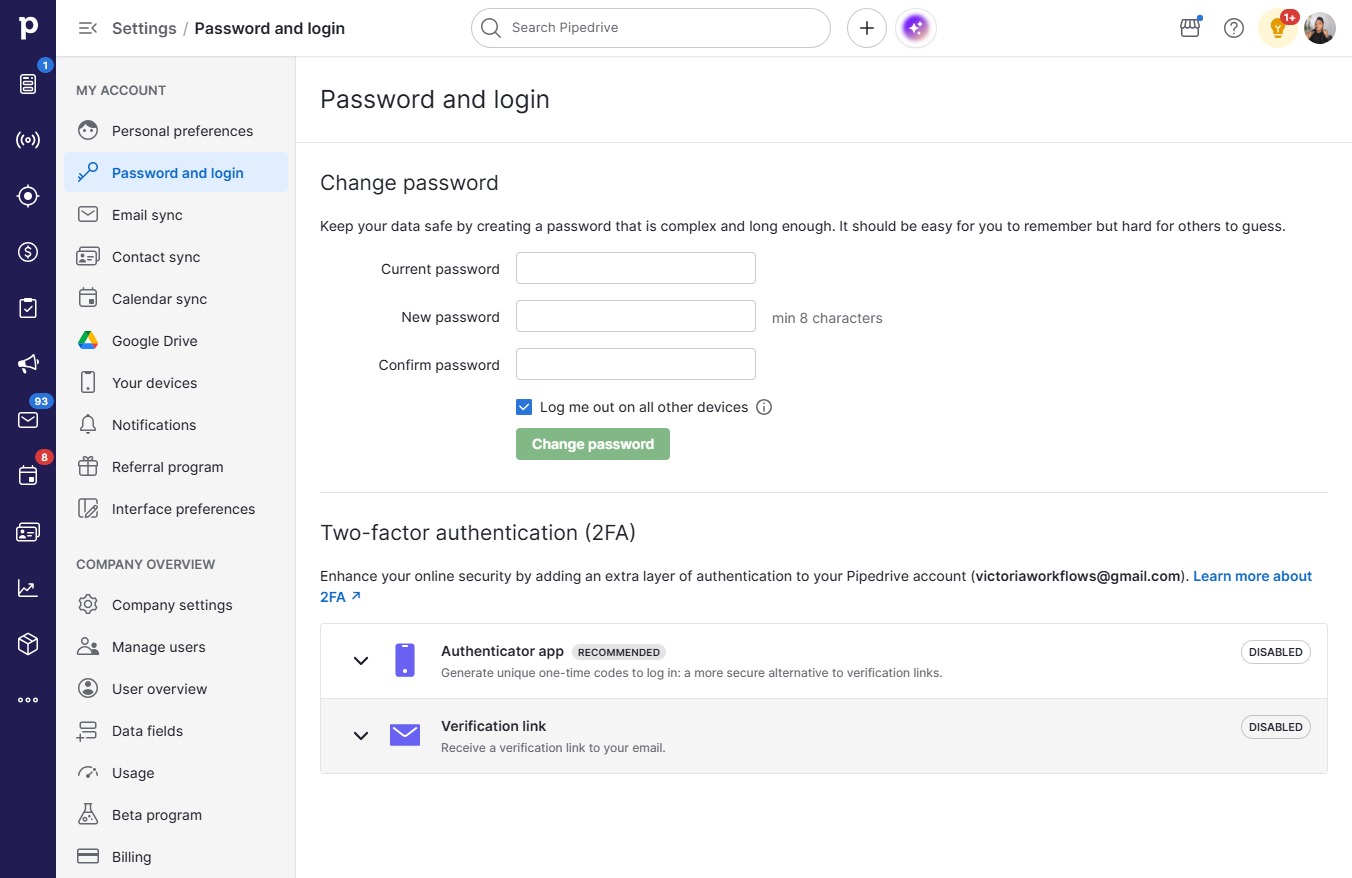
  3. Click Password and login

    Click Password and login
    Loading screenshot…
    100%
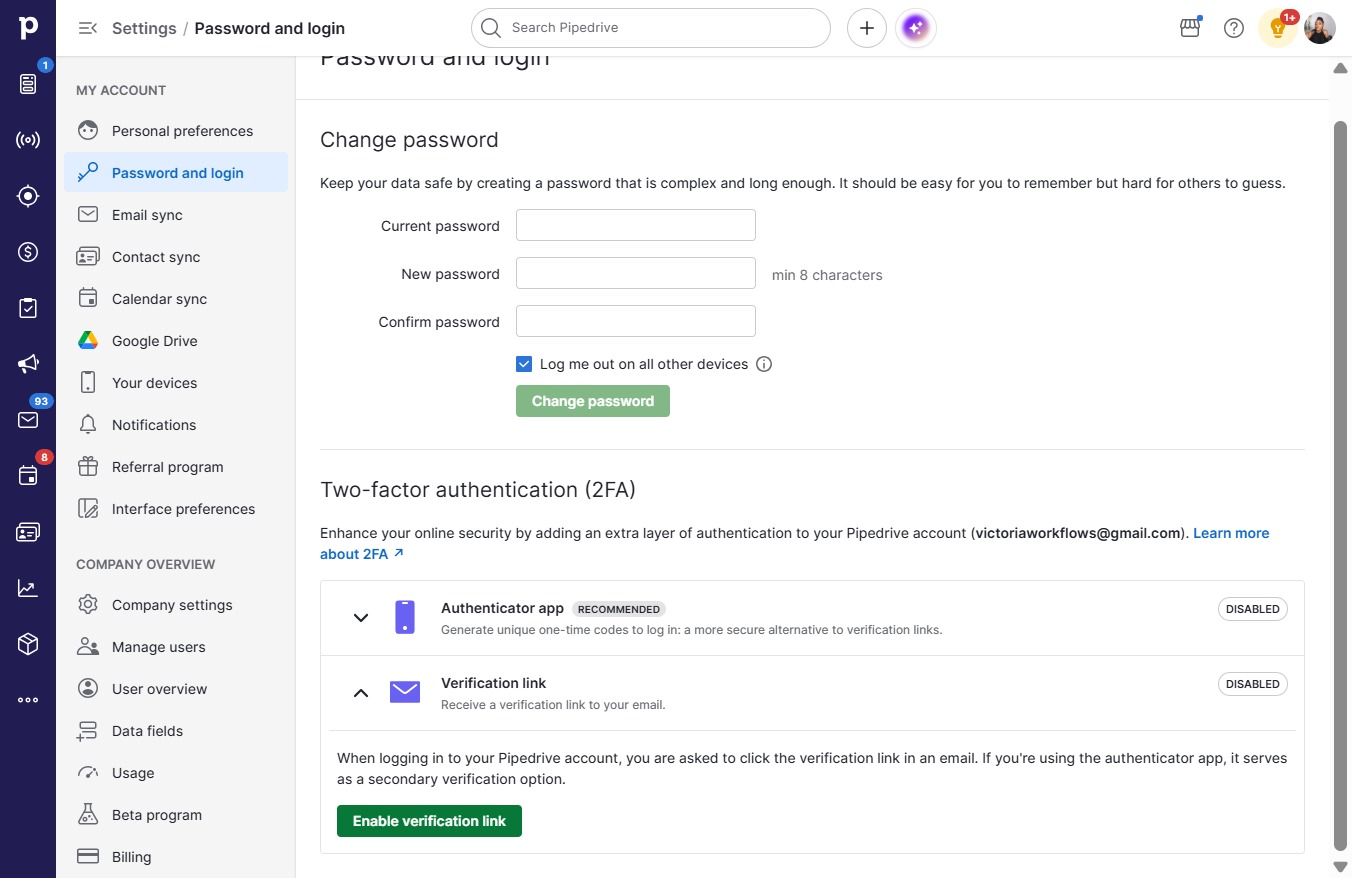
  4. Click Verification link

    Click Verification link
    Loading screenshot…
    100%
  5. Click Enable verification link

    Click Enable verification link
    Loading screenshot…
    100%