Shared guide

How to set up contact visibility settings

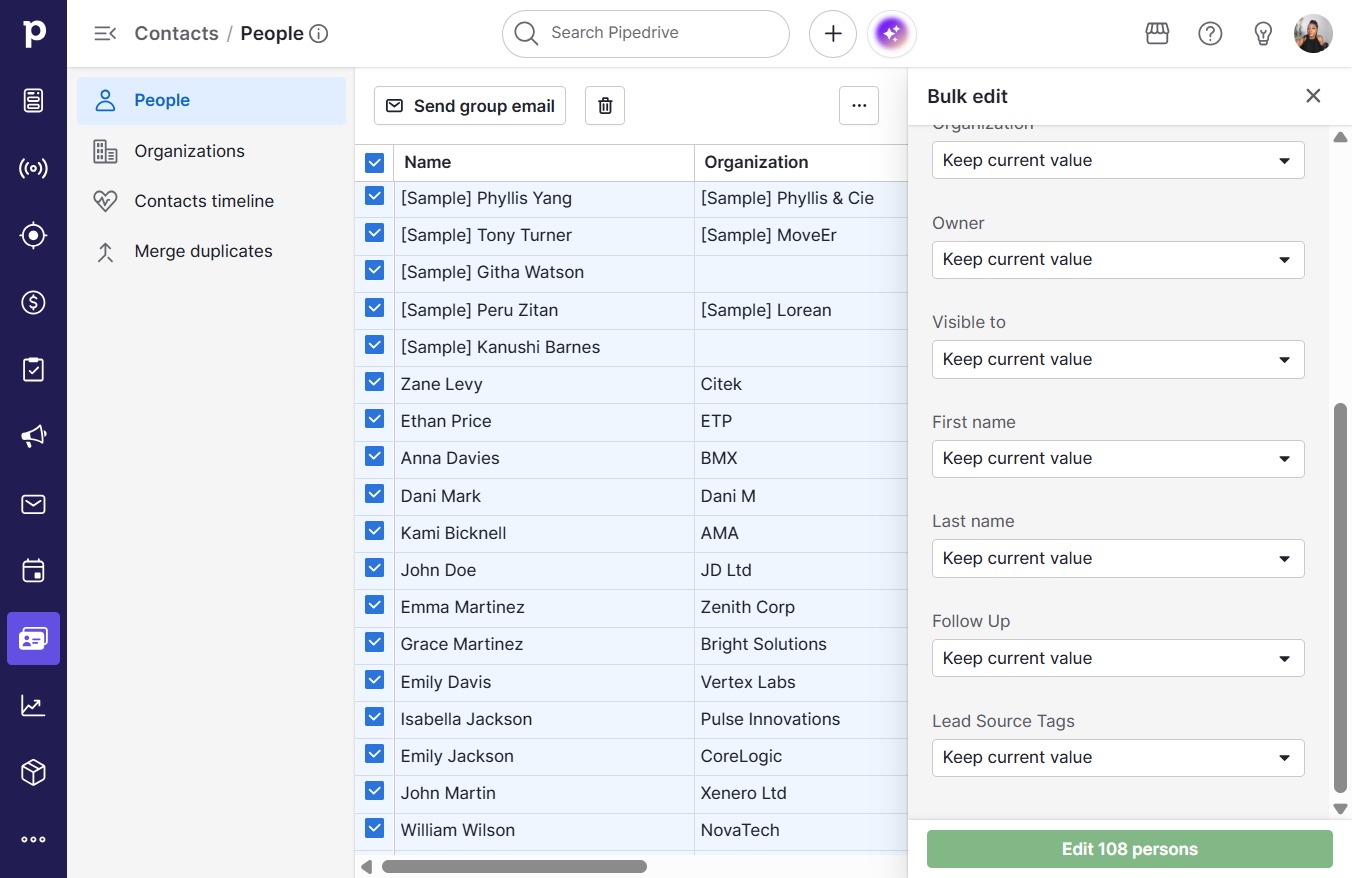
In this how-to guide, you'll learn the step-by-step process for setting up your contact visibility settings to ensure that the right users have access to your contact information.

victoriaworkflowsvictoriaworkflows
·8 steps·57 views·Published

In this how-to guide, you'll learn the step-by-step process for setting up your contact visibility settings to ensure that the right users have access to your contact information. Follow along as we navigate through the required clicks to customize your settings effectively.

Step-by-step Guide8 steps
  1. Click on "Click here."

    Click on "Click here."
    Loading screenshot…
    100%
  2. Click on "Click here."

    Click on "Click here."
    Loading screenshot…
    100%
  3. Click Keep current value

    Click Keep current value
    Loading screenshot…
    100%
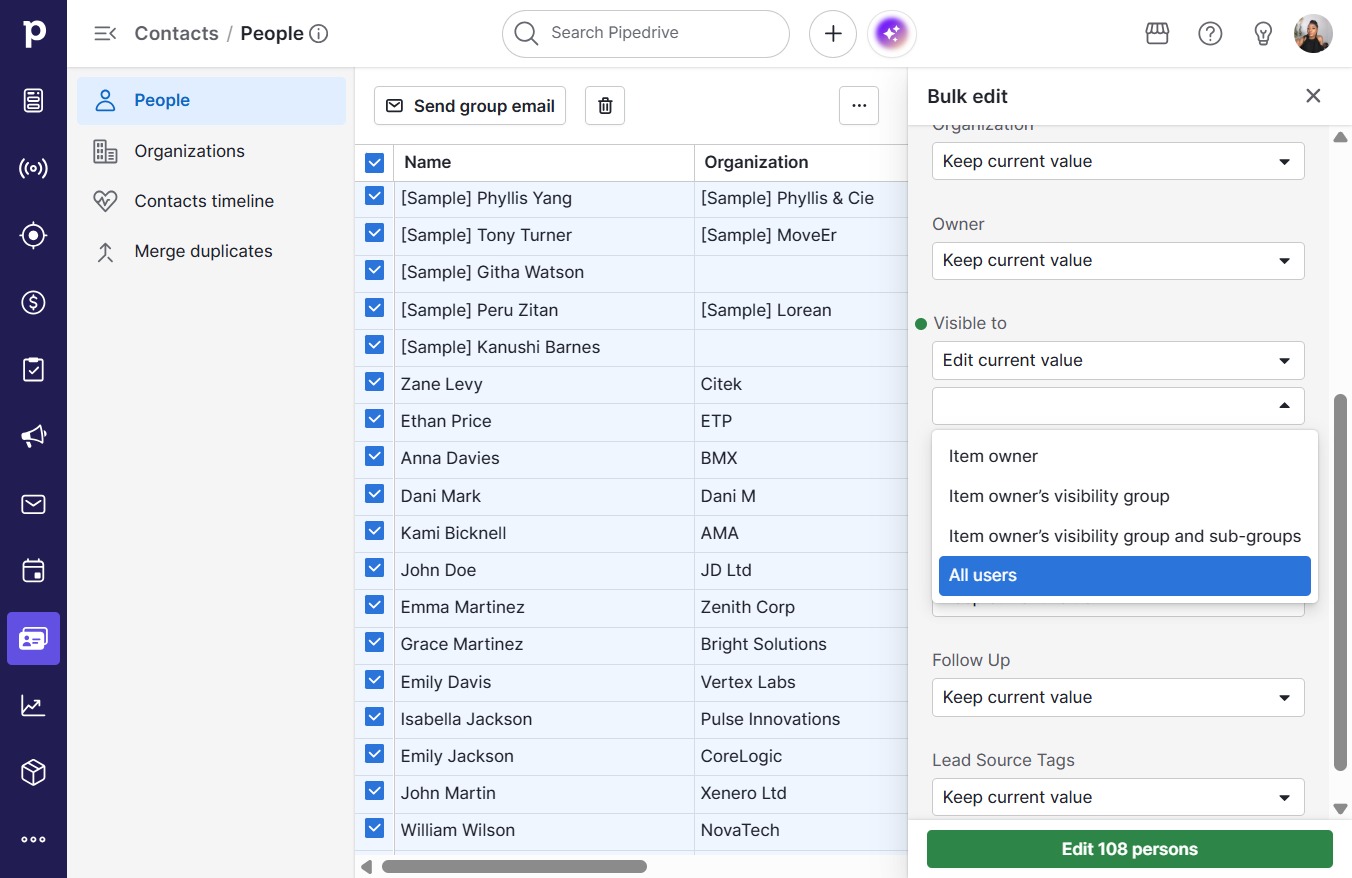
  4. Click Edit current value

    Click Edit current value
    Loading screenshot…
    100%
  5. Click open menu

    Click open menu
    Loading screenshot…
    100%
  6. Click All users

    Click All users
    Loading screenshot…
    100%
  7. Click Edit 108 persons

    Click Edit 108 persons
    Loading screenshot…
    100%
  8. Click Confirm

    Click Confirm
    Loading screenshot…
    100%