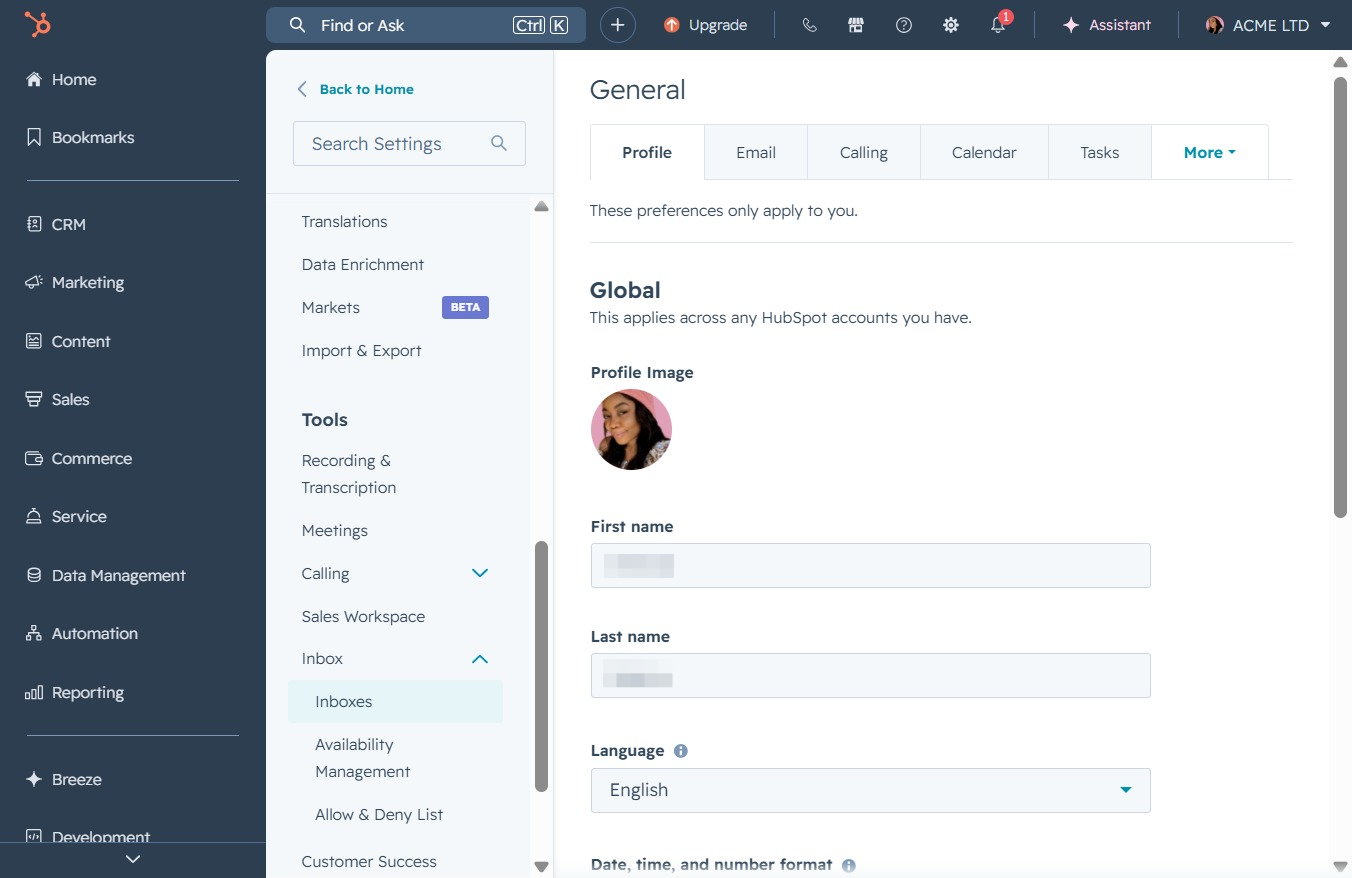
Click here to connect your calendar
This action allows you to link your calendar, enabling you to highlight important meetings that can assist in closing deals.

Loading screenshot…
100%
Link your calendar and personalize your outgoing emails by adding a team signature in the inbox settings, streamlining communication with customers and enhancing deal closures.
 viktoria
Link your calendar and personalize your outgoing emails by adding a team signature in the inbox settings, streamlining communication with customers and enhancing deal closures.
This action allows you to link your calendar, enabling you to highlight important meetings that can assist in closing deals.
This will navigate you to the Inbox section where you can manage your messages and communications with customers.

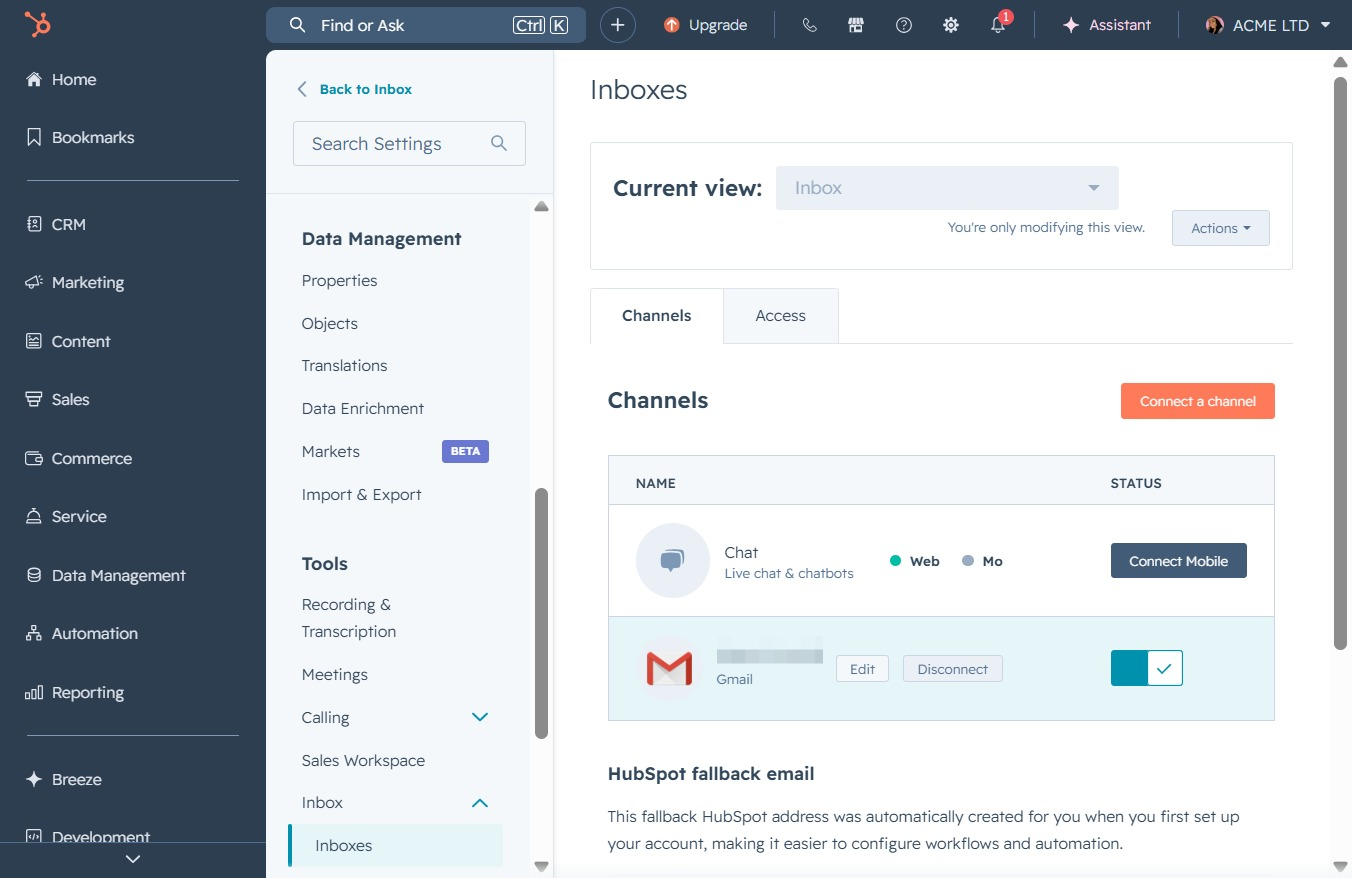
Clicking 'Inboxes' will take you to the section where you can manage your communication channels and settings for incoming messages.
Clicking the Edit button allows you to modify the settings or details for the selected inbox. This will enable changes to be made in areas such as channels and access rights.
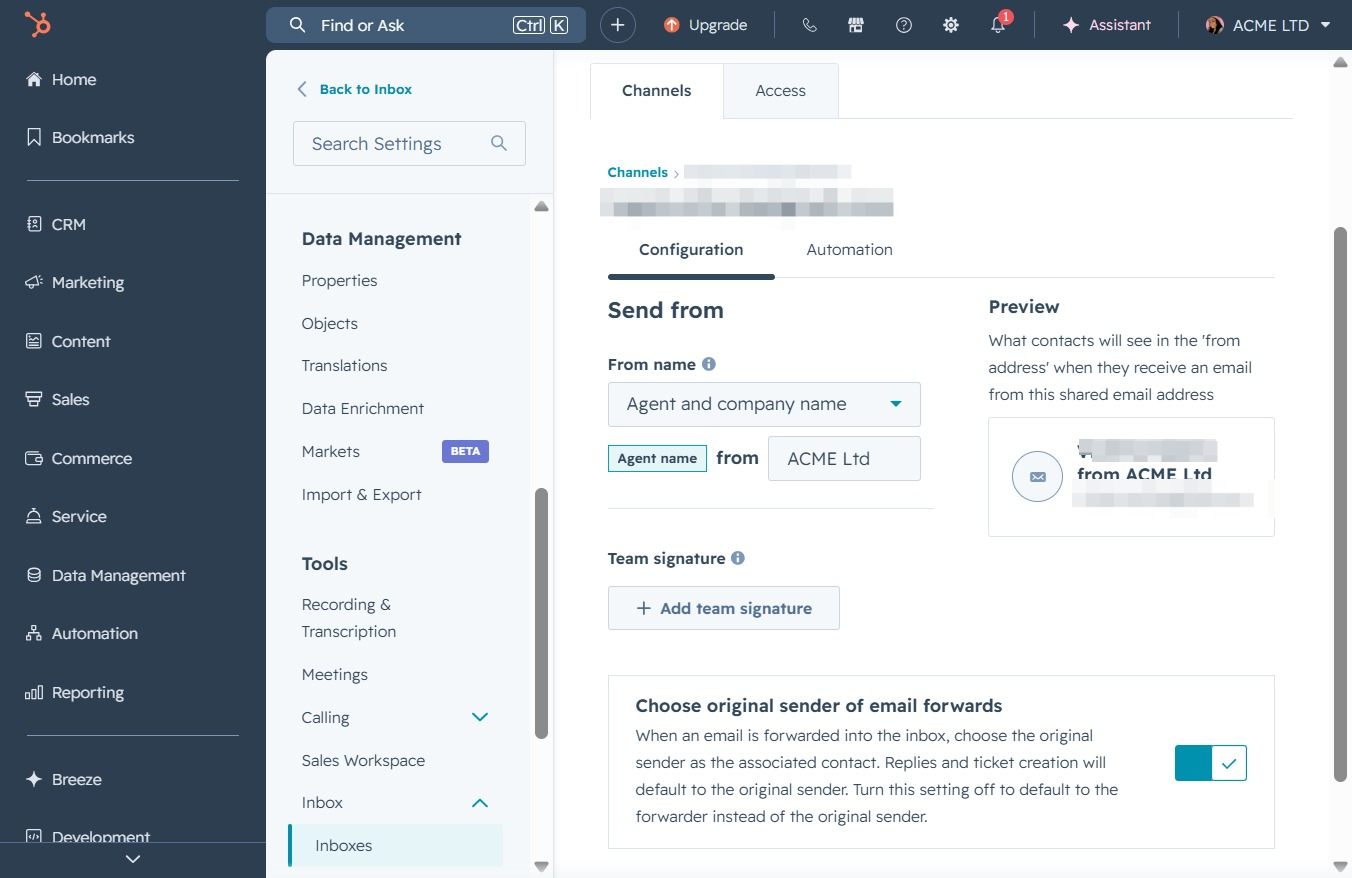
This action allows you to create or modify the signature that will be used by your team in outgoing emails. After clicking, you will be directed to the signature editor to enter the desired details.
This action opens the Inboxes section where you can view and manage your email inboxes and their settings. You will be able to modify the current inbox view and adjust any associated actions or channels.

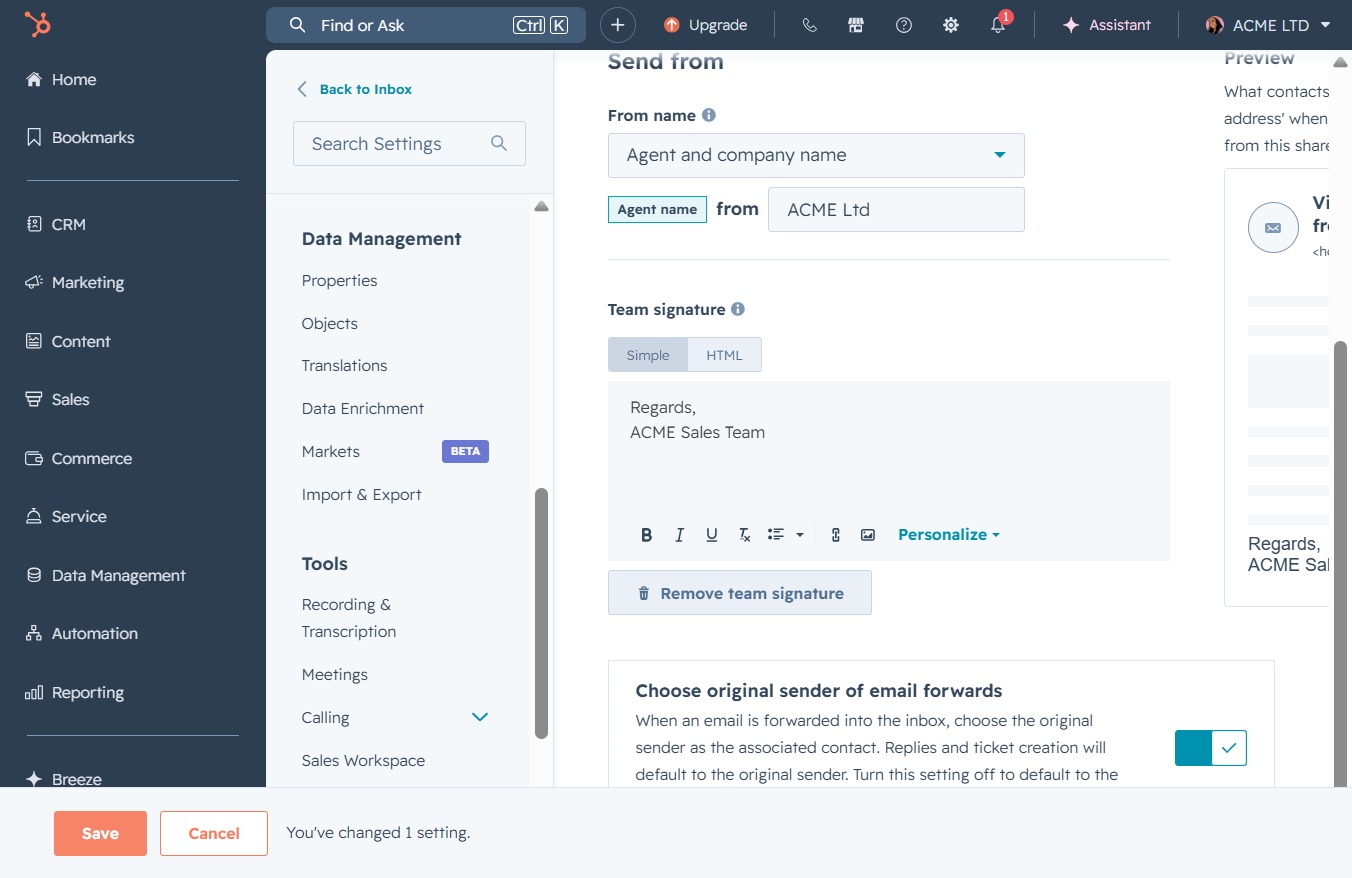
Enter the text 'Regards, ACME Sales Team' in the team signature area to personalize your outgoing emails.

Clicking the Save button will apply and store any changes made to your settings for email forwarding and team signatures.