Geteilte Anleitung

How to send emails from Pipedrive

In this concise guide, you will learn how to effectively send emails directly from Pipedrive.

victoriaworkflowsvictoriaworkflows
·9 Schritte·57 Aufrufe·Veröffentlicht

In this concise guide, you will learn how to effectively send emails directly from Pipedrive. Follow the simple steps to create a new email, add recipients, craft your message, and send it with ease.

Step-by-step Guide9 Schritte
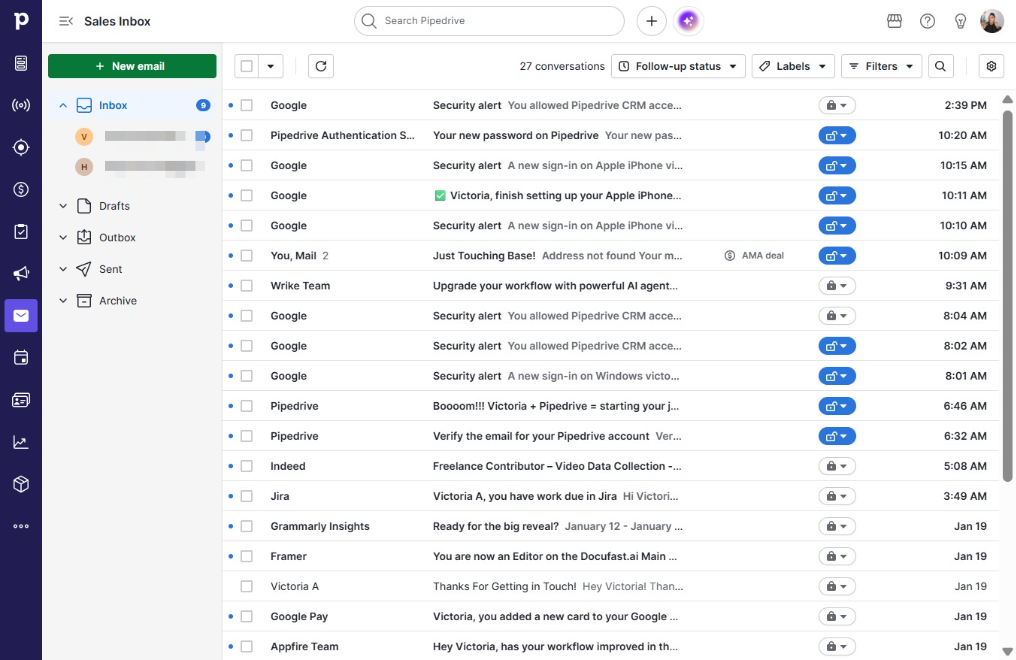
  1. Click on "Click here."

    Click on "Click here."
    Loading screenshot…
    100%
  2. Click New email

    Click New email
    Loading screenshot…
    100%
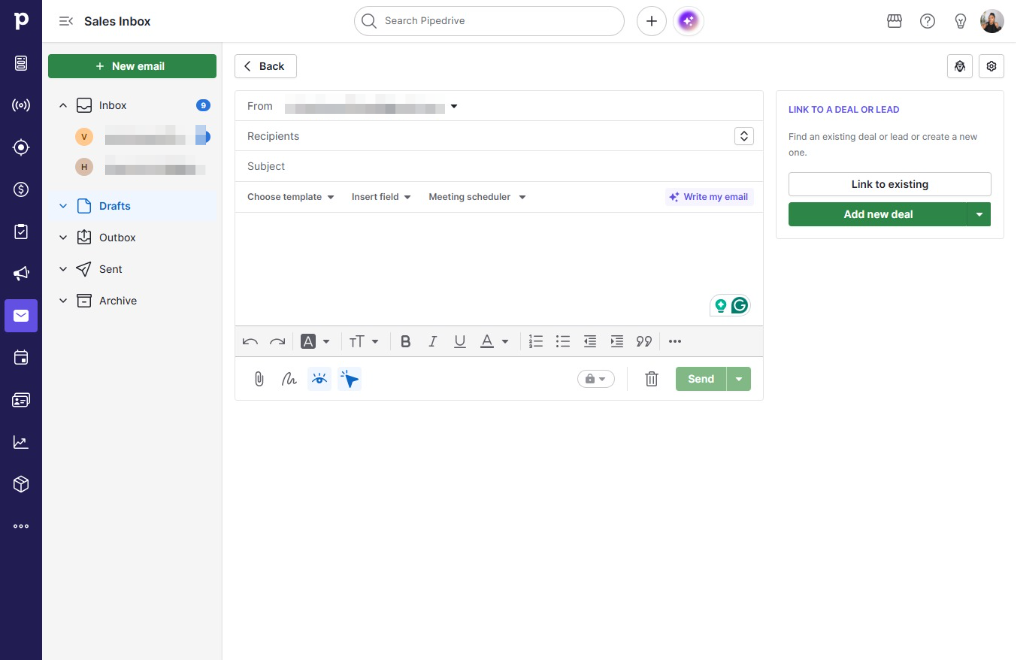
  3. Click Recipients

    Click Recipients
    Loading screenshot…
    100%
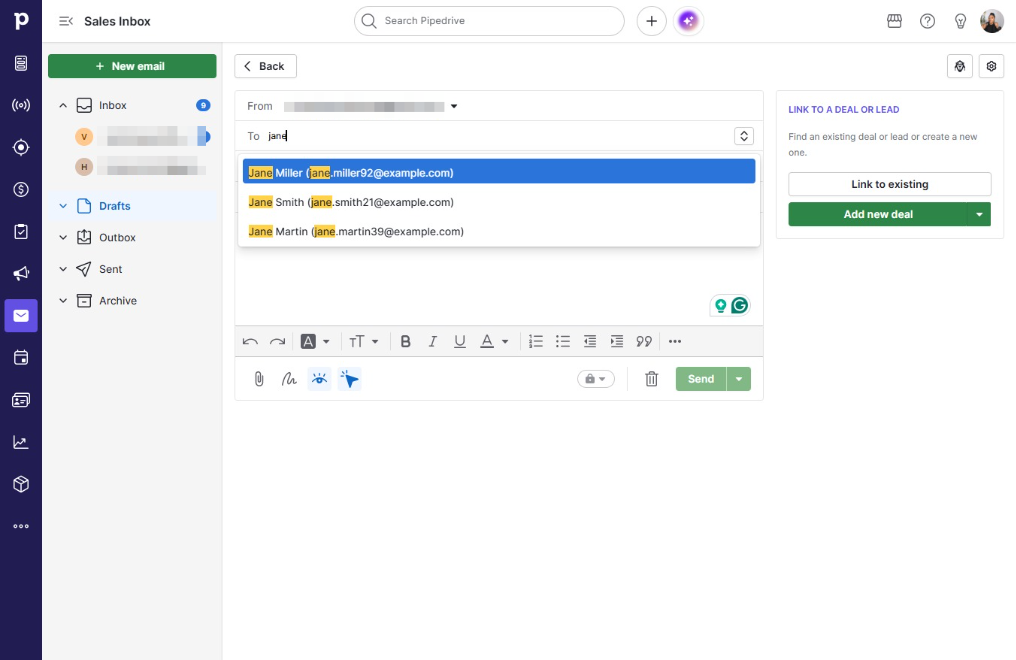
  4. Click .miller92@example.com)

    Click .miller92@example.com)
    Loading screenshot…
    100%
  5. Click Subject

    Click Subject
    Loading screenshot…
    100%
  6. Type "Quick Check In"

  7. Click on "Click here."

    Click on "Click here."
    Loading screenshot…
    100%
  8. Type "Hey Jane,I'm just reaching out to see if you have ..."

  9. Click Send

    Click Send
    Loading screenshot…
    100%