Click the ACME Inc logo
Clicking the ACME Inc logo will redirect you to the company's main profile page, where you can view detailed information and settings related to the account.

Loading screenshot…
100%
This guide provides step-by-step instructions on how to restore archived boards on ACME Inc's platform.
 viktoria
This guide provides step-by-step instructions on how to restore archived boards on ACME Inc's platform. By following these steps, you will learn to navigate to the Archive section and reinstate any archived items back to your workspace for easy access.
Clicking the ACME Inc logo will redirect you to the company's main profile page, where you can view detailed information and settings related to the account.
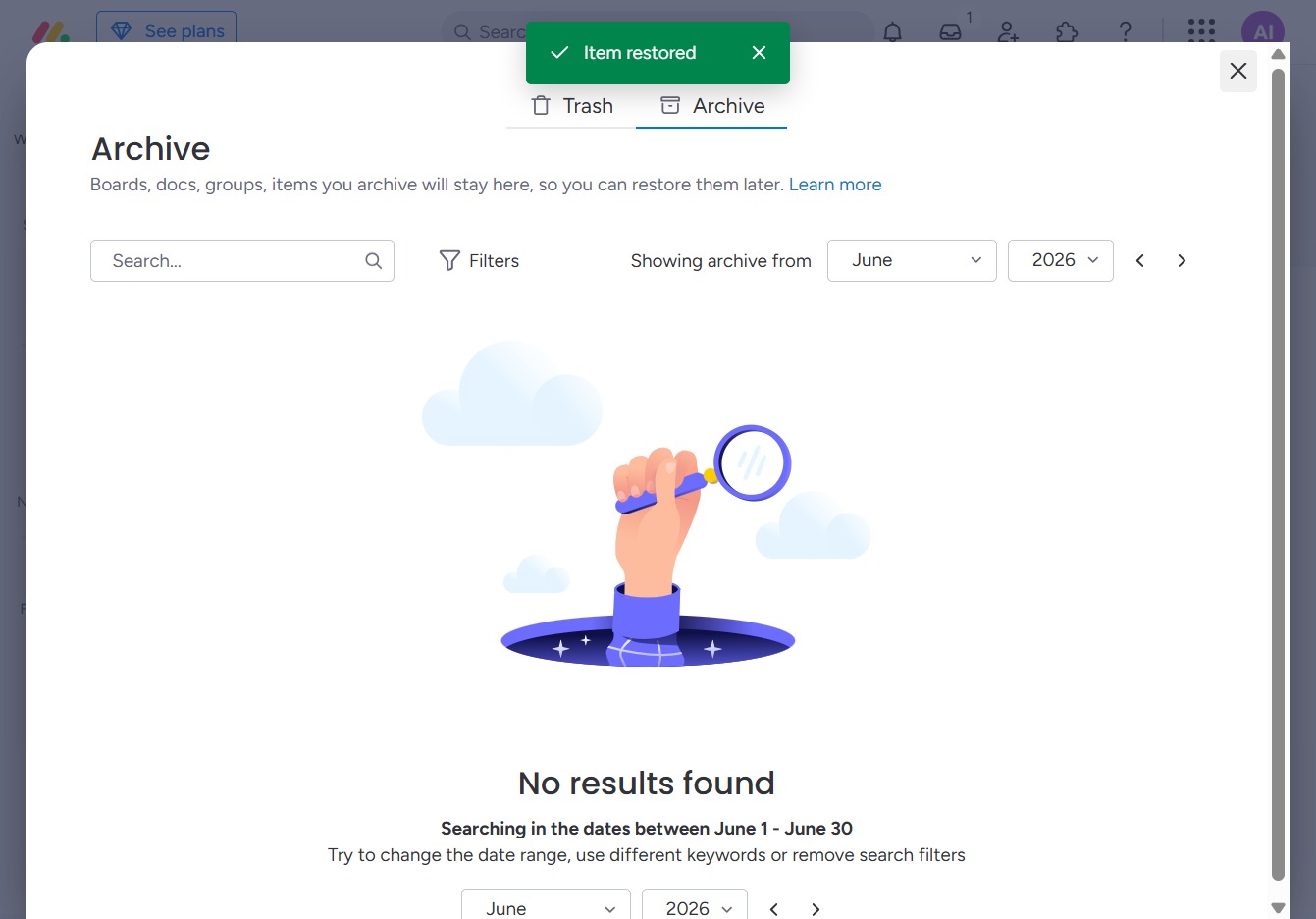
Clicking this will take you to the Archive section, where you can view all archived items and manage them as needed.
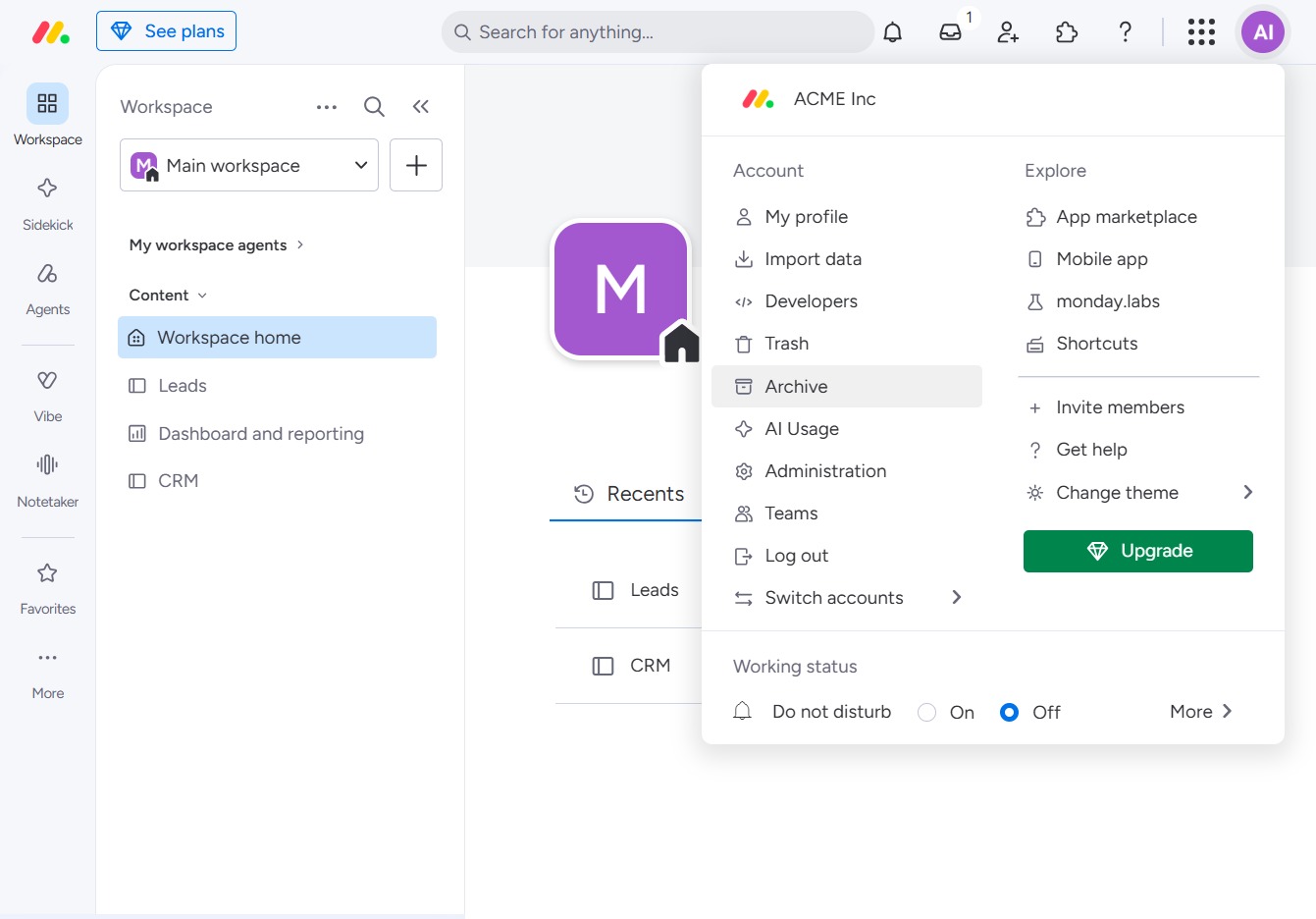
This action opens the archive section, allowing you to access and manage all previously archived boards, documents, or groups for later use.

This action will reinstate the selected archived item to its original location, making it accessible again within your workspace.
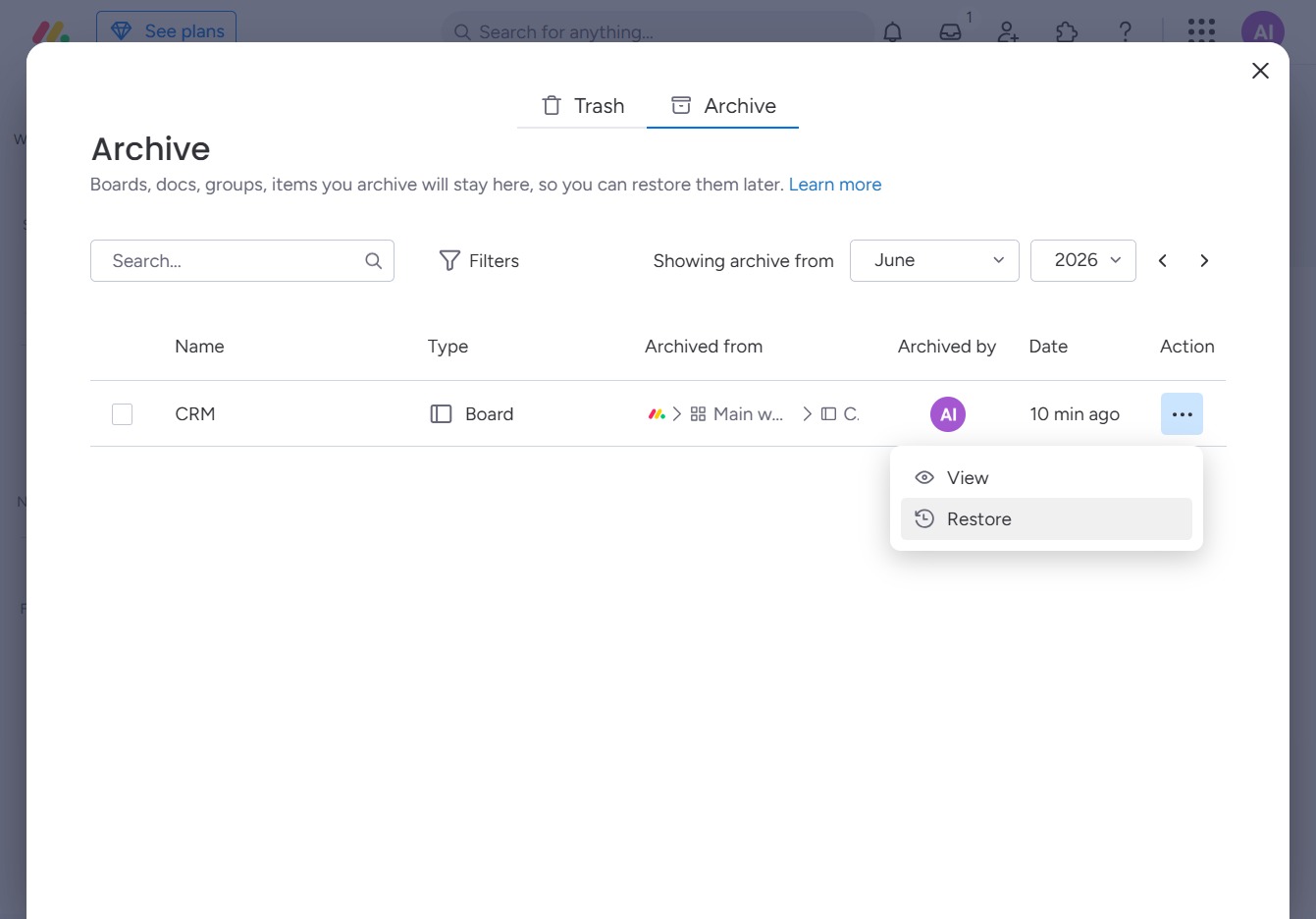
Clicking this link will restore the archived item to its original location, making it accessible for further actions.