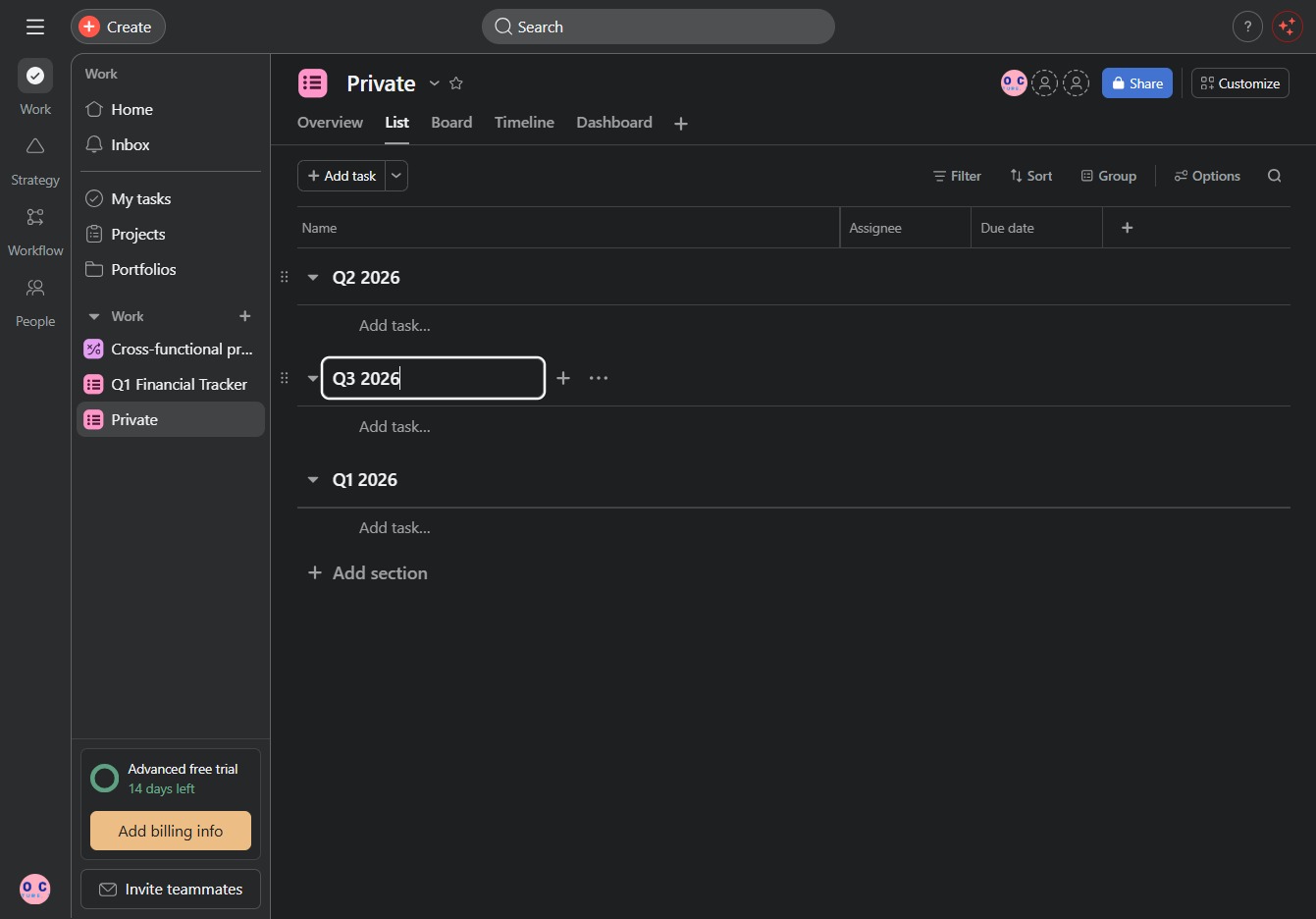
Click the Private, Project link
This action opens the Private Projects section, allowing you to view and manage your private project settings and details.

Loading screenshot…
100%
In this guide, you'll learn how to effectively reorder project sections by navigating through your private project settings and creating new sections for better organization.
 viktoria
In this guide, you'll learn how to effectively reorder project sections by navigating through your private project settings and creating new sections for better organization. Follow the step-by-step instructions to enhance your project management and timeline tracking.
This action opens the Private Projects section, allowing you to view and manage your private project settings and details.
By clicking 'Click here', you can access additional options or features related to the current task or project.

This action will create a new section beneath the selected one, allowing you to organize tasks or information more effectively within your project.

Enter 'Q3 2026' in the designated text area to create a new task or section for that quarter. This will help you better organize your timeline and track your progress.