Click the Project B link
Clicking on the 'Project B' link will take you to the detailed view of the project, where you can manage tasks, check progress, and access project settings.

Loading screenshot…
100%
This how-to guide outlines the step-by-step process for planning project phases effectively.
 viktoria
This how-to guide outlines the step-by-step process for planning project phases effectively. By creating organized sections like 'Planning,' 'Design,' and 'Development,' you'll enhance task management and improve overall project workflow.
Clicking on the 'Project B' link will take you to the detailed view of the project, where you can manage tasks, check progress, and access project settings.
This action allows you to create a new section within your project, enabling better organization of tasks and milestones.

Enter 'Planning' into the text area to create a new task or section within your project. This will help organize your project workflow, making it easier to track tasks related to planning.

This action will create a new section in your Project B for better organization of tasks and related activities.

Enter 'Design' into the New Task field to create a new task under the Planning section of Project B. This helps in organizing and tracking specific tasks related to your project.
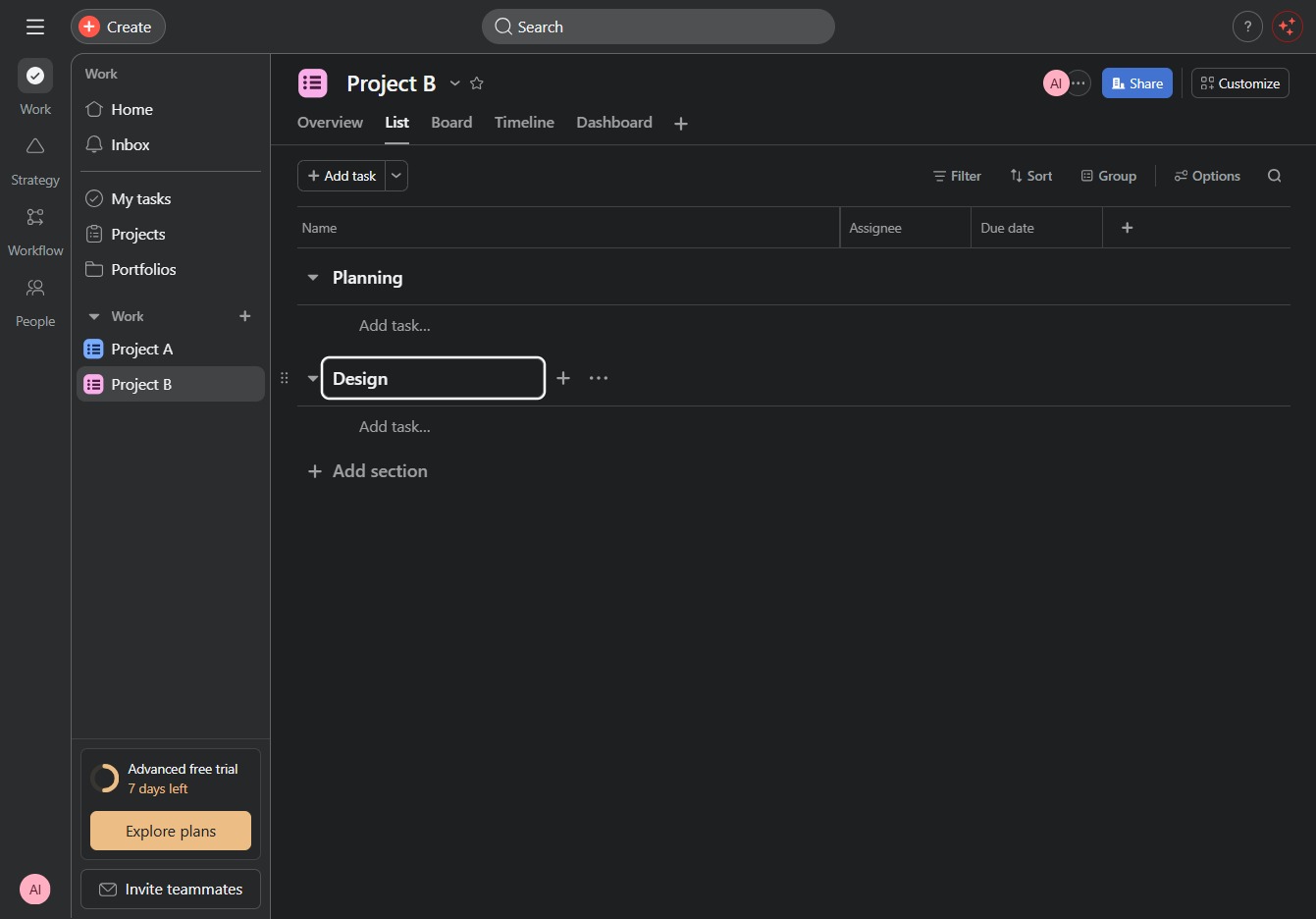
This action will create a new section within the current project, allowing you to categorize tasks more efficiently.

In the New section, enter 'Development' to create a designated area for tasks related to this phase of your project. This section will help organize your workflow and streamline task management.
