This how-to guide demonstrates how to efficiently organize multiple workspaces by navigating to the main workspace, viewing and selecting from all available workspaces, and…
viktoria
·3 steps·32 views·Published
This how-to guide demonstrates how to efficiently organize multiple workspaces by navigating to the main workspace, viewing and selecting from all available workspaces, and filtering recent workspaces by ownership. Follow these steps to enhance your project management and improve your workflow.
Step-by-step Guide3 steps
1
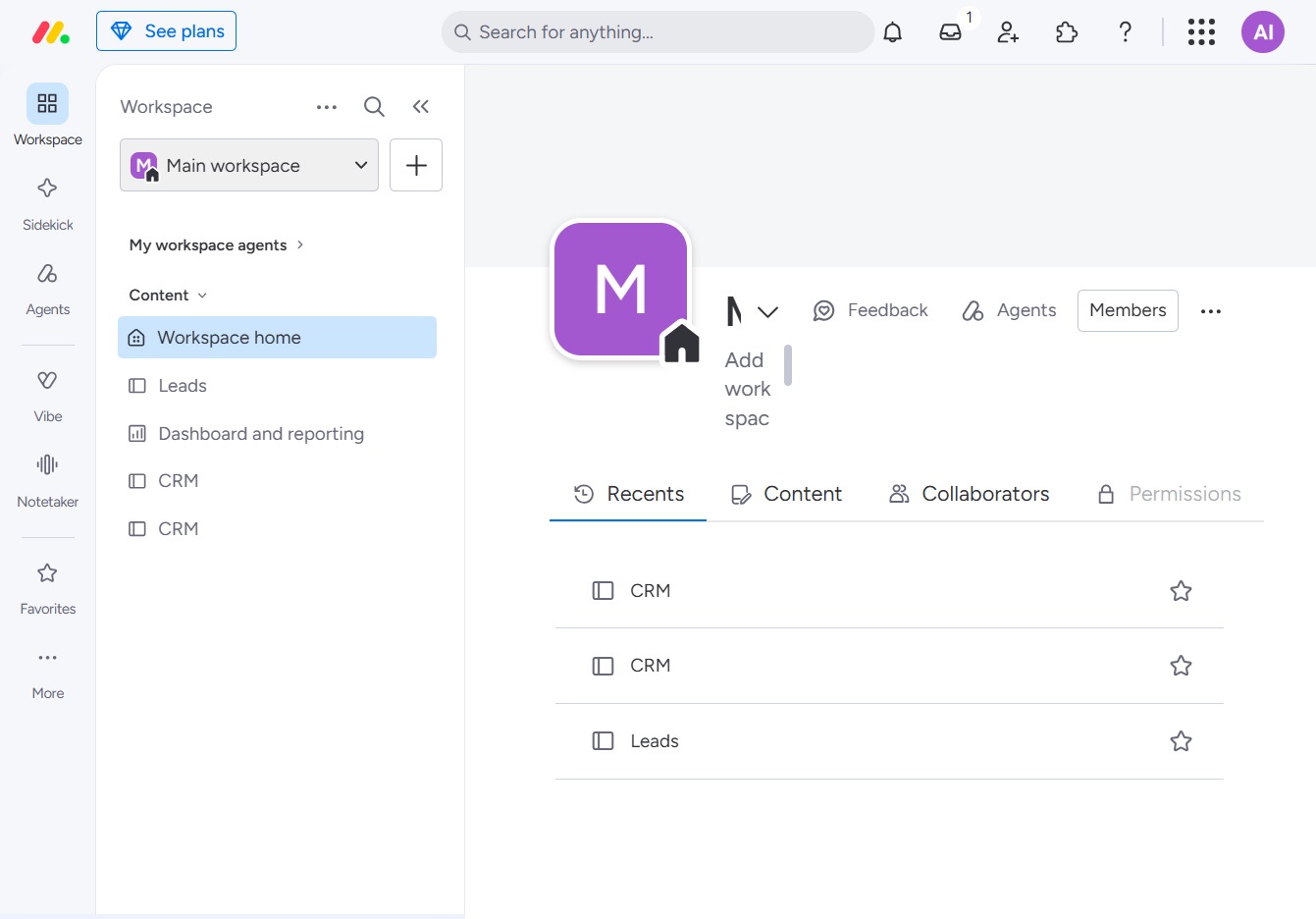
Click the Main Workspace option
By clicking the Main Workspace option, you will select your primary workspace within the application, allowing you to manage and view relevant content and agents associated with that workspace.
Loading screenshot…
100%
2
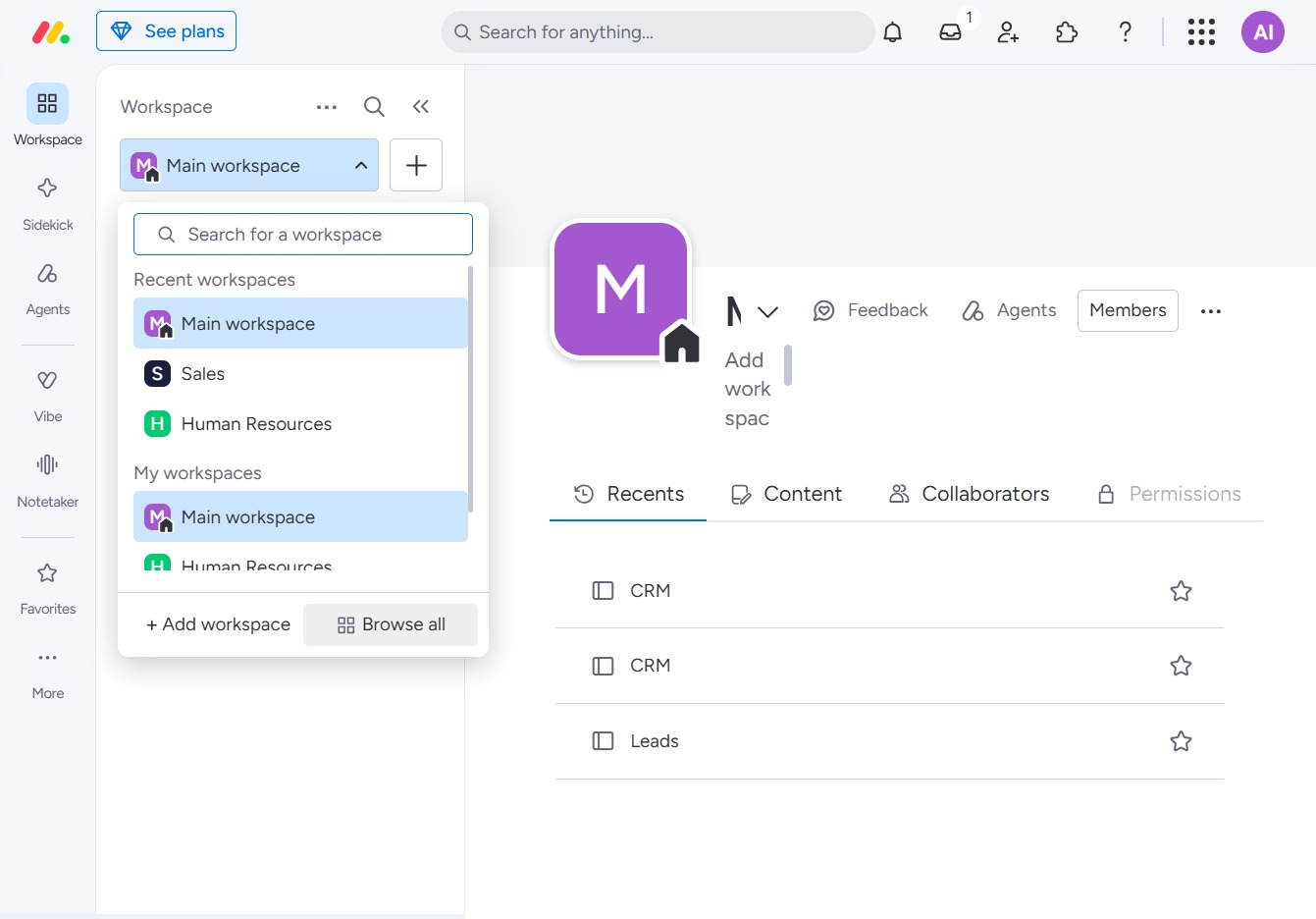
Click the Browse all workspaces button
This action will display a list of all your workspaces, allowing you to navigate between them easily. You can select any workspace from the list to access its contents and settings.
Loading screenshot…
100%
3
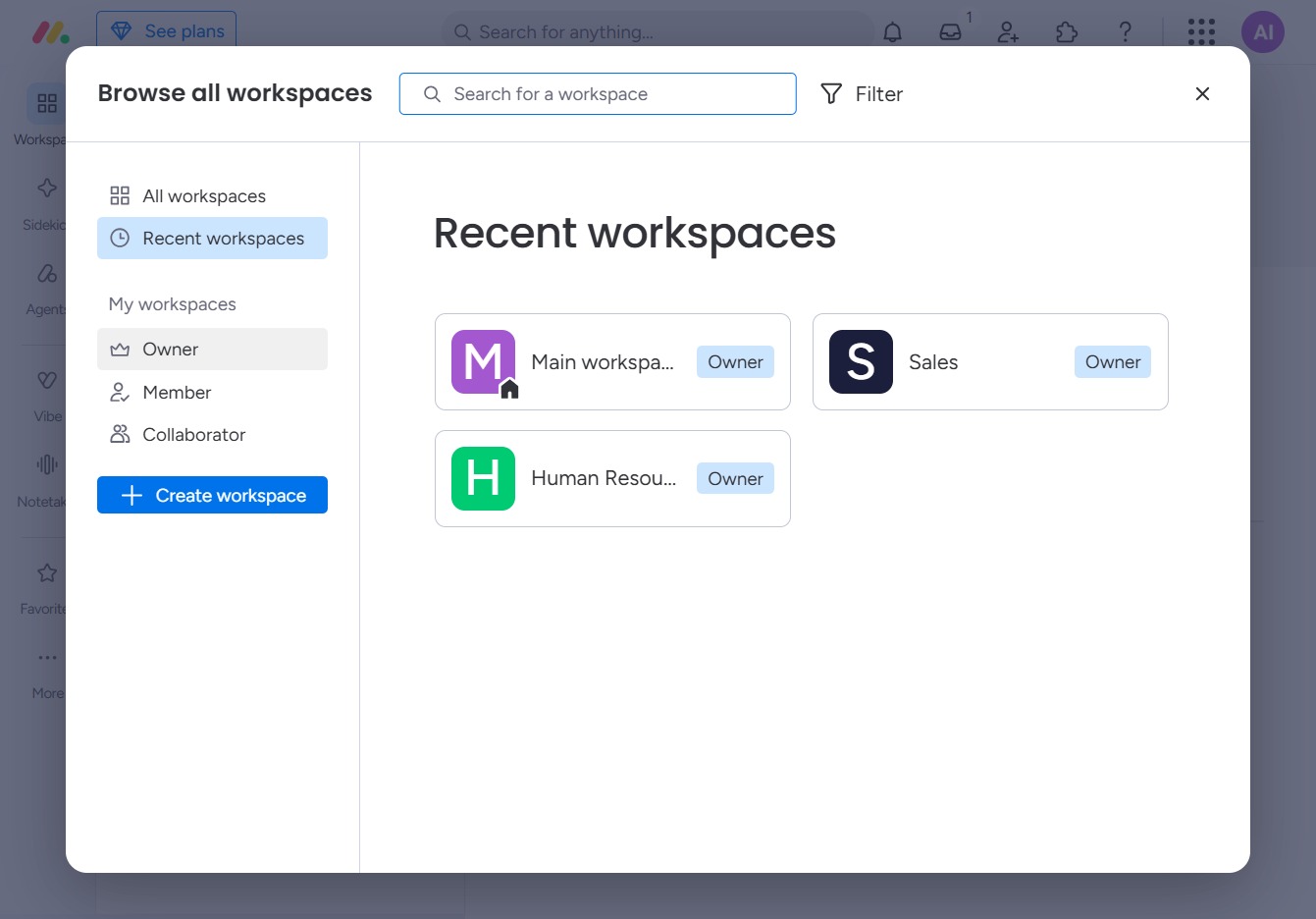
Click the Owner label
Clicking the 'Owner' label will filter your recent workspaces to show only those that you own, allowing you to quickly access and manage your projects.