Shared guide

How to merge duplicate deals

In this how-to guide, you'll learn step-by-step how to efficiently merge duplicate deals in your system.

victoriaworkflowsvictoriaworkflows
·11 steps·66 views·Published

In this how-to guide, you'll learn step-by-step how to efficiently merge duplicate deals in your system. Follow the outlined steps to ensure a smooth consolidation process, helping you maintain an organized and accurate database.

Step-by-step Guide11 steps
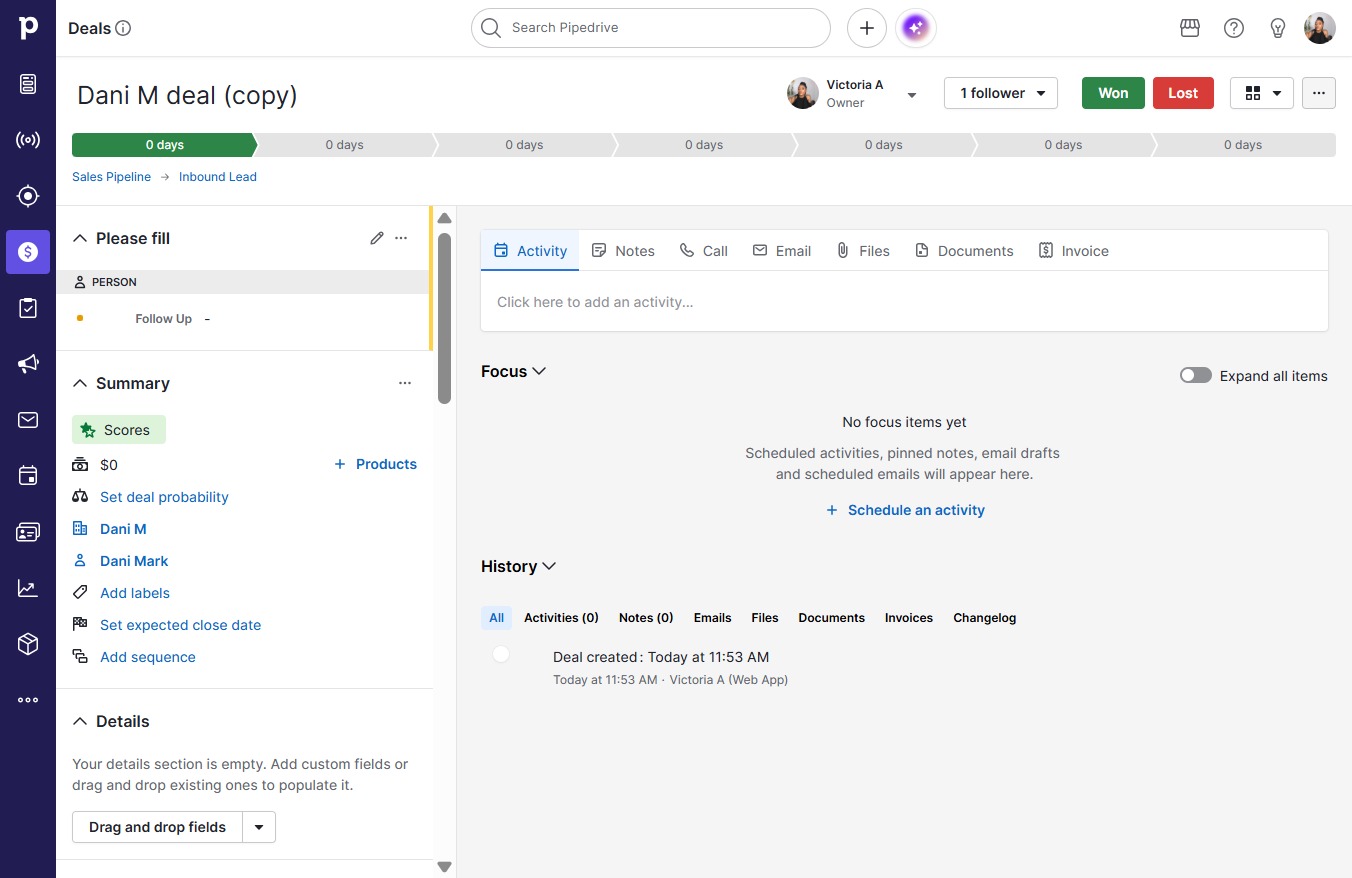
  1. Click Dani M deal (copy)
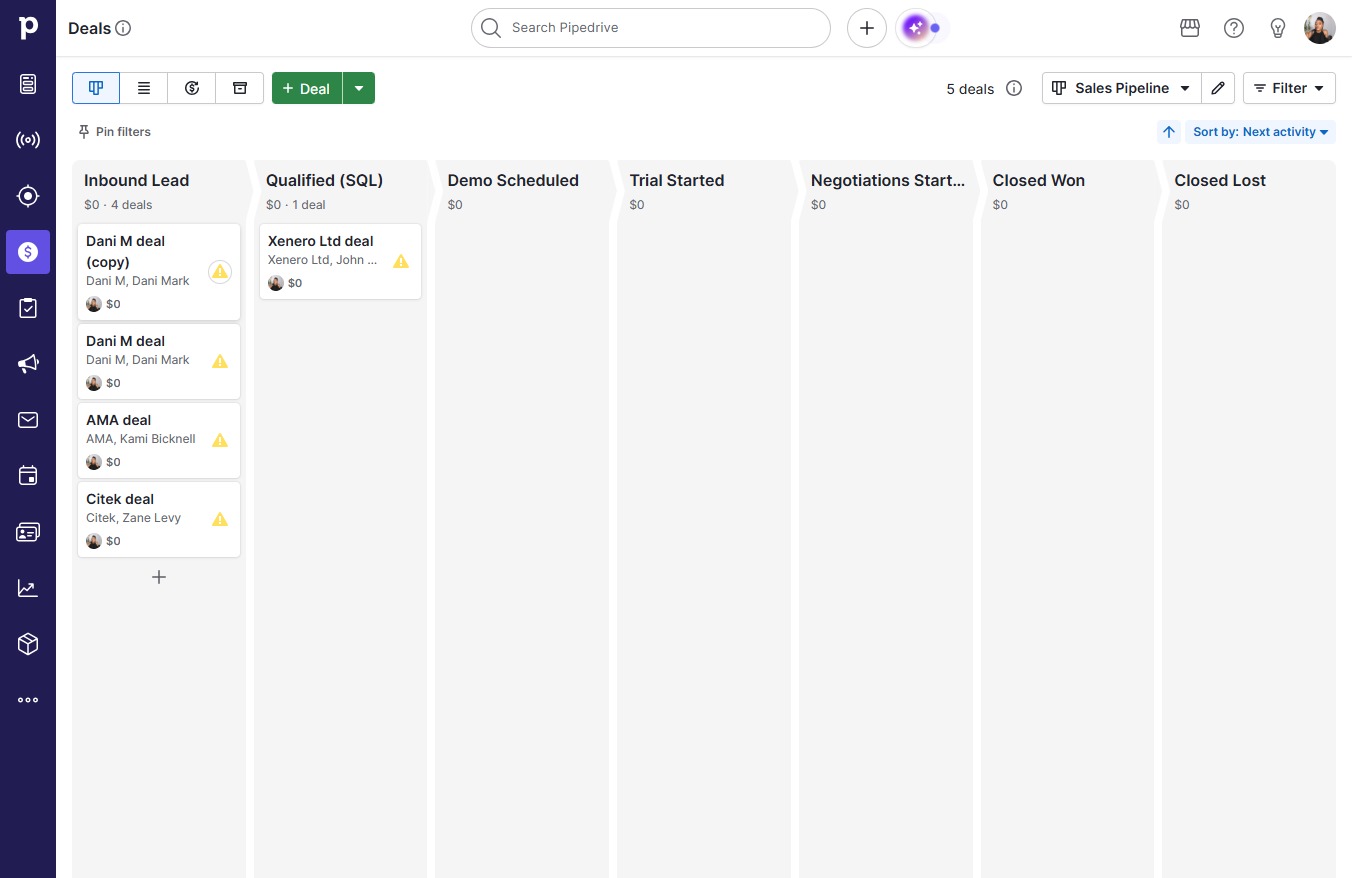
    Click Dani M deal (copy)
    Loading screenshot…
    100%
  2. Click on "Click here."

    Click on "Click here."
    Loading screenshot…
    100%
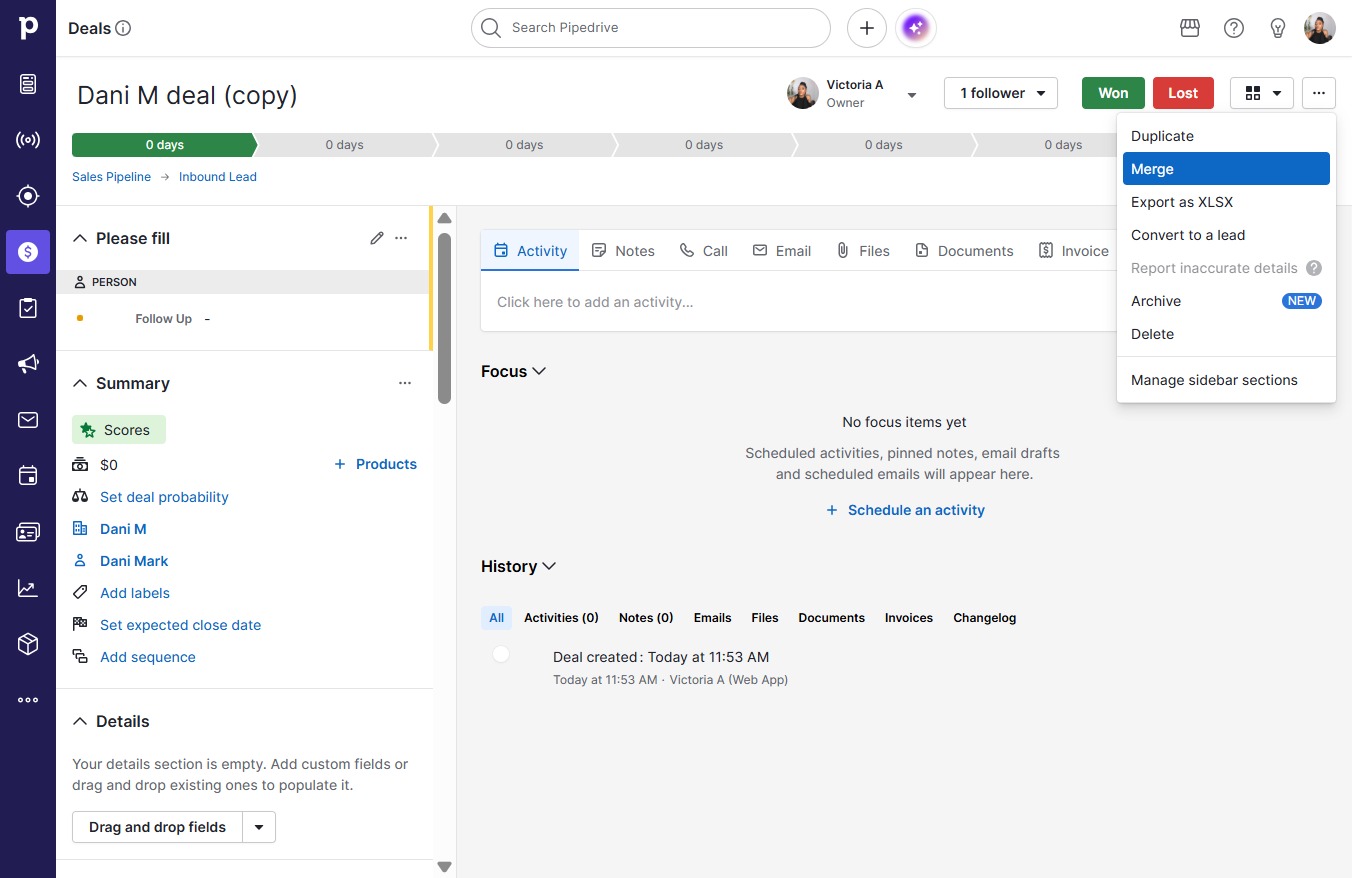
  3. Click Merge

    Click Merge
    Loading screenshot…
    100%
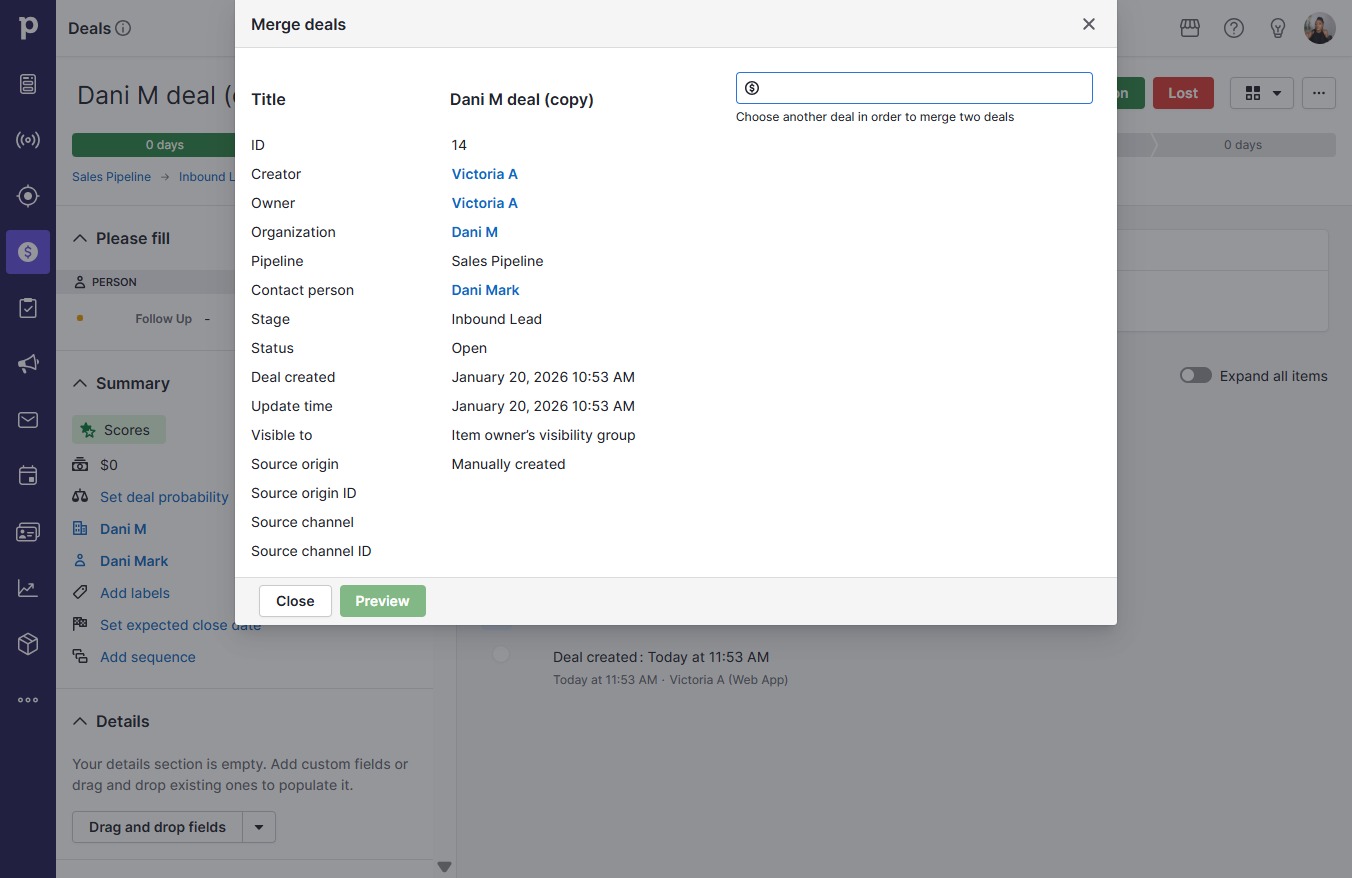
  4. Click on "Click here."

    Click on "Click here."
    Loading screenshot…
    100%
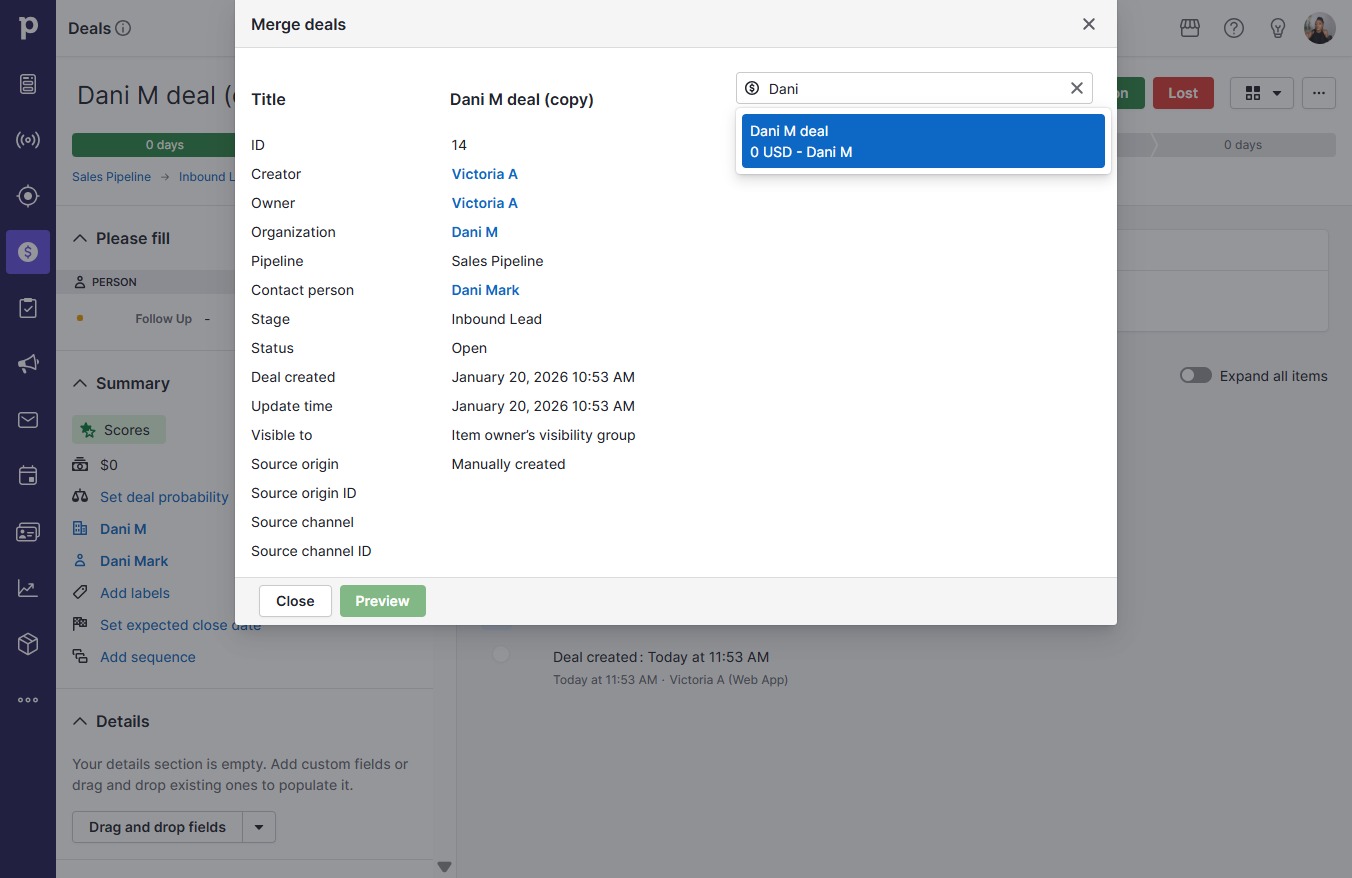
  5. Type "Dani"

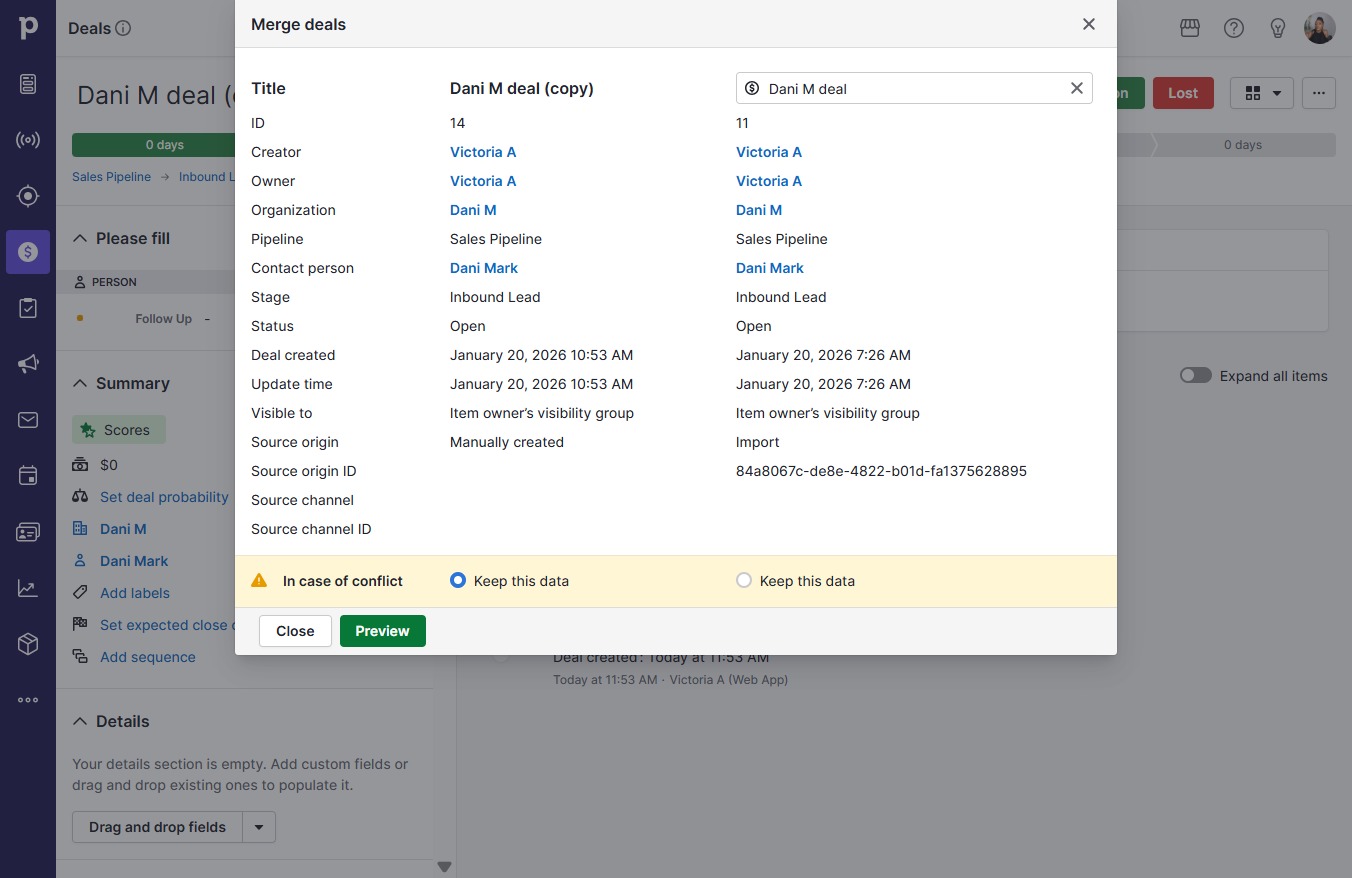
  6. Click Dani M deal

    Click Dani M deal
    Loading screenshot…
    100%
  7. Click Preview

    Click Preview
    Loading screenshot…
    100%
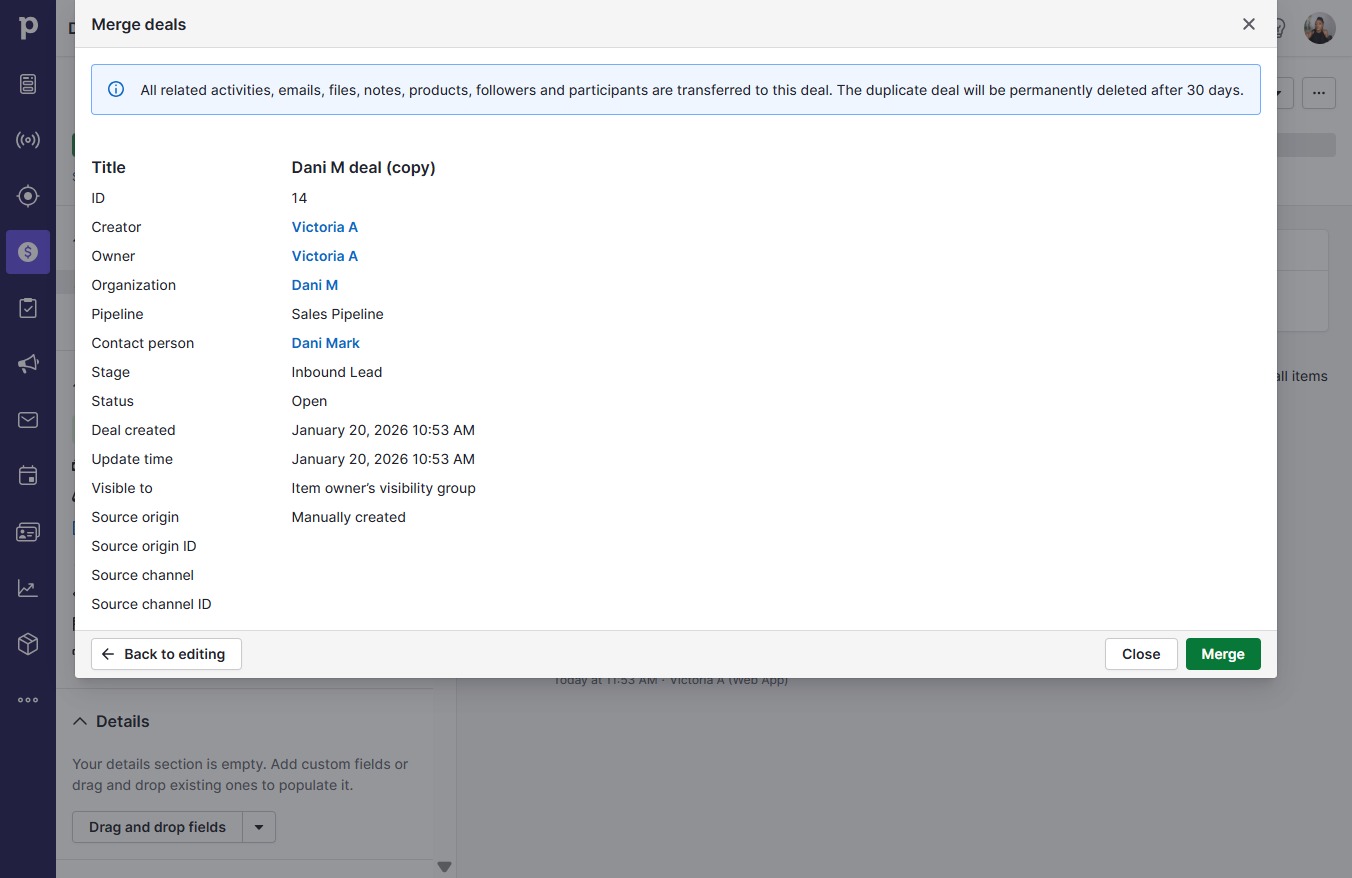
  8. Click Merge

    Click Merge
    Loading screenshot…
    100%
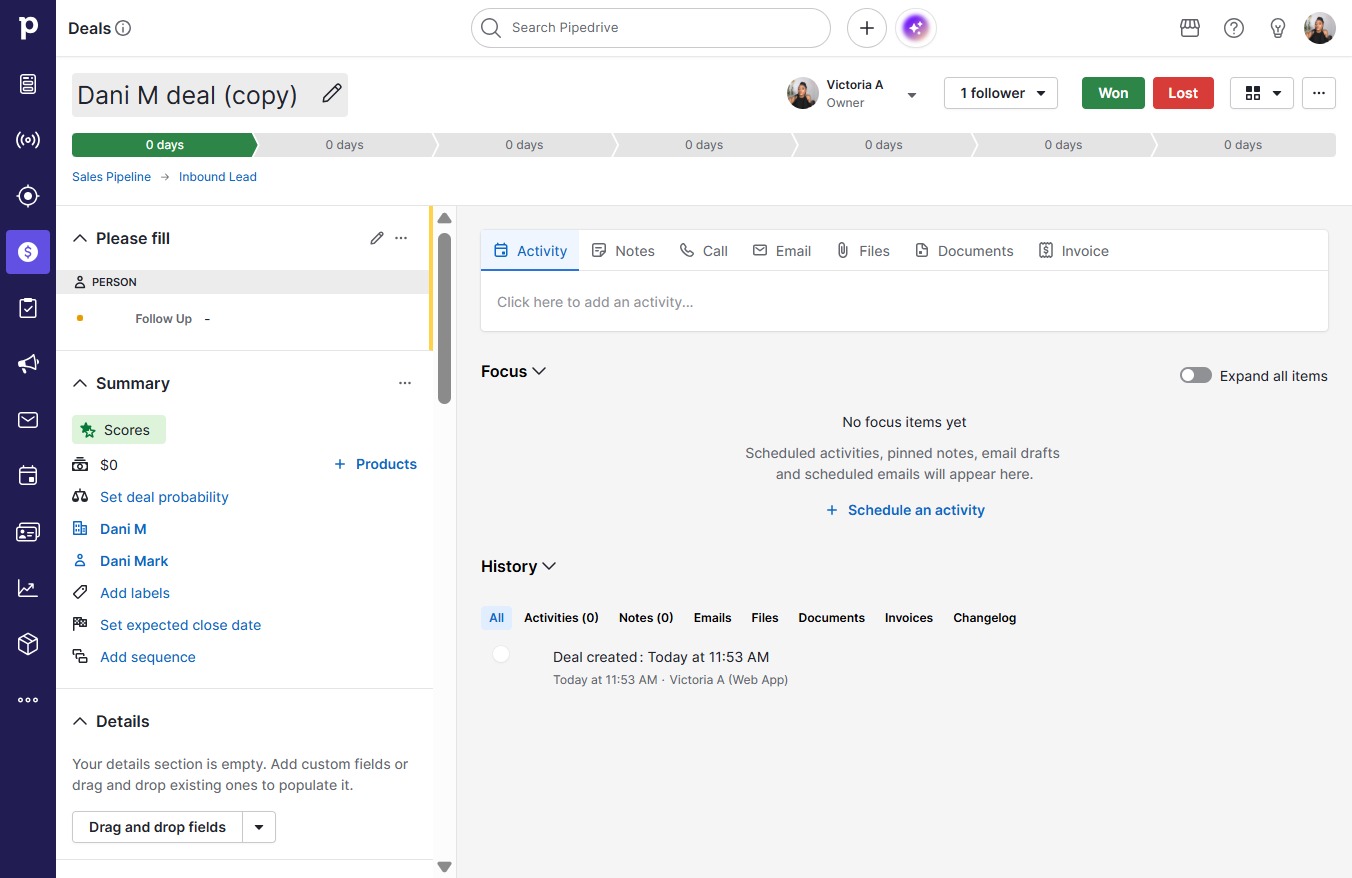
  9. Click Dani M deal (copy)

    Click Dani M deal (copy)
    Loading screenshot…
    100%
  10. Type "Dani M deal" in Dani M deal (copy)

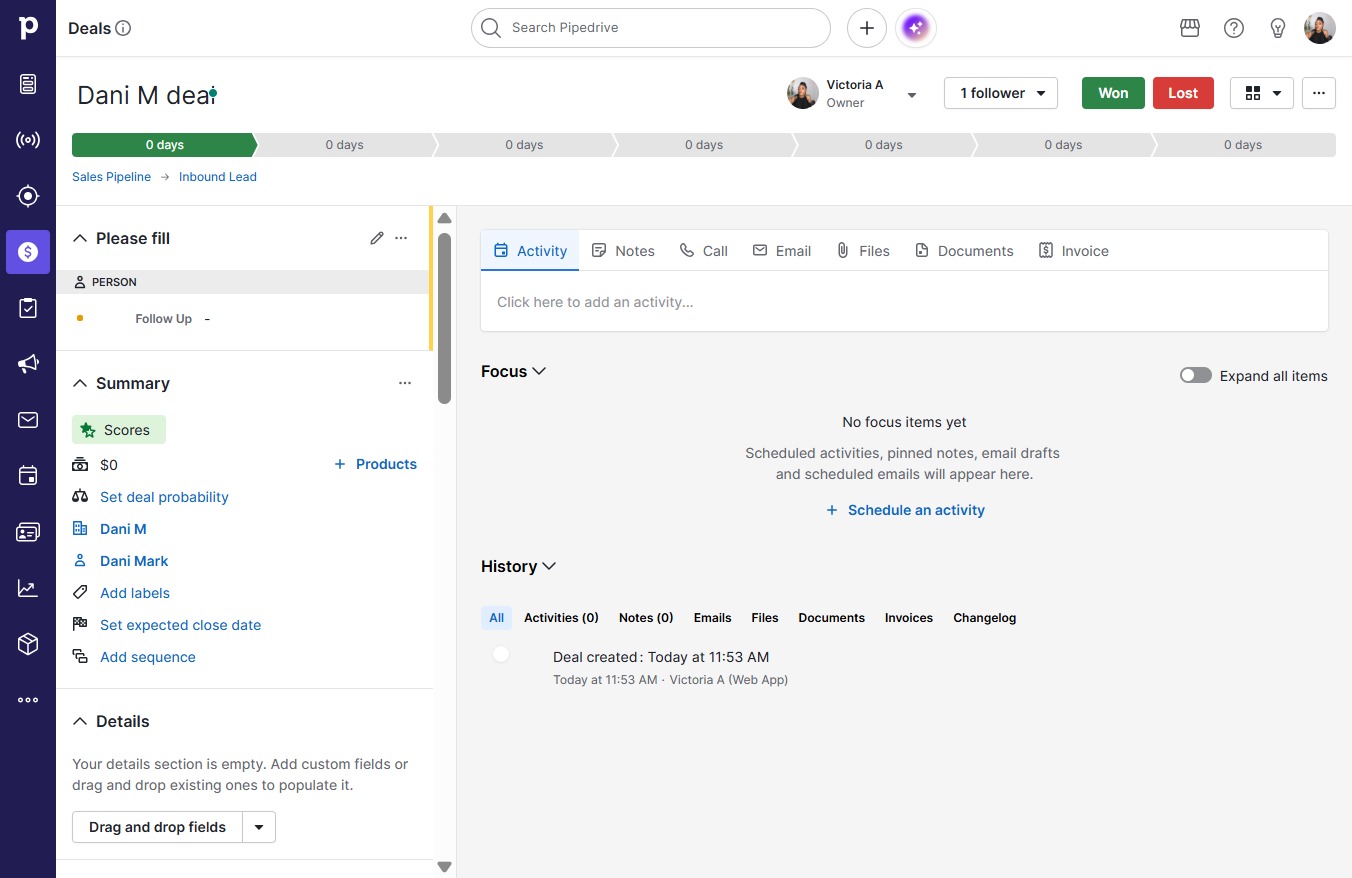
  11. Click Dani M dealDani_M_deal

    Click Dani M dealDani_M_deal
    Loading screenshot…
    100%