Geteilte Anleitung

How to mention team members in notes

Learn how to effectively mention team members in your notes by following this simple step-by-step guide.

victoriaworkflowsvictoriaworkflows
·6 Schritte·52 Aufrufe·Veröffentlicht

Learn how to effectively mention team members in your notes by following this simple step-by-step guide. From selecting your teammates to saving your mentions, we’ll show you the process to ensure clear communication within your team.

Step-by-step Guide6 Schritte
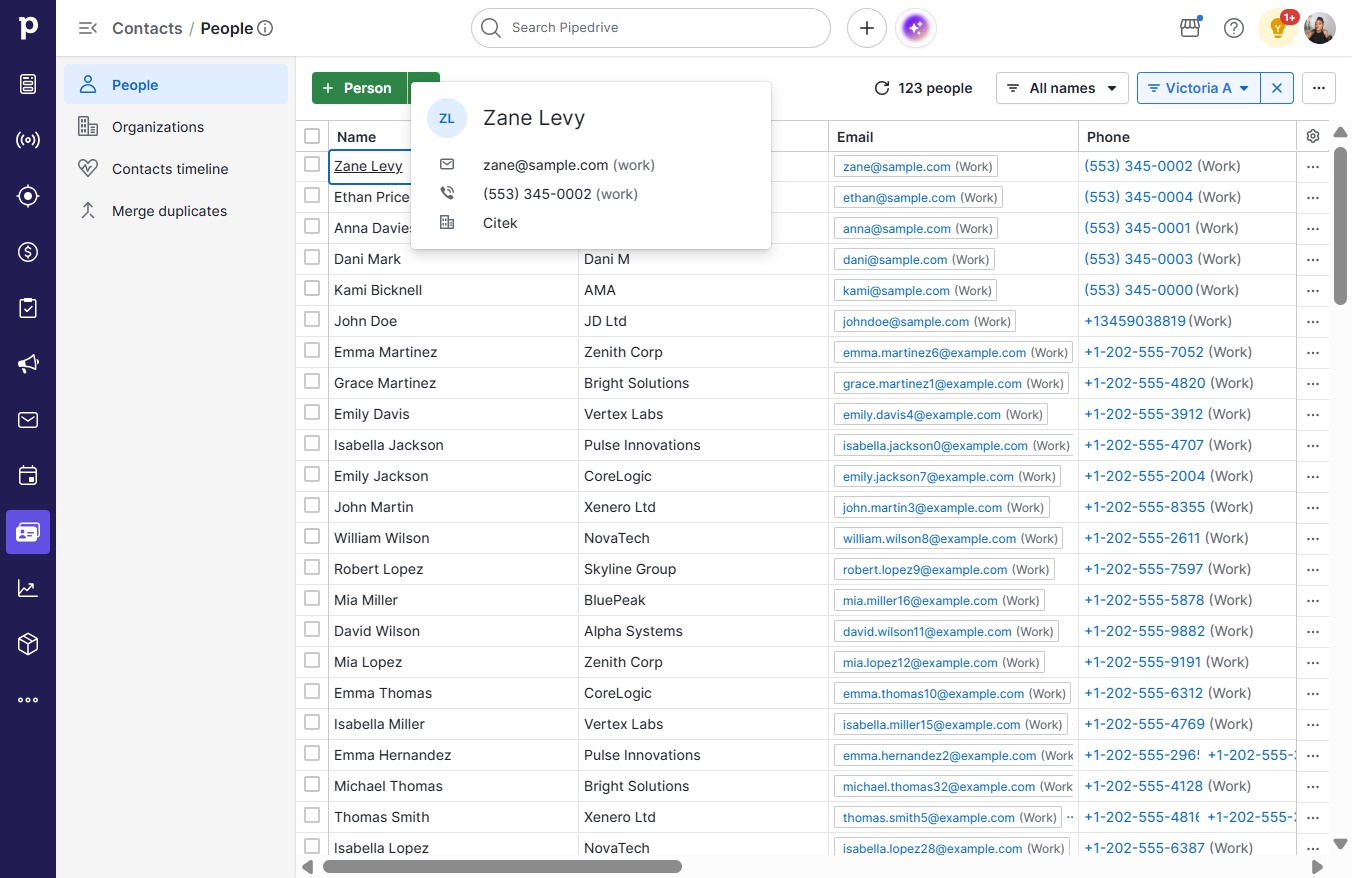
  1. Click Zane Levy

    Click Zane Levy
    Loading screenshot…
    100%
  2. Click Notes

    Click Notes
    Loading screenshot…
    100%
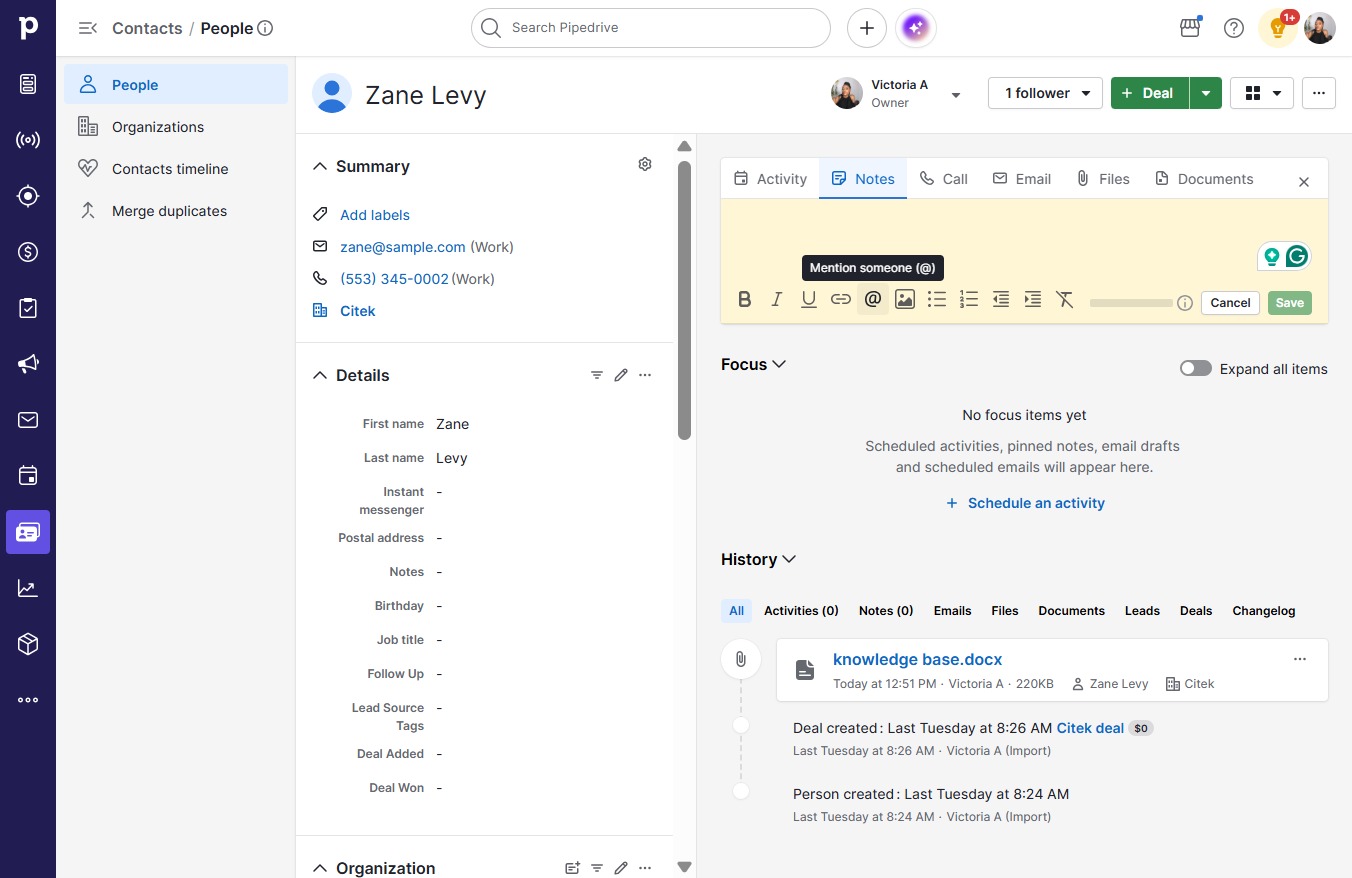
  3. Click on "Click here."

    Click on "Click here."
    Loading screenshot…
    100%
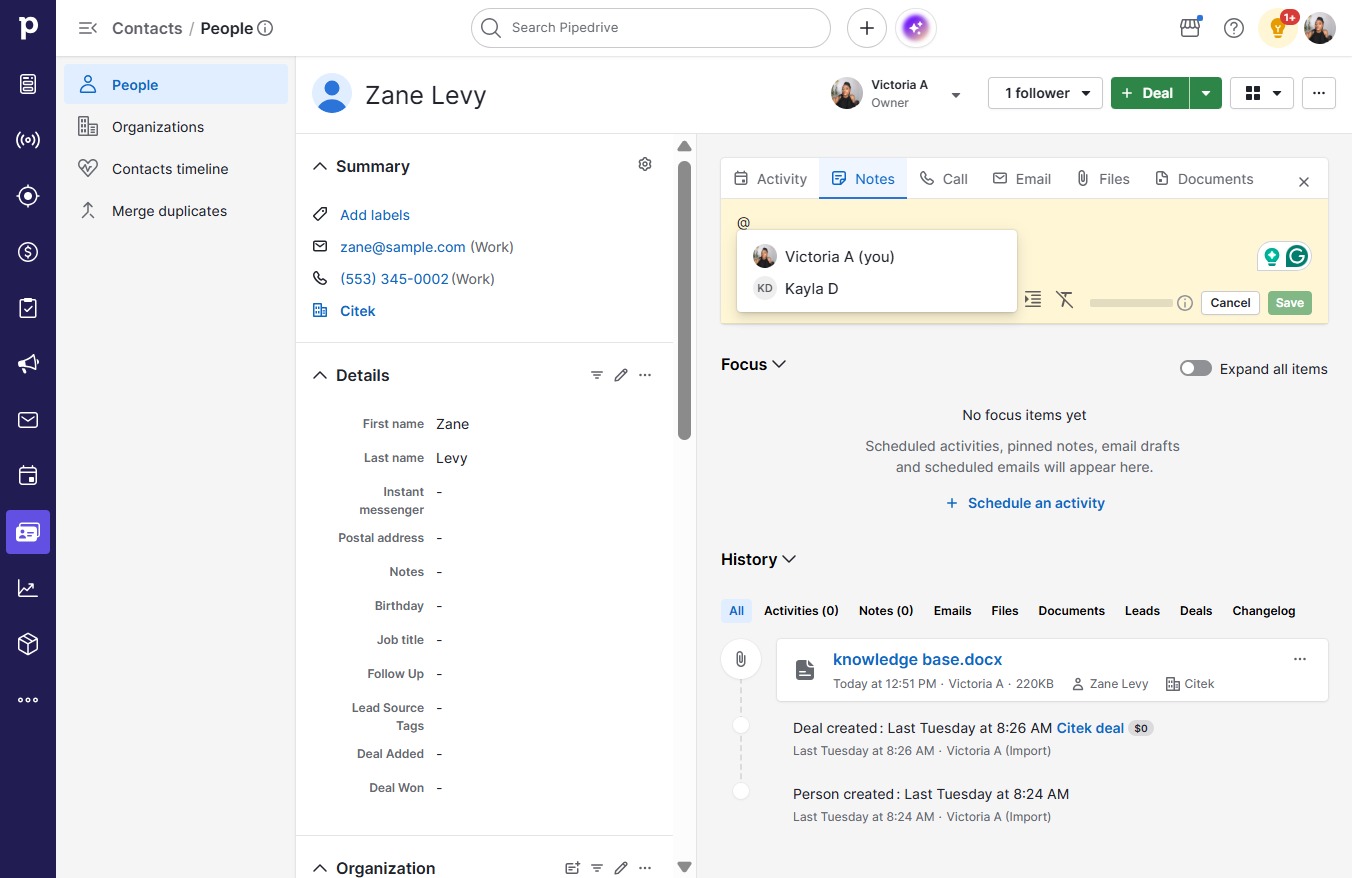
  4. Click Kayla D

    Click Kayla D
    Loading screenshot…
    100%
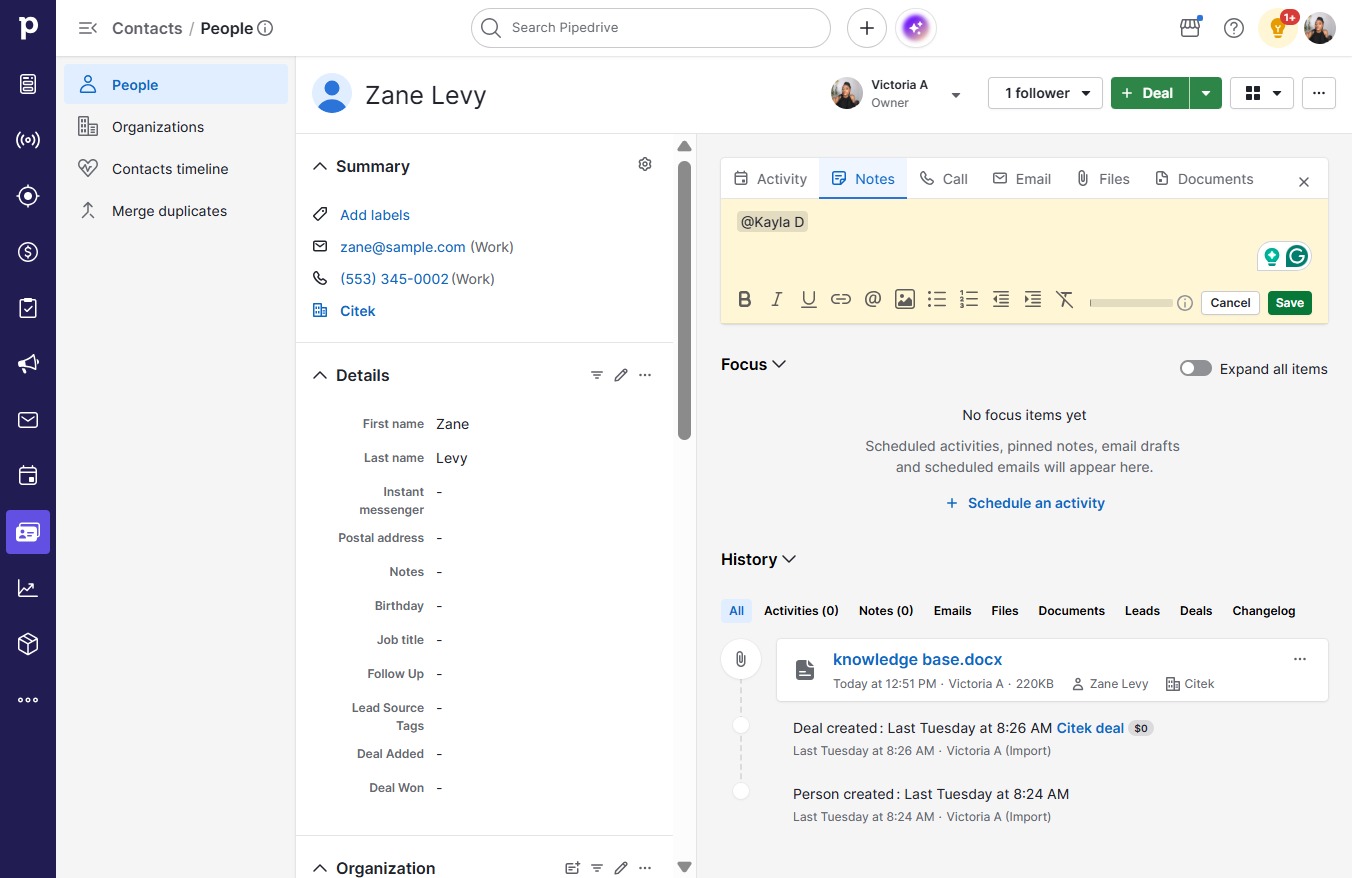
  5. Type "@Kayla D "

  6. Click Save

    Click Save
    Loading screenshot…
    100%