Click the CRM link
Clicking the CRM link will take you to the Customer Relationship Management section, where you can manage contacts, view interactions, and analyze customer data.

Loading screenshot…
100%
Log an activity on a deal in your CRM by documenting phone calls and outcomes to maintain accurate activity history and enhance deal management for future reference.
 viktoria
Log an activity on a deal in your CRM by documenting phone calls and outcomes to maintain accurate activity history and enhance deal management for future reference.
Clicking the CRM link will take you to the Customer Relationship Management section, where you can manage contacts, view interactions, and analyze customer data.
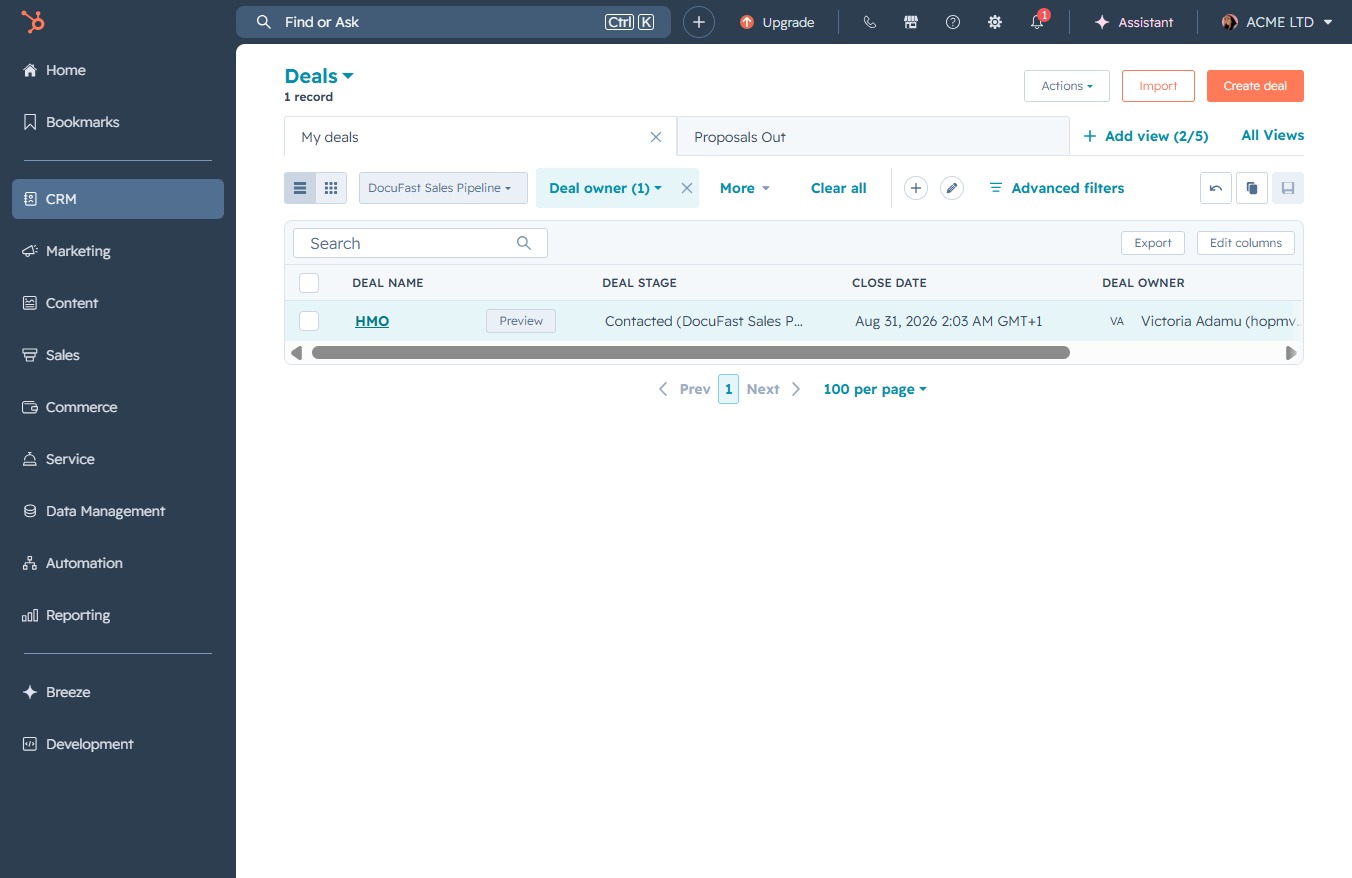
This will navigate you to the Deals page, where you can view and manage all your sales deals and opportunities.

Clicking the HMO deal name will open the detailed view of the selected deal, allowing you to view and edit deal information.
This action will display additional options related to the current deal, allowing you to access more functionalities and settings for better management.

This action allows you to document a phone call made regarding the selected deal. After clicking, a form will appear for you to enter call details.

Fill in the relevant fields such as call outcome and direction to document the call. This information will be saved under the deal's activity history for future reference.

This action opens a dialog where you can record details of your call, including outcomes and next steps related to the deal.
