Geteilte Anleitung

How to import products in bulk

This how-to guide provides a step-by-step process for importing products in bulk, ensuring you efficiently upload and map your data within the system.

victoriaworkflowsvictoriaworkflows
·14 Schritte·74 Aufrufe·Veröffentlicht

This how-to guide provides a step-by-step process for importing products in bulk, ensuring you efficiently upload and map your data within the system. Follow the detailed instructions to streamline your product import process and maintain organization in your inventory.

Step-by-step Guide14 Schritte
  1. Click on "Click here."
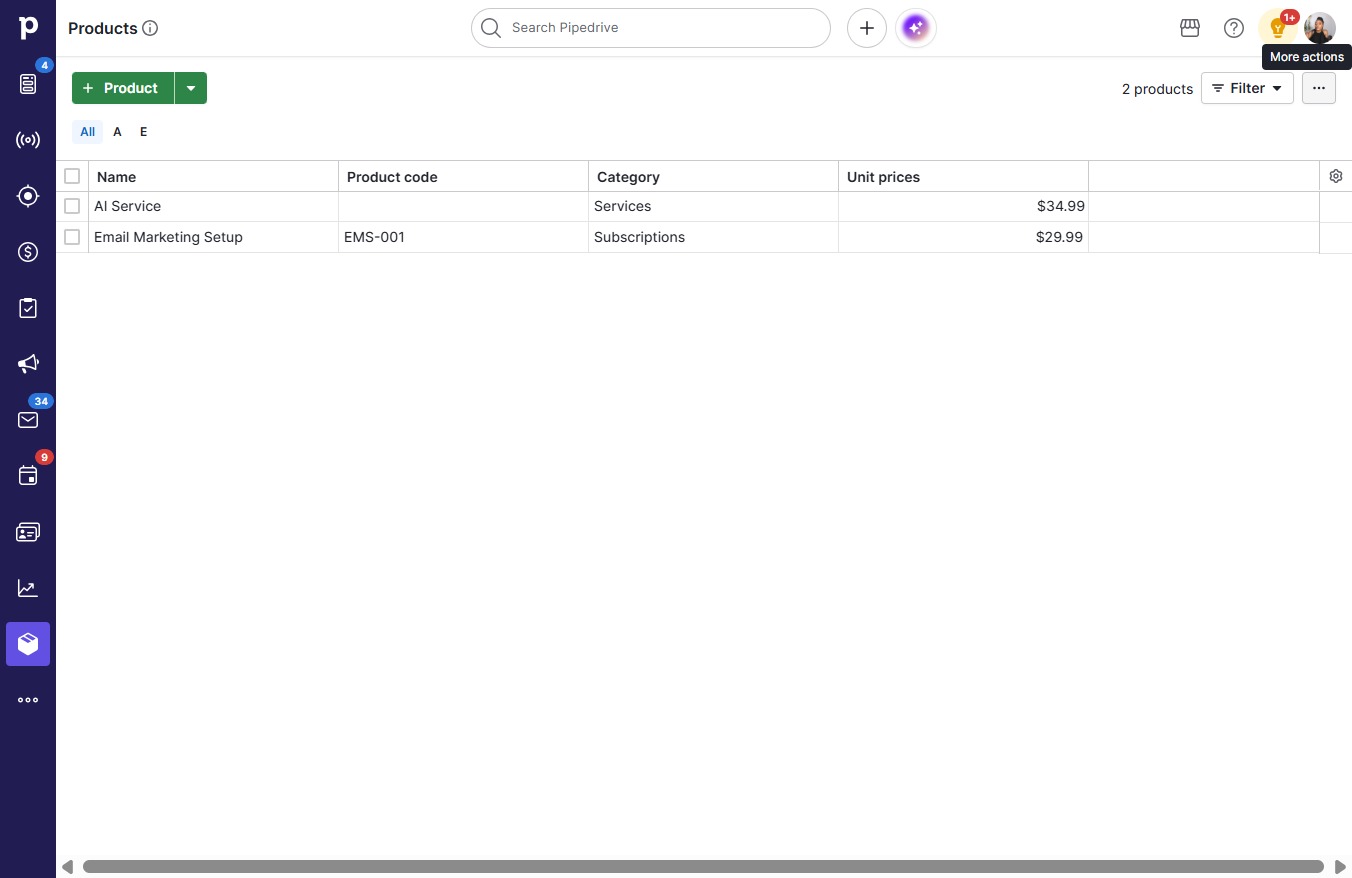
    Click on "Click here."
    Loading screenshot…
    100%
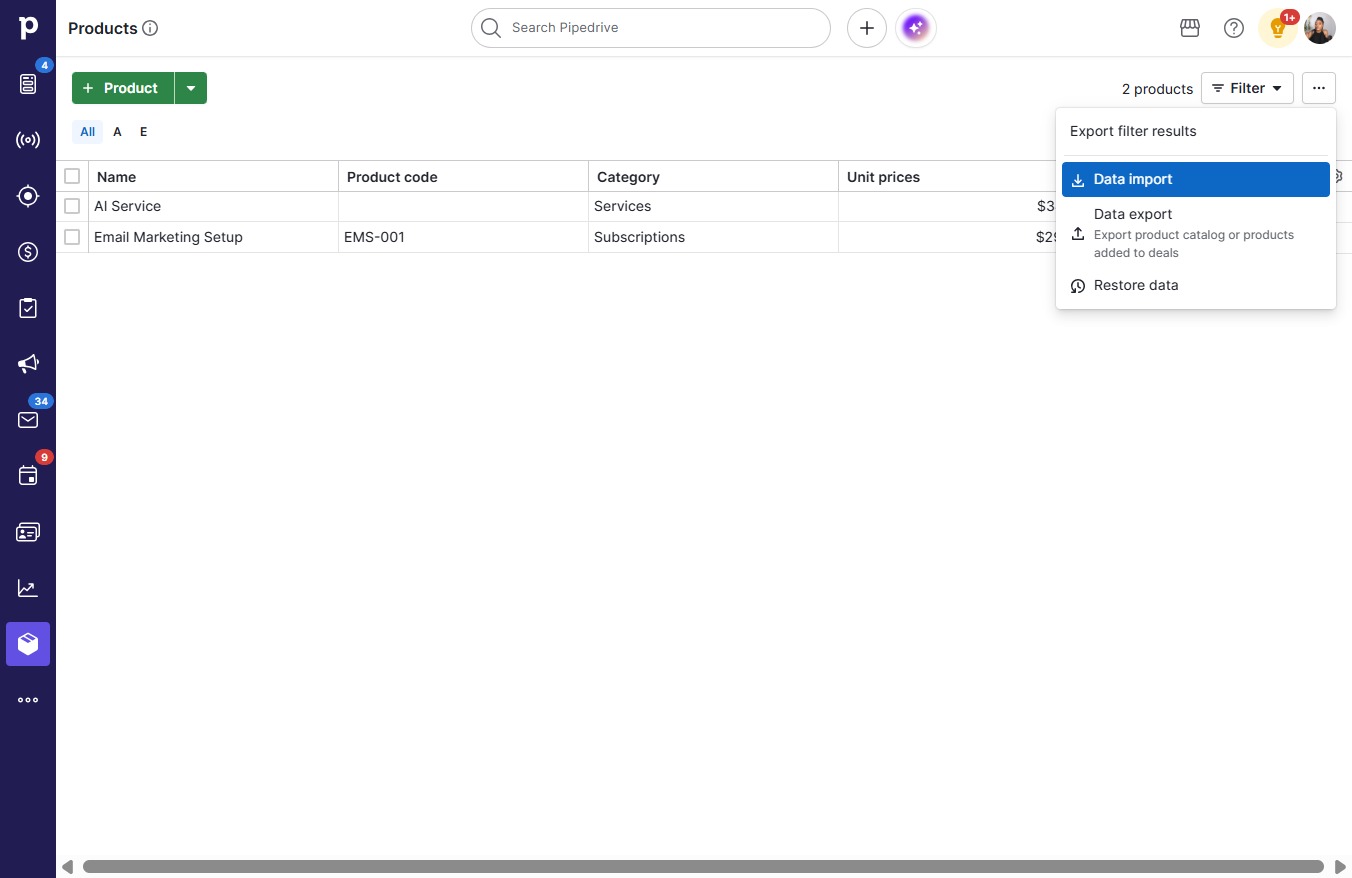
  2. Click Data import

    Click Data import
    Loading screenshot…
    100%
  3. Click Next

    Click Next
    Loading screenshot…
    100%
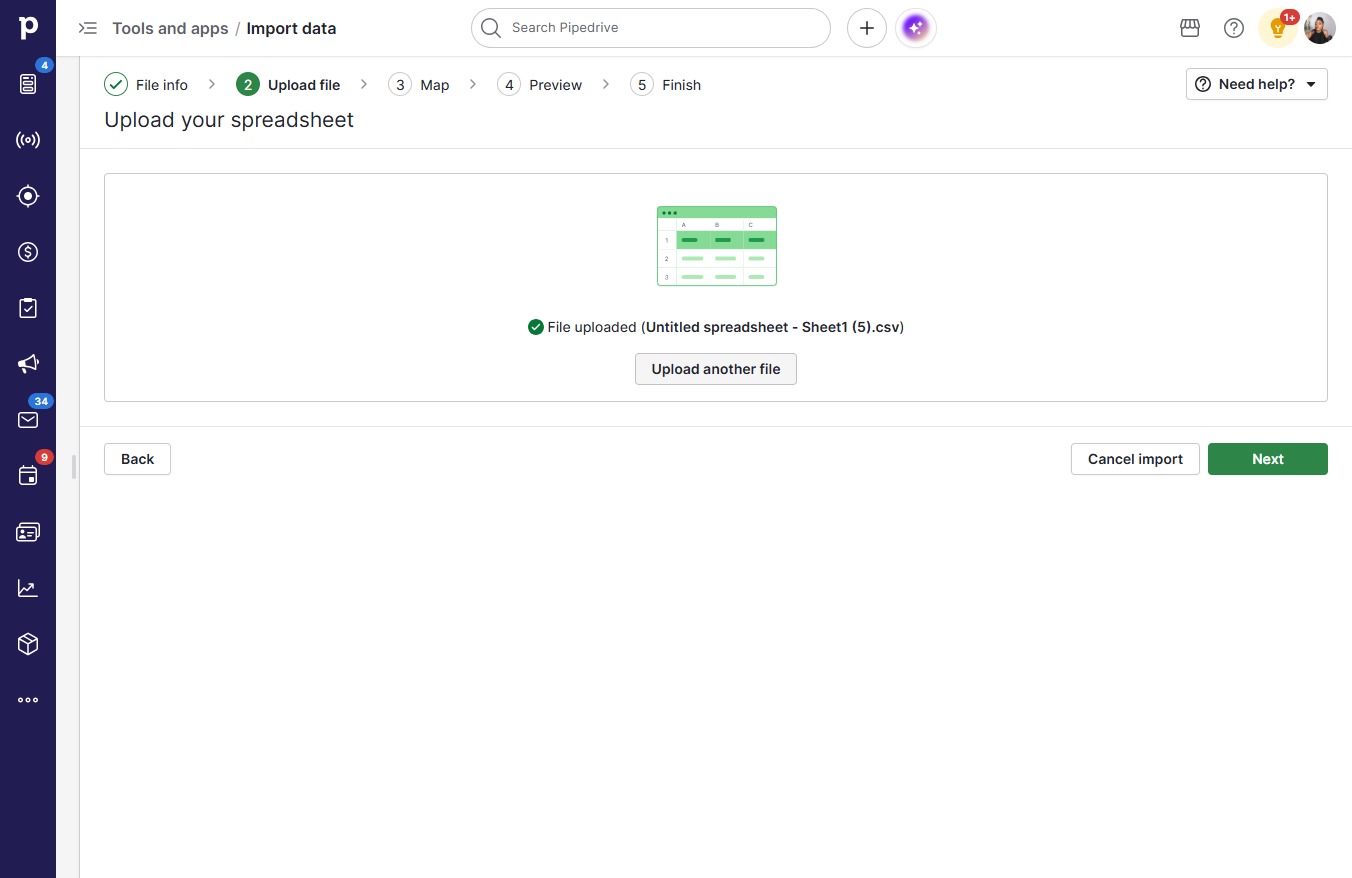
  4. Click Upload another file

    Click Upload another file
    Loading screenshot…
    100%
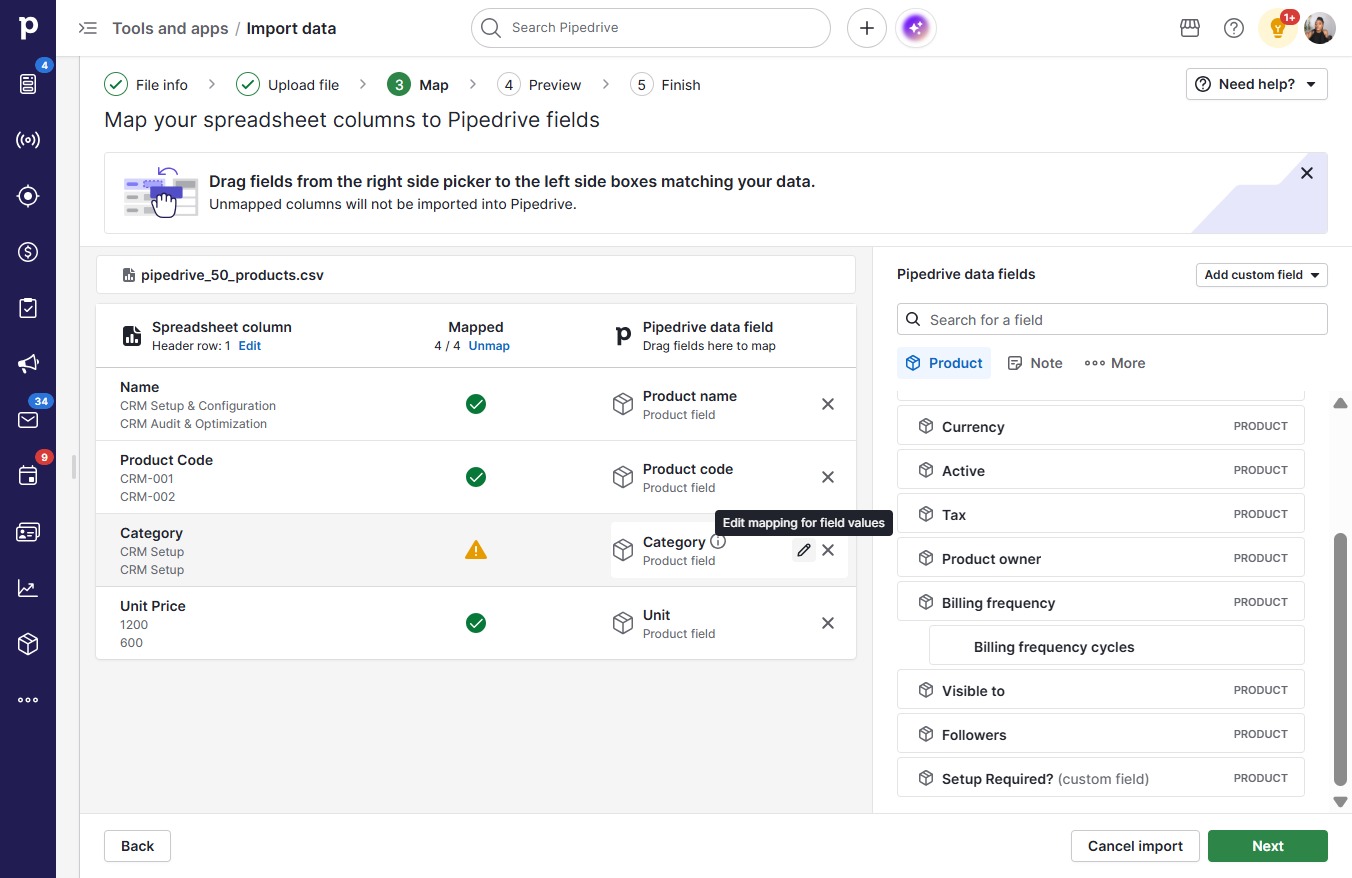
  5. Click on "Click here."

    Click on "Click here."
    Loading screenshot…
    100%
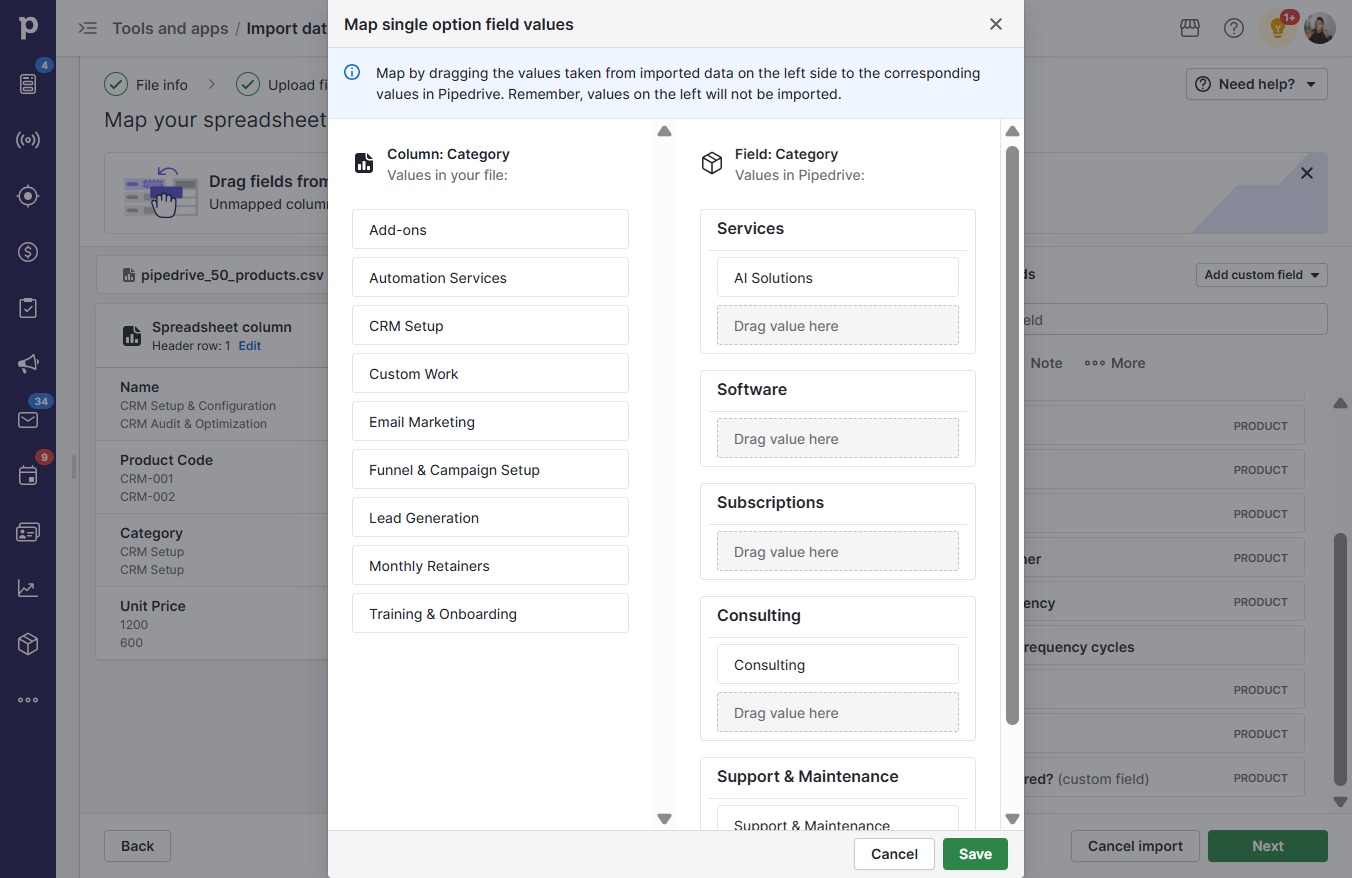
  6. Click AI Solutions

    Click AI Solutions
    Loading screenshot…
    100%
  7. Click Automation Services

    Click Automation Services
    Loading screenshot…
    100%
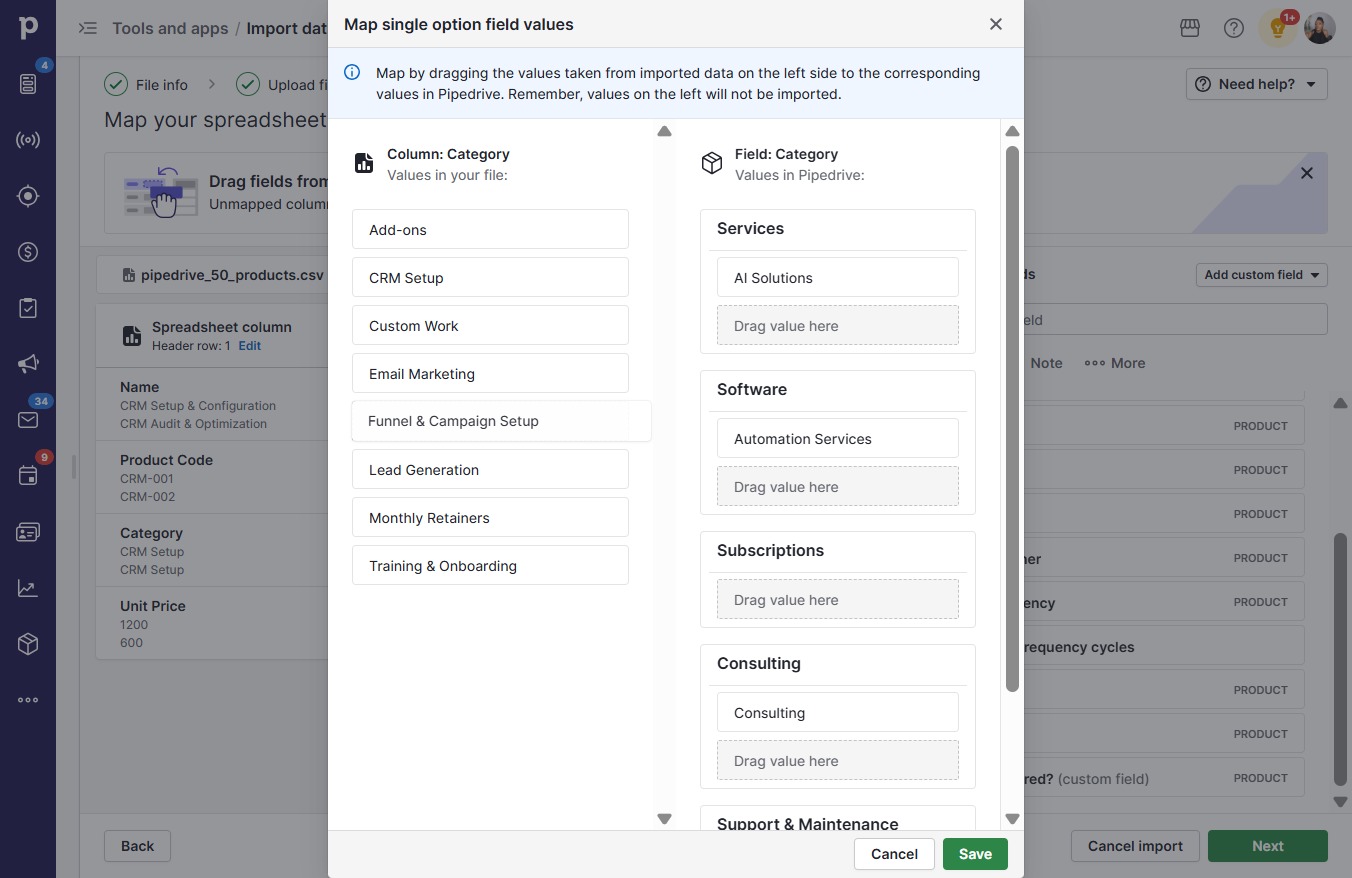
  8. Click Funnel & Campaign Setup

    Click Funnel & Campaign Setup
    Loading screenshot…
    100%
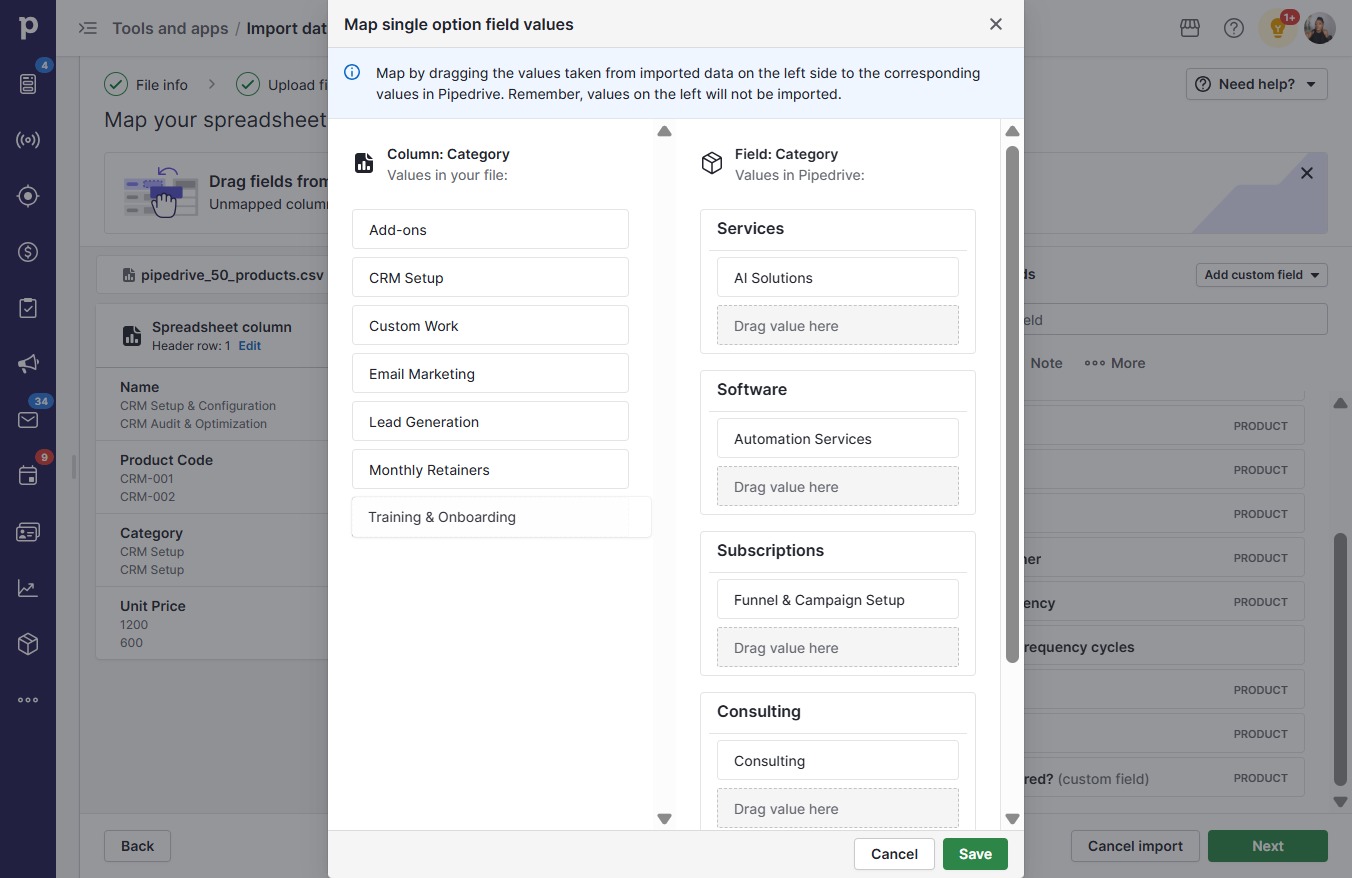
  9. Click Training & Onboarding

    Click Training & Onboarding
    Loading screenshot…
    100%
  10. Click Monthly Retainers

    Click Monthly Retainers
    Loading screenshot…
    100%
  11. Click Add-ons

    Click Add-ons
    Loading screenshot…
    100%
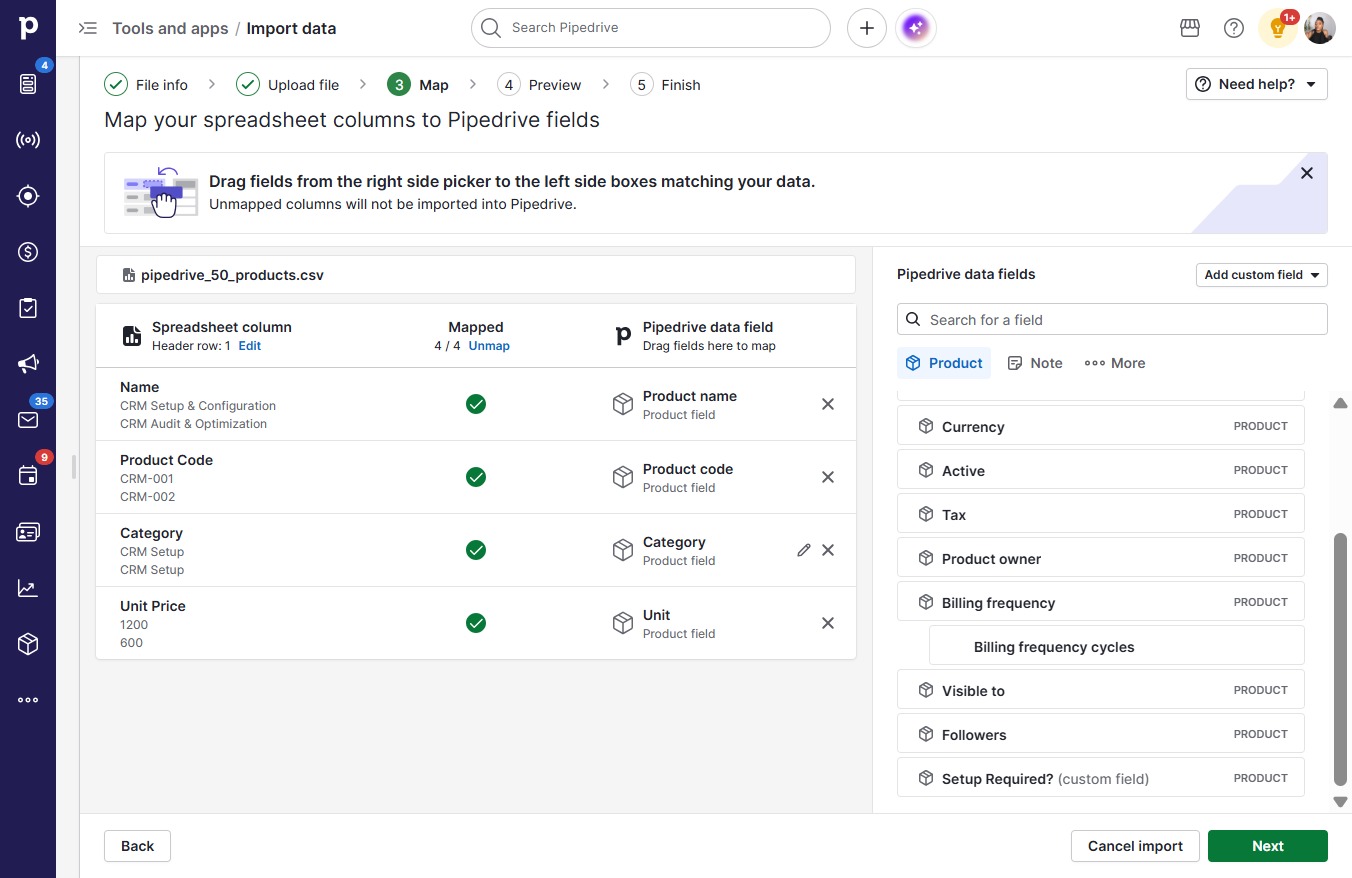
  12. Click Save

    Click Save
    Loading screenshot…
    100%
  13. Click Next

    Click Next
    Loading screenshot…
    100%
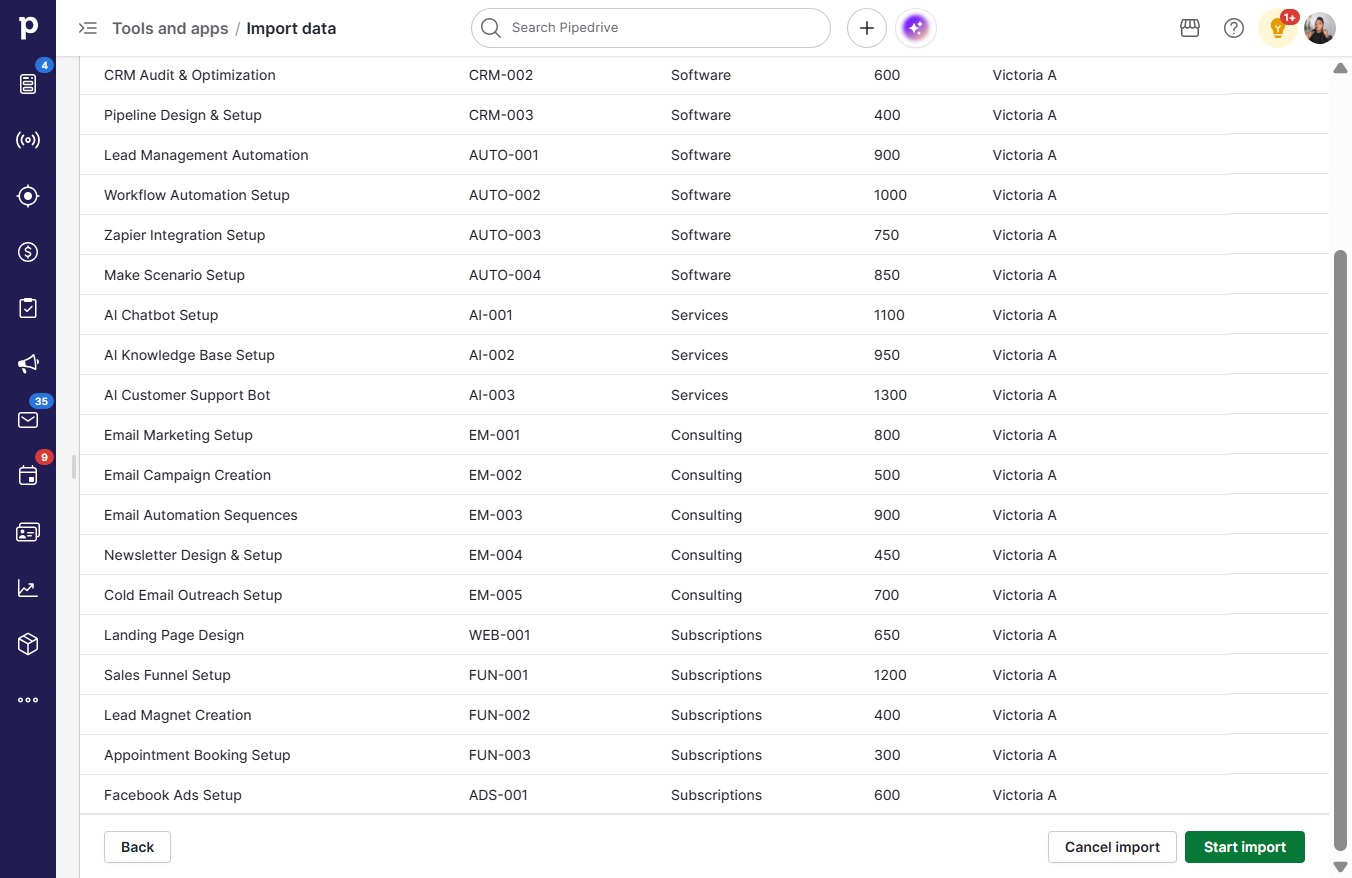
  14. Click Start import

    Click Start import
    Loading screenshot…
    100%