Geteilte Anleitung

How to import contacts in bulk

This how-to guide provides a step-by-step method for importing contacts in bulk using a spreadsheet file.

victoriaworkflowsvictoriaworkflows
·10 Schritte·75 Aufrufe·Veröffentlicht

This how-to guide provides a step-by-step method for importing contacts in bulk using a spreadsheet file. Follow the straightforward instructions to efficiently upload and manage your contacts, streamlining your data integration process.
Step-by-step Guide10 Schritte
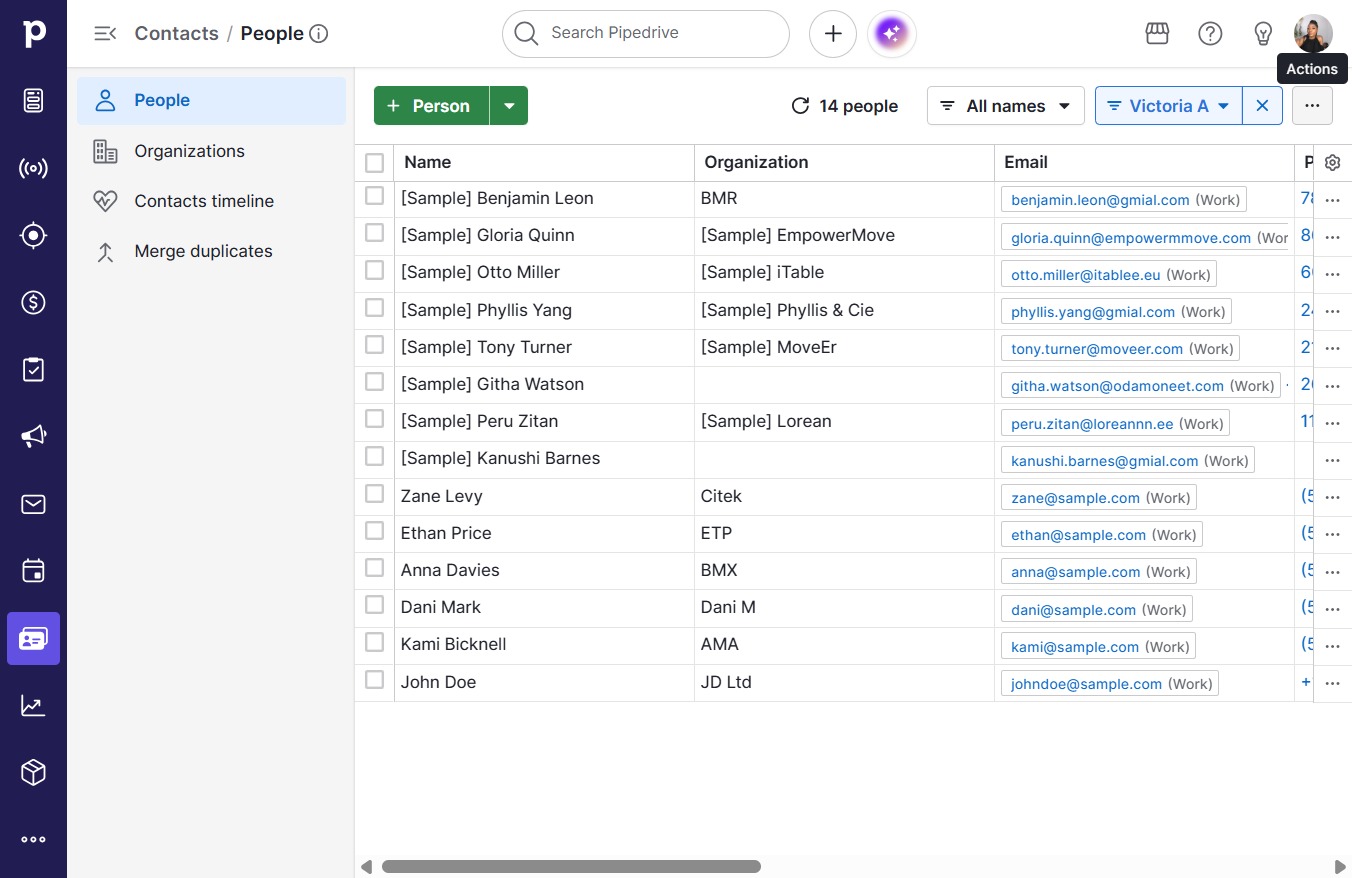
  1. Click Contacts

    Click Contacts
    Loading screenshot…
    100%
  2. Click Actions

    Click Actions
    Loading screenshot…
    100%
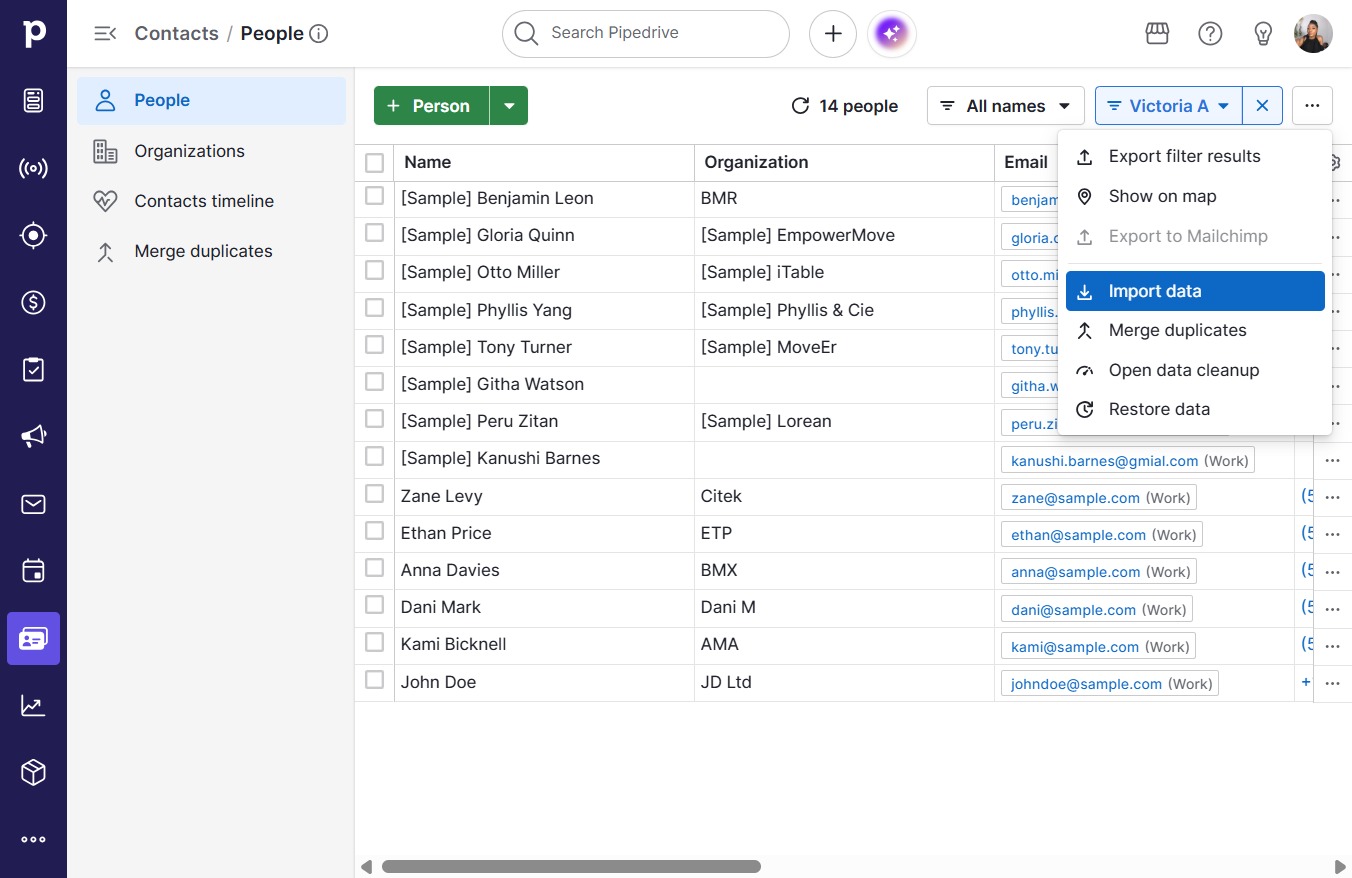
  3. Click Import data

    Click Import data
    Loading screenshot…
    100%
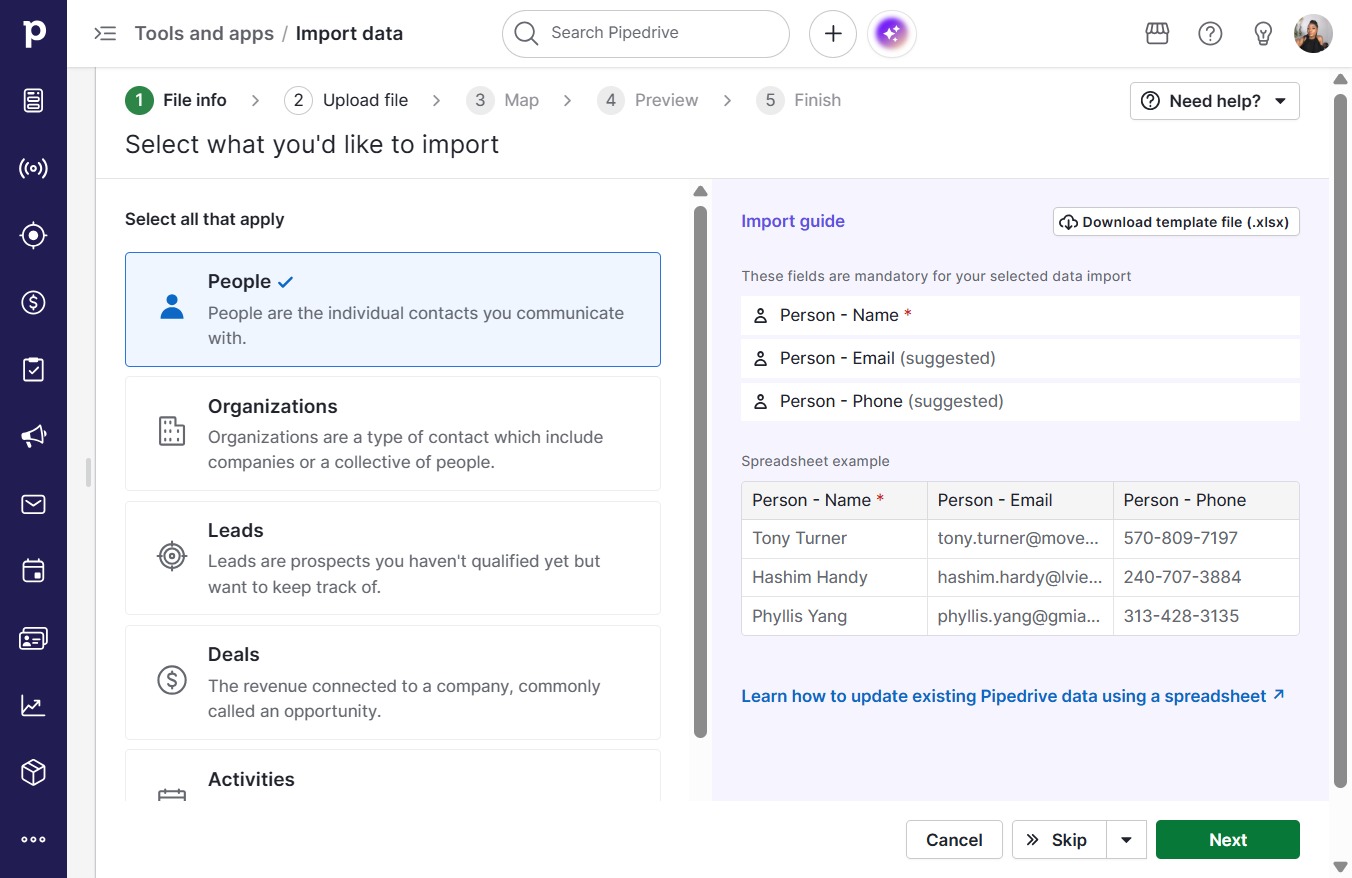
  4. Click Next

    Click Next
    Loading screenshot…
    100%
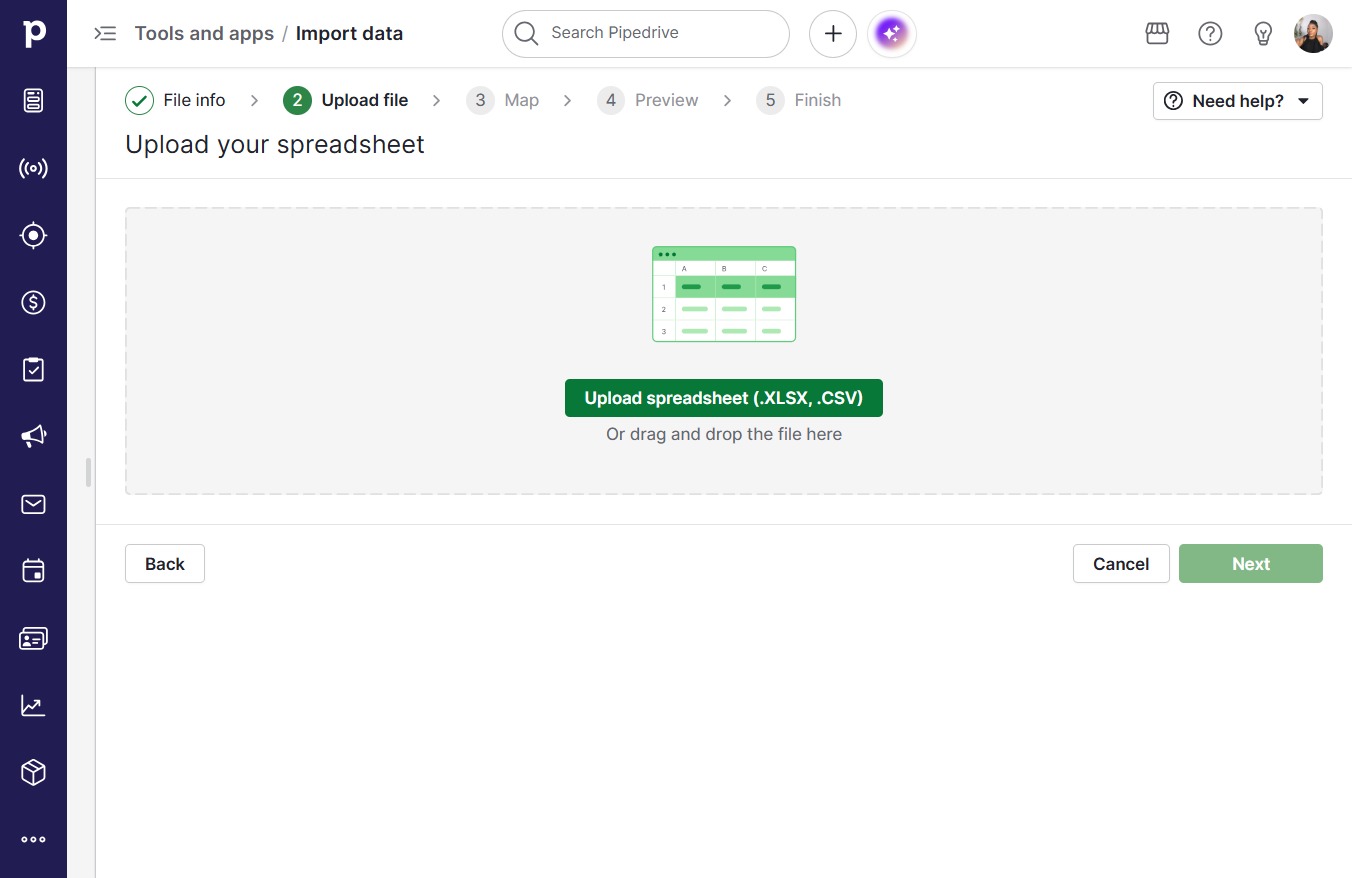
  5. Click Upload spreadsheet (.XLSX, .CSV)

    Click Upload spreadsheet (.XLSX, .CSV)
    Loading screenshot…
    100%
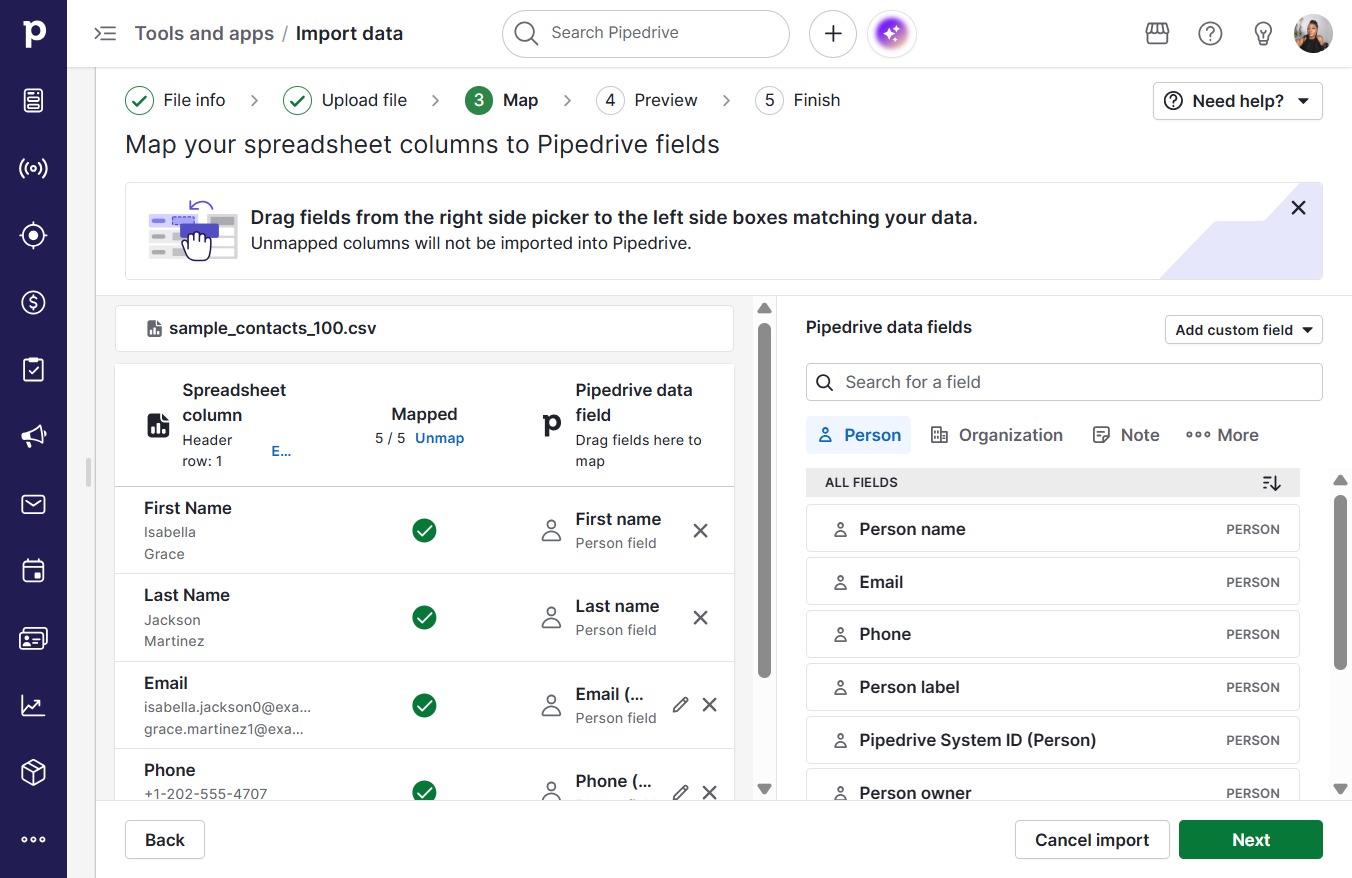
  6. Click Next

    Click Next
    Loading screenshot…
    100%
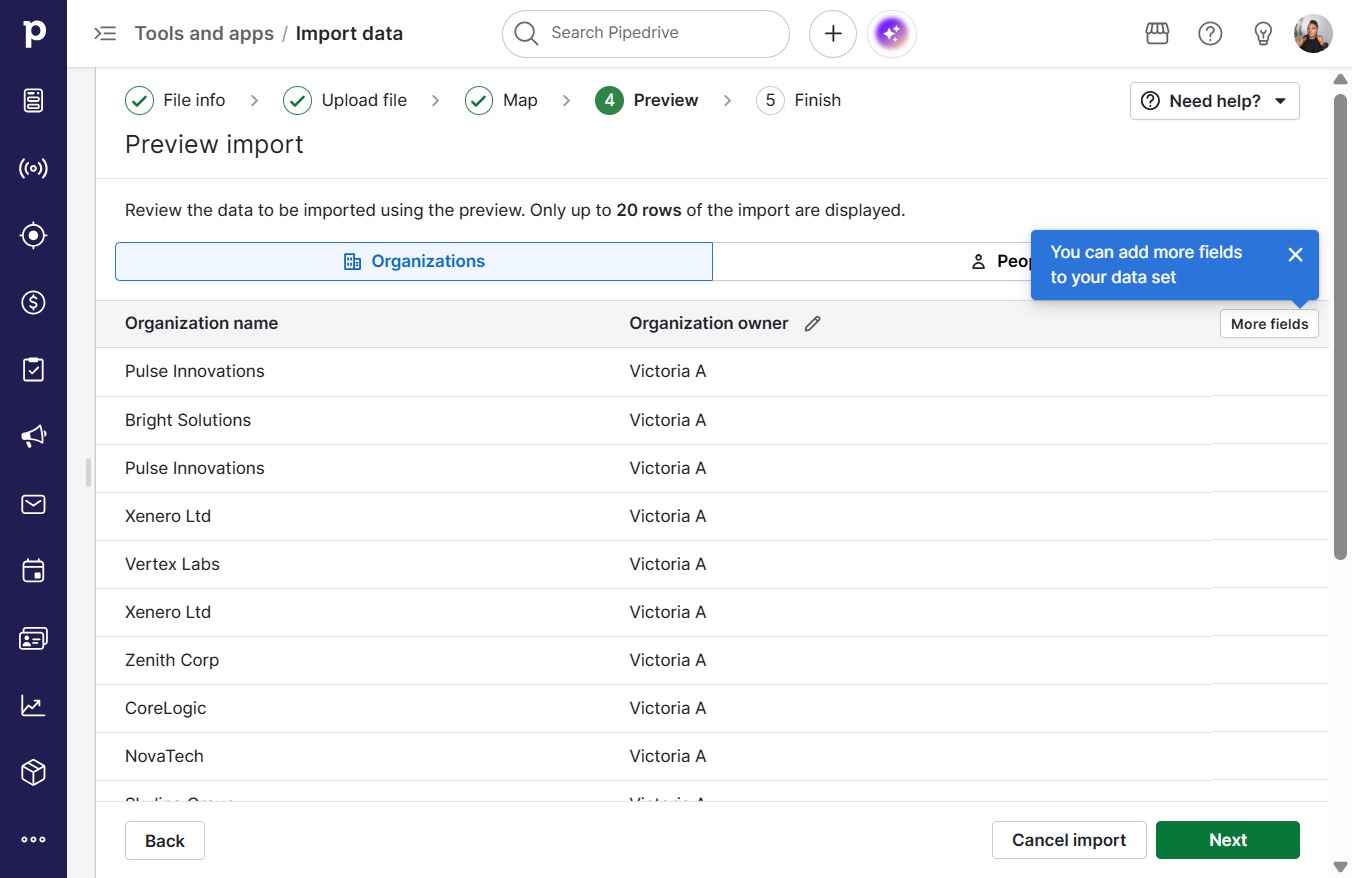
  7. Click Next

    Click Next
    Loading screenshot…
    100%
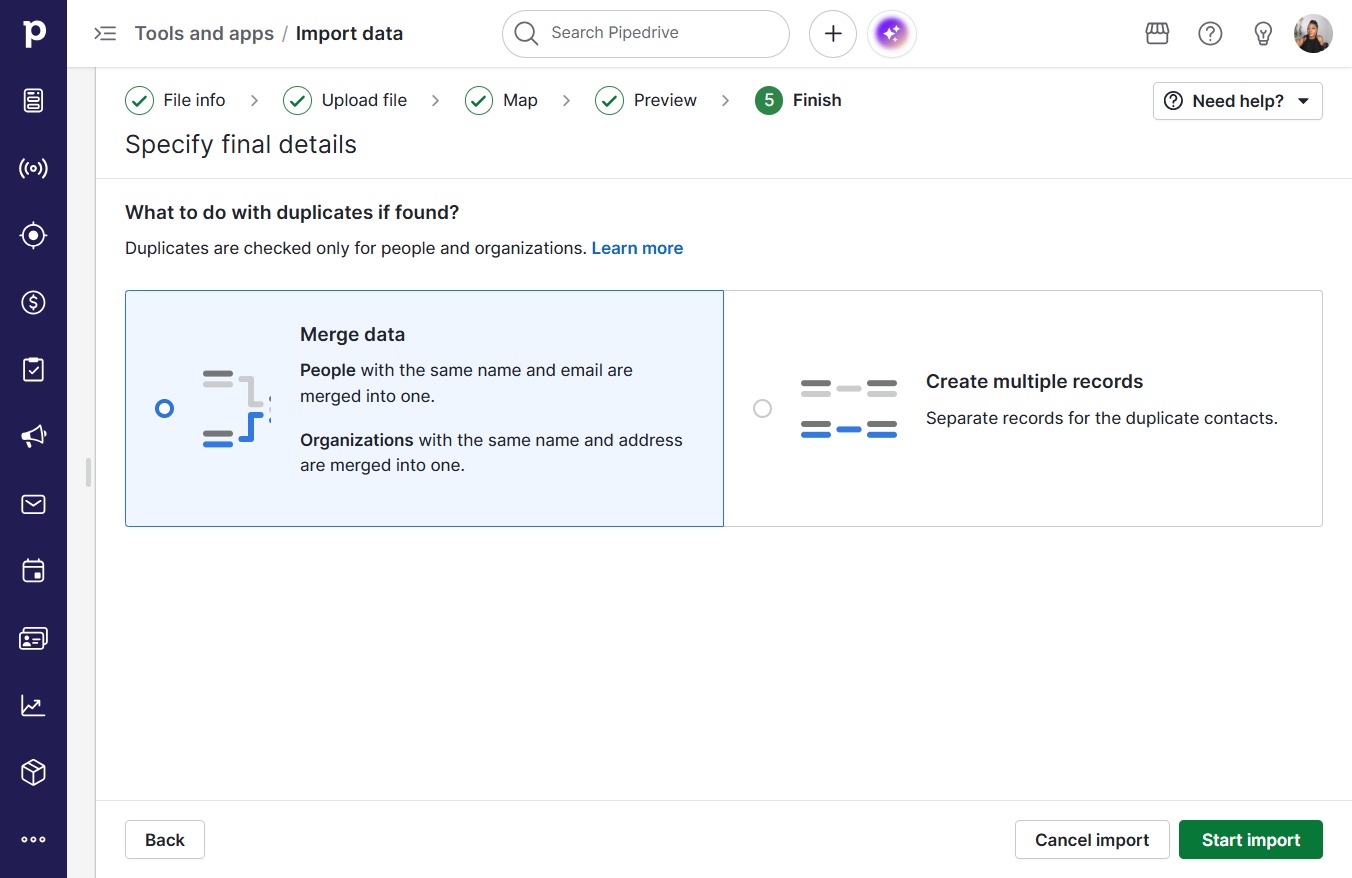
  8. Click Start import

    Click Start import
    Loading screenshot…
    100%
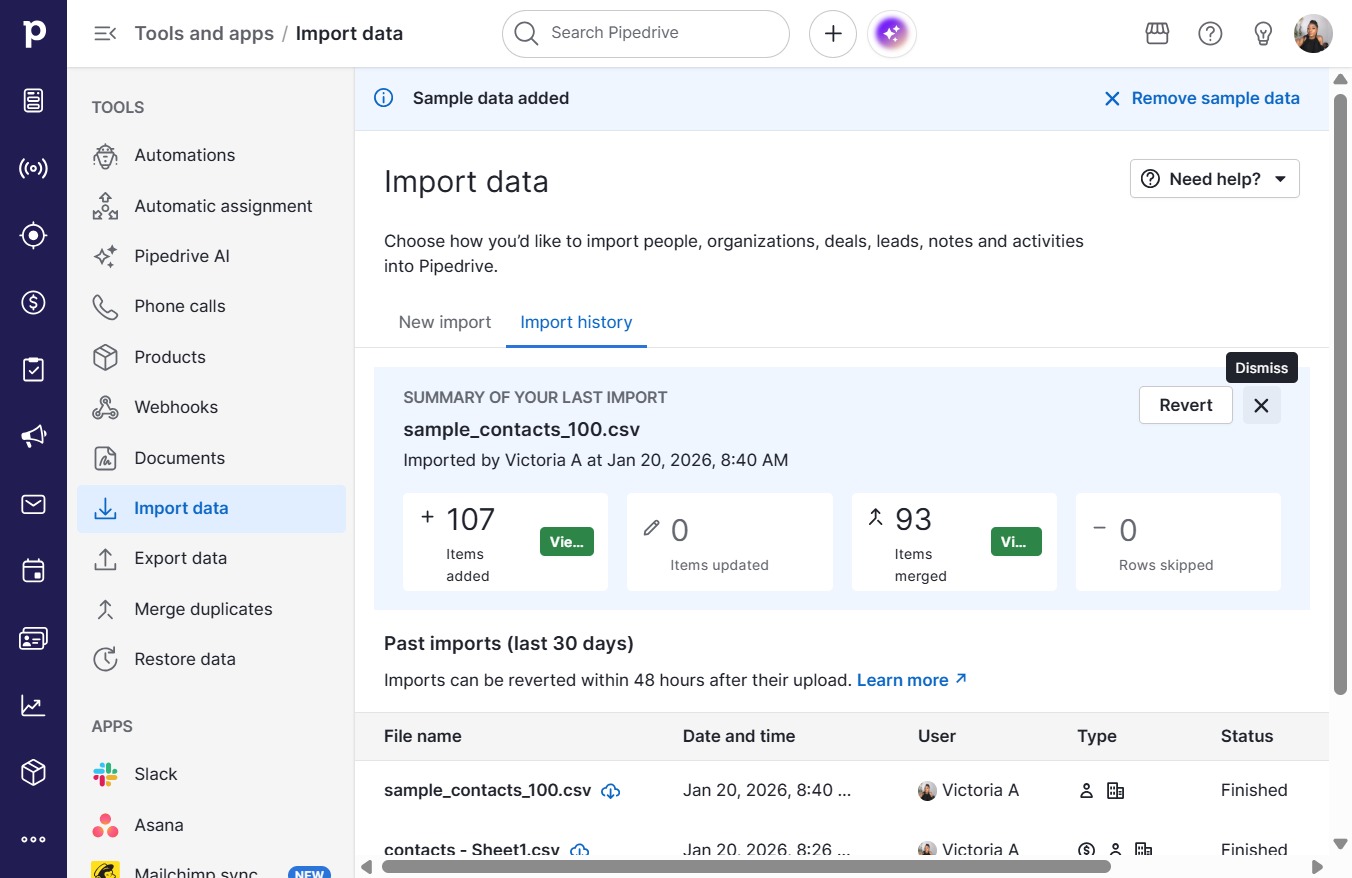
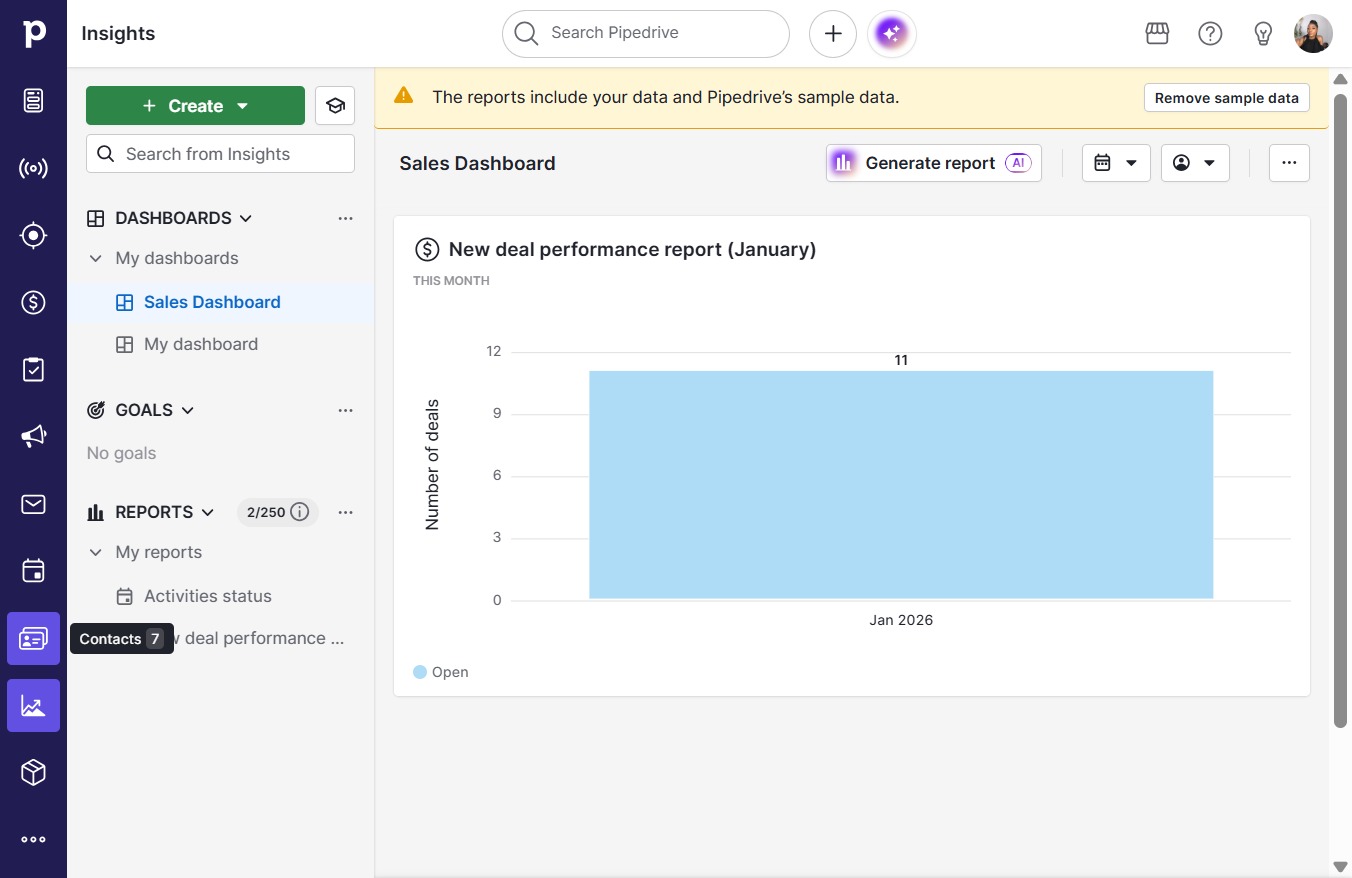
  9. Click on "Click here."

    Click on "Click here."
    Loading screenshot…
    100%
  10. Click on "Click here."

    Click on "Click here."
    Loading screenshot…
    100%