Geteilte Anleitung

How to filter and search leads

Learn how to efficiently filter and search for leads in your inbox by setting up custom filters.

victoriaworkflowsvictoriaworkflows
·5 Schritte·58 Aufrufe·Veröffentlicht

Learn how to efficiently filter and search for leads in your inbox by setting up custom filters. This step-by-step guide walks you through navigating to the leads section, adding specific criteria like overdue status, and saving your selections for streamlined lead management.

Step-by-step Guide5 Schritte
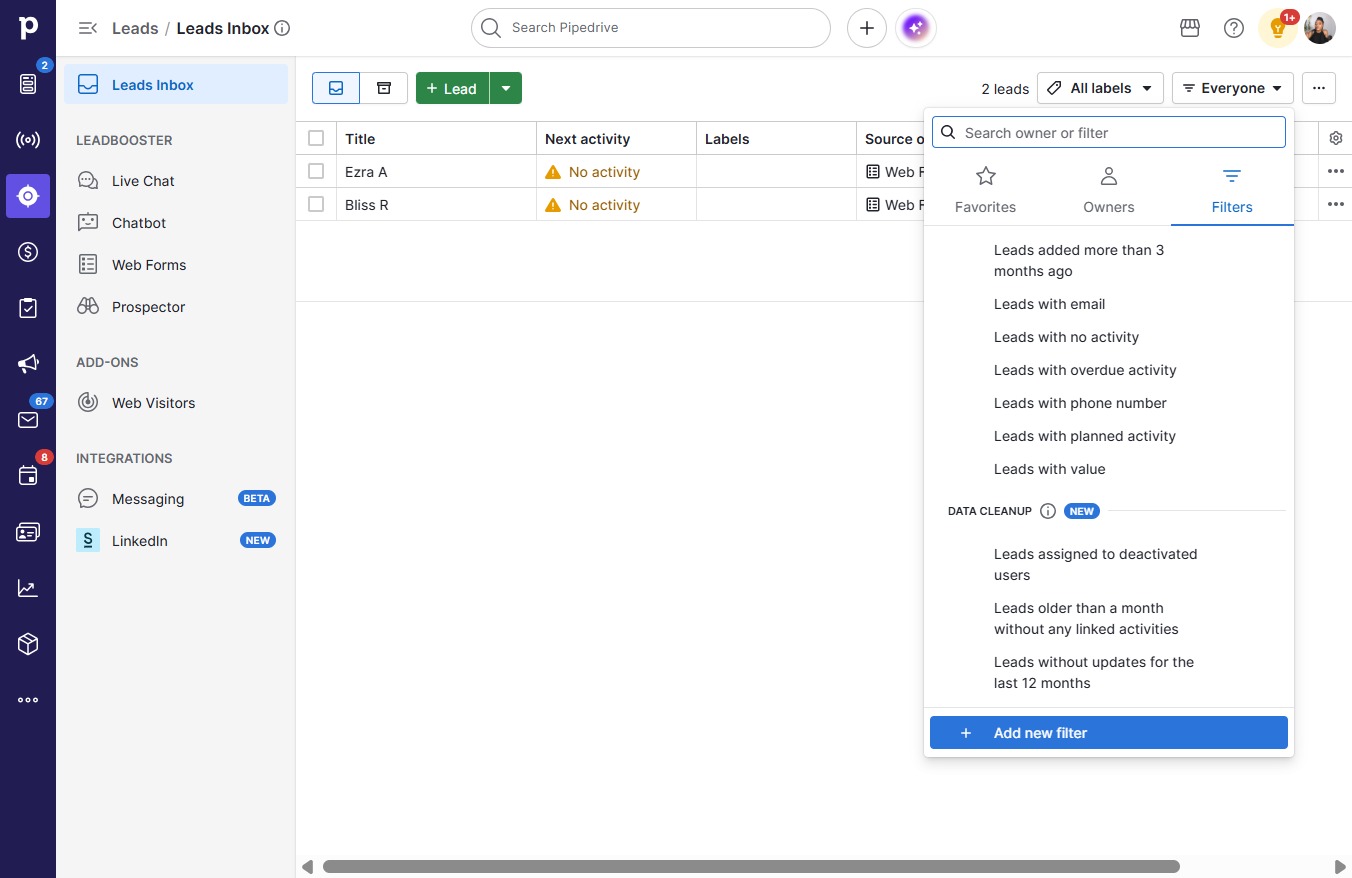
  1. Click on "Click here."
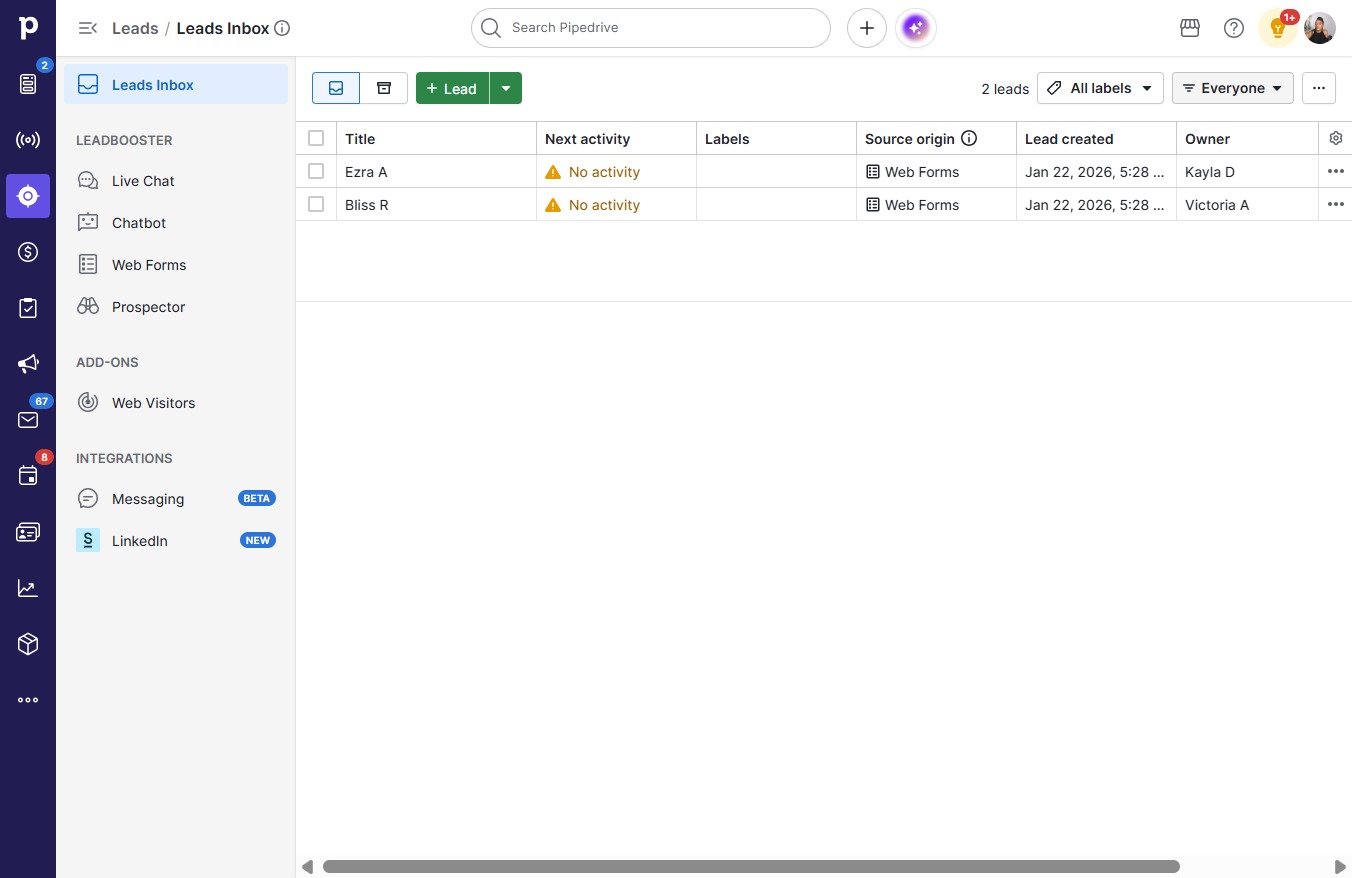
    Click on "Click here."
    Loading screenshot…
    100%
  2. Click Add new filter

    Click Add new filter
    Loading screenshot…
    100%
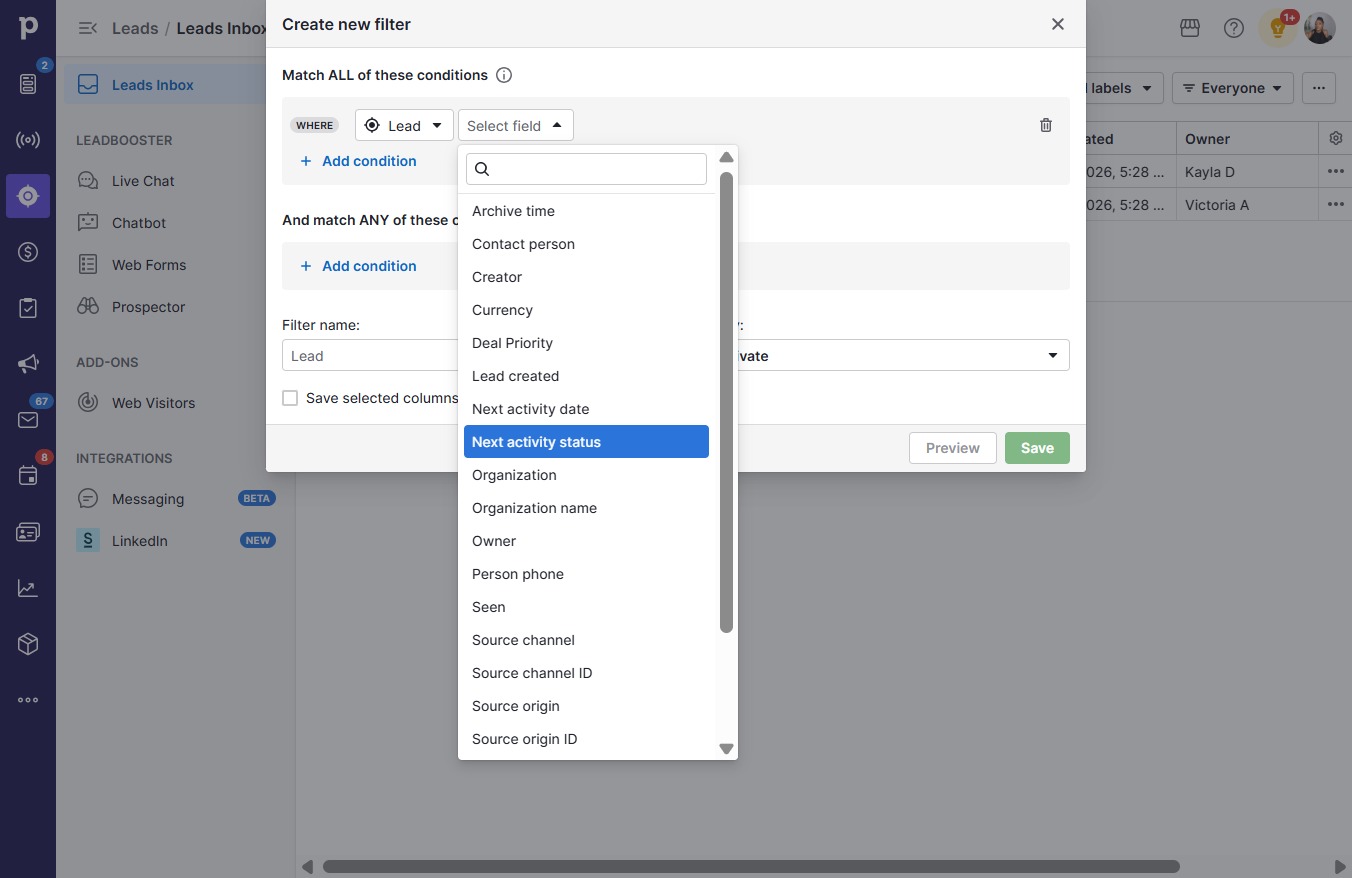
  3. Click Next activity status

    Click Next activity status
    Loading screenshot…
    100%
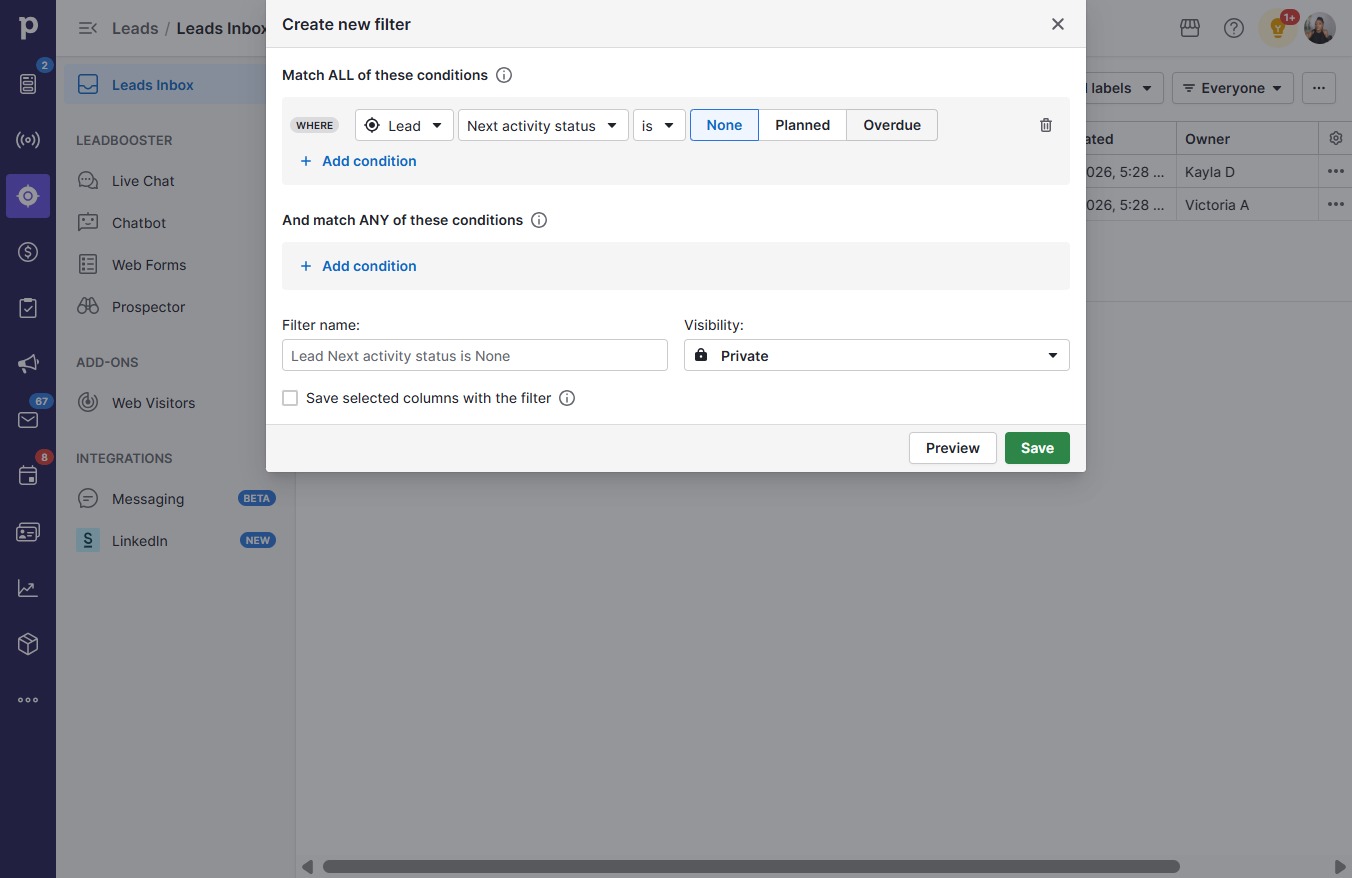
  4. Click Overdue

    Click Overdue
    Loading screenshot…
    100%
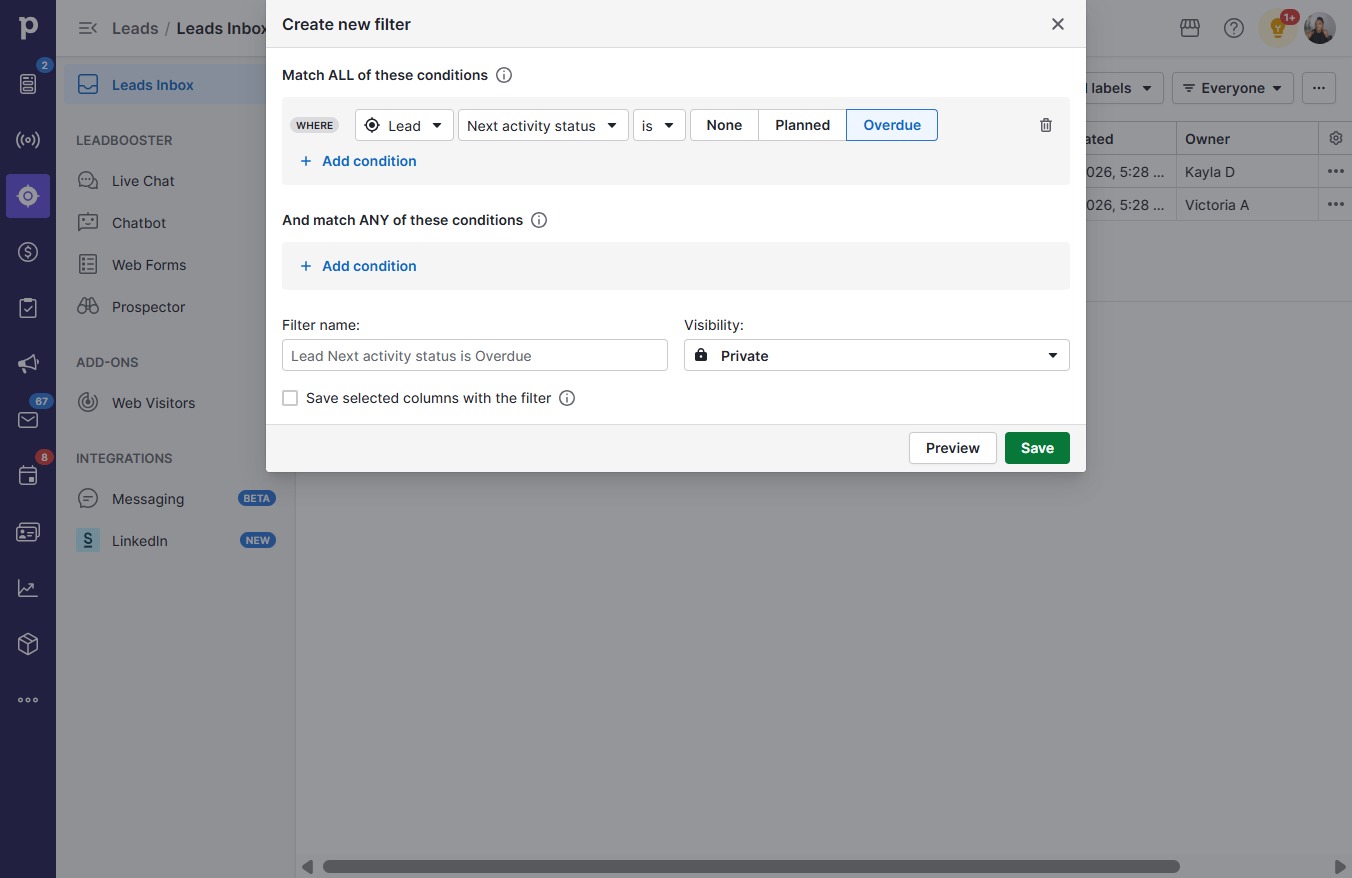
  5. Click Save

    Click Save
    Loading screenshot…
    100%