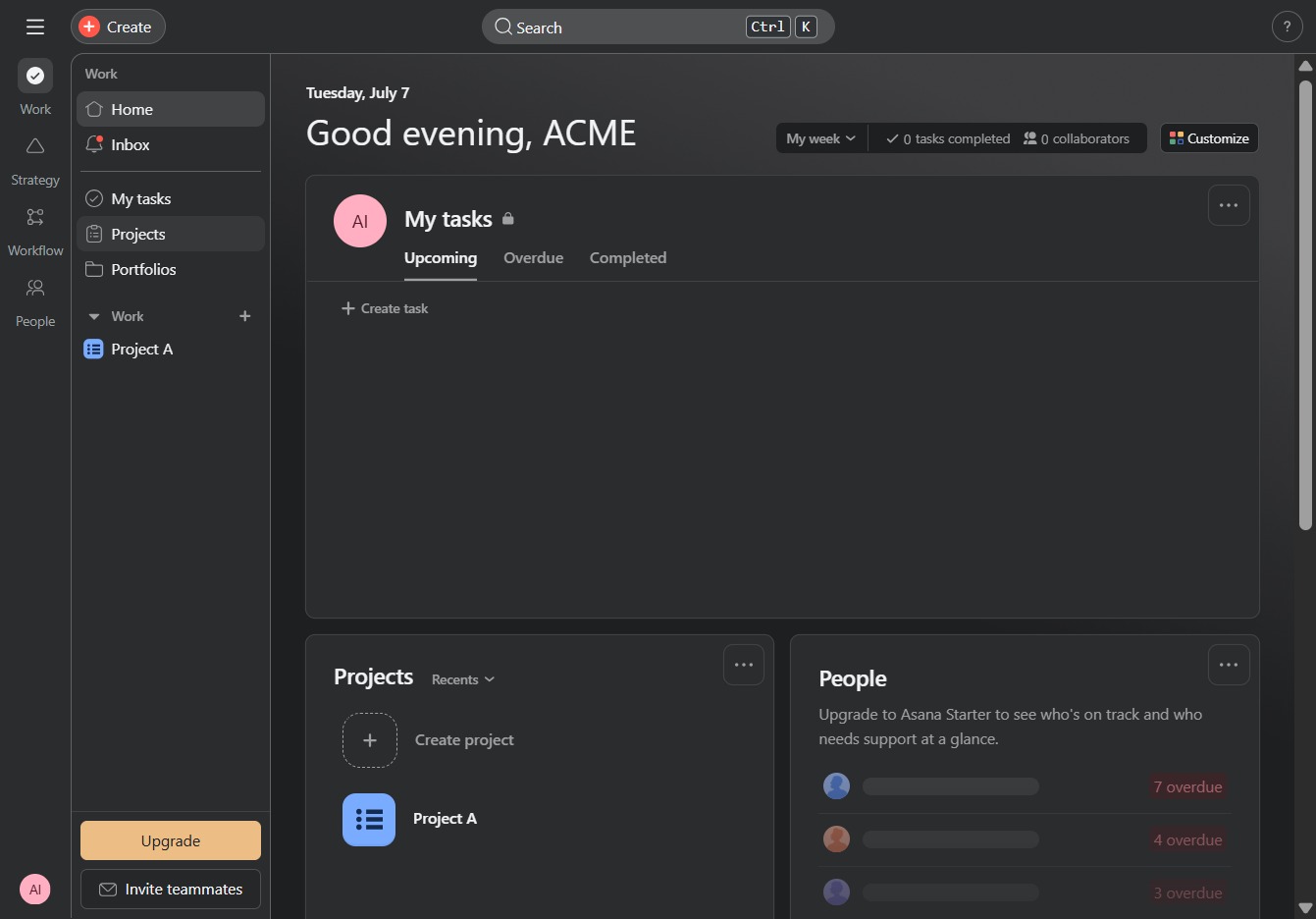
Click the Projects link
This will navigate you to the Projects section where you can view and manage your ongoing projects.
Loading screenshot…
100%
In this guide, learn how to efficiently export your project data by navigating through the Projects section, selecting your desired project, and exporting tasks in formats like…
 viktoria
In this guide, learn how to efficiently export your project data by navigating through the Projects section, selecting your desired project, and exporting tasks in formats like CSV or XLSX. Follow the steps to enhance your project management and easily access your task data in a spreadsheet application.
This will navigate you to the Projects section where you can view and manage your ongoing projects.
Selecting 'Project A' will take you to the project's overview, where you can manage tasks, view team members, and access project-specific resources.

Selecting this option allows you to input new tasks for Project A, enhancing your project management capabilities by keeping track of assignments and deadlines.

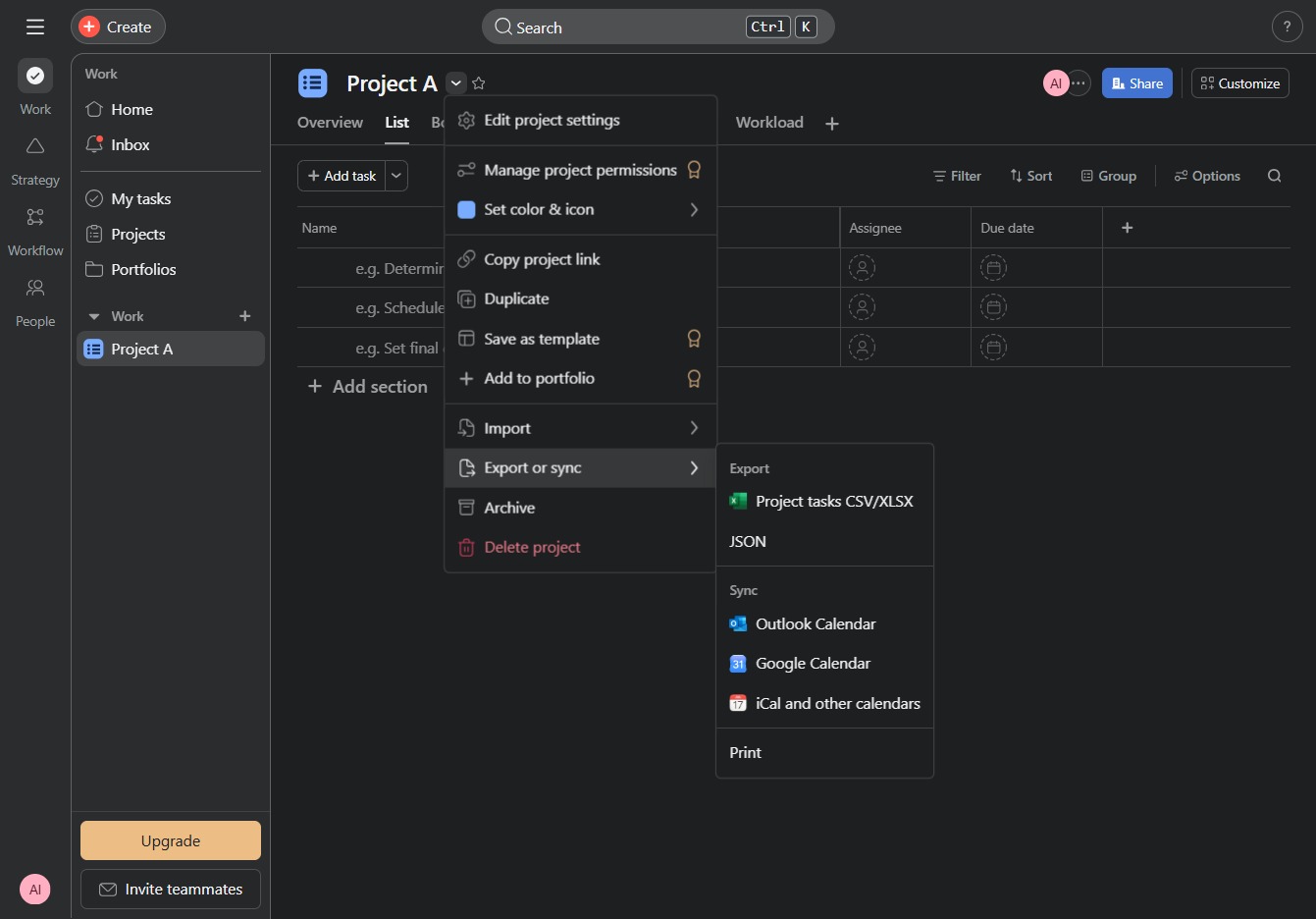
Selecting 'Export or sync' allows you to export your project tasks in various formats, such as CSV or JSON, or sync them with external calendars like Google Calendar or Outlook.
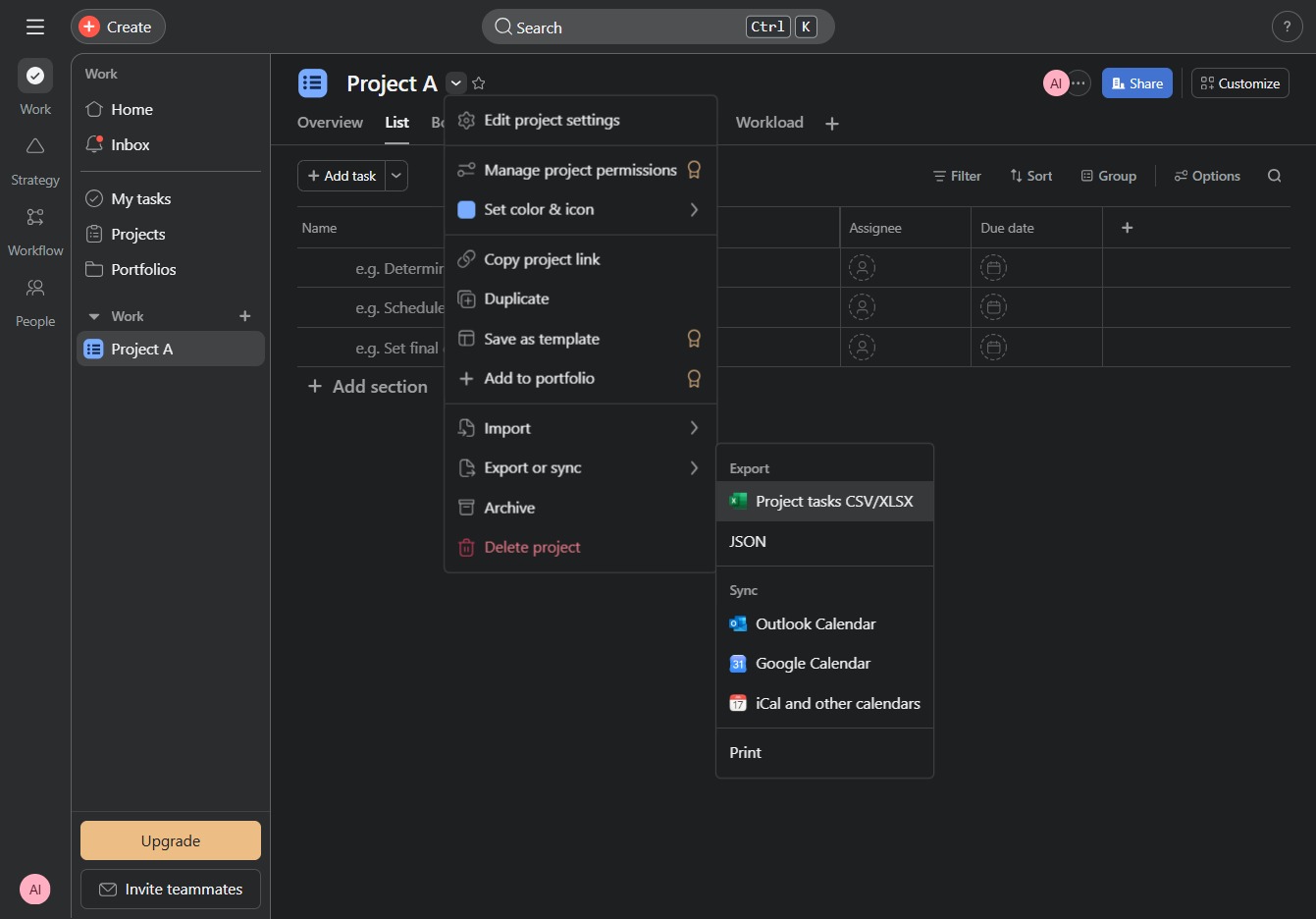
This action will initiate the download of the project tasks in CSV or XLSX format, allowing you to access and edit your task data in a spreadsheet application.
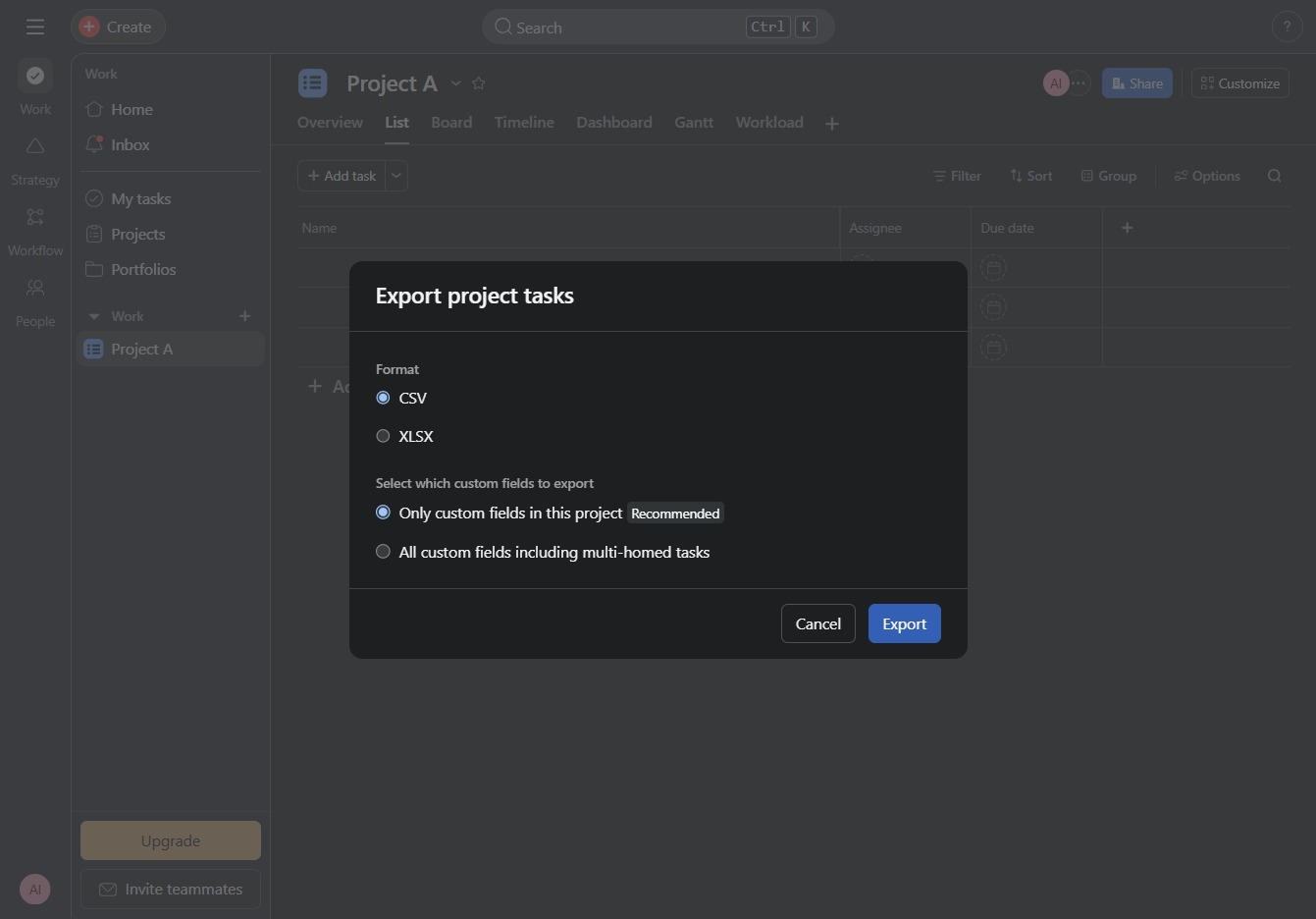
This action will initiate the export process for project tasks, allowing you to choose the format and fields to include in the exported file.