Click the Operations section
This will take you to the Operations area where you can manage projects and tasks related to operations, allowing for efficient tracking and collaboration.

Loading screenshot…
100%
In this guide, you'll learn how to permanently delete a page from your workspace, including navigating to the Operations area, accessing the 'More actions' menu, and confirming…
 viktoria
In this guide, you'll learn how to permanently delete a page from your workspace, including navigating to the Operations area, accessing the 'More actions' menu, and confirming the deletion. Follow these steps to ensure efficient management of your documents while avoiding accidental removals.
This will take you to the Operations area where you can manage projects and tasks related to operations, allowing for efficient tracking and collaboration.
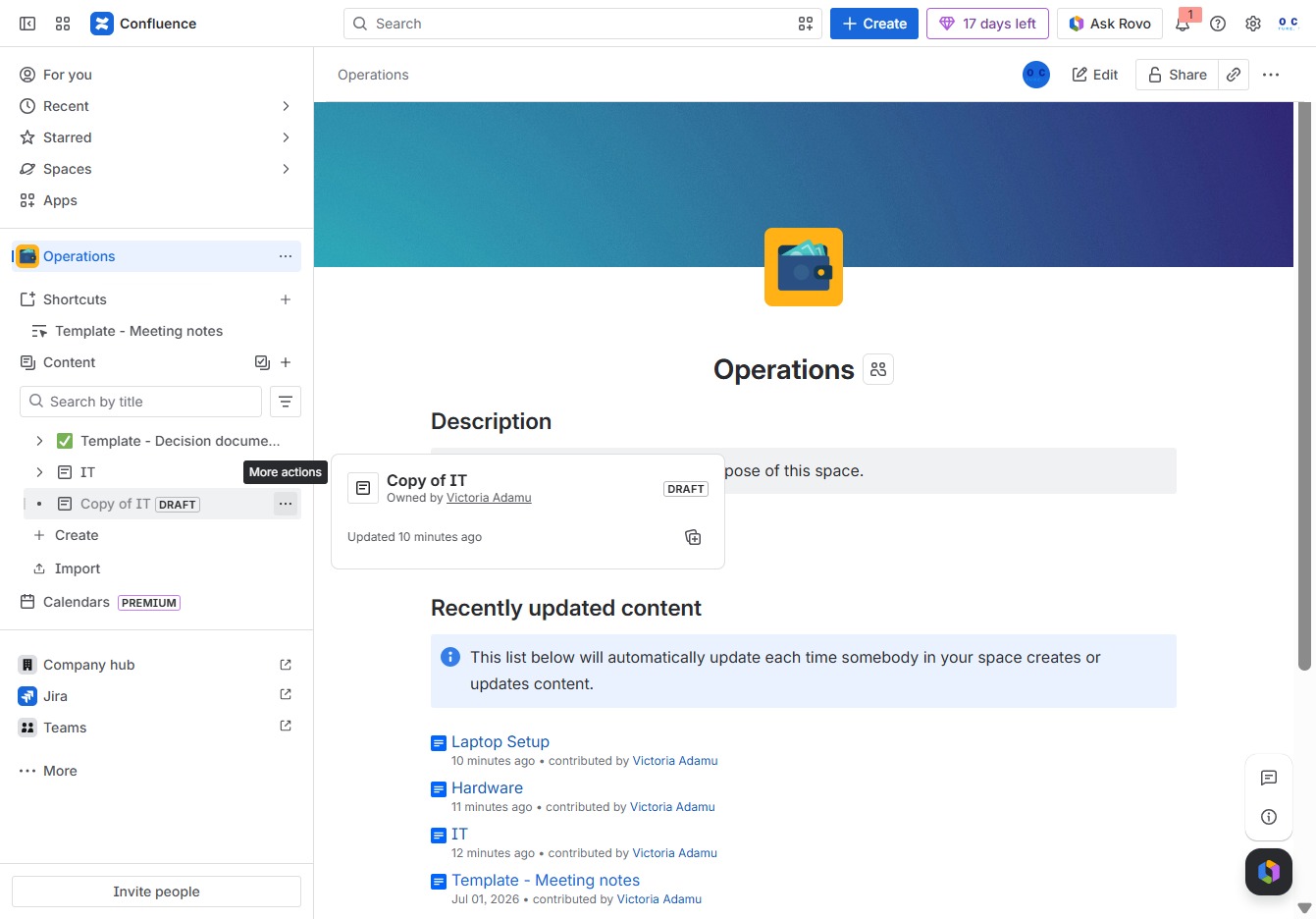
Selecting the 'More actions' button opens a menu with additional options available for managing the 'Copy of IT' document.
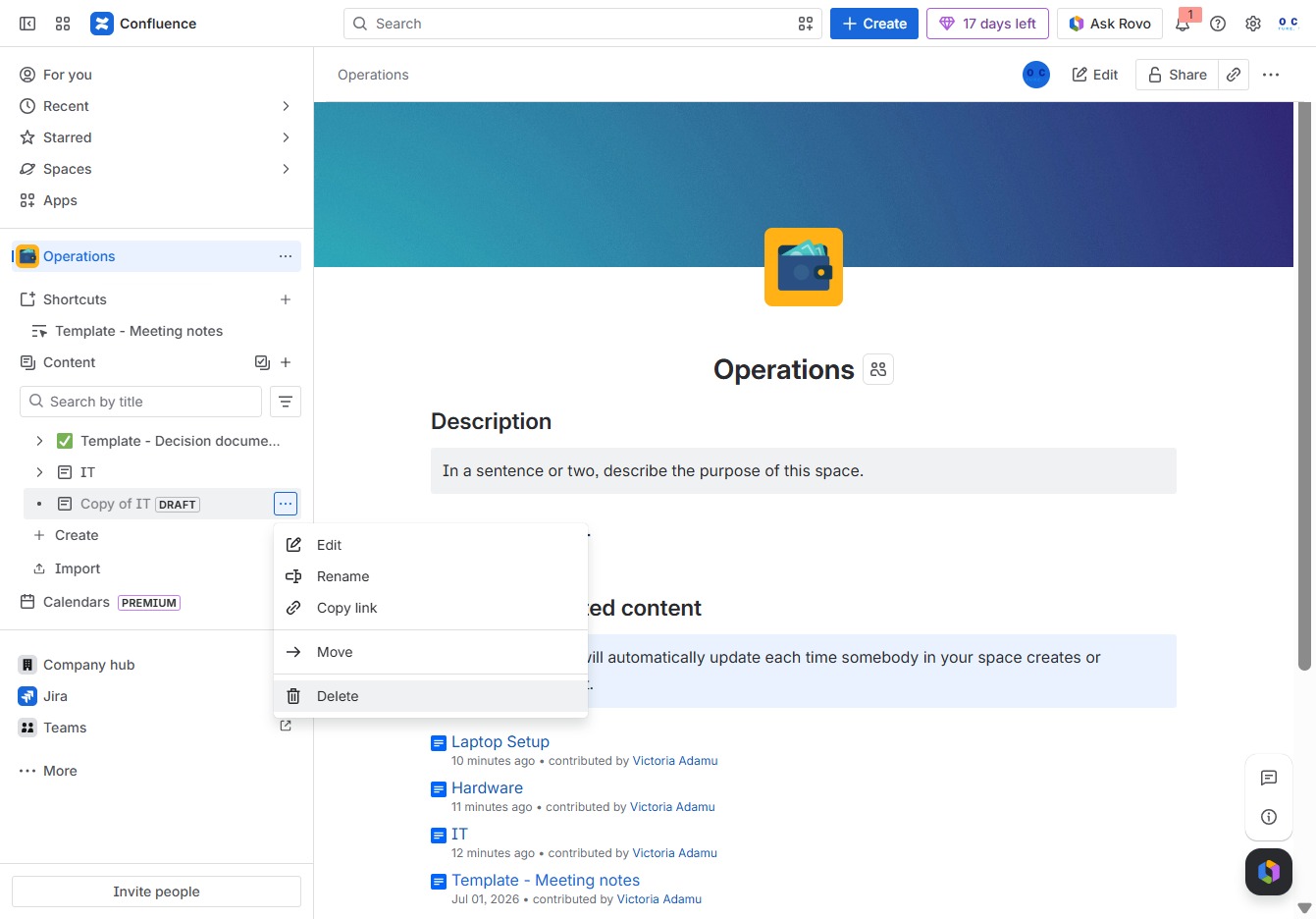
Selecting the Delete option will prompt you to confirm the removal of the selected content from the Operations space, ensuring that it is permanently deleted.
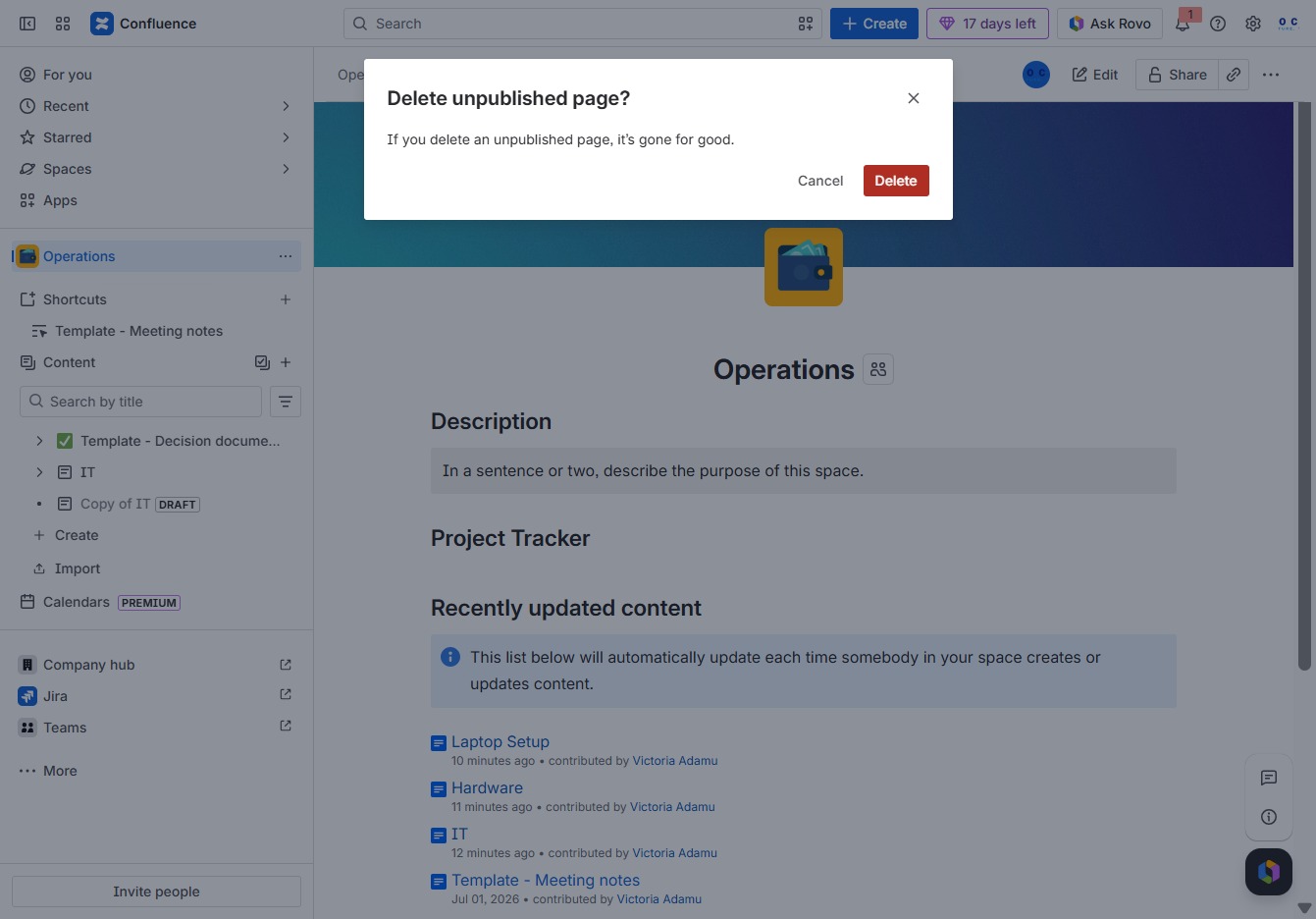
This action will permanently delete the unpublished page from your workspace. Ensure that you want to remove it, as this action cannot be undone.