Shared guide

How to create custom dashboards

In this how-to guide, you'll learn the step-by-step process to create custom dashboards tailored to your needs.

victoriaworkflowsvictoriaworkflows
·11 steps·76 views·Published

In this how-to guide, you'll learn the step-by-step process to create custom dashboards tailored to your needs. From naming your dashboard to adding specific reports, we simplify the creation process to help you effectively track and analyze your performance insights.
Step-by-step Guide11 steps
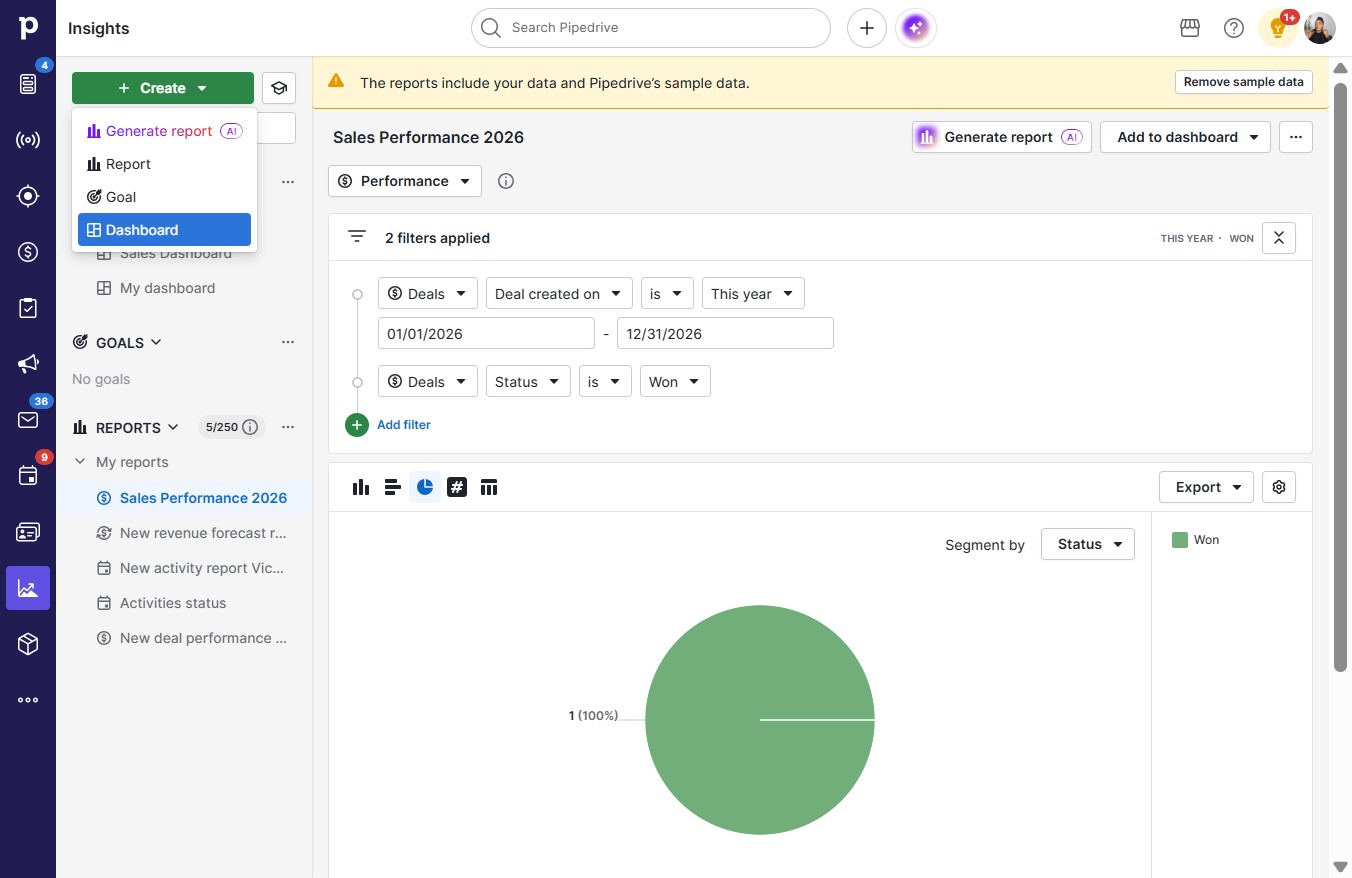
  1. Click Create

    Click Create
    Loading screenshot…
    100%
  2. Click Dashboard

    Click Dashboard
    Loading screenshot…
    100%
  3. Click on "Click here."

    Click on "Click here."
    Loading screenshot…
    100%
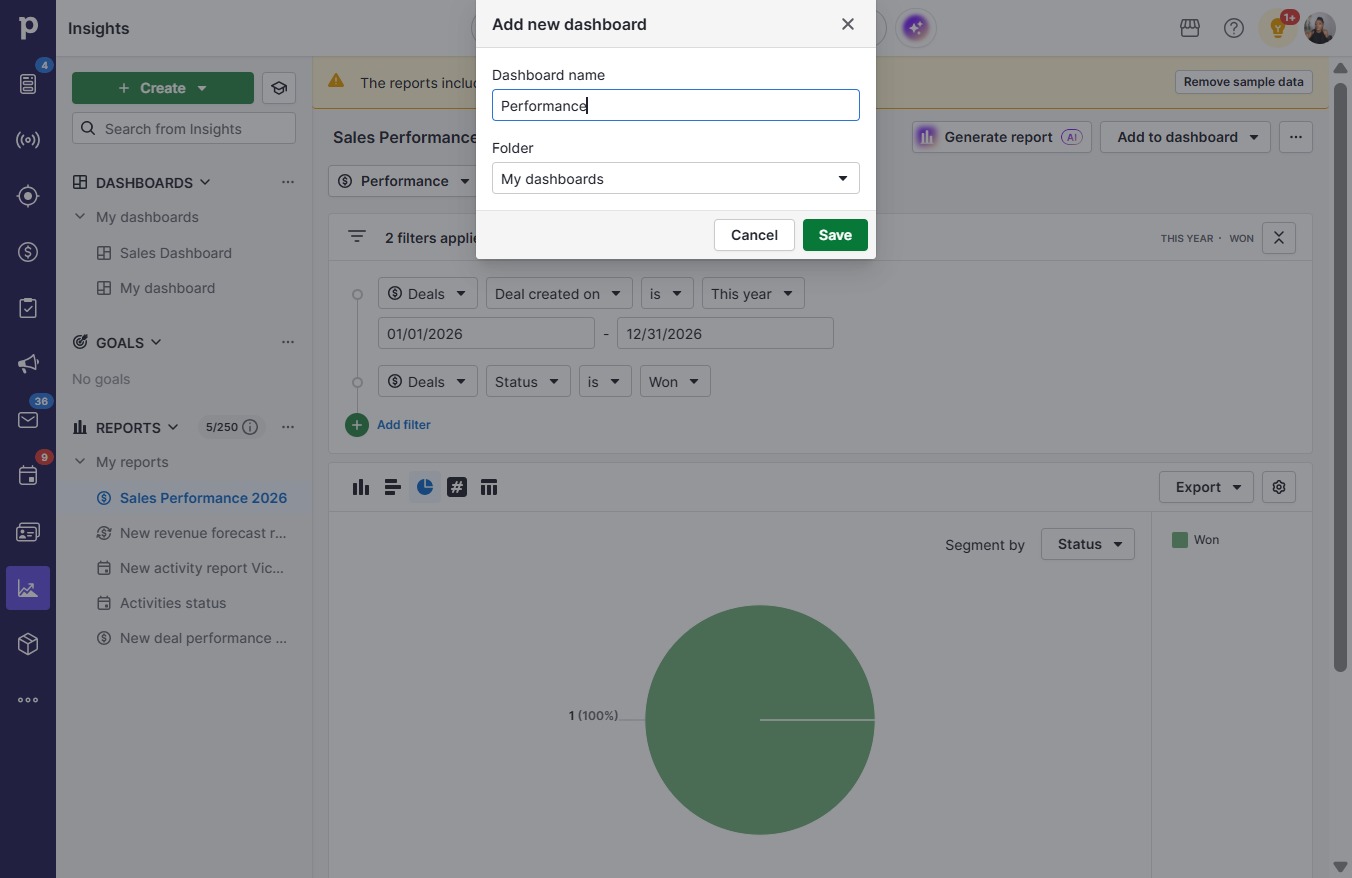
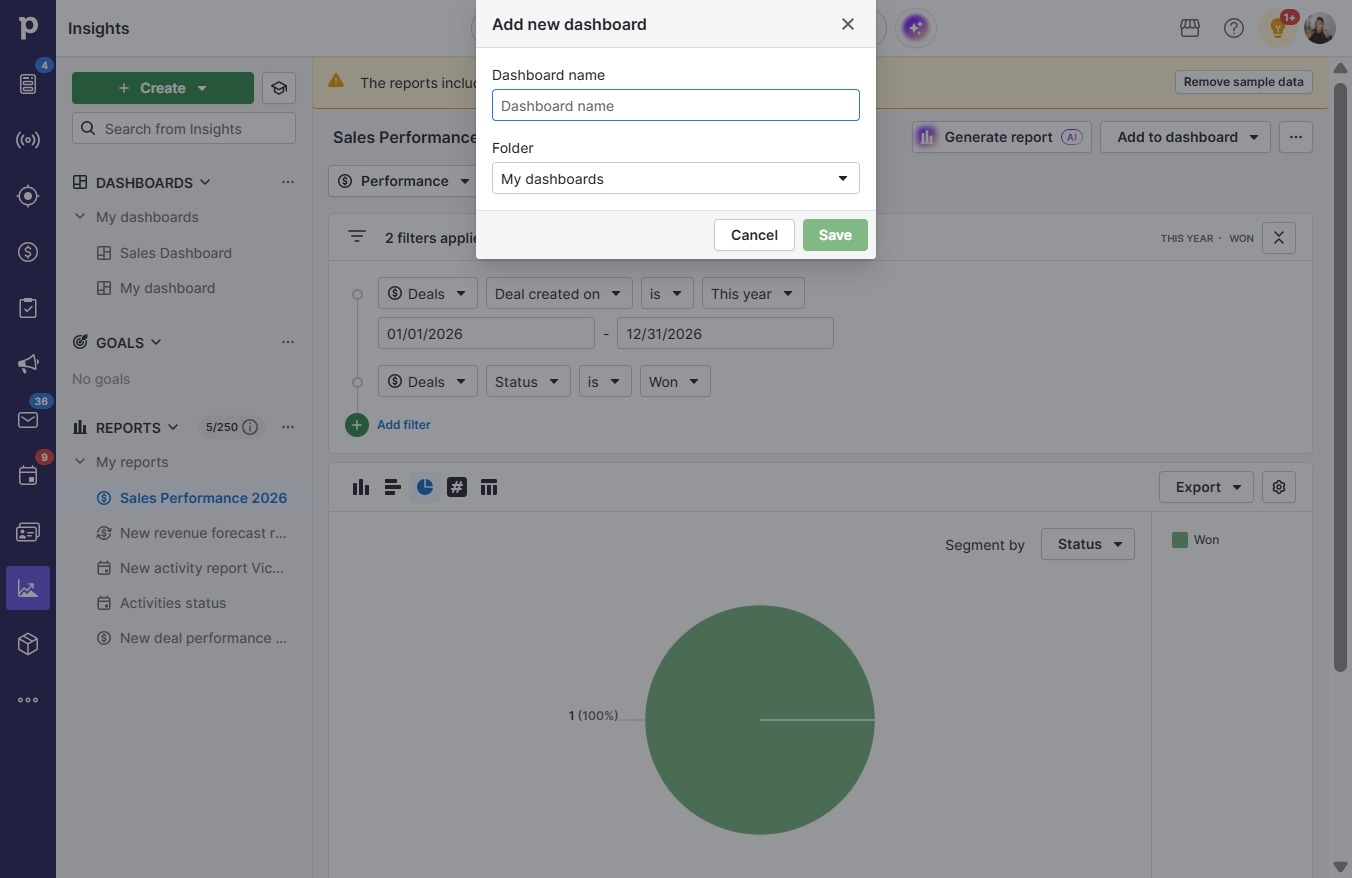
  4. Type "Performance" in Dashboard name

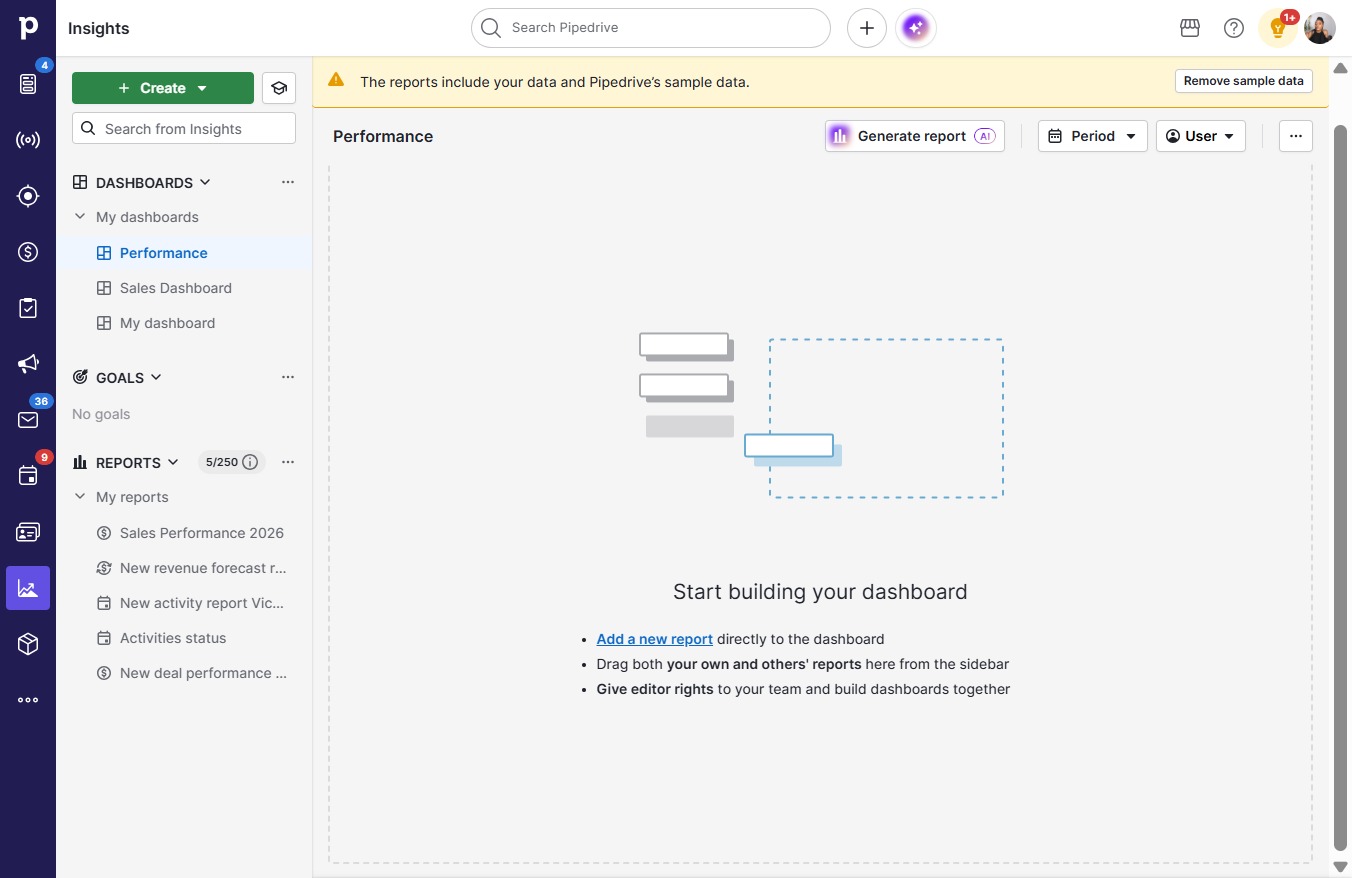
  5. Click Save

    Click Save
    Loading screenshot…
    100%
  6. Click Add a new report

    Click Add a new report
    Loading screenshot…
    100%
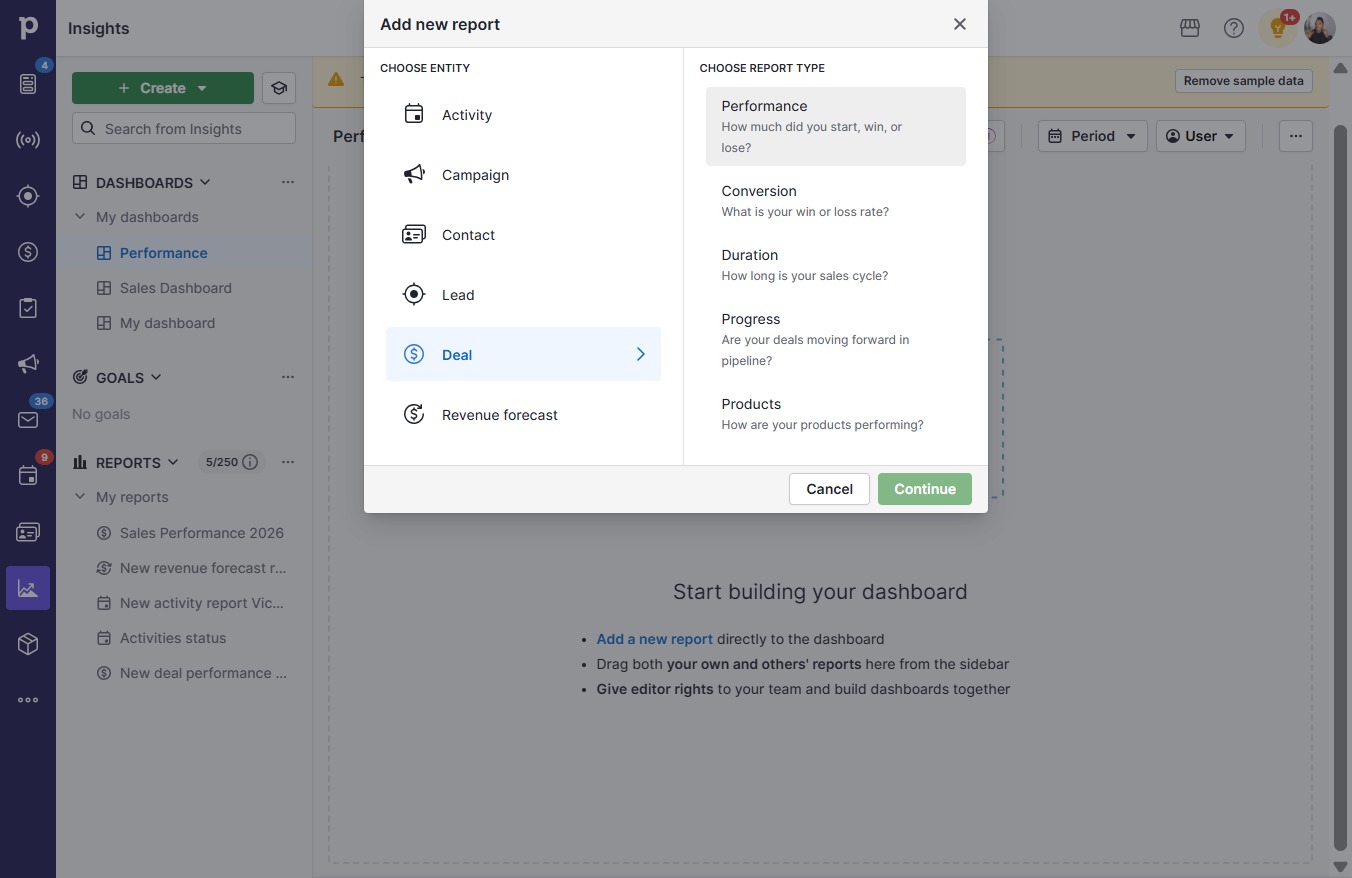
  7. Click How much did you start, win, or lose?

    Click How much did you start, win, or lose?
    Loading screenshot…
    100%
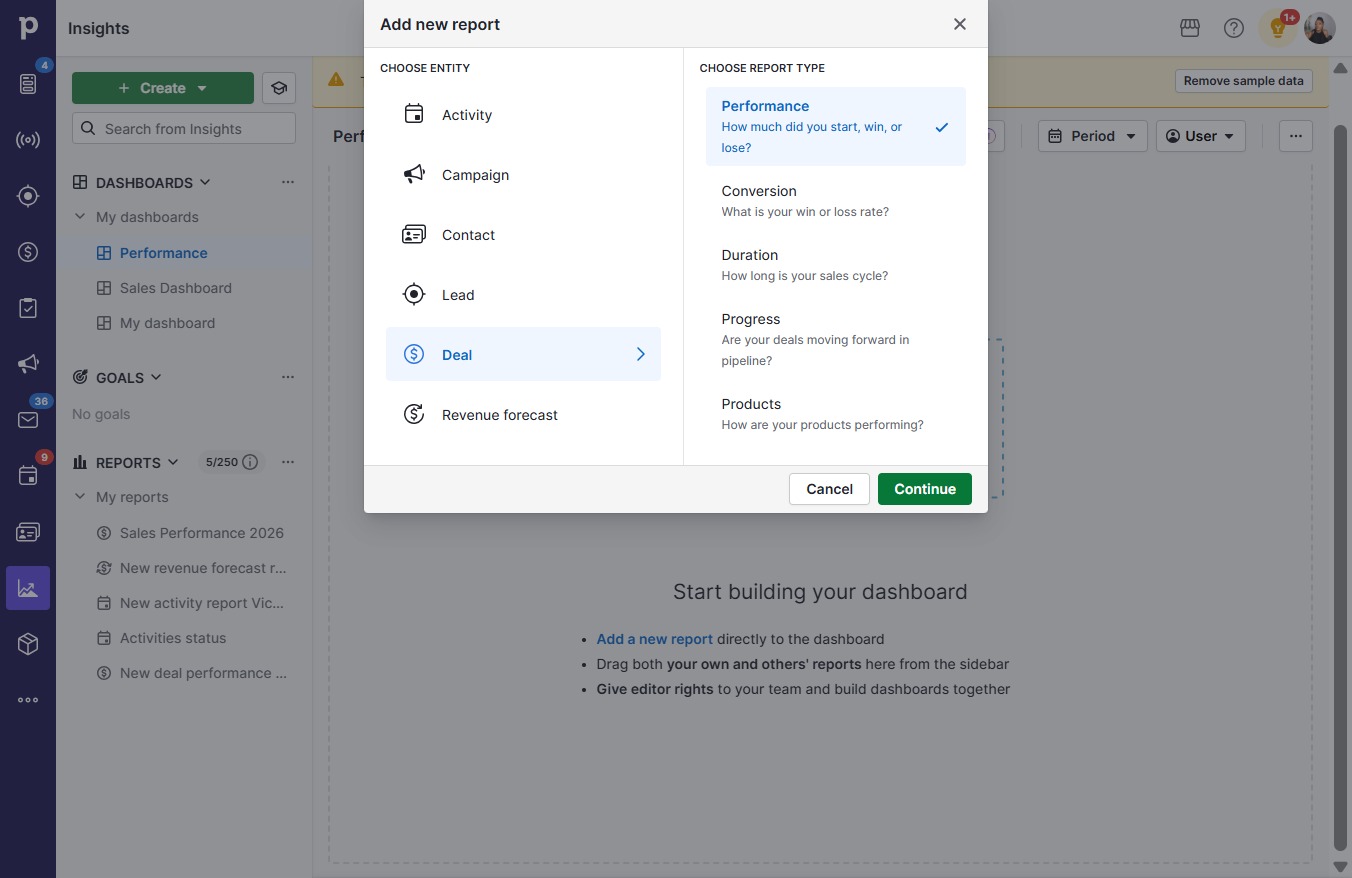
  8. Click Continue

    Click Continue
    Loading screenshot…
    100%
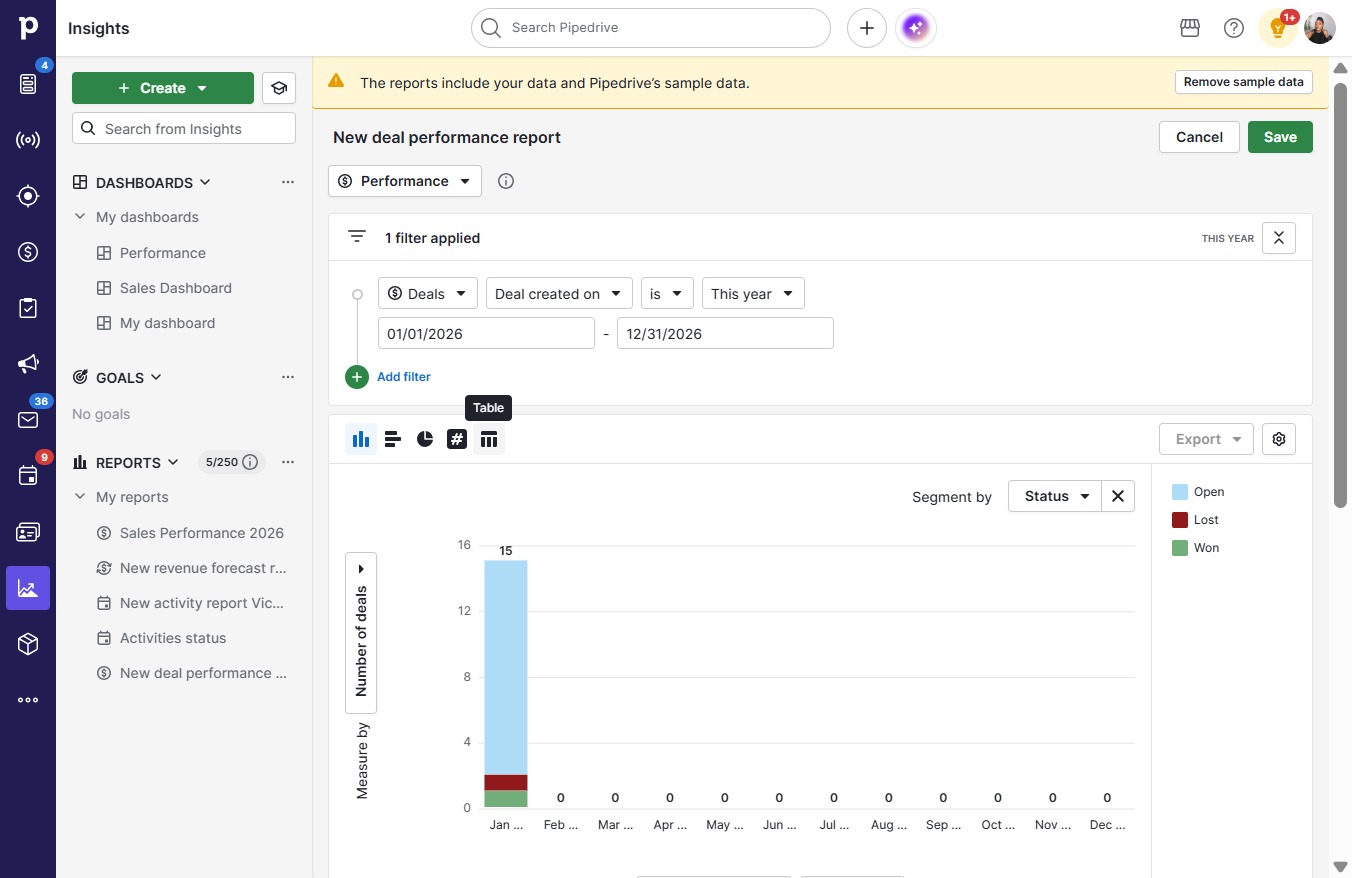
  9. Click on "Click here."

    Click on "Click here."
    Loading screenshot…
    100%
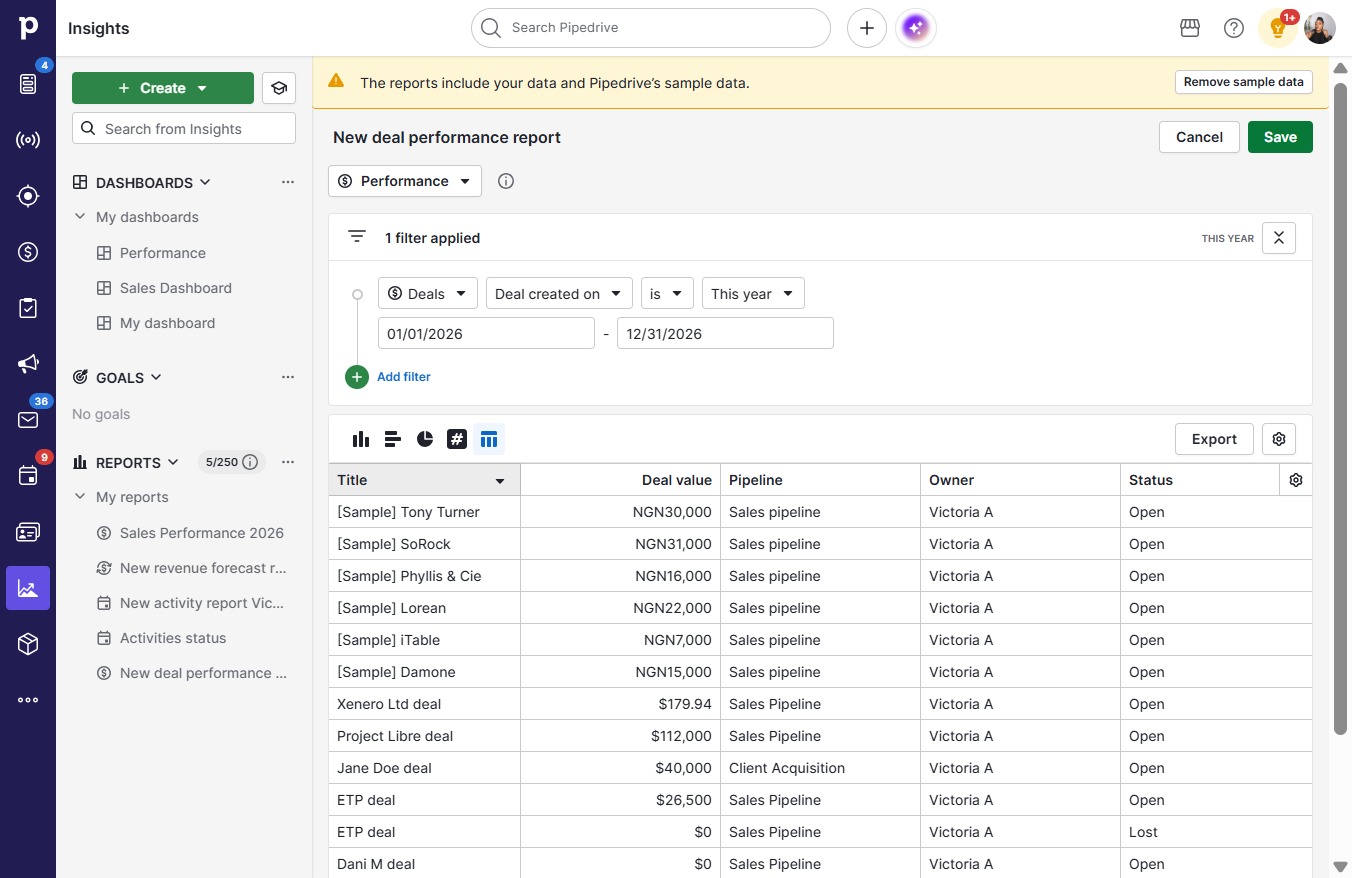
  10. Click Save

    Click Save
    Loading screenshot…
    100%
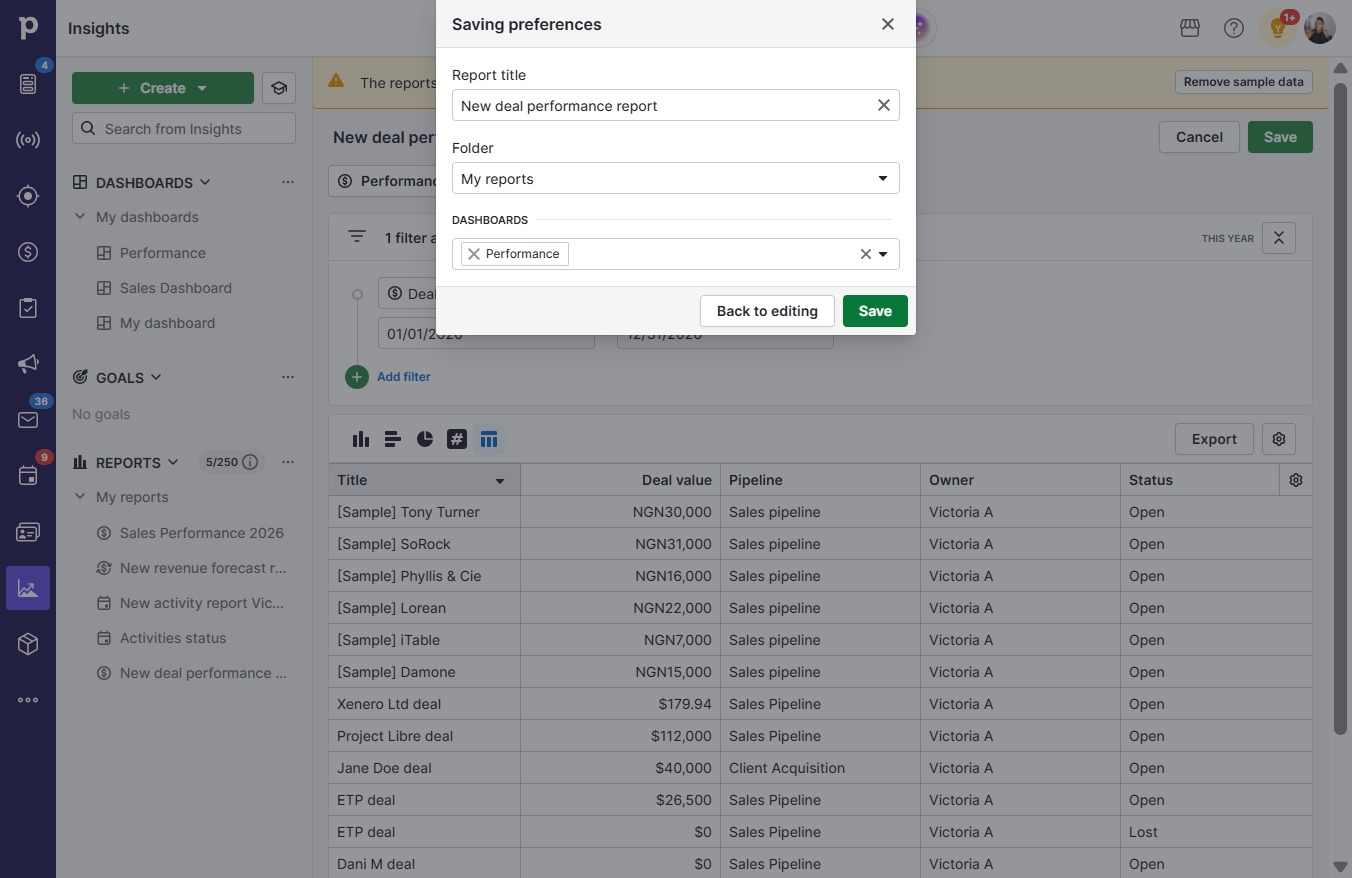
  11. Click Save

    Click Save
    Loading screenshot…
    100%