Click the 'Click here' link
By clicking this link, you will activate the associated action or feature, which may redirect you to a new component or provide additional options relevant to your current task.

Loading screenshot…
100%
In this guide, you'll learn how to transform your board into a shareable resource by adjusting its visibility settings and inviting team members for collaboration.
 viktoria
In this guide, you'll learn how to transform your board into a shareable resource by adjusting its visibility settings and inviting team members for collaboration. Follow the step-by-step instructions to ensure your board is accessible only to those you choose.
By clicking this link, you will activate the associated action or feature, which may redirect you to a new component or provide additional options relevant to your current task.
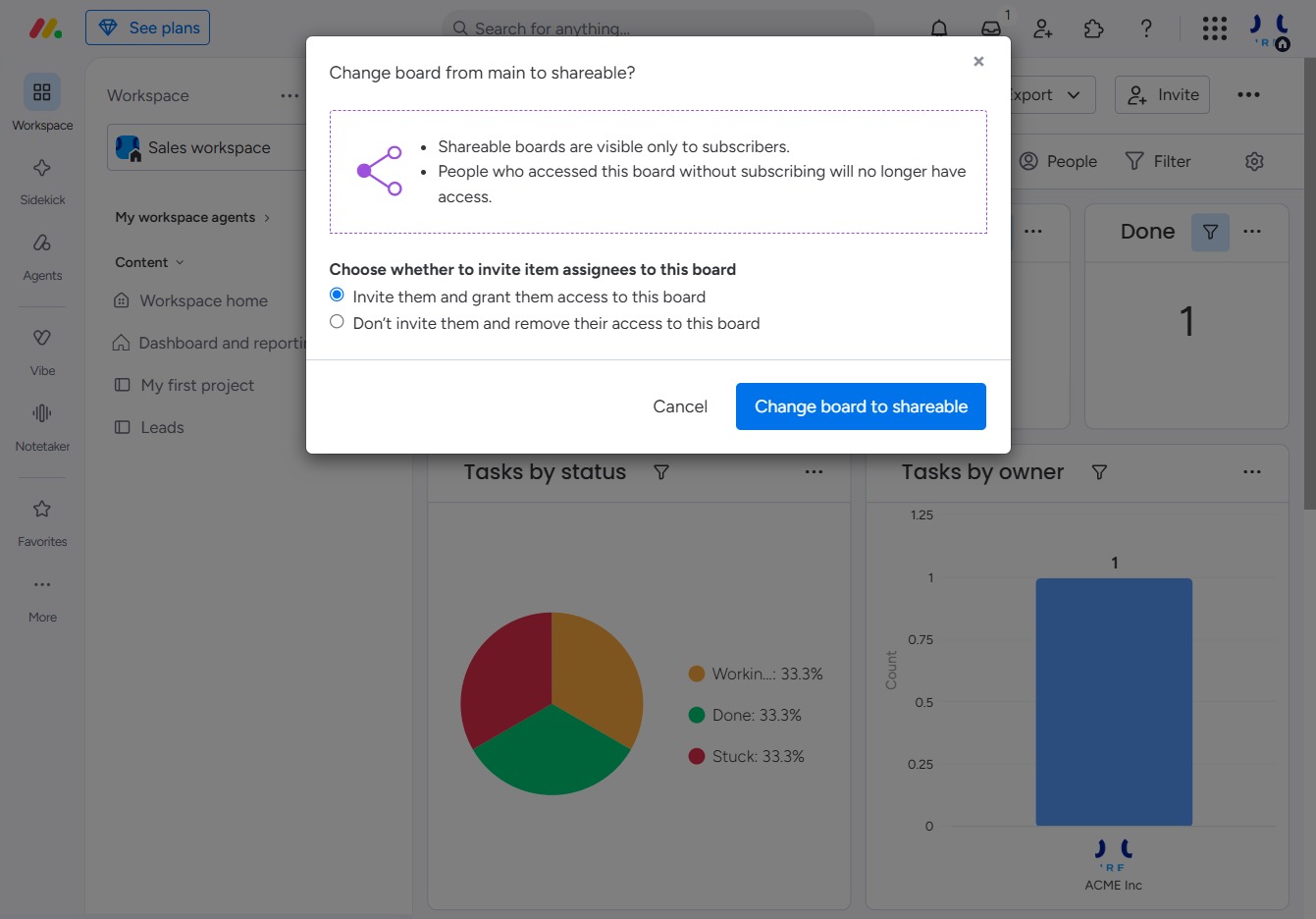
Select either 'Change to Private' or 'Change to Shareable' to adjust the visibility settings of the current item. This will either restrict or allow access to others based on your choice.
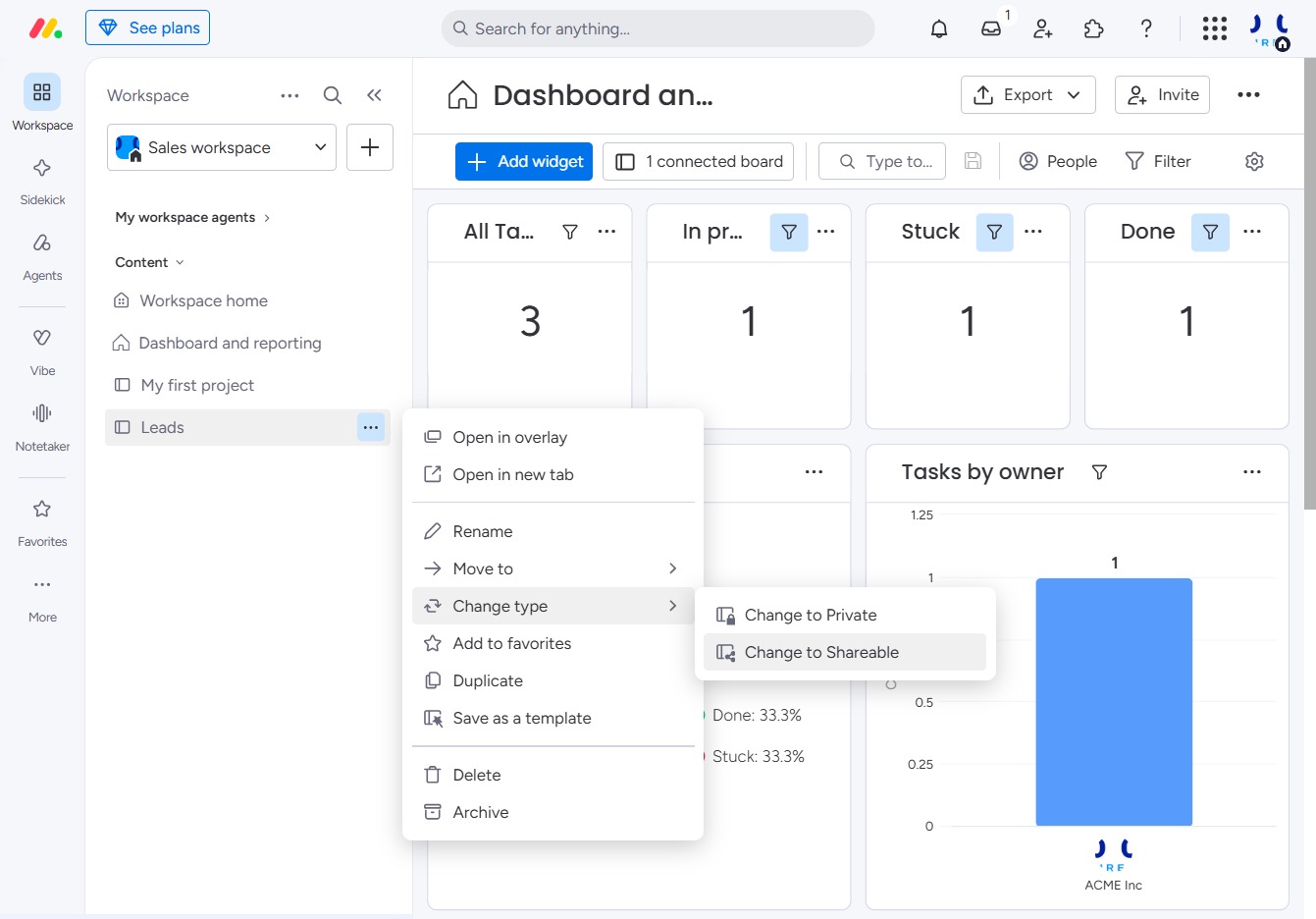
This option allows you to invite team members and provide them access to the board you're making shareable. Make sure to select this to collaborate effectively with your team.

This action will convert the current board from a main board to a shareable board, allowing visibility only to subscribers. You'll be prompted to decide whether to invite assignees to the board or remove their current access.