Geteilte Anleitung

How to create a channel

In this how-to guide, you'll learn the simple steps to create your own channel by navigating through the Communities section and adding a channel to Operations.

victoriaworkflowsvictoriaworkflows
·7 Schritte·60 Aufrufe·Veröffentlicht

In this how-to guide, you'll learn the simple steps to create your own channel by navigating through the Communities section and adding a channel to Operations. Follow along as we walk you through naming your channel and customizing it with emoticons for a personalized touch.
Step-by-step Guide7 Schritte
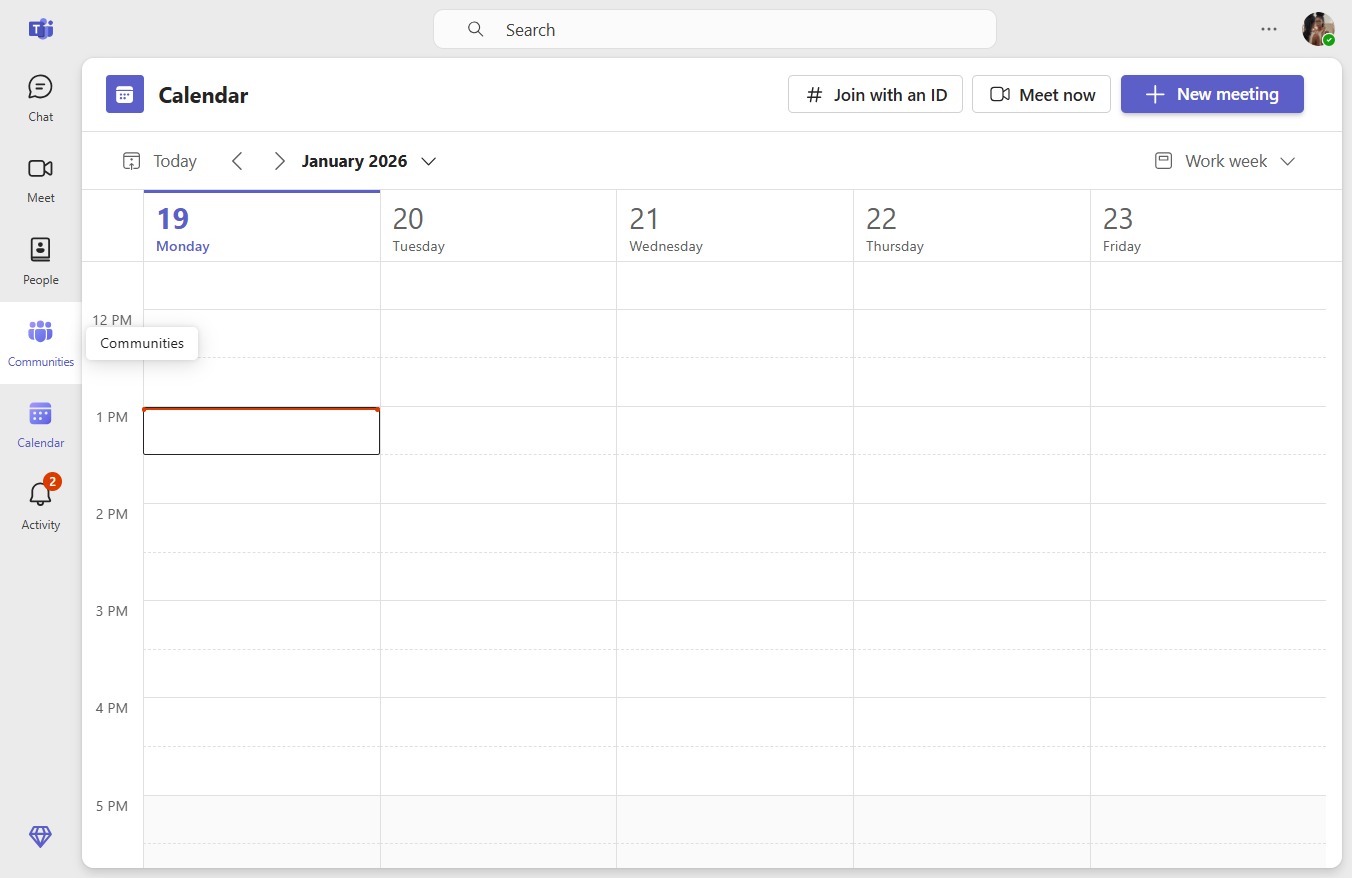
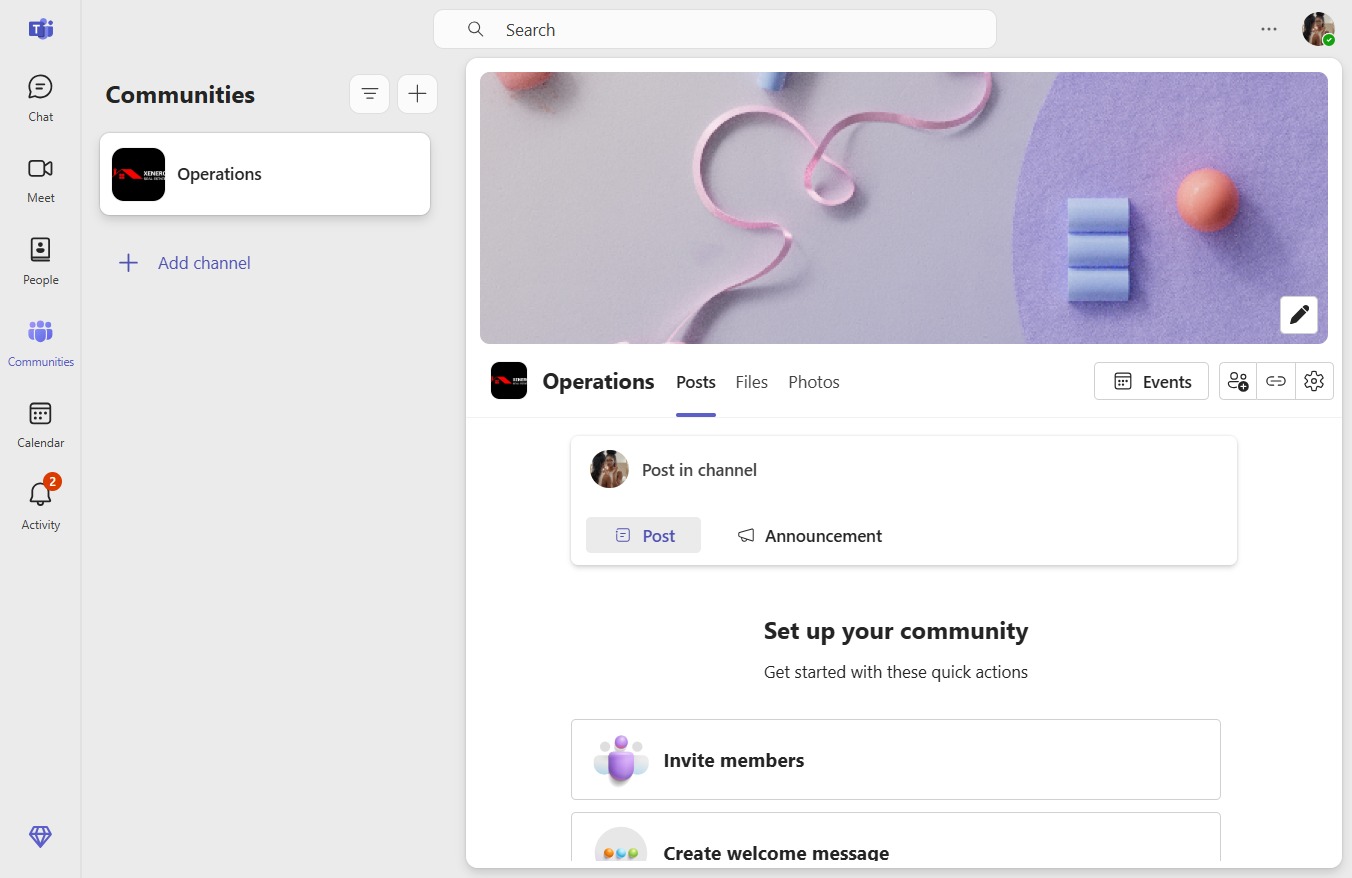
  1. Click Communities

    Click Communities
    Loading screenshot…
    100%
  2. Click Add channel to Operations

    Click Add channel to Operations
    Loading screenshot…
    100%
  3. Click on "Click here."

    Click on "Click here."
    Loading screenshot…
    100%
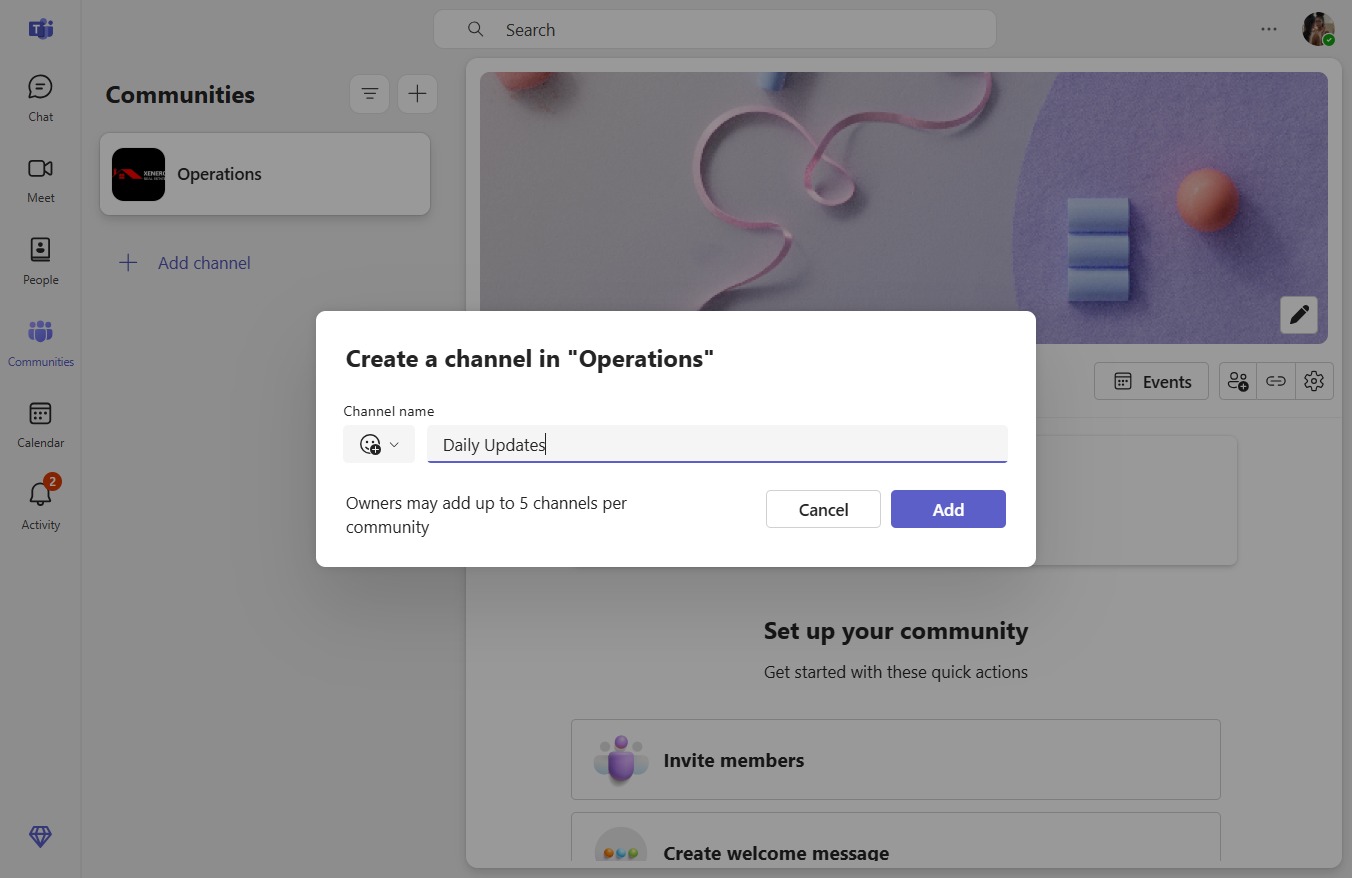
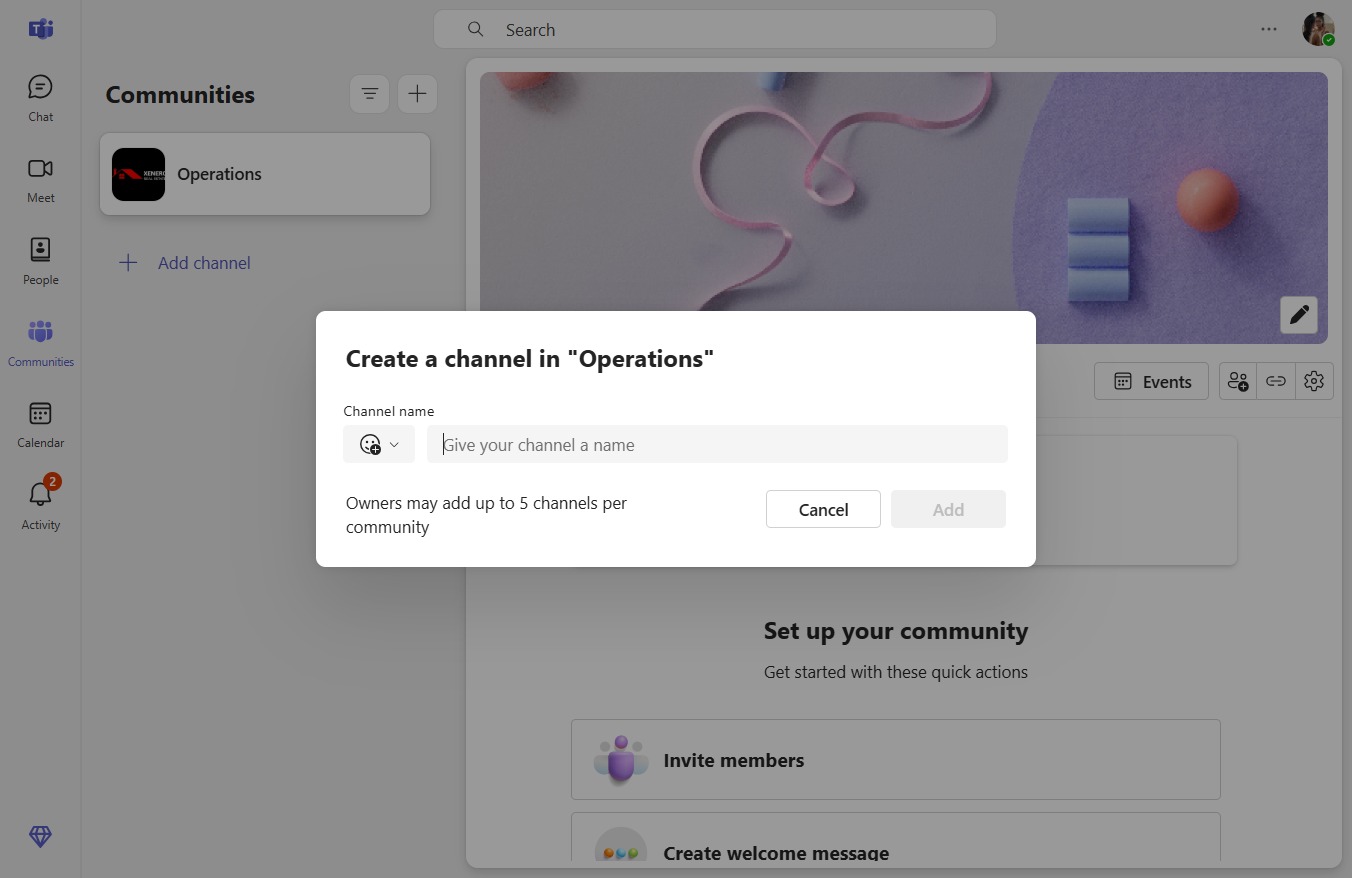
  4. Type "Daily Updates" in Give your channel a name

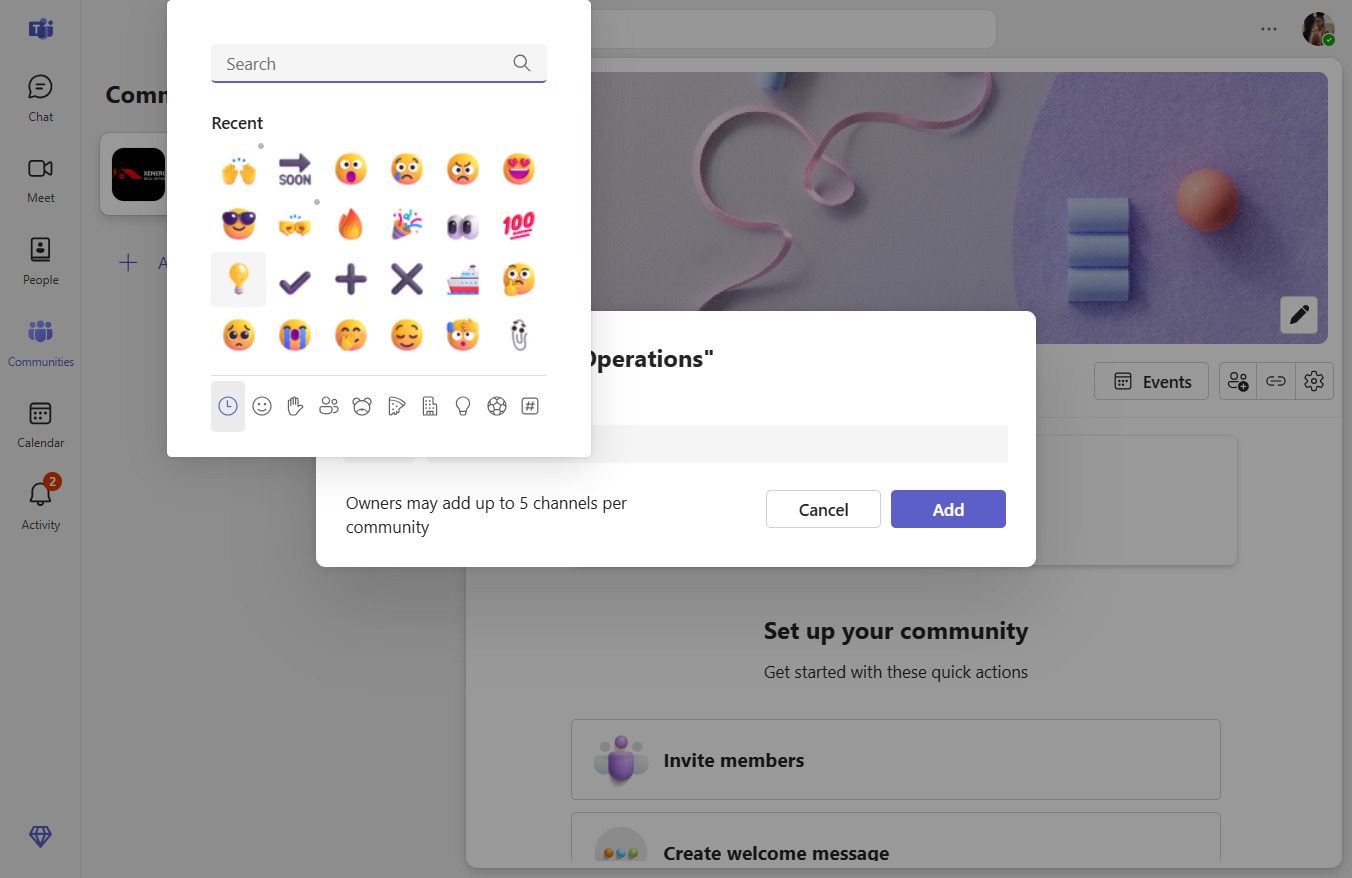
  5. Click Emoticon picker

    Click Emoticon picker
    Loading screenshot…
    100%
  6. Click on "Click here."

    Click on "Click here."
    Loading screenshot…
    100%
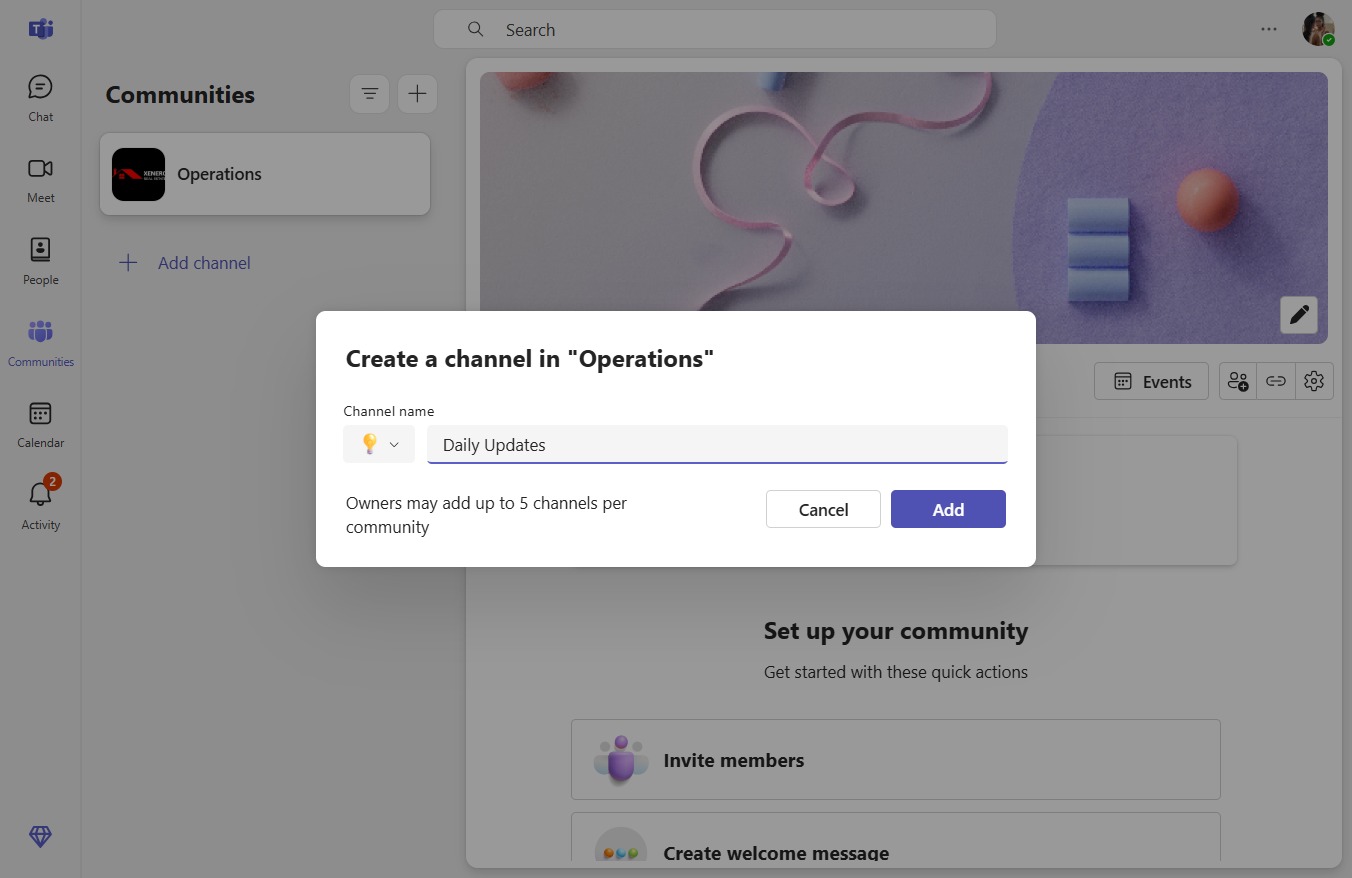
  7. Click Add

    Click Add
    Loading screenshot…
    100%