Click the Settings link
This will open the settings menu where you can adjust various preferences related to your account and application.

Loading screenshot…
100%
Connect your Facebook account to HubSpot Inbox to receive and manage Facebook Messenger conversations seamlessly alongside your other communication channels.
 viktoria
Connect your Facebook account to HubSpot Inbox to receive and manage Facebook Messenger conversations seamlessly alongside your other communication channels.
This will open the settings menu where you can adjust various preferences related to your account and application.
Clicking the Inbox option takes you to your messages and notifications section, where you can manage conversations and check updates from your contacts.

This action will open the Inboxes section, allowing you to manage and view incoming messages across your communication channels.

This action opens a dialog to add a new communication channel to your inbox, allowing you to manage interactions more effectively.
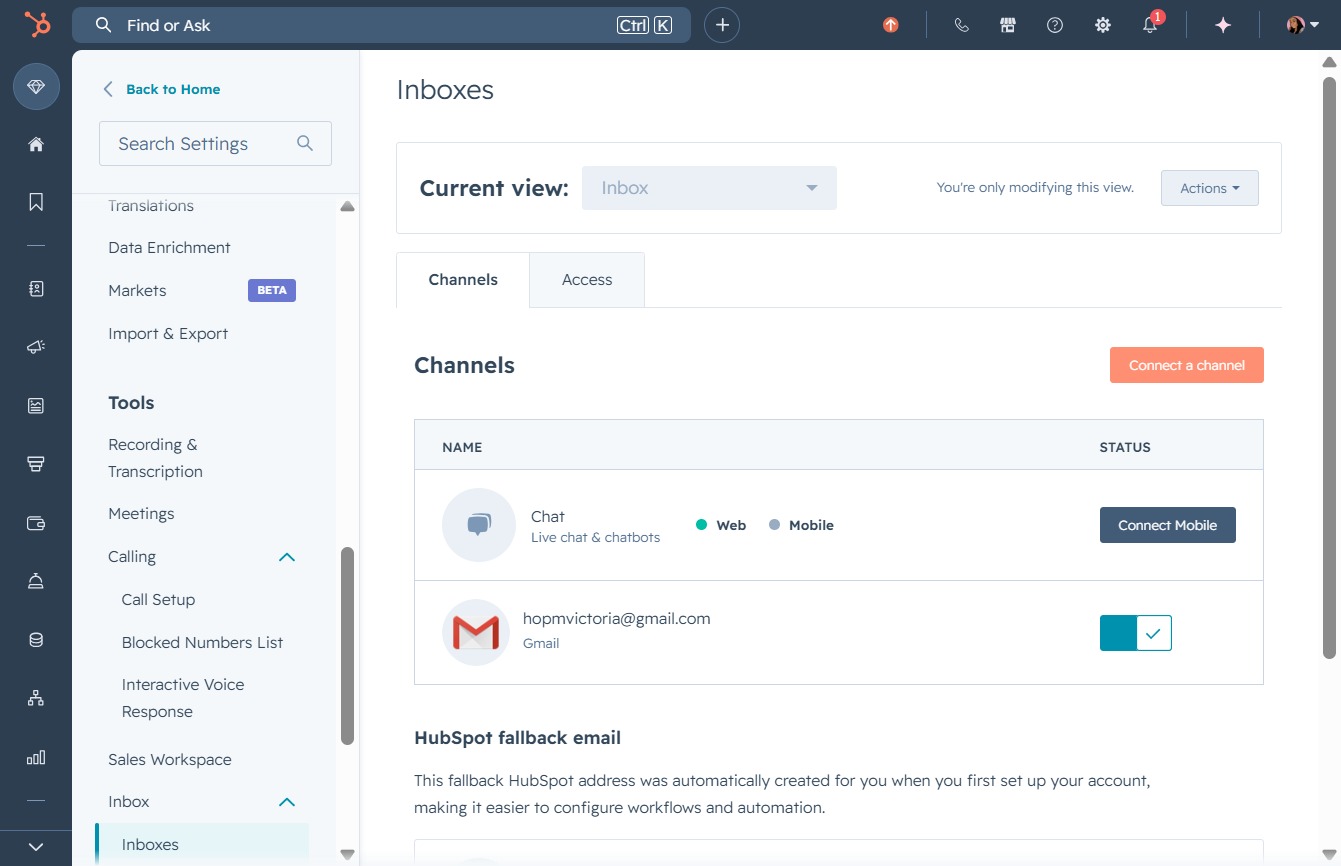
This action will initiate the connection process for receiving Facebook Messenger conversations and managing chats directly from your inbox.

This action will link your Facebook account to HubSpot, enabling you to receive Facebook messages in your Inbox.
