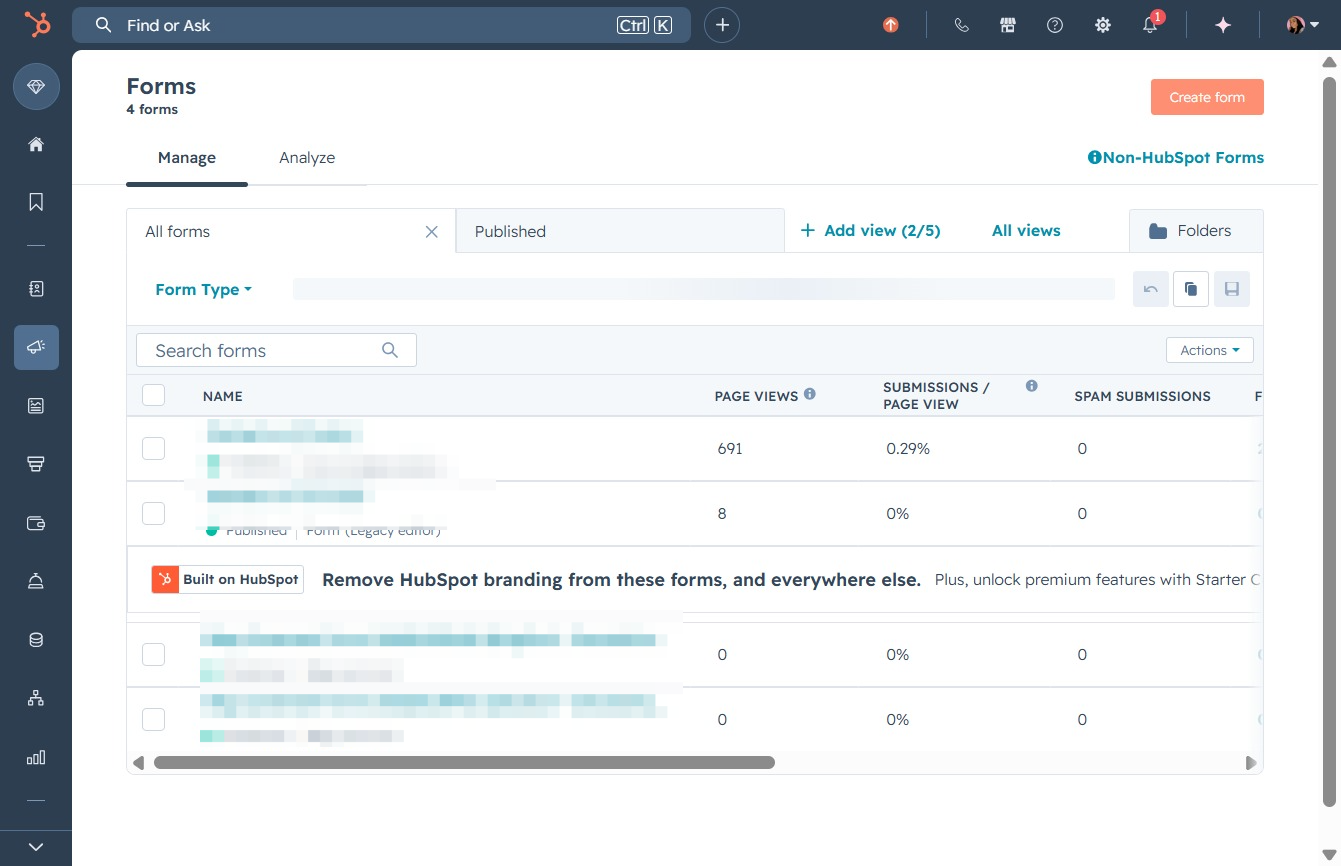
Click the Forms option
This action will navigate you to the Forms section where you can create or manage your forms related to marketing.

Loading screenshot…
100%
Navigate to HubSpot's Forms section to create a new web form, customize it using templates, and configure settings for sharing and managing audience engagement.
 viktoria
Navigate to HubSpot's Forms section to create a new web form, customize it using templates, and configure settings for sharing and managing audience engagement.
This action will navigate you to the Forms section where you can create or manage your forms related to marketing.
This action will open a new form creation interface where you can start designing your form with various field options and settings.
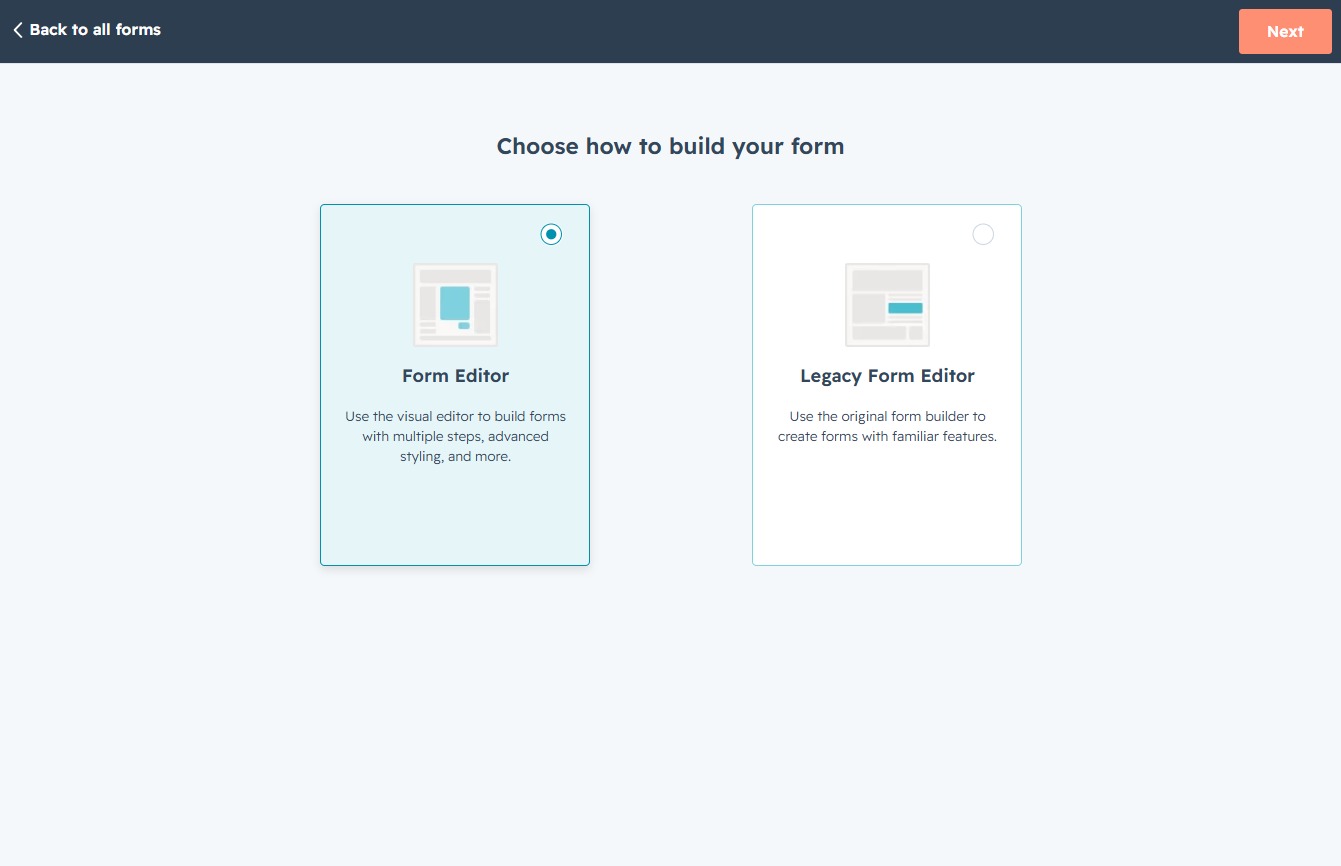
After clicking this button, you will proceed to the next step in the form creation process, allowing you to choose between the Form Editor and Legacy Form Editor.
This action will take you to a pre-designed template, allowing you to start customizing your content for various purposes like newsletters or event registrations.

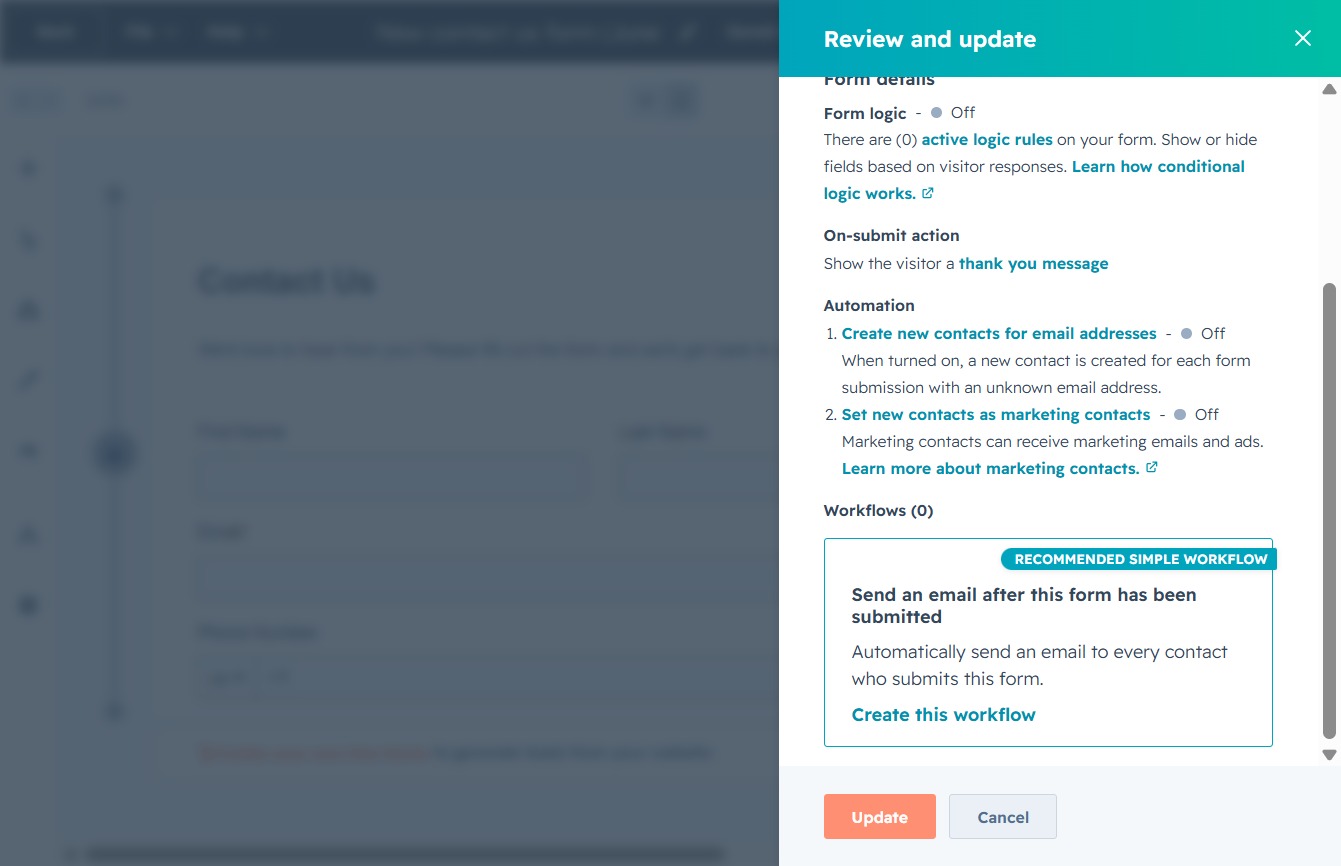
Clicking this button will prompt the system to review any changes made to the contact form and update the saved settings accordingly.

Clicking the Update button will save your changes to the form settings and trigger any associated workflows, such as sending emails to new contacts.
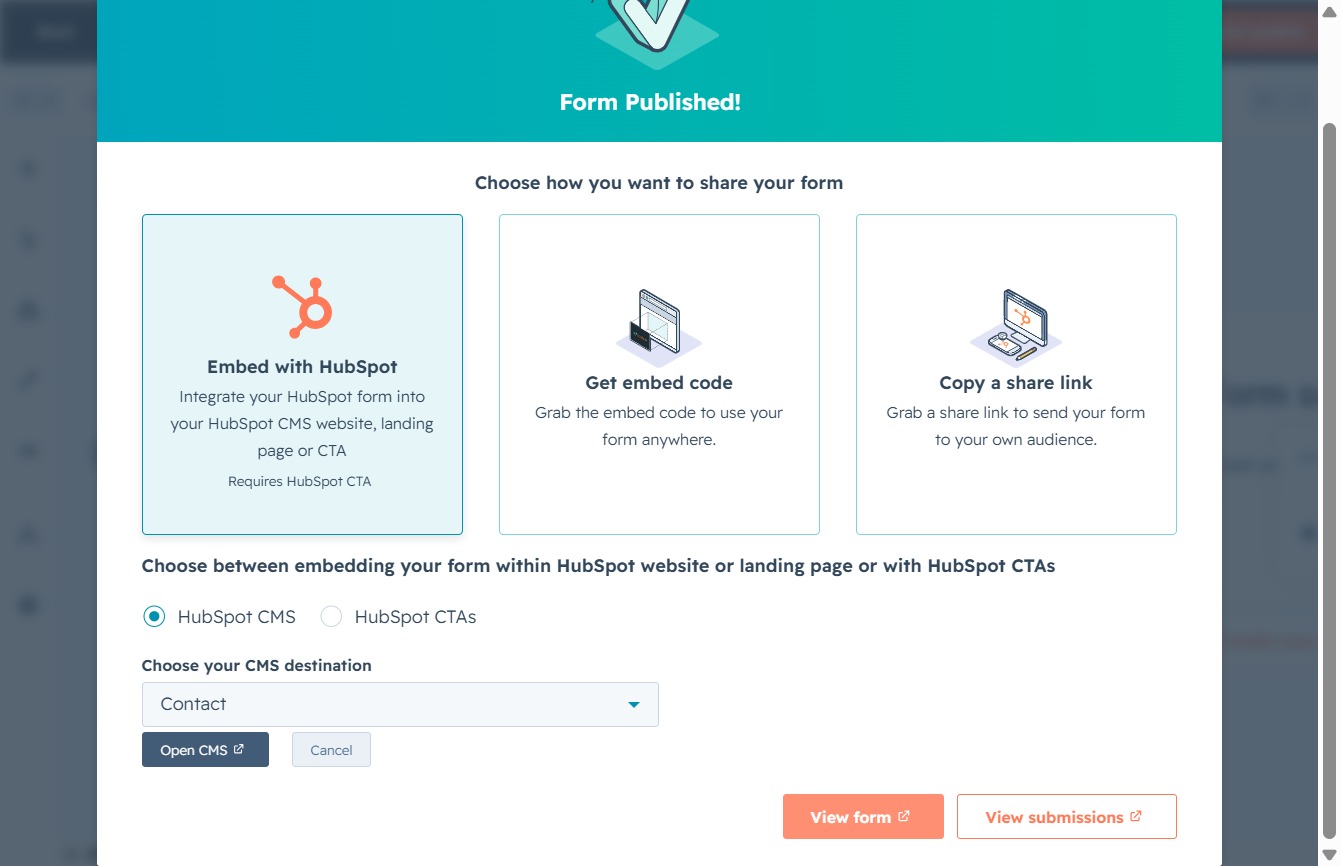
Choose a destination page from the dropdown to embed your form within the HubSpot CMS or HubSpot CTAs.
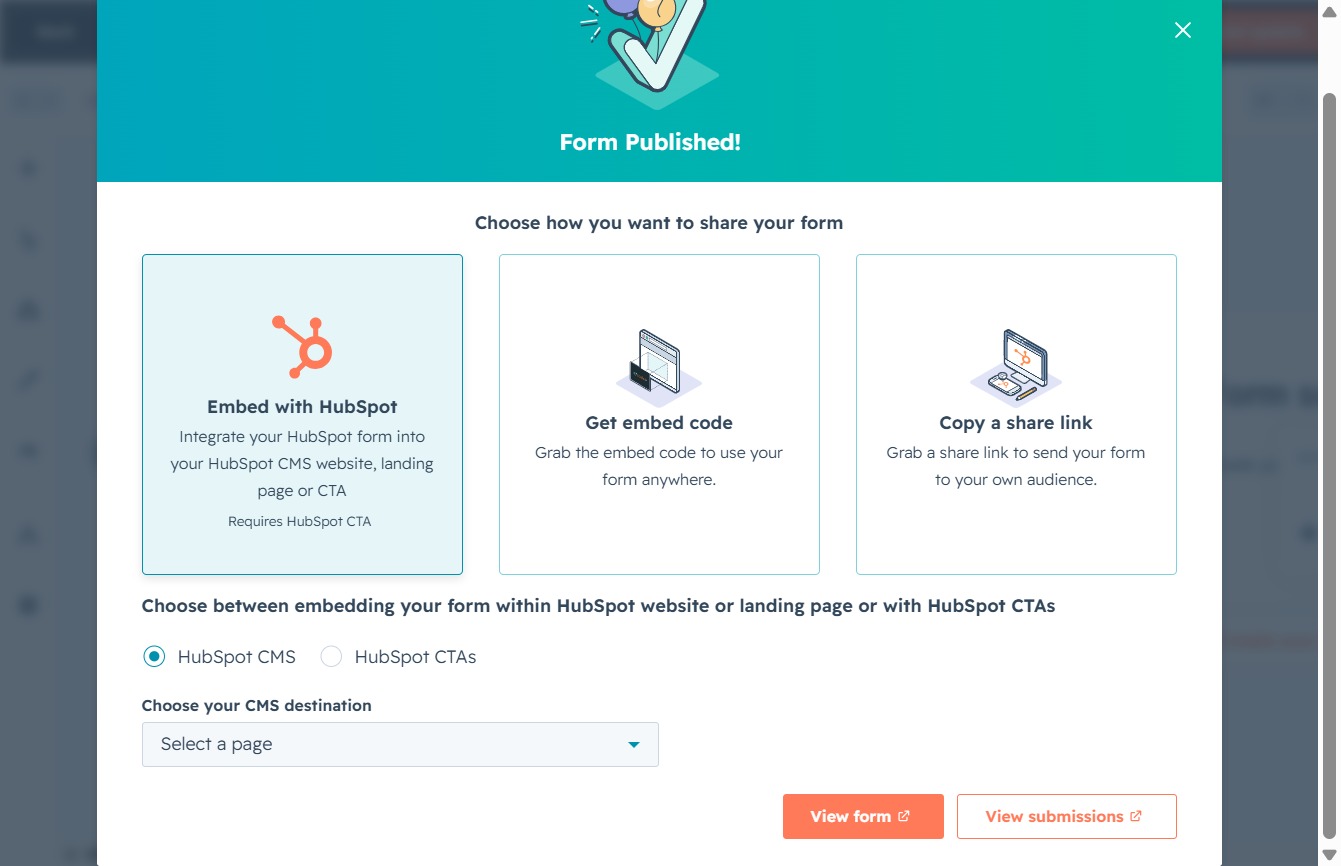
This will select the 'Contact' entry, allowing you to configure how you want to share your published form with your contacts.

This action will display the published form, allowing you to preview and test the form before sharing it with your audience.