Shared guide

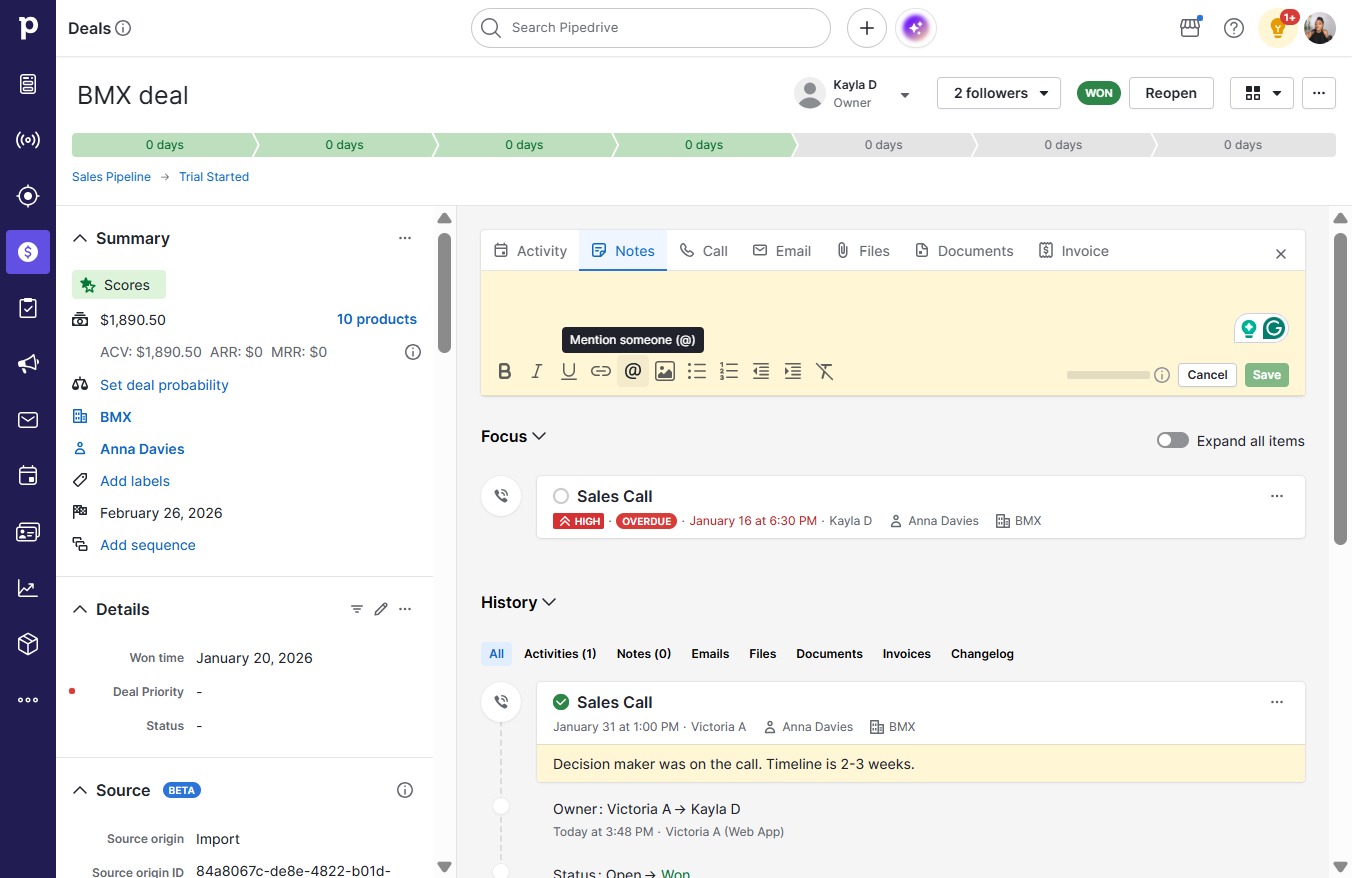
How to collaborate on deals in comments

Learn how to effectively collaborate on deals using comments by following these simple steps.

victoriaworkflowsvictoriaworkflows
·8 steps·63 views·Published

Learn how to effectively collaborate on deals using comments by following these simple steps. This guide will walk you through sending requests and adding comments to ensure clear communication with your team members.
Step-by-step Guide8 steps
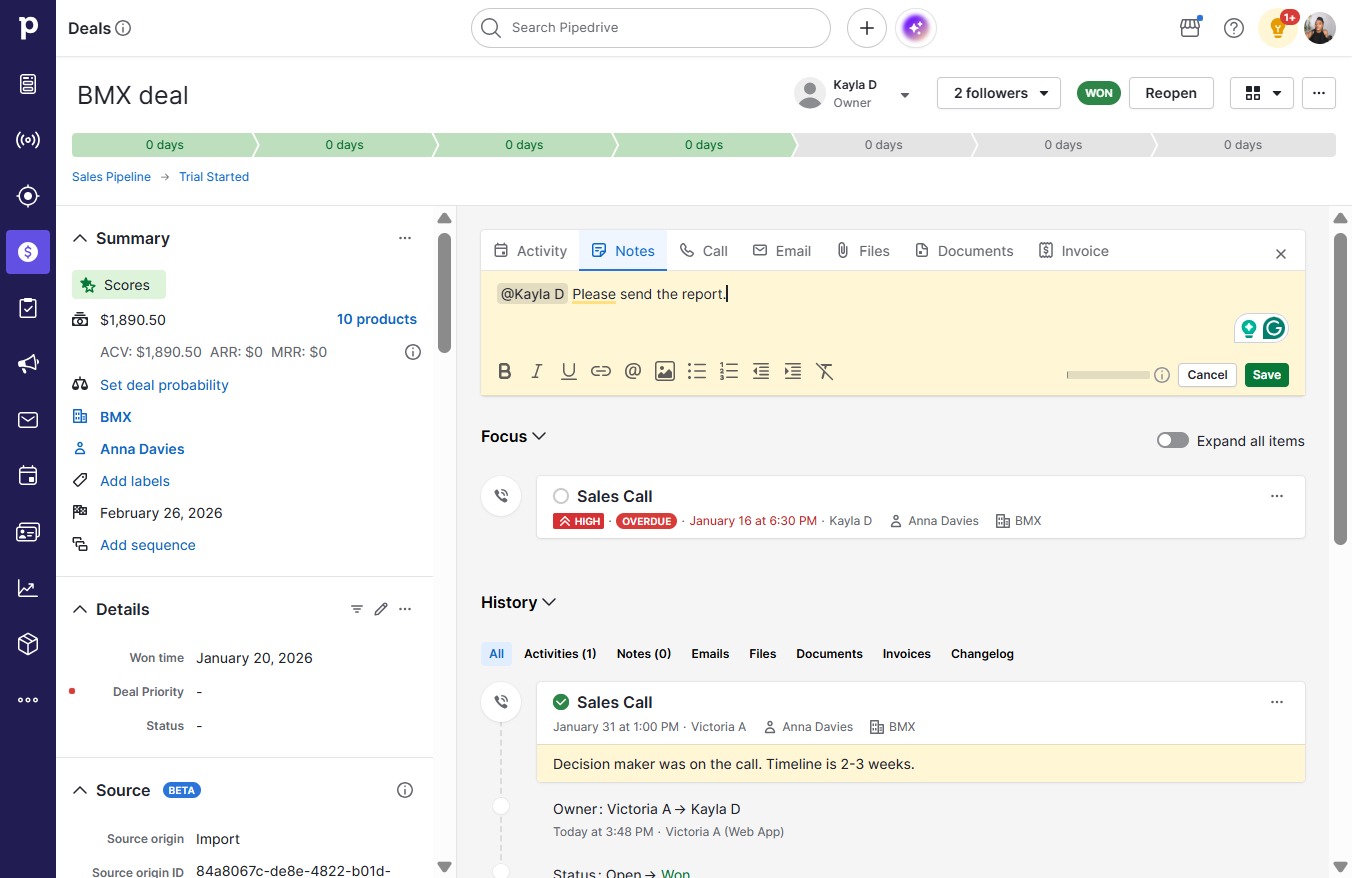
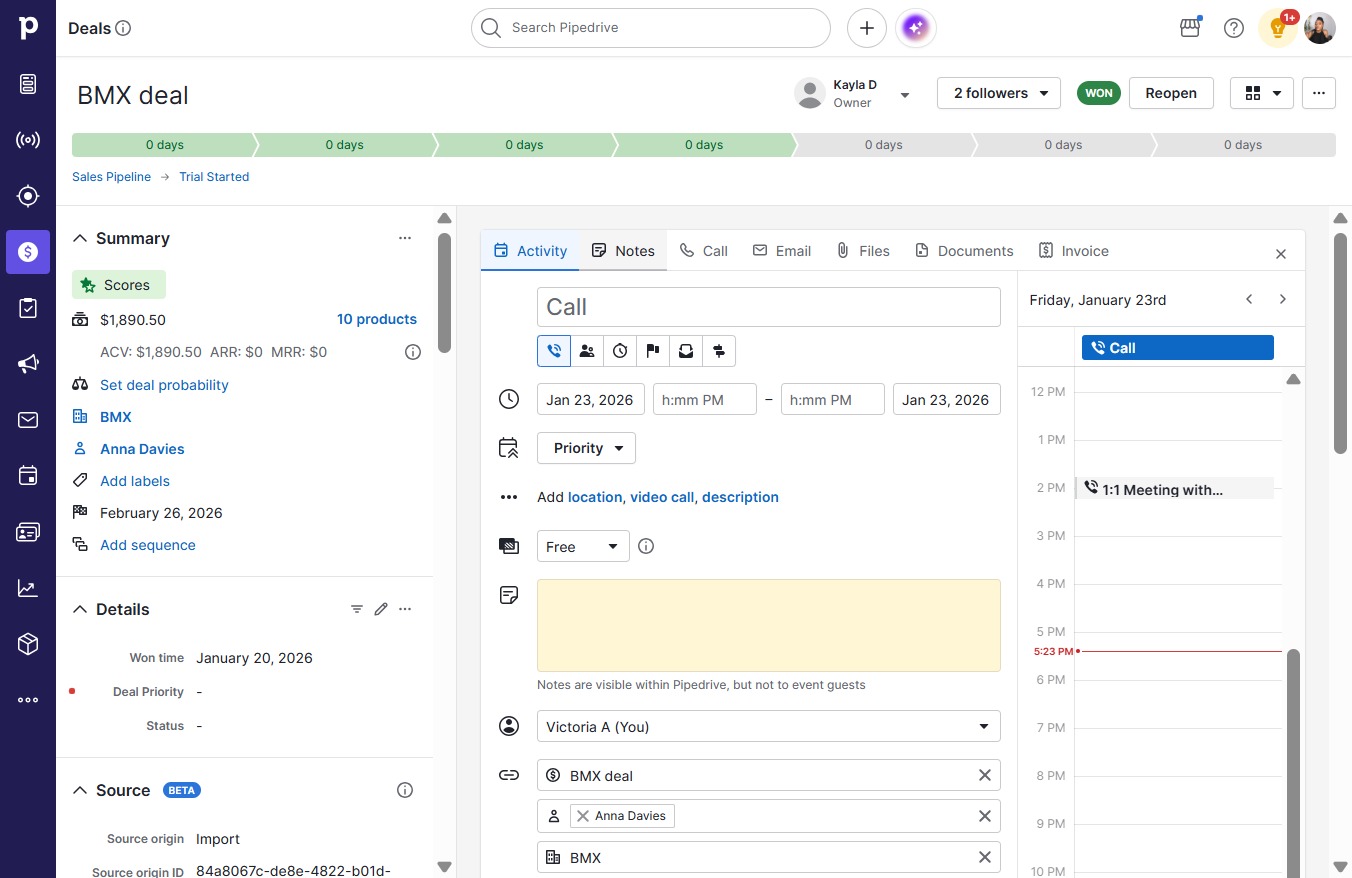
  1. Click Notes

    Click Notes
    Loading screenshot…
    100%
  2. Click on "Click here."

    Click on "Click here."
    Loading screenshot…
    100%
  3. Click Kayla D

    Click Kayla D
    Loading screenshot…
    100%
  4. Type "@Kayla D Please send the report."

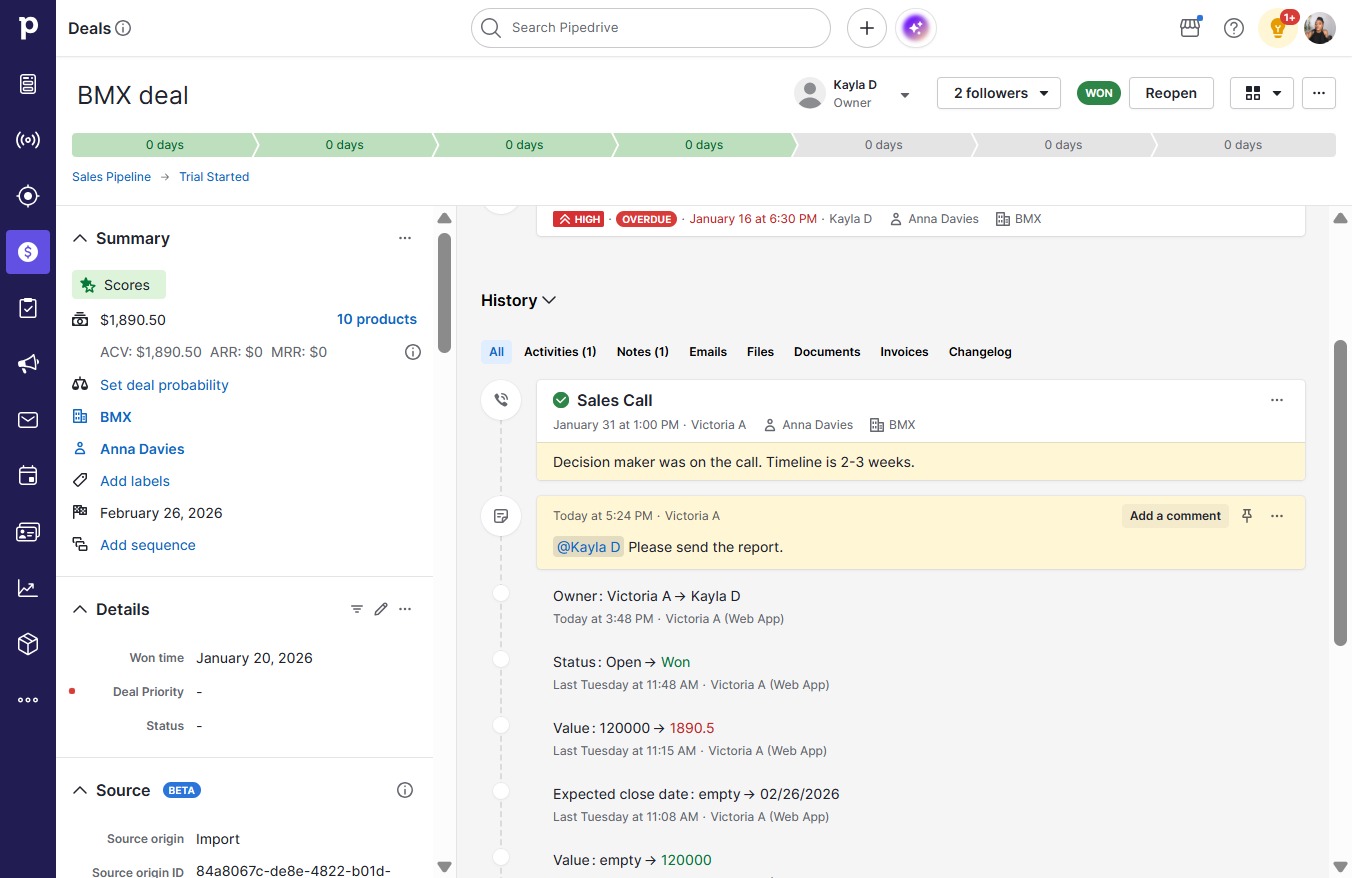
  5. Click Save

    Click Save
    Loading screenshot…
    100%
  6. Click Add a comment

    Click Add a comment
    Loading screenshot…
    100%
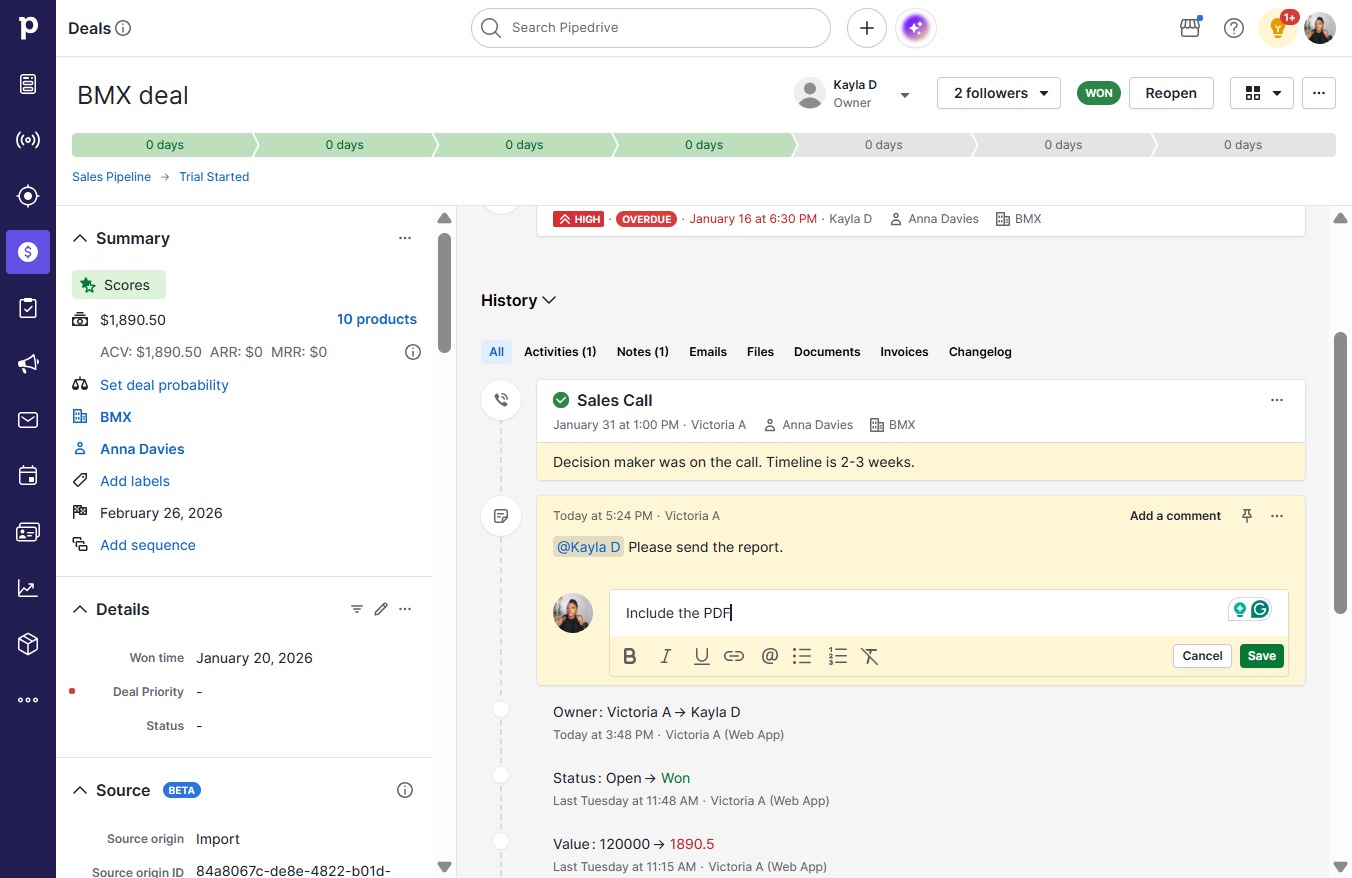
  7. Type "Include the PDF"

  8. Click Save

    Click Save
    Loading screenshot…
    100%