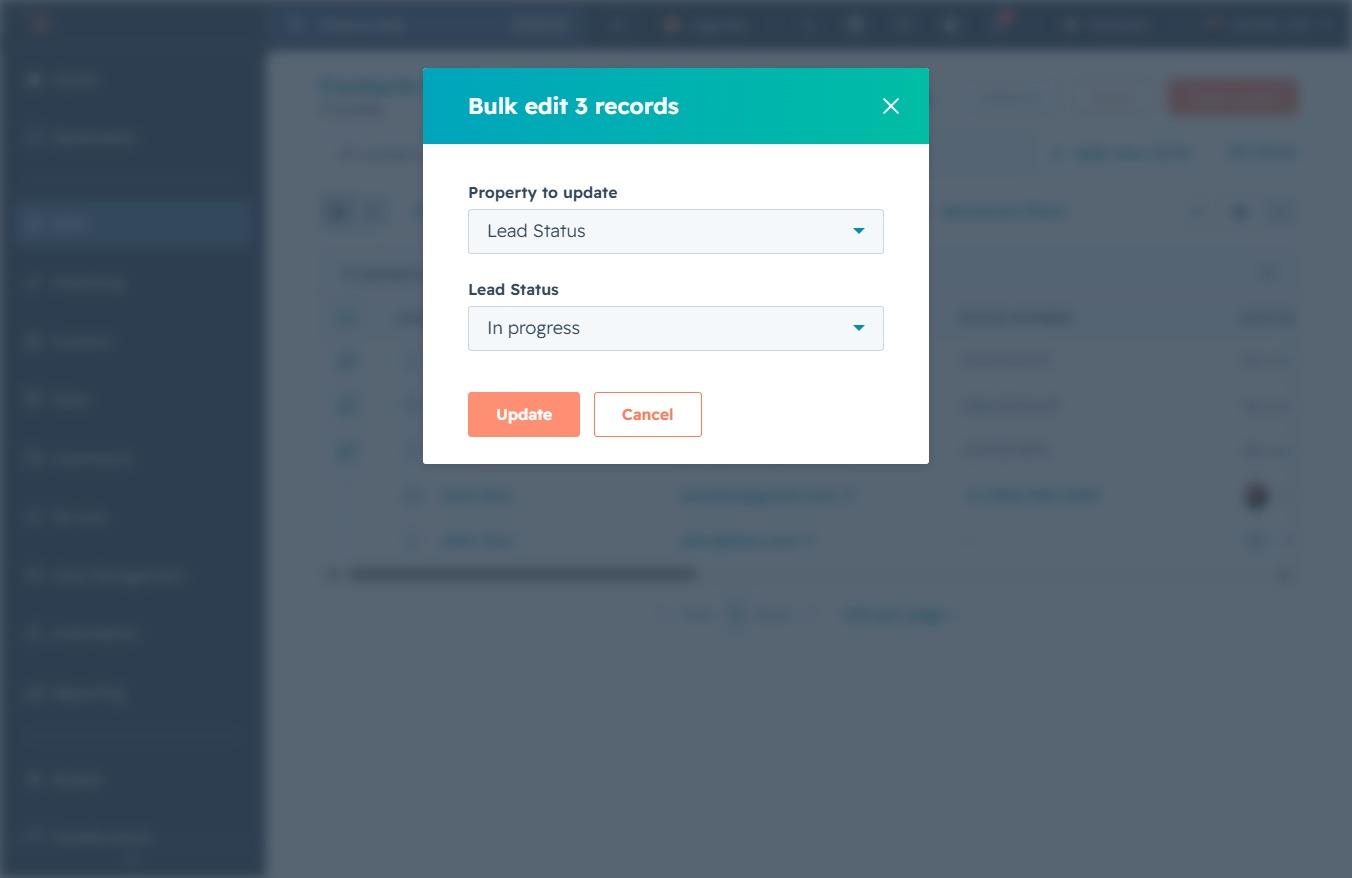
Click the 'Click here' link
By clicking 'Click here', you will access additional options related to your contacts in the CRM. This may allow you to perform actions such as editing or managing your contact details.
Loading screenshot…
100%
Update the lead status for multiple contacts in HubSpot to 'In progress' by navigating to the contacts list and using bulk edit options for efficient management.
 viktoria
Update the lead status for multiple contacts in HubSpot to 'In progress' by navigating to the contacts list and using bulk edit options for efficient management.
By clicking 'Click here', you will access additional options related to your contacts in the CRM. This may allow you to perform actions such as editing or managing your contact details.
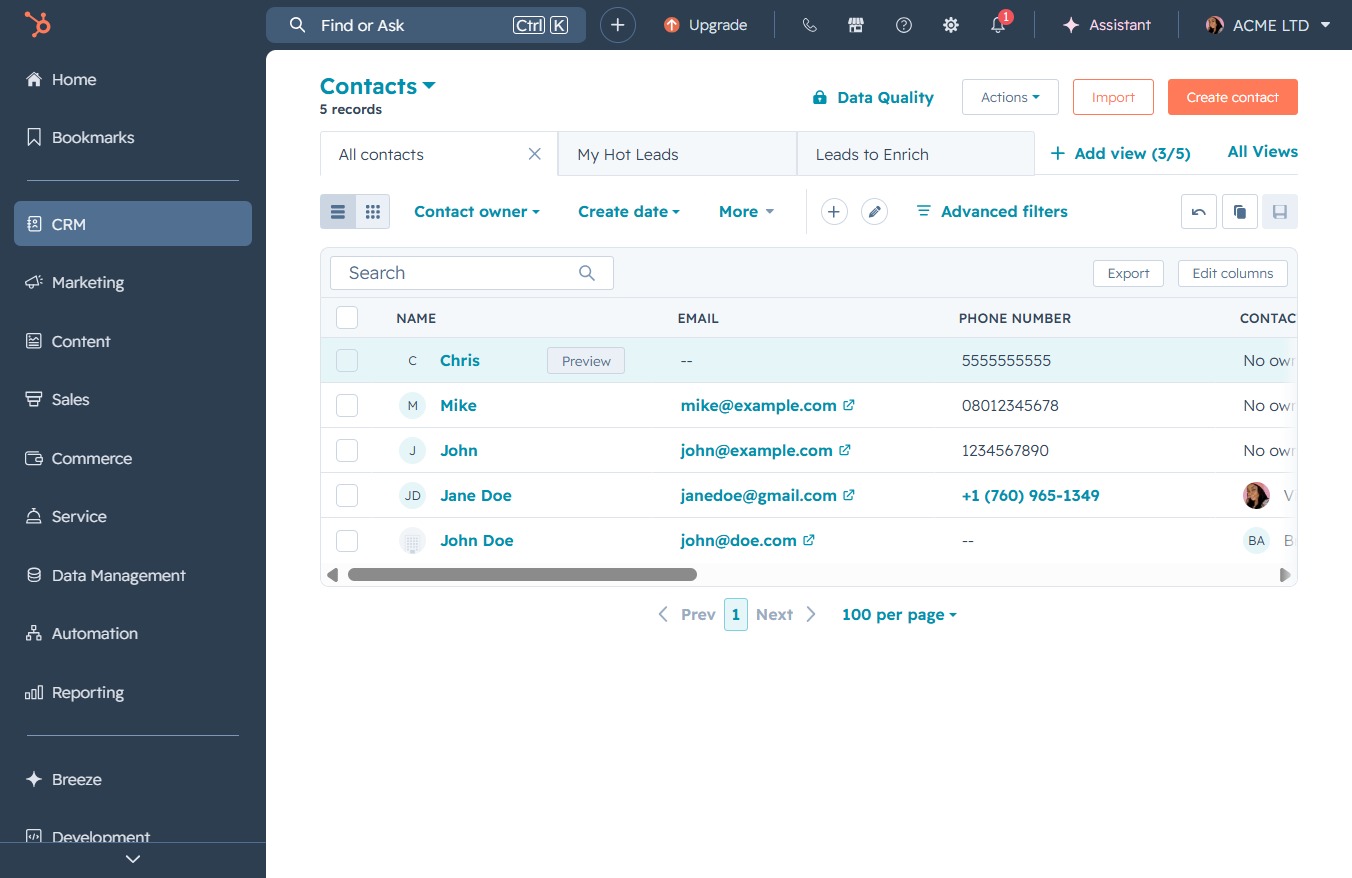
This action allows you to access additional options for the selected contacts, including editing details and associating them with different workflows.
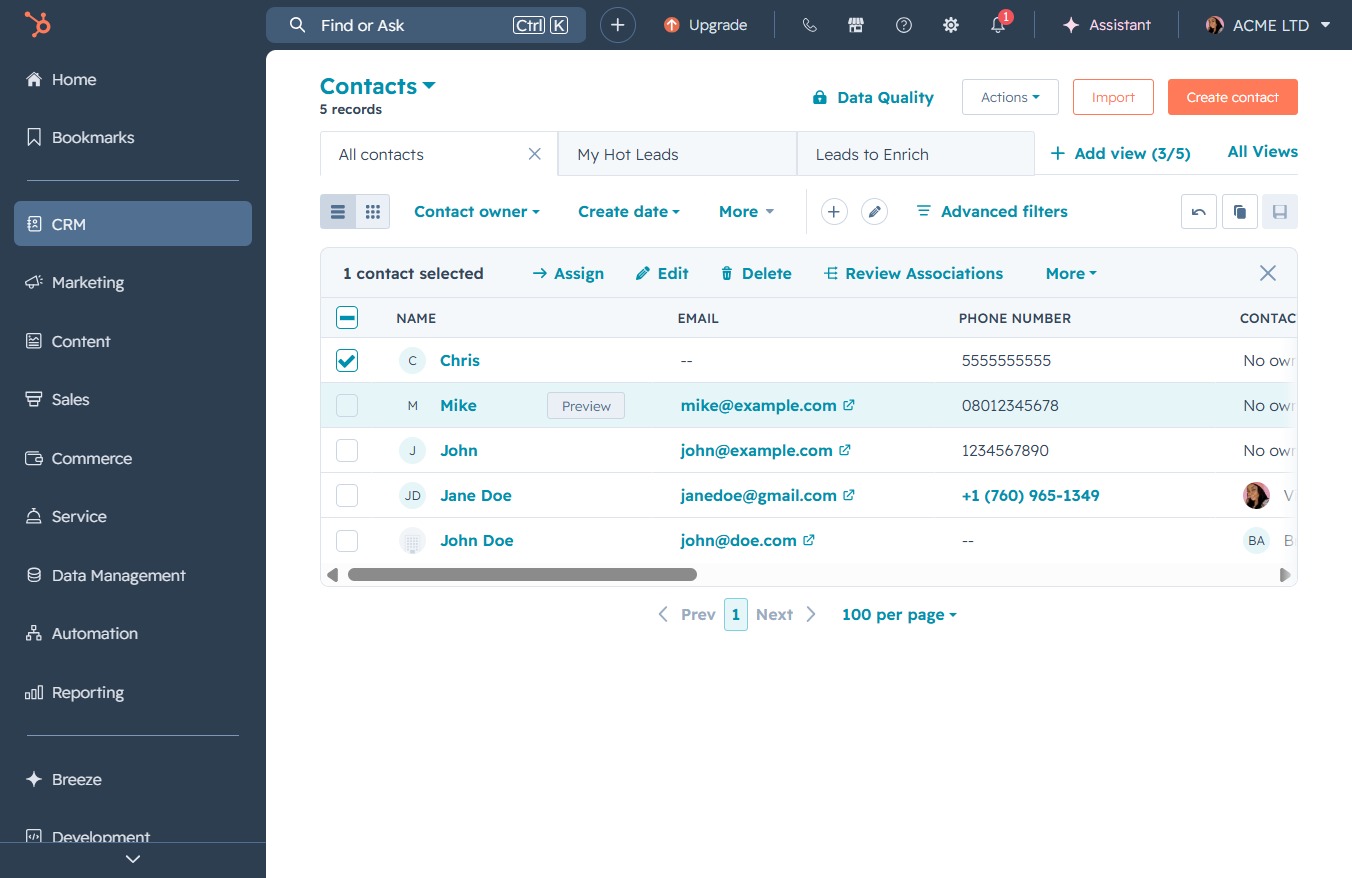
By clicking here, you can access options to assign, delete, or perform other actions on the selected contacts in your CRM.

Clicking the 'Edit' button allows you to modify the details of the selected contacts. This will open a window where you can update information such as name, email, and phone number.
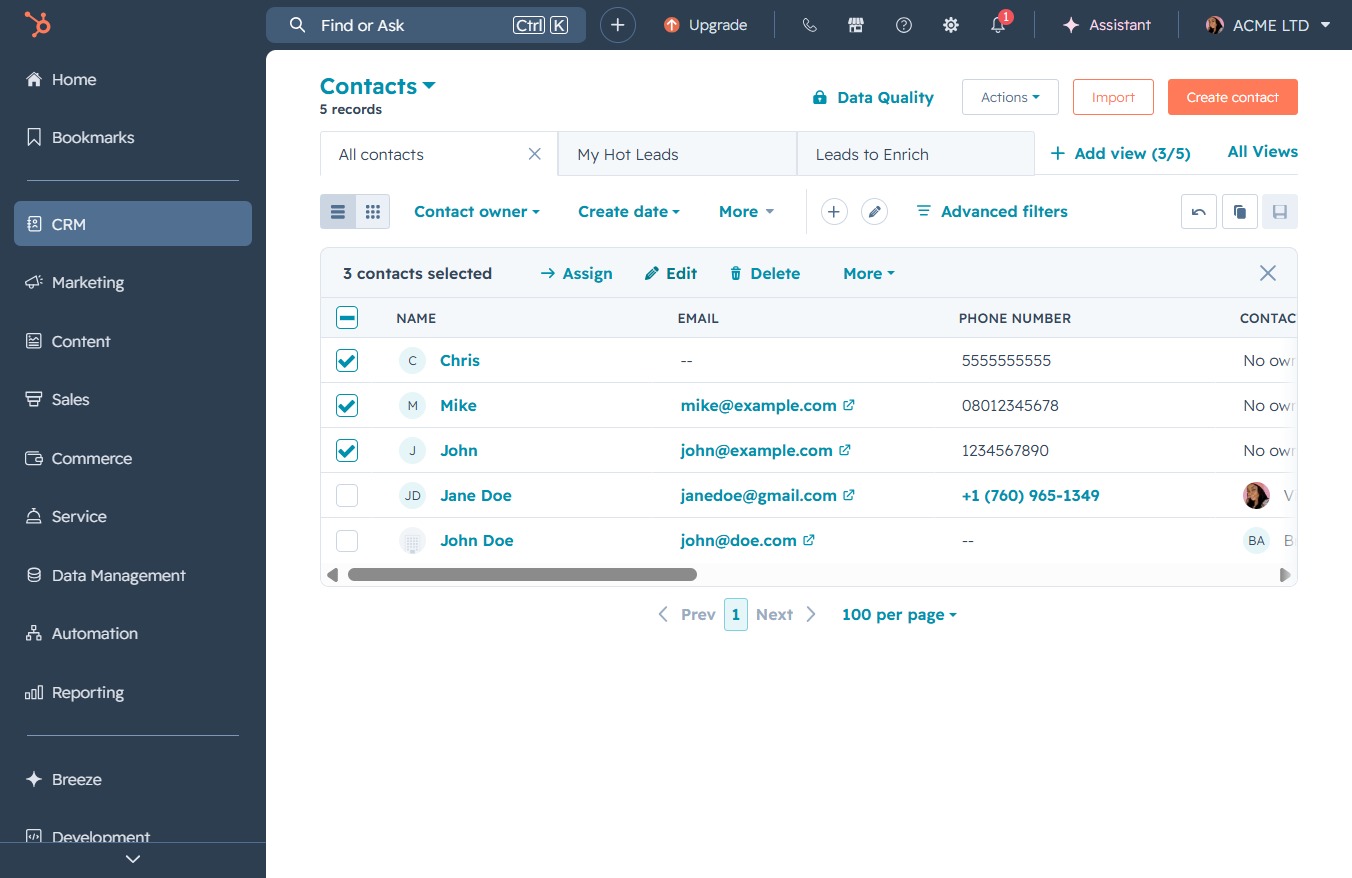
This action opens a list of properties you can choose to modify for the selected records in the bulk editing interface.
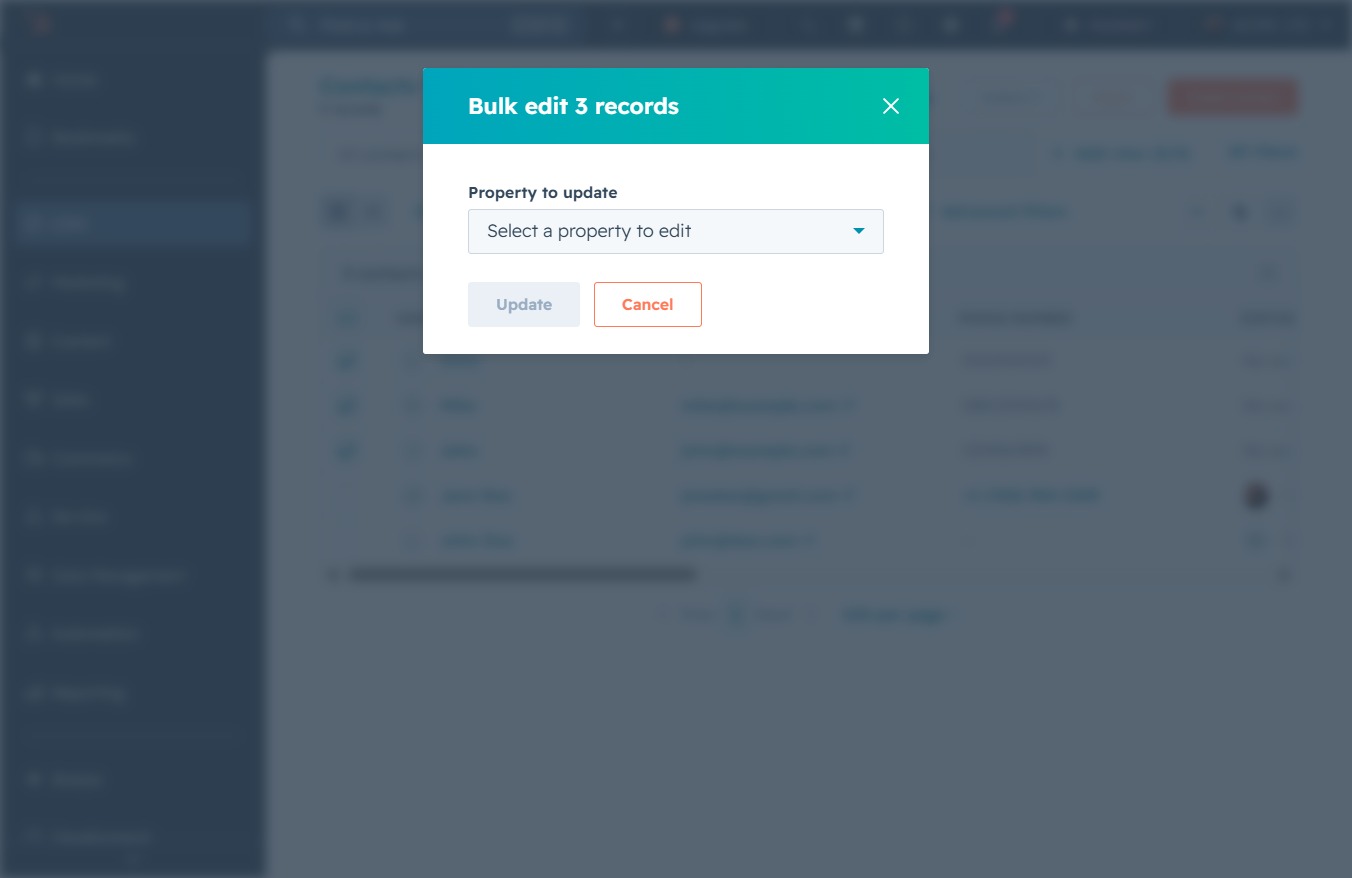
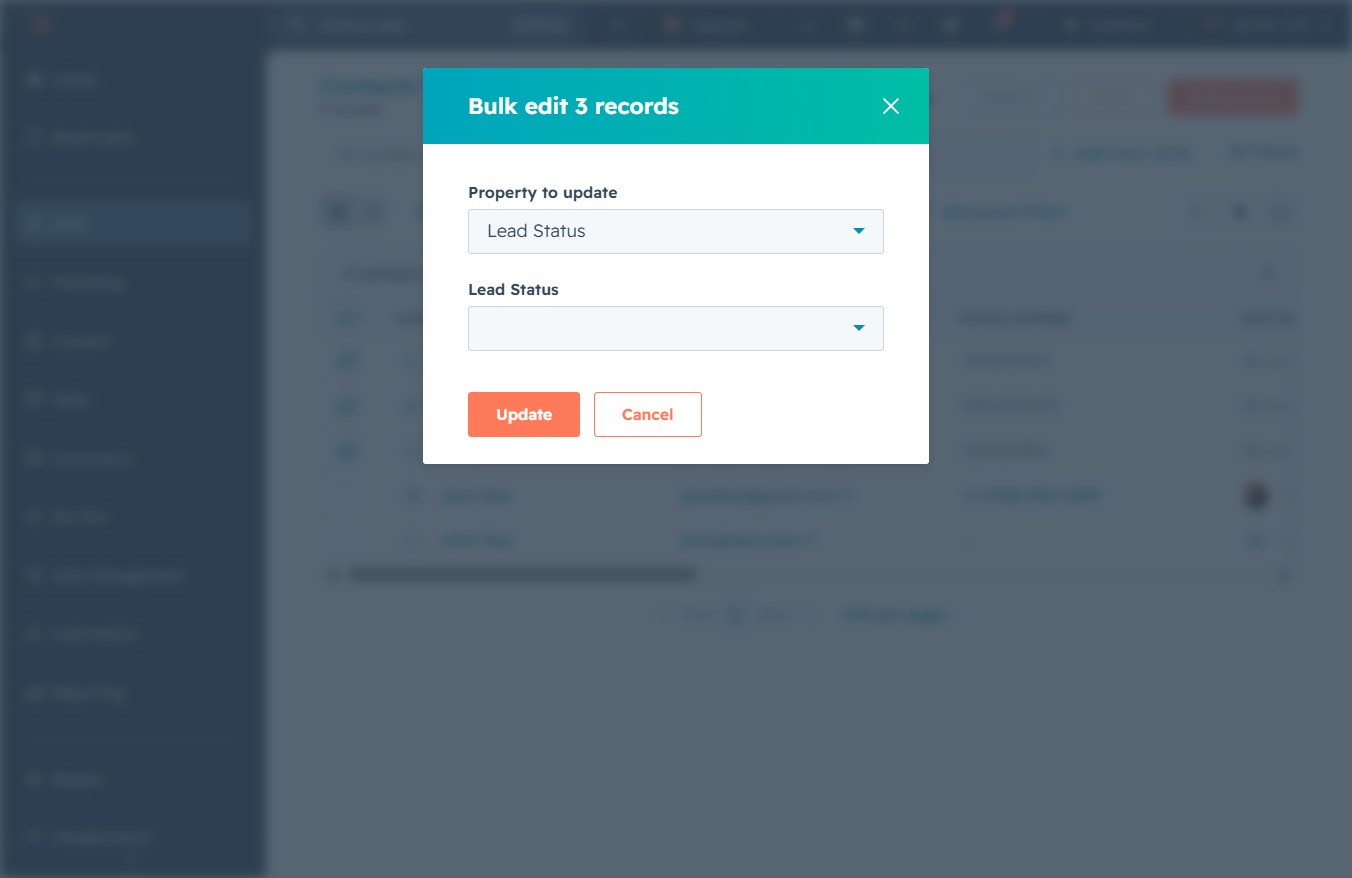
Selecting 'Lead Status' allows you to modify the lead status for multiple records in bulk, enabling efficient updates.

Clicking this field will open a list of options you can choose from.
Selecting 'In progress' updates the lead status for the selected records, indicating they are currently being worked on within your pipeline.
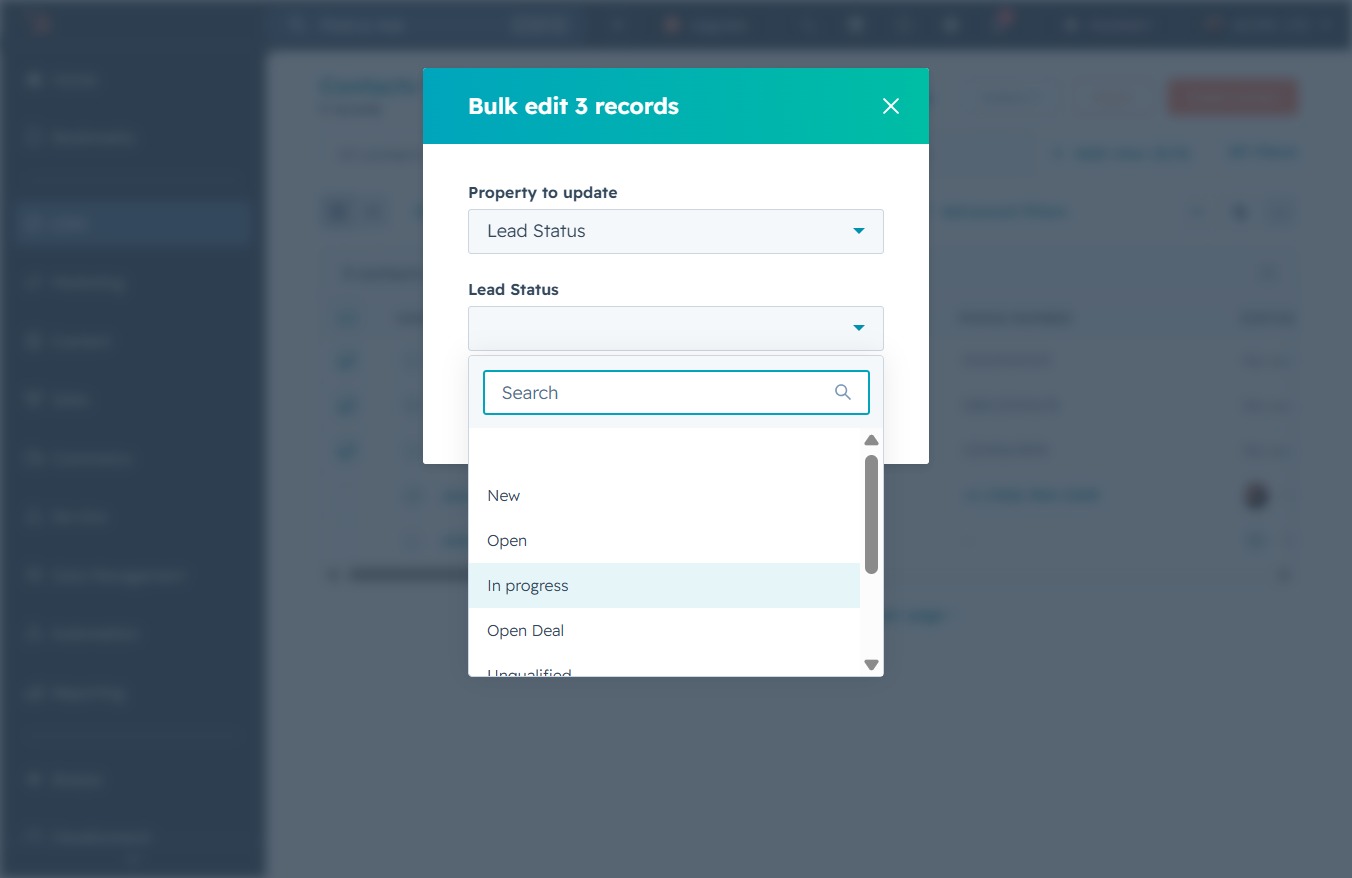
This will apply the changes to the selected records' lead status, updating them to 'In progress'.