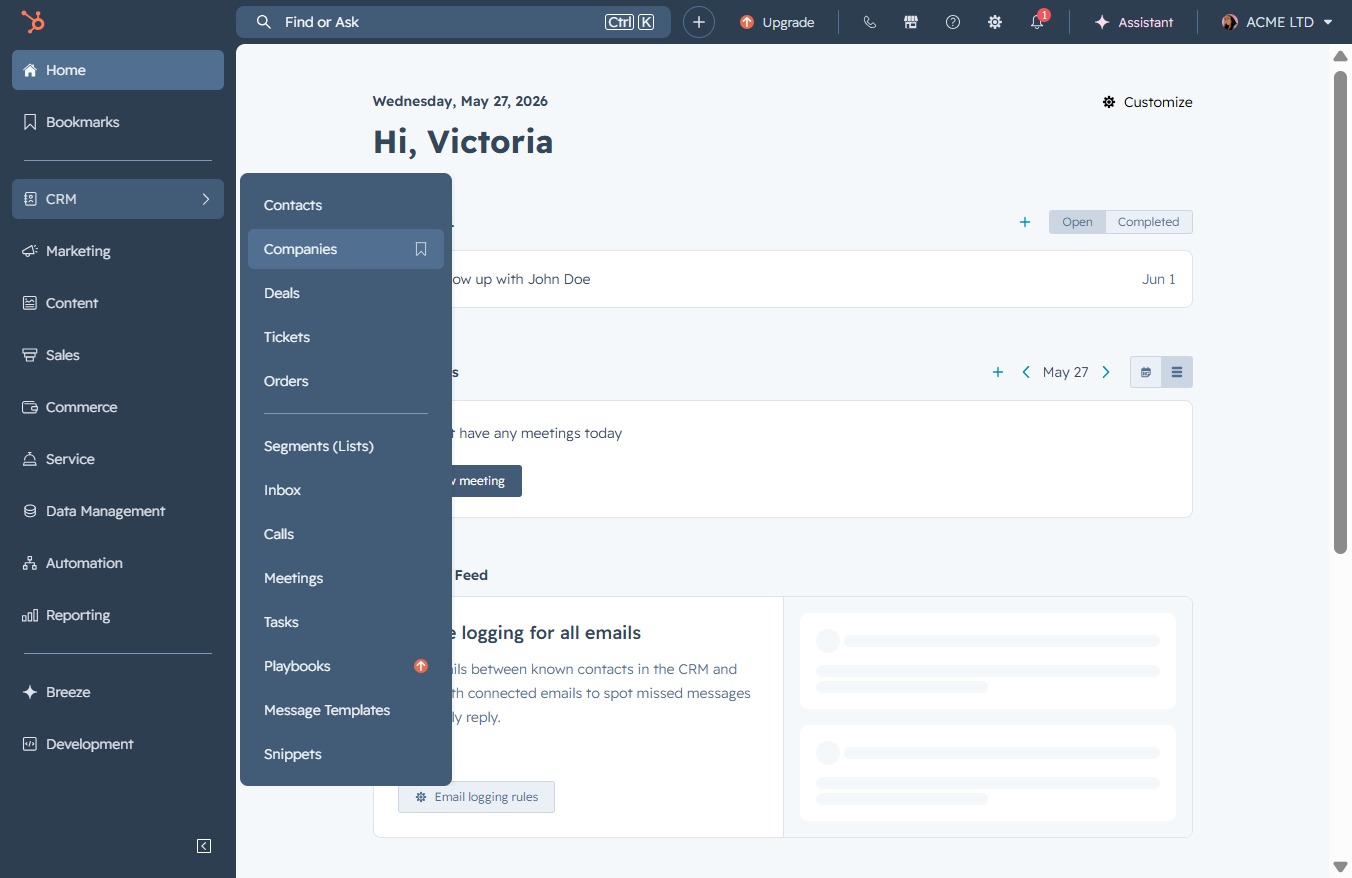
Click the CRM icon
Selecting the CRM icon opens the customer relationship management dashboard, allowing you to manage contacts, view sales activities, and track interactions.

Loading screenshot…
100%
Associate a company with a deal in your CRM by selecting a company, linking existing deals, and saving your changes to streamline your sales management process.
 viktoria
Associate a company with a deal in your CRM by selecting a company, linking existing deals, and saving your changes to streamline your sales management process.
Selecting the CRM icon opens the customer relationship management dashboard, allowing you to manage contacts, view sales activities, and track interactions.
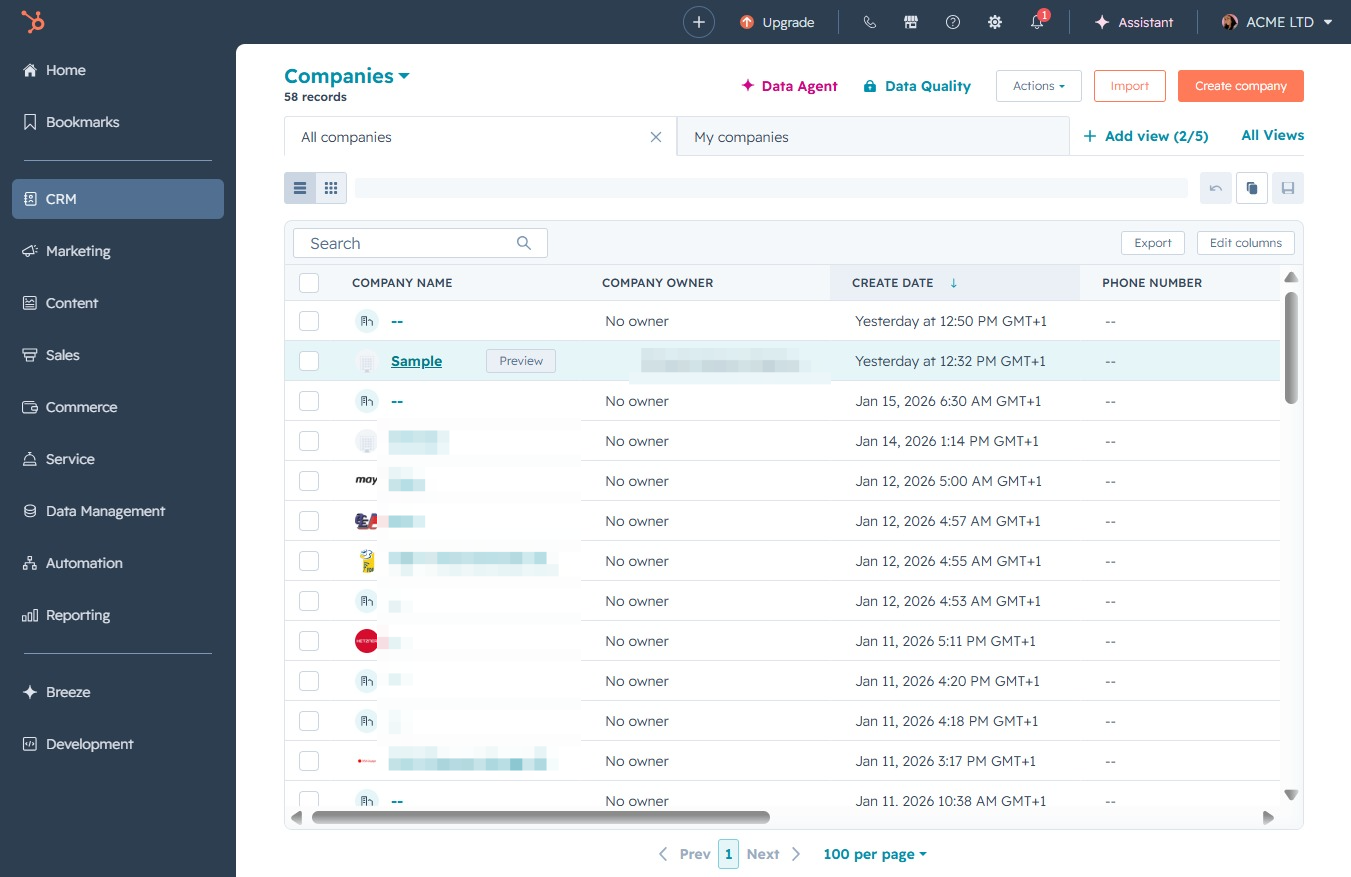
This will display the list of companies in your CRM, allowing you to view, add, or manage company details and interactions.
Clicking the Sample entry will allow you to view or edit the details of this company record. This can include modifying the company name, owner, or any related information.
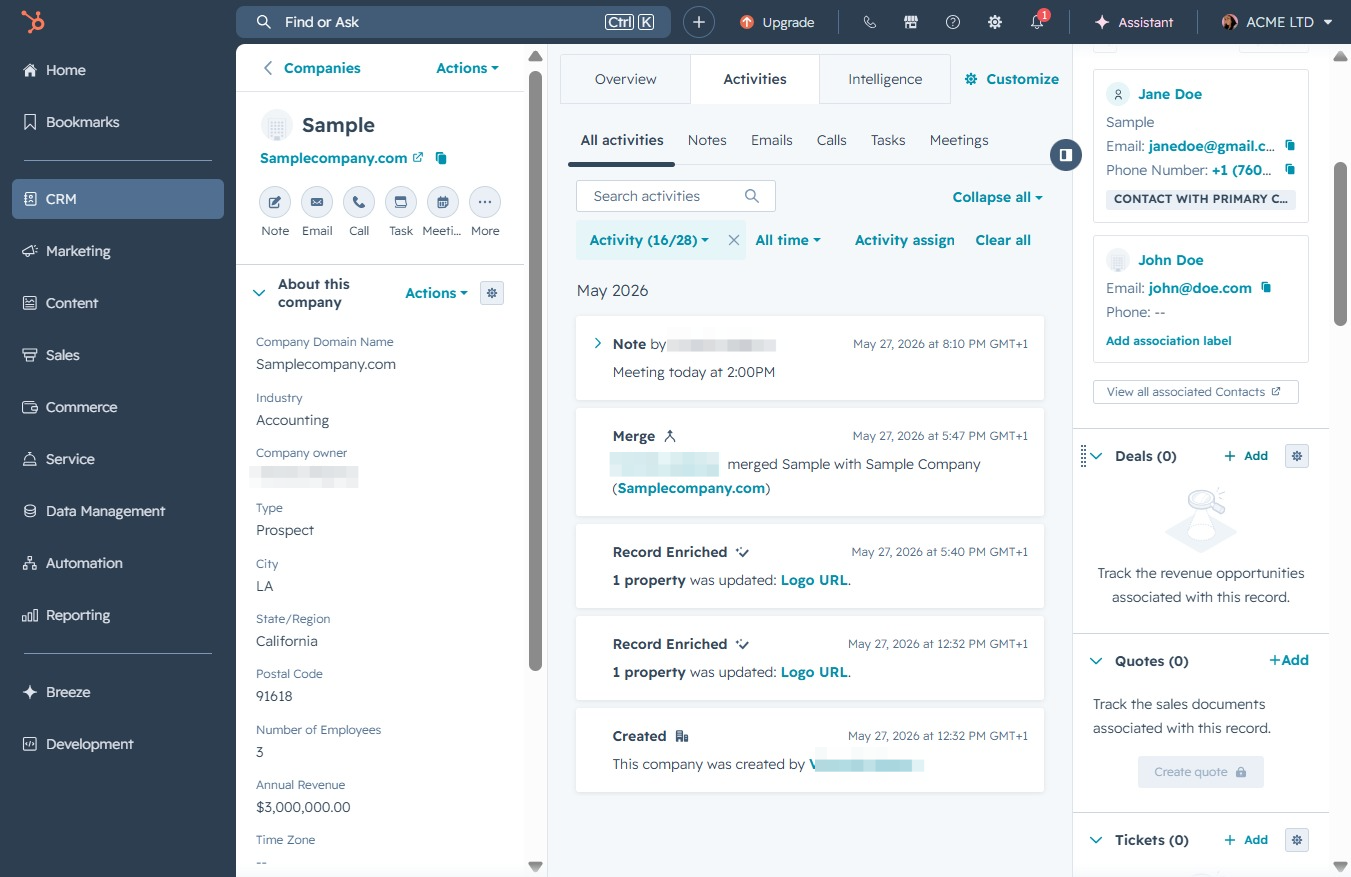
This action will allow you to create a new entry, such as adding a note, deal, or activity related to the selected company. Ensure that all relevant details are provided in the subsequent form.
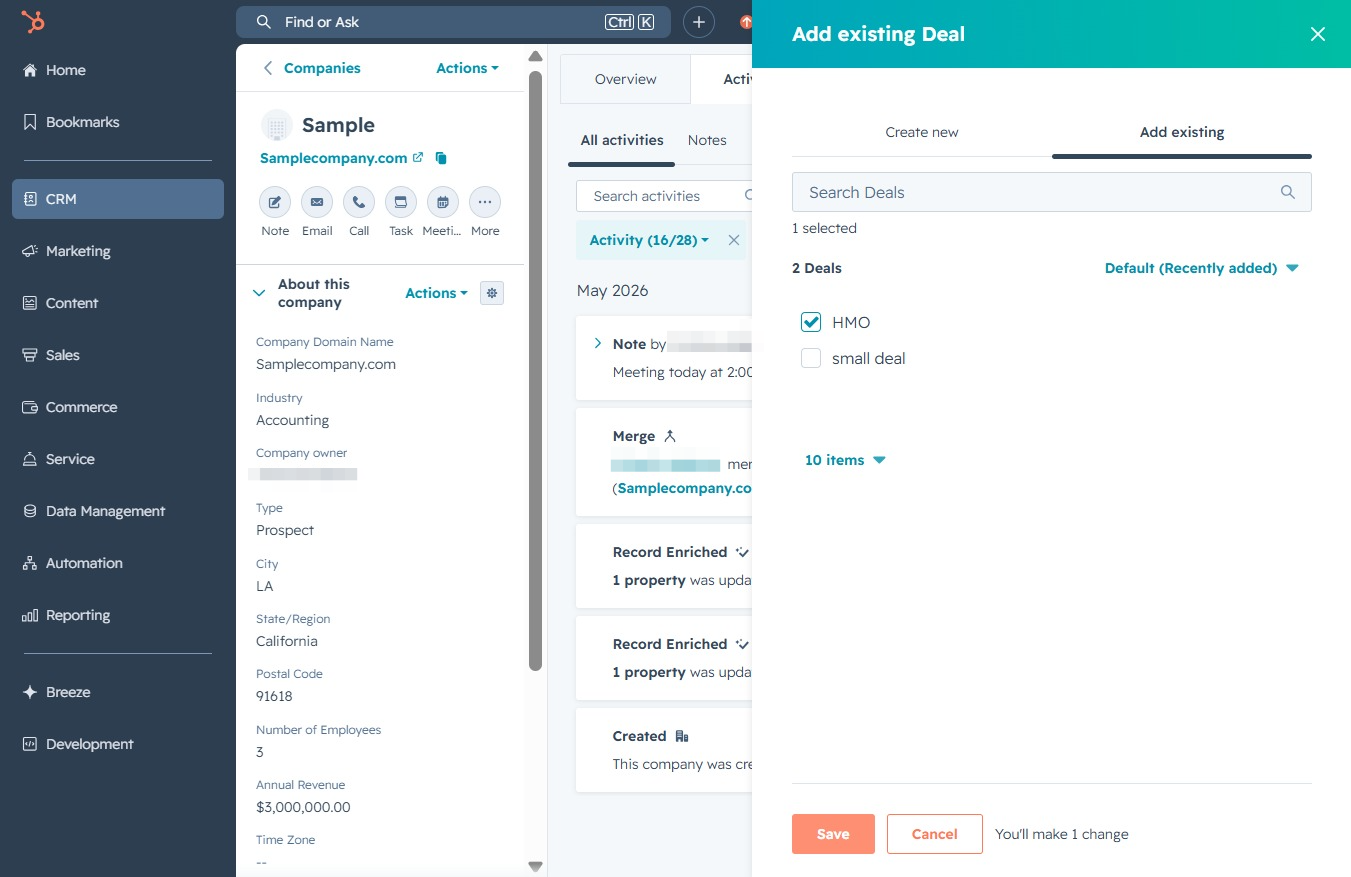
Selecting the 'Add existing' option allows you to integrate or link pre-existing deals or contacts into your current workflow, streamlining the process of managing your sales pipeline.
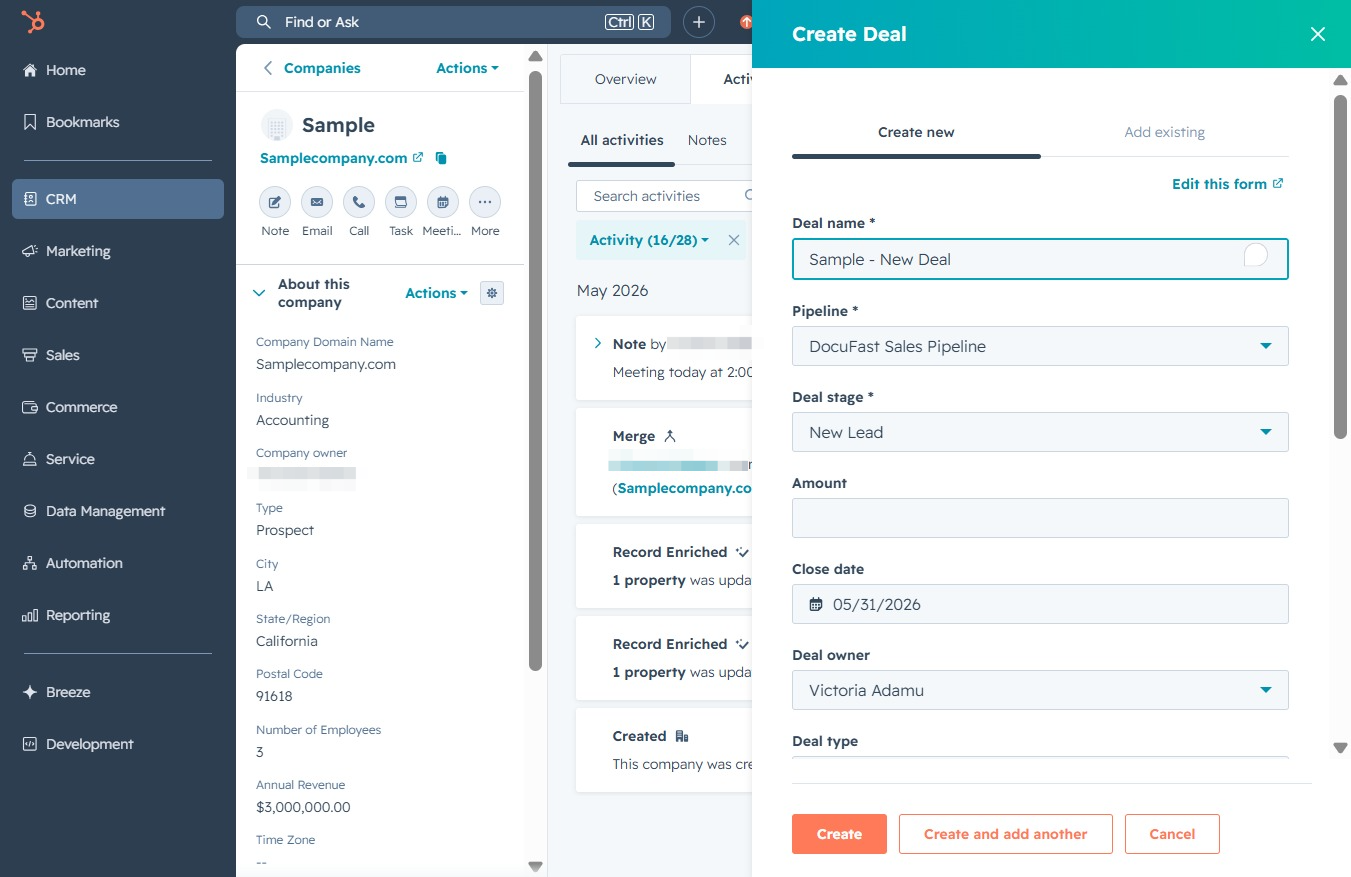
Clicking this link will open a selection menu where you can choose from existing deals associated with the company. This allows you to associate historical deals with the current record.
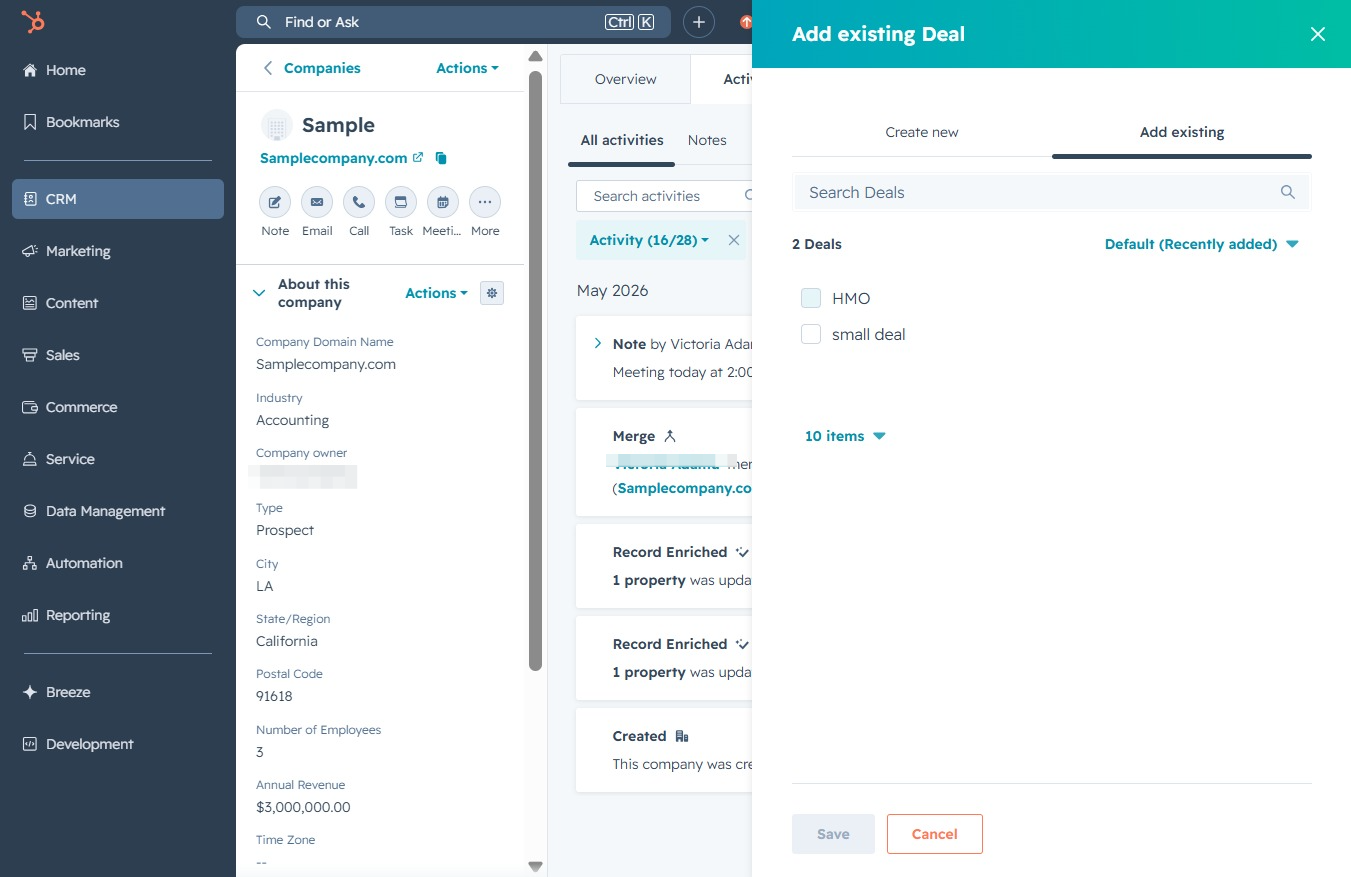
Clicking the Save button will finalize your selections and add the existing deal to the company record.