Geteilte Anleitung

How to assign leads to team members

In this guide, you'll learn how to efficiently assign leads to team members by following a simple step-by-step process.

victoriaworkflowsvictoriaworkflows
·5 Schritte·81 Aufrufe·Veröffentlicht

In this guide, you'll learn how to efficiently assign leads to team members by following a simple step-by-step process. We’ll walk you through navigating the leads inbox and ensuring the assignment is saved correctly.
Step-by-step Guide5 Schritte
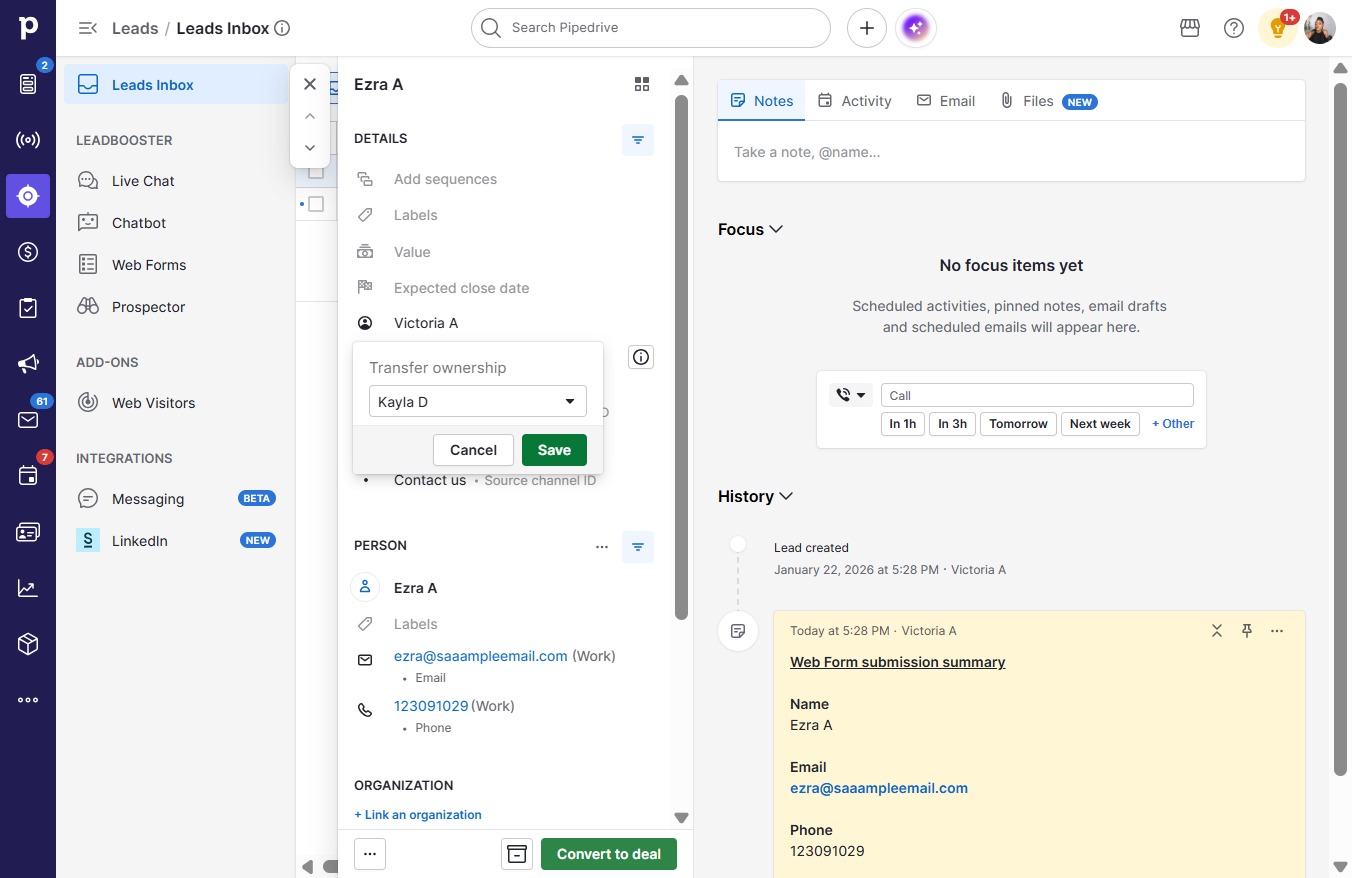
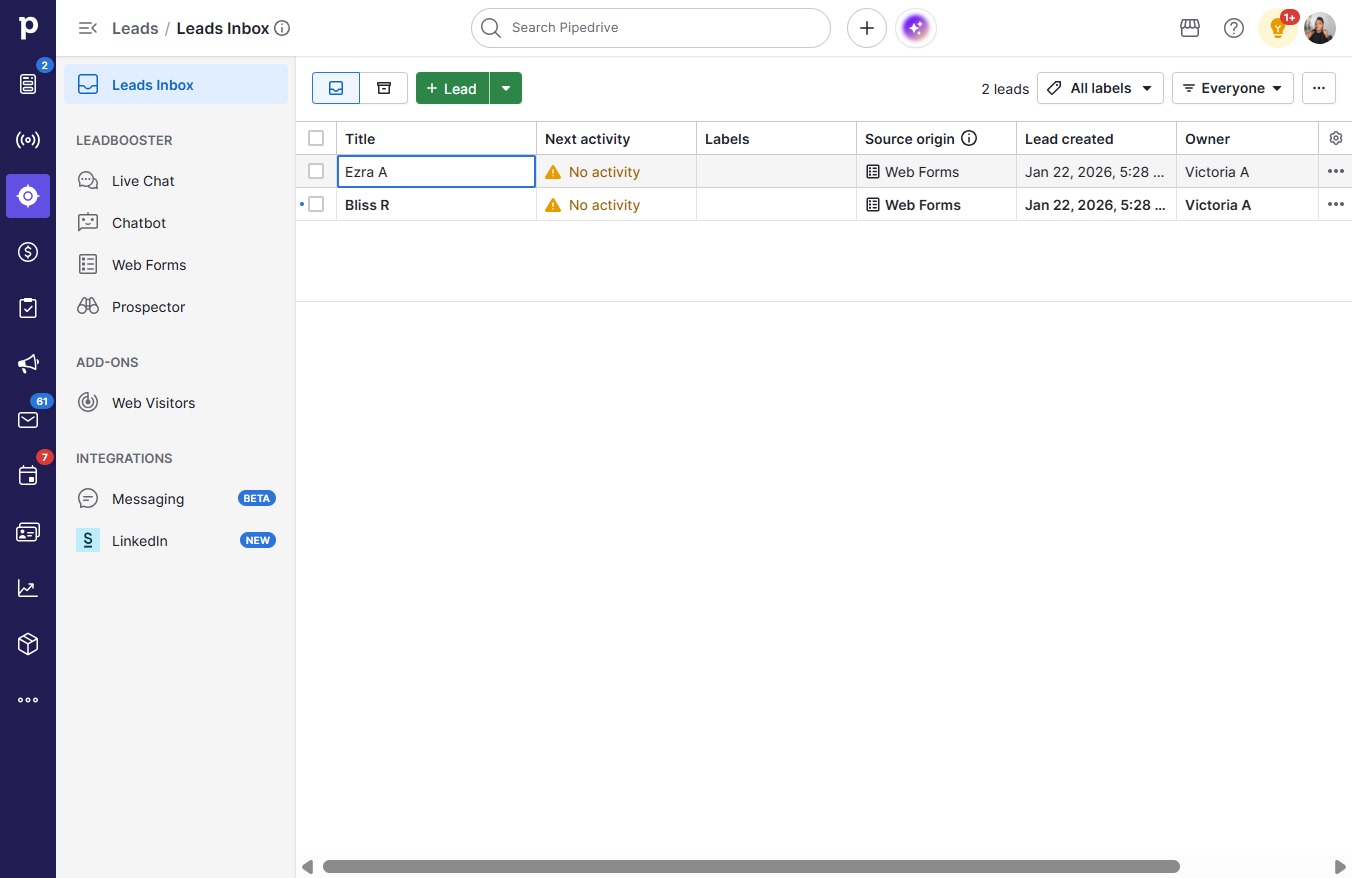
  1. Click Ezra A

    Click Ezra A
    Loading screenshot…
    100%
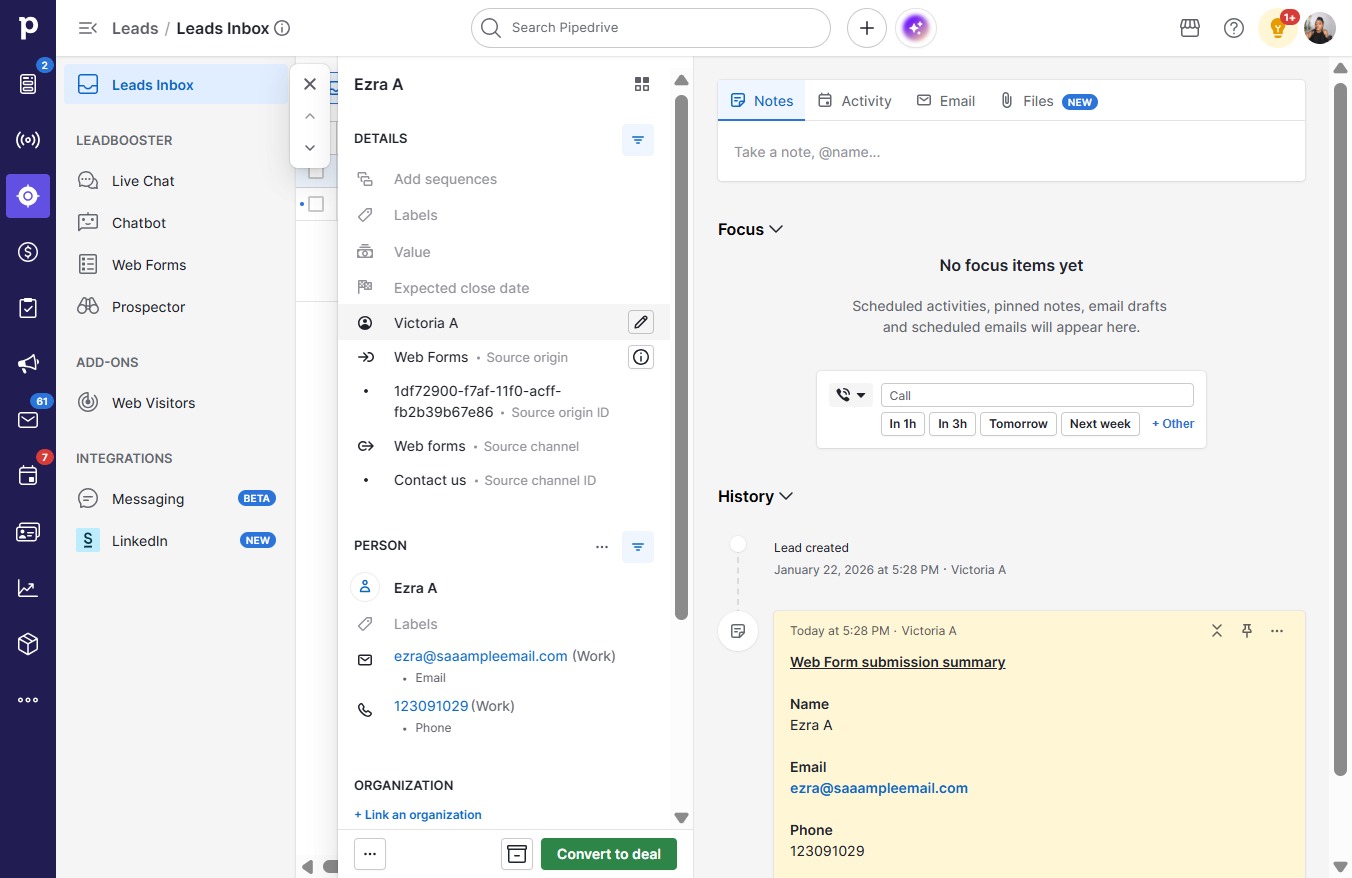
  2. Click on "Click here."

    Click on "Click here."
    Loading screenshot…
    100%
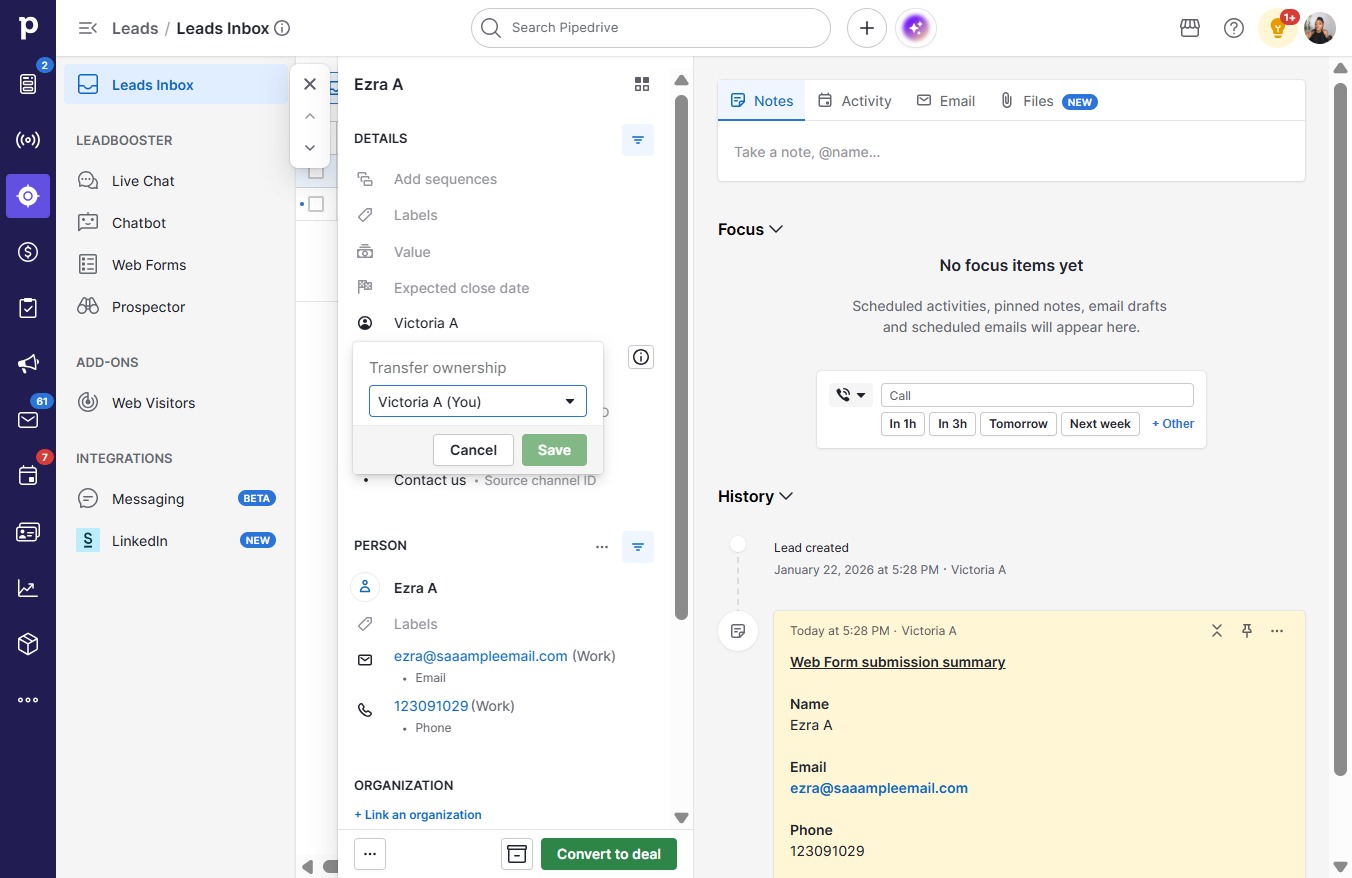
  3. Click on "Click here."

    Click on "Click here."
    Loading screenshot…
    100%
  4. Click Kayla D

    Click Kayla D
    Loading screenshot…
    100%
  5. Click Save

    Click Save
    Loading screenshot…
    100%