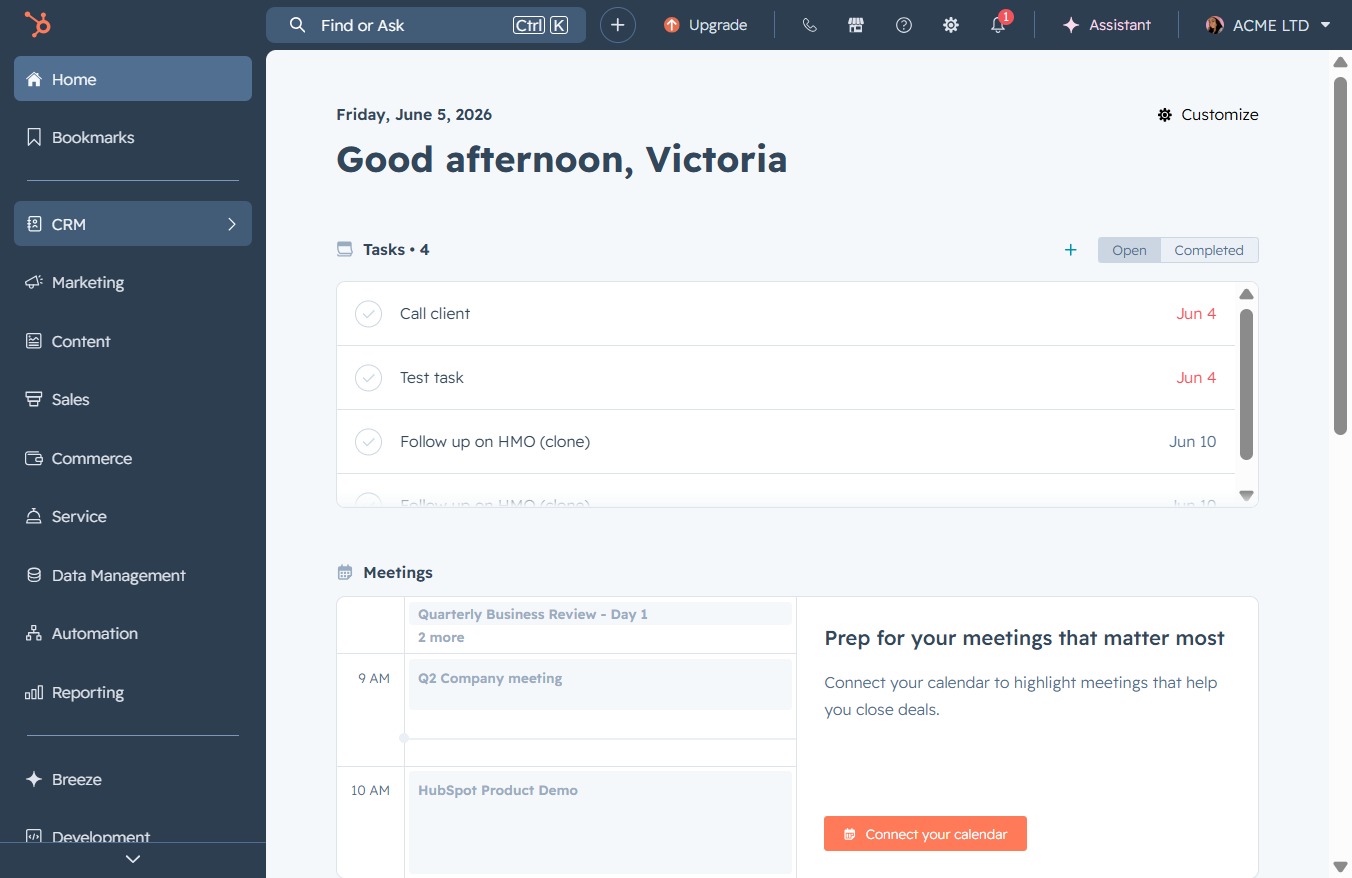
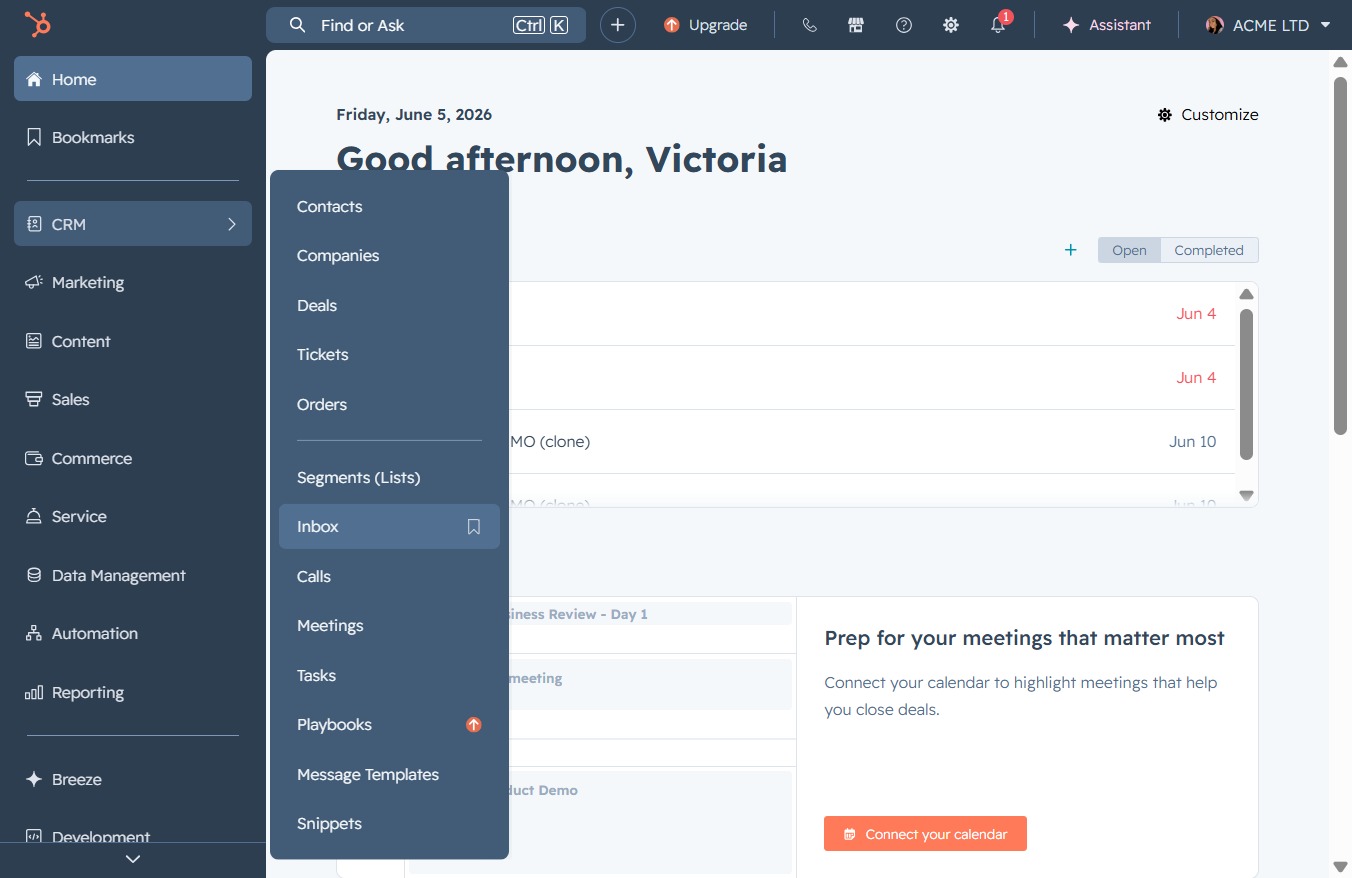
Click the CRM link
This will navigate you to the Customer Relationship Management section, where you can manage tasks, clients, and meetings efficiently.
Loading screenshot…
100%
Navigate to the CRM Inbox to assign ongoing conversations to team members like Victoria Adamu, ensuring effective management of client communications and tasks within your…
 viktoria
Navigate to the CRM Inbox to assign ongoing conversations to team members like Victoria Adamu, ensuring effective management of client communications and tasks within your workspace.
This will navigate you to the Customer Relationship Management section, where you can manage tasks, clients, and meetings efficiently.
Selecting the Inbox will show you all your incoming messages and notifications related to your CRM activities, allowing you to manage communications effectively.
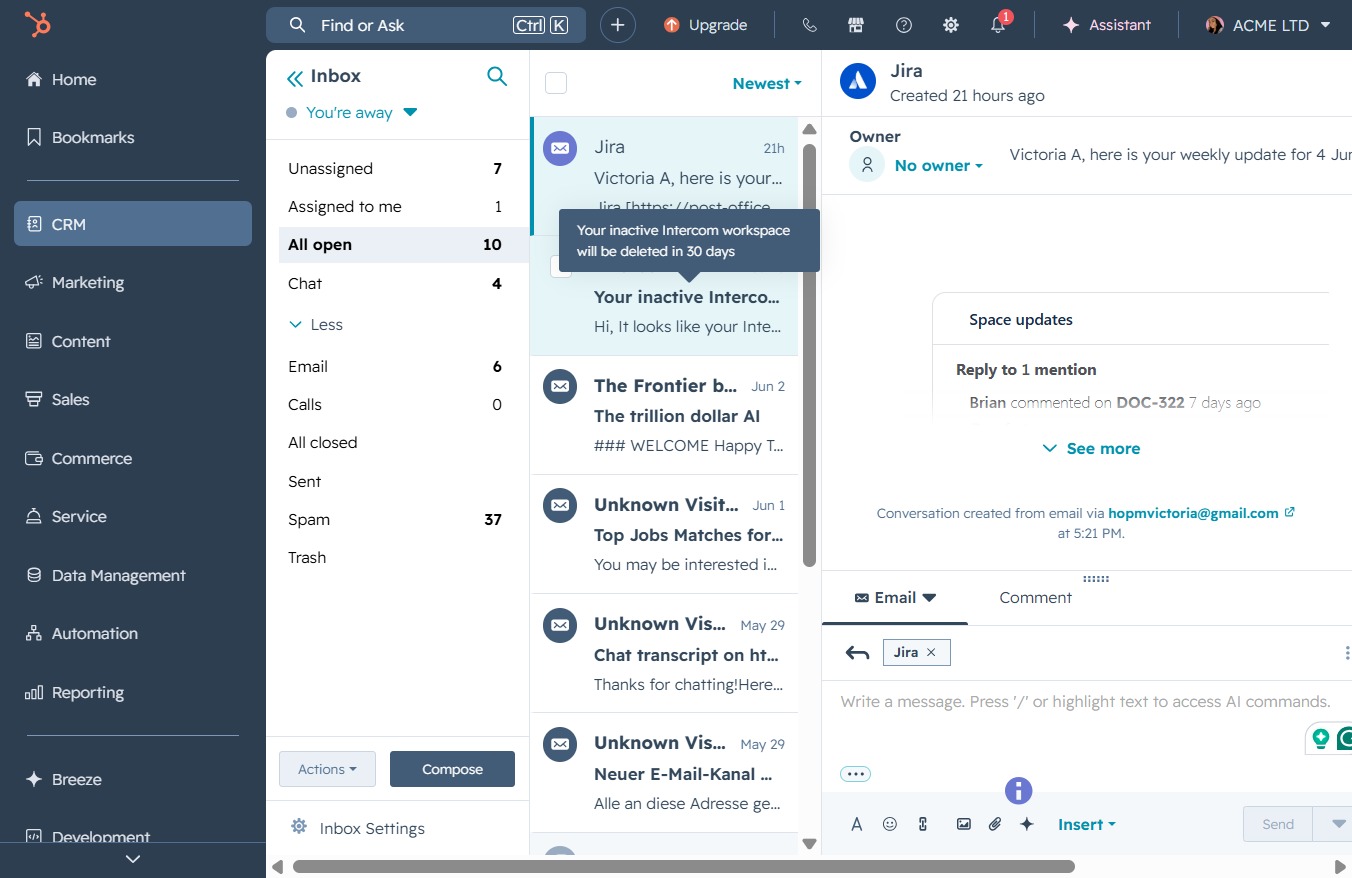
Selecting the 'All open10' option will display all open items in the chat, allowing you to manage and review ongoing conversations effectively.

Clicking this notification will prompt further information regarding your inactive Intercom workspace, including the impending deletion timeline and subscription status.
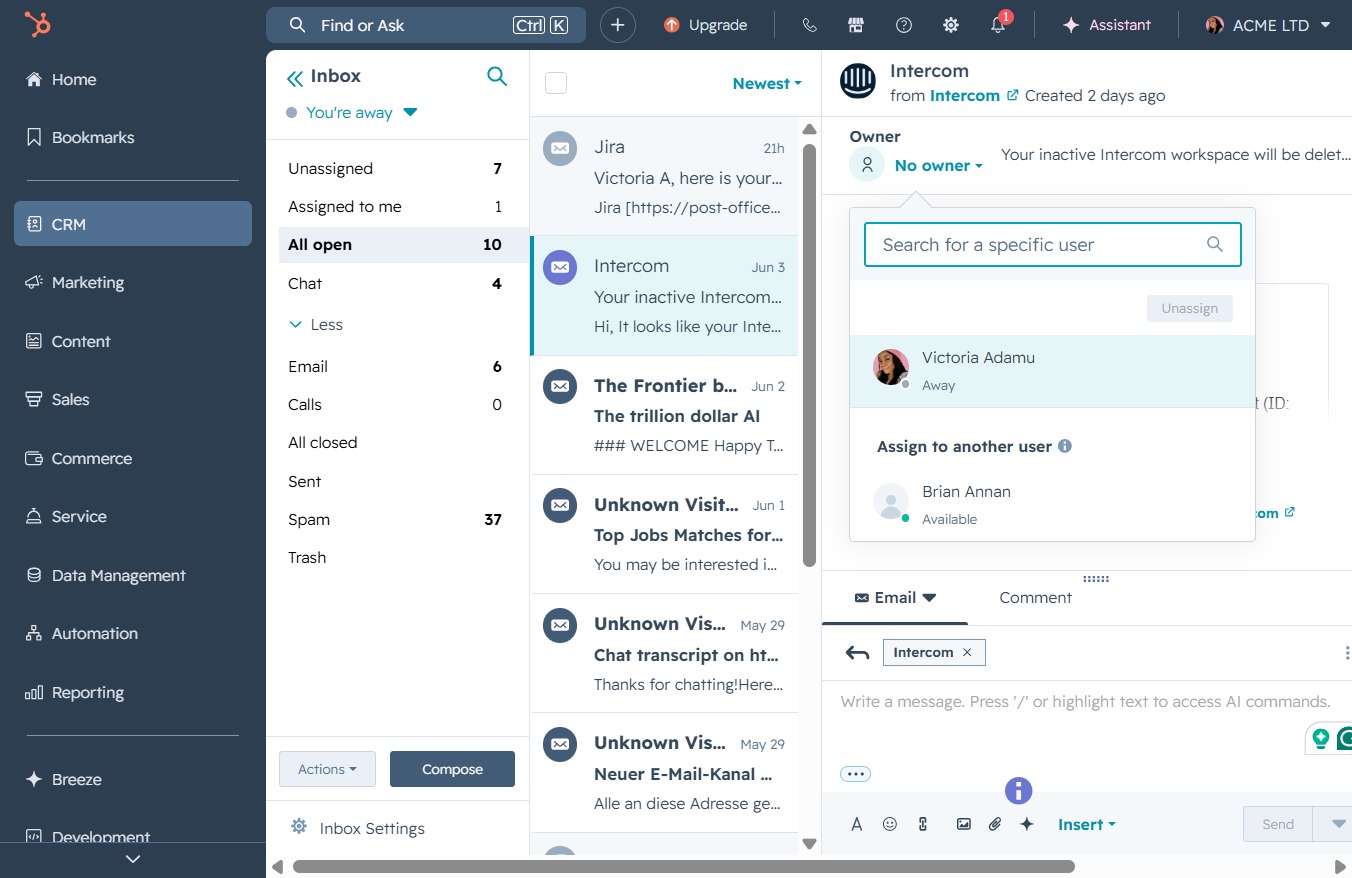
Clicking the 'No owner' label allows you to assign a user to this message or conversation within your Intercom workspace.

This action allows you to assign the selected message to Victoria Adamu, enabling you to manage your Intercom conversations more effectively.