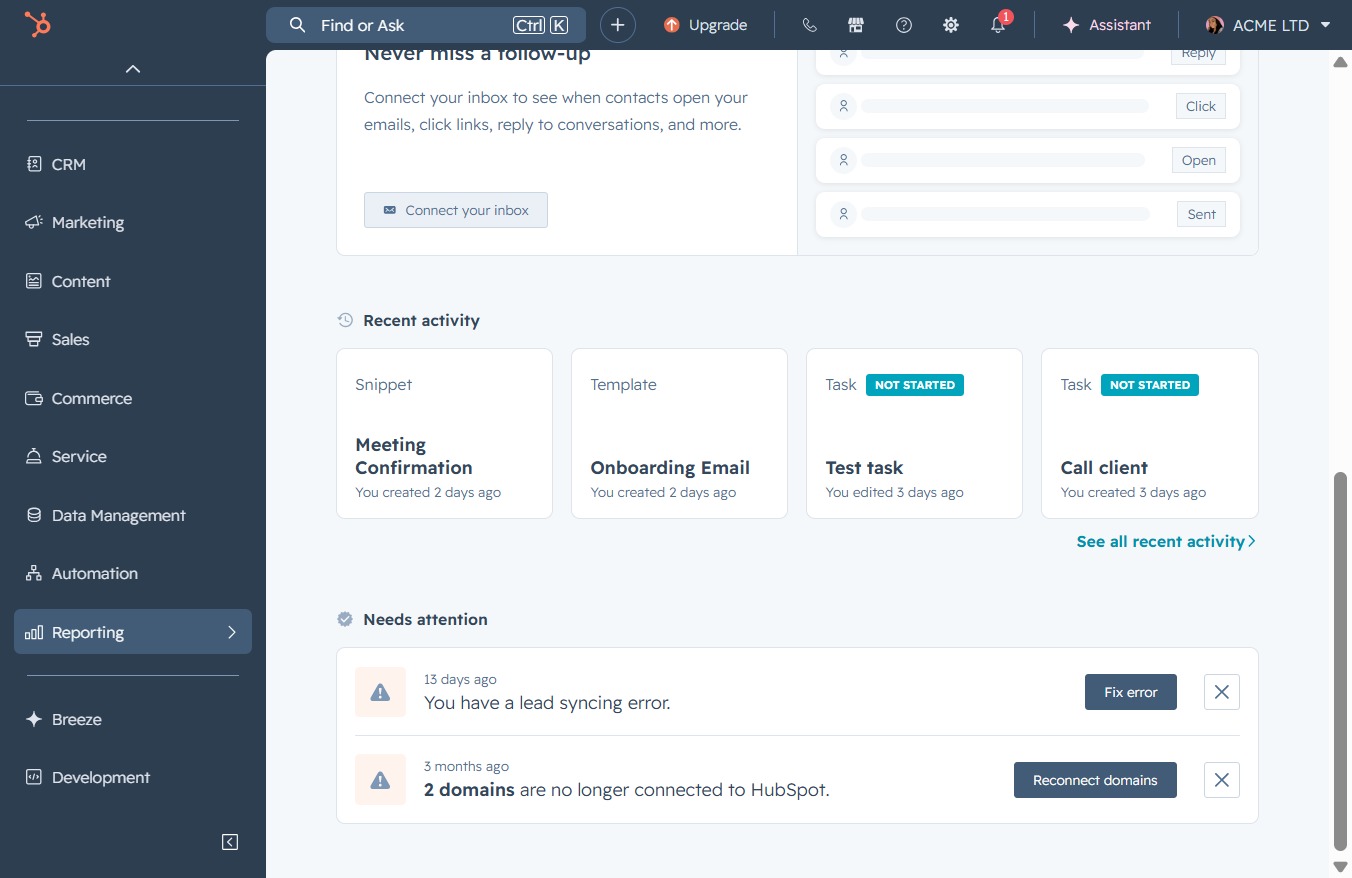
Click the Reporting section
This will open the Reporting features, allowing you to view analytics and performance data related to your emails and activities.
Loading screenshot…
100%
Add a selected report to your dashboard in the Reporting section to streamline access to analytics and performance data related to your email activities and insights.
 viktoria
Add a selected report to your dashboard in the Reporting section to streamline access to analytics and performance data related to your email activities and insights.
This will open the Reporting features, allowing you to view analytics and performance data related to your emails and activities.
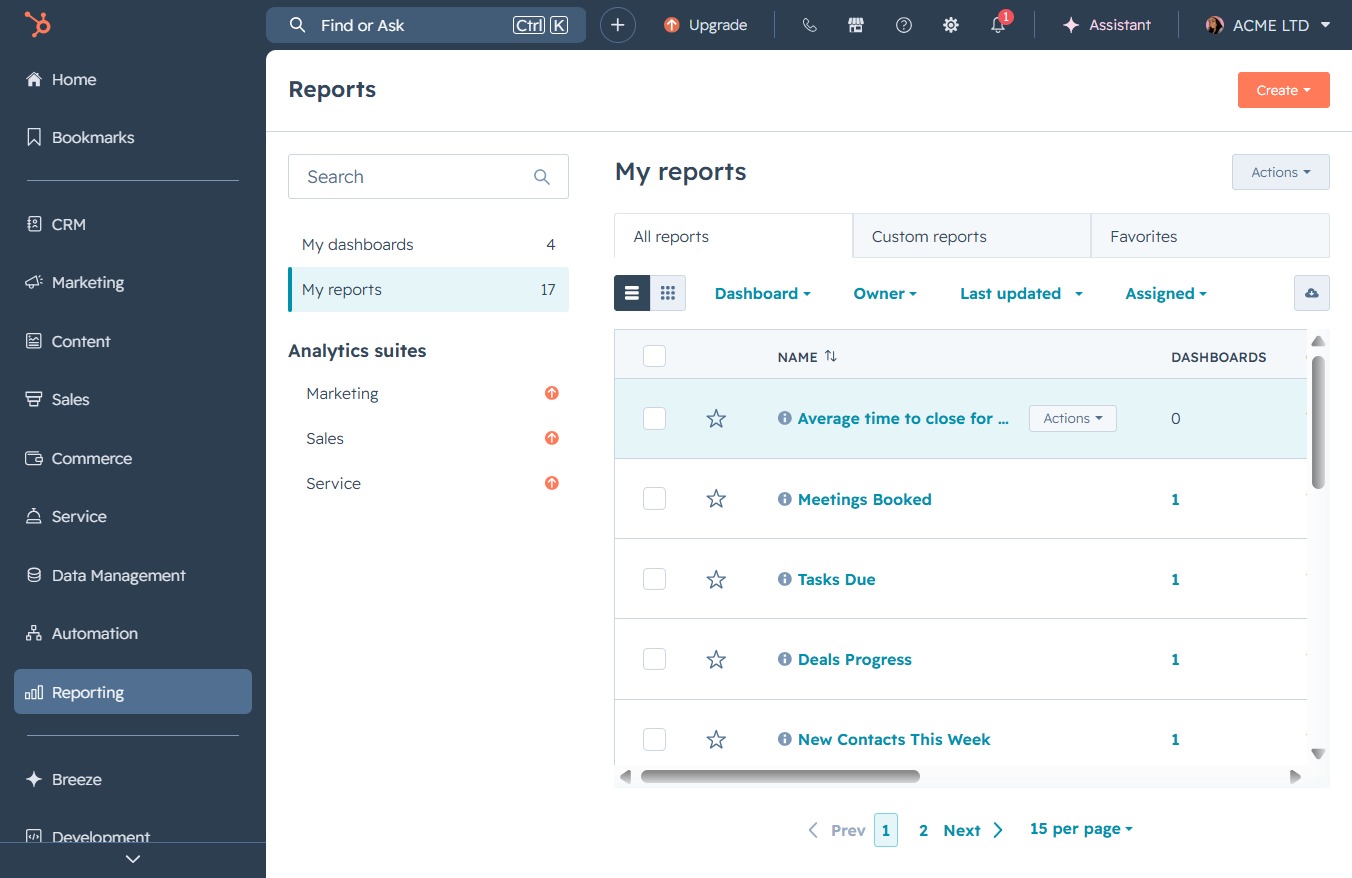
This will navigate you to the Reports section, where you can view analytics and data insights relevant to your activities and performance.

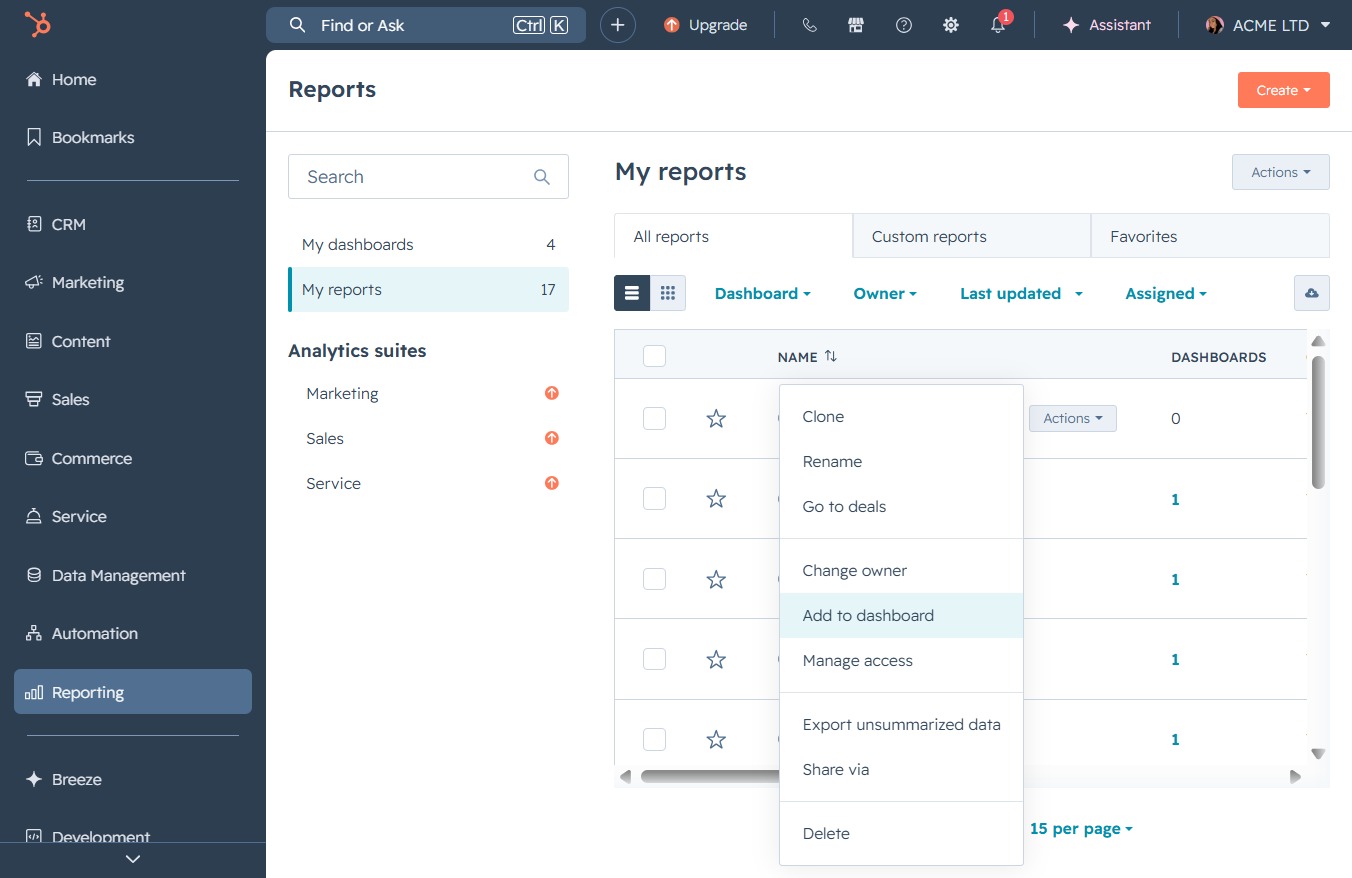
This menu allows you to choose from various options related to the selected report in your list, such as editing or deleting it.
This action allows you to add the selected report to your dashboard for easy access and monitoring.
Input the name of the existing dashboard you want to add the report to. This allows you to quickly locate and select the appropriate dashboard from your list.
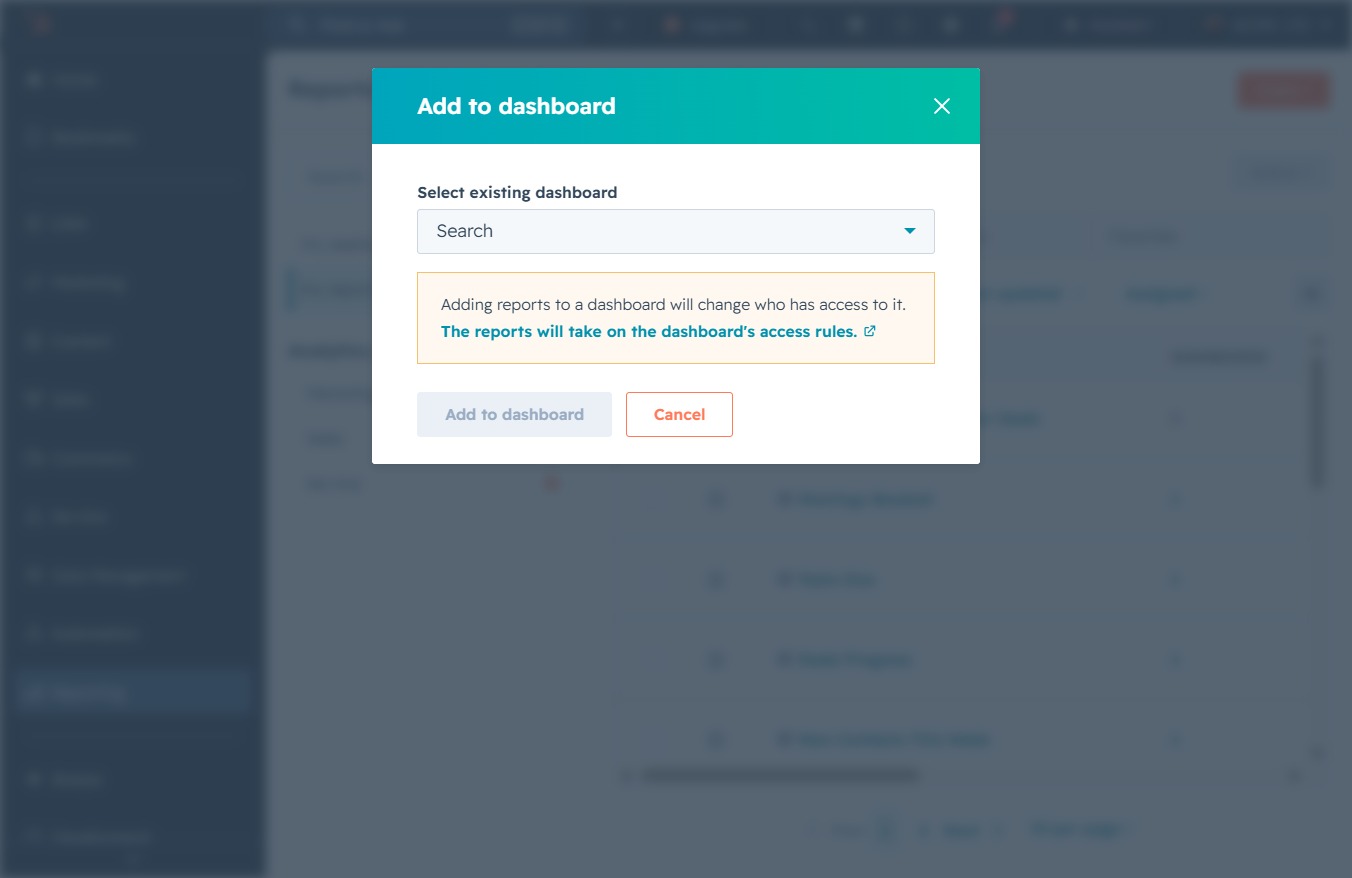
By clicking on 'Campaign Performance', you will select this specific dashboard, allowing you to add relevant metrics and insights to your view.

Clicking this button adds the selected report to the chosen dashboard, applying the dashboard's access rules to the report.
