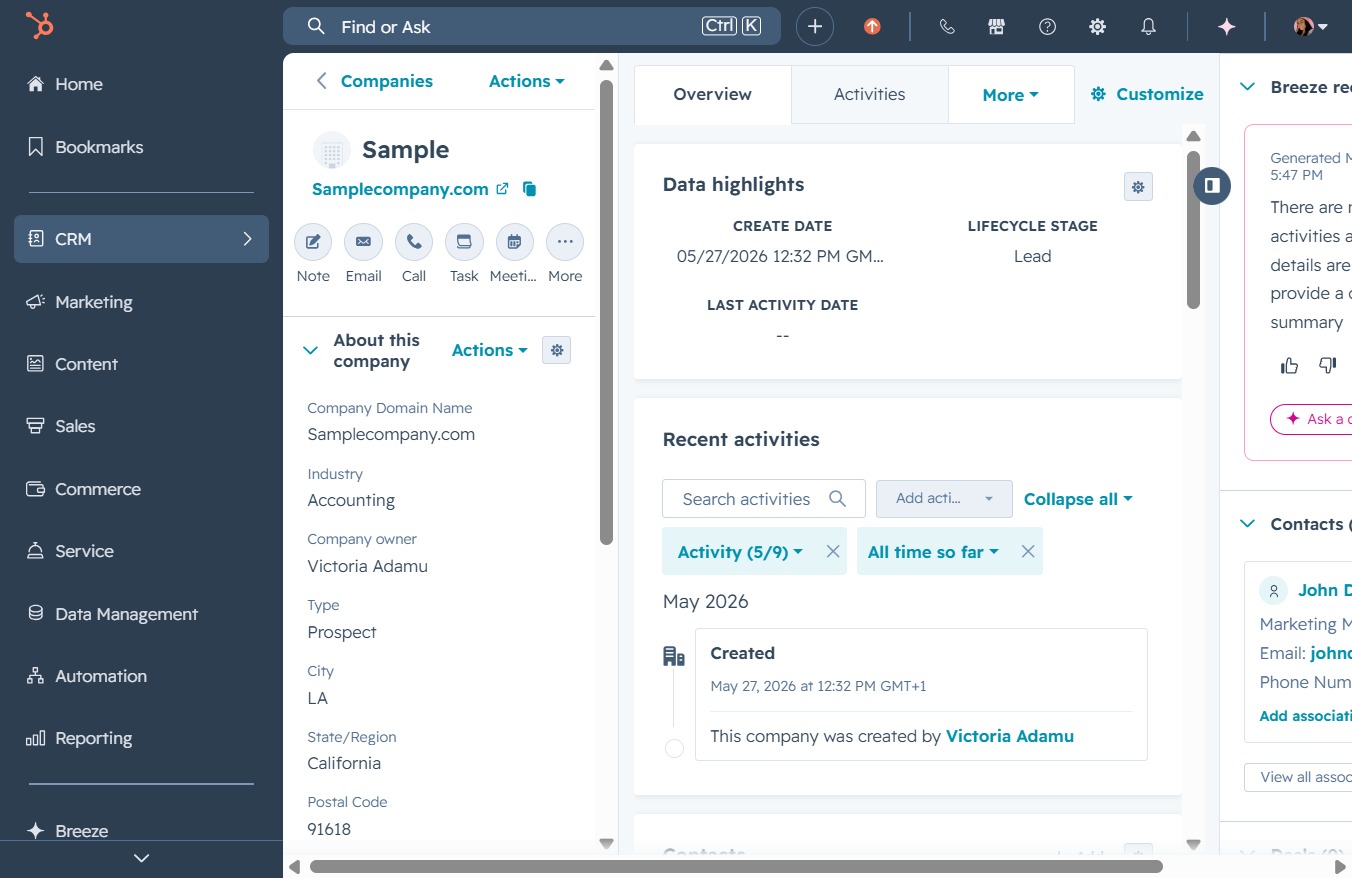
Click the CRM icon
Clicking the CRM icon will navigate you to the customer relationship management section, where you can view and manage company details, recent activities, and data highlights.
Loading screenshot…
100%
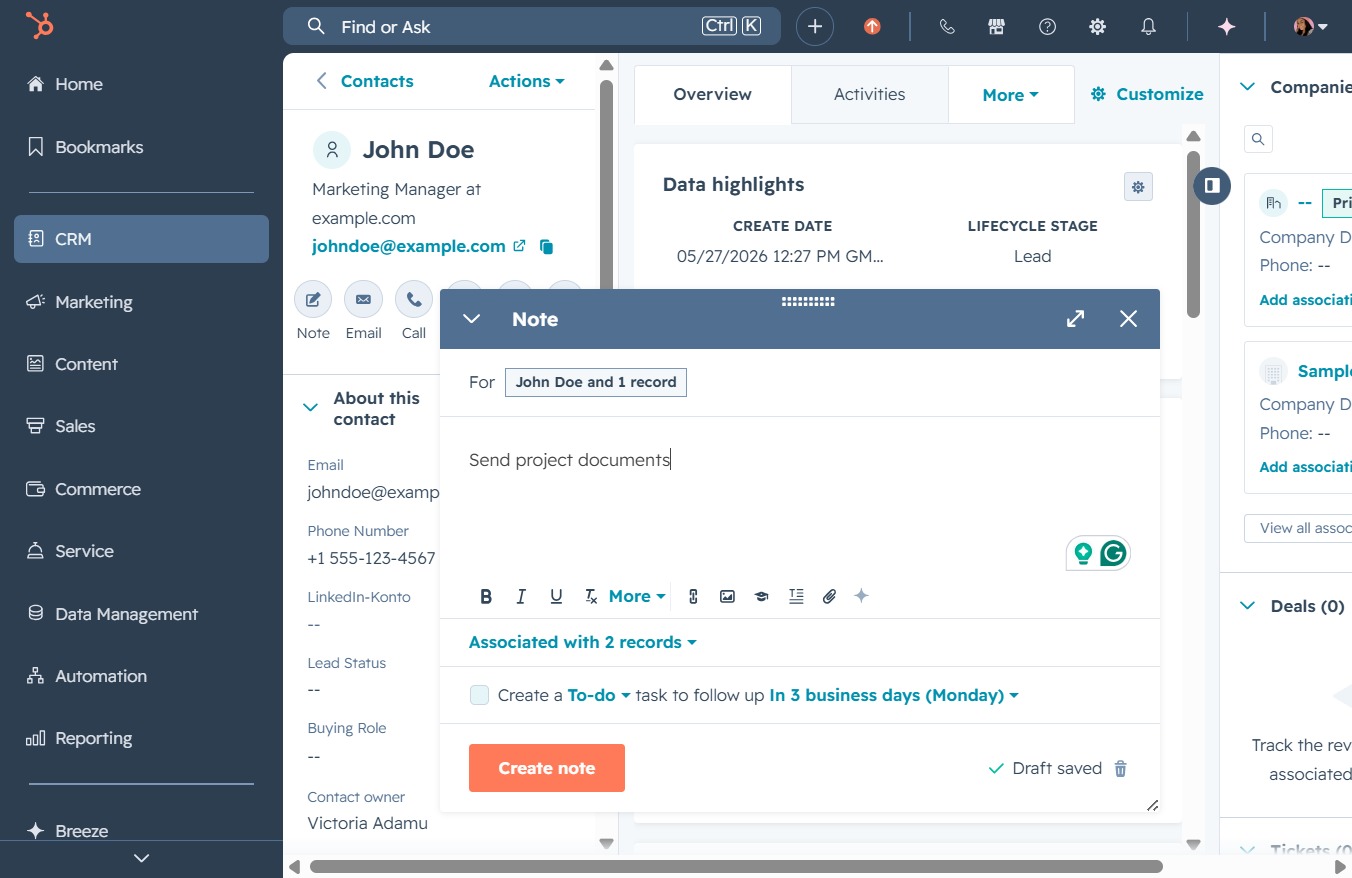
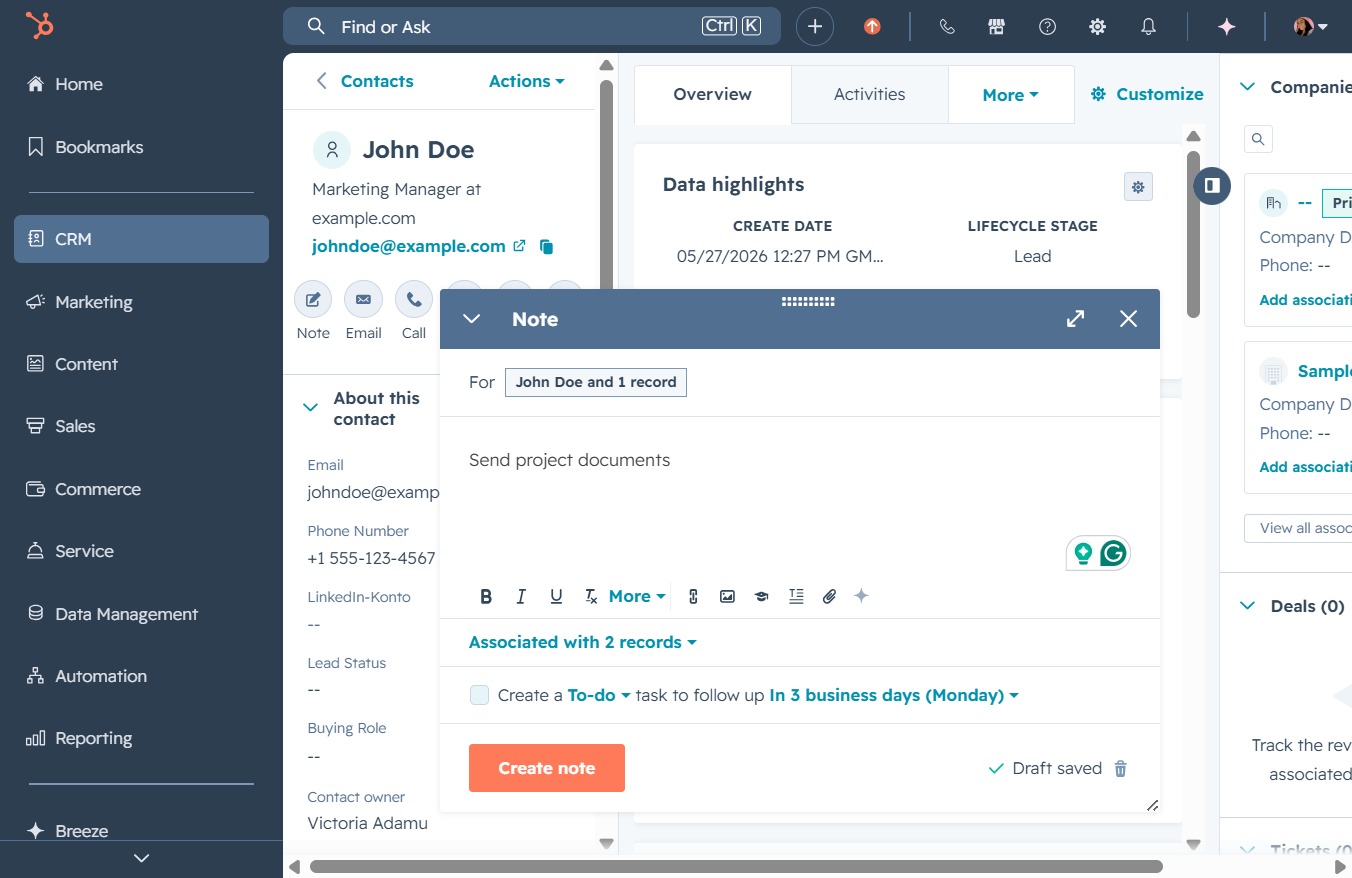
Create and save a note for the contact John Doe in CRM to document important tasks and reminders, enhancing your ability to manage follow-ups and interactions effectively.
 viktoria
Create and save a note for the contact John Doe in CRM to document important tasks and reminders, enhancing your ability to manage follow-ups and interactions effectively.
Clicking the CRM icon will navigate you to the customer relationship management section, where you can view and manage company details, recent activities, and data highlights.
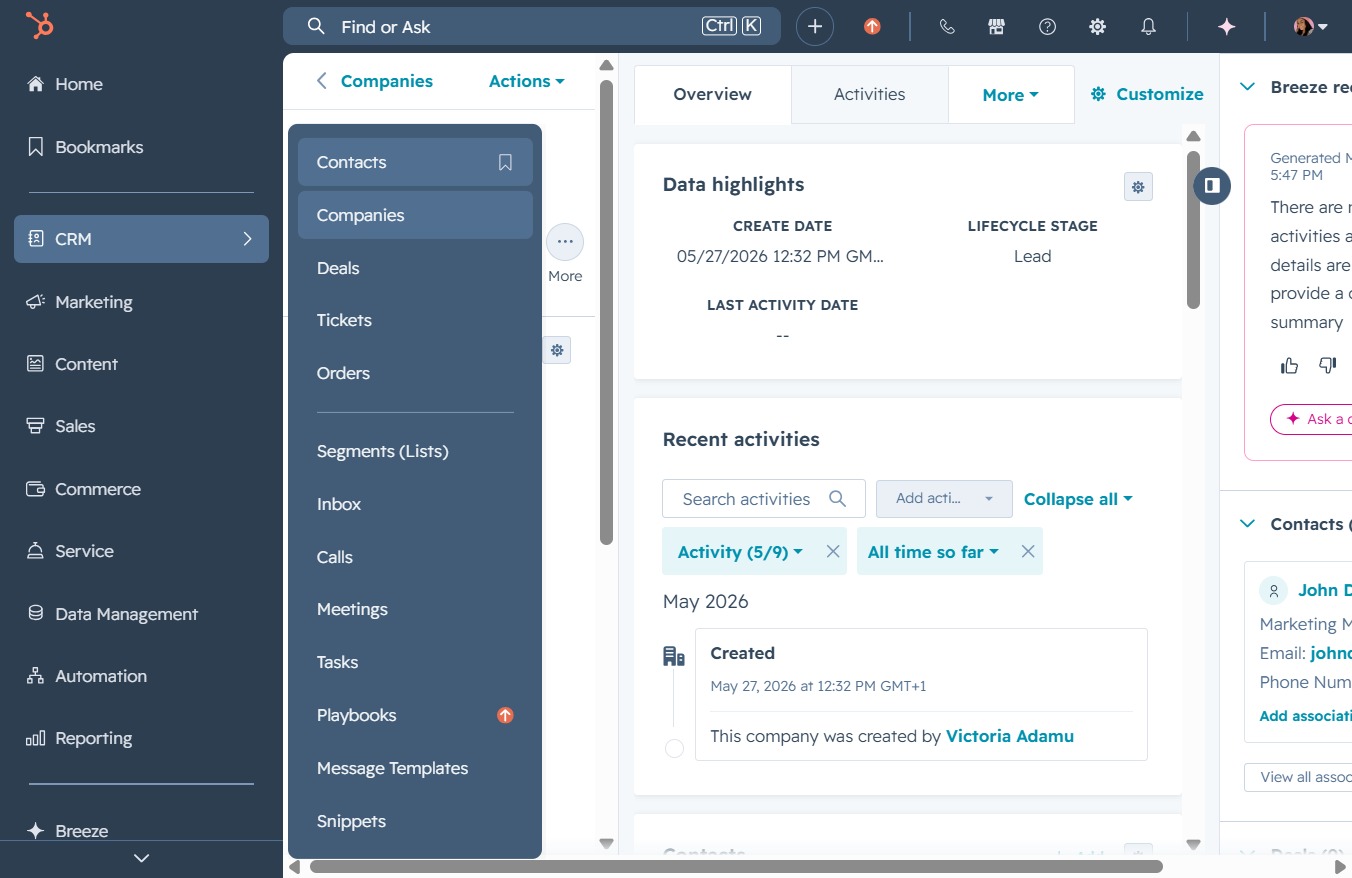
This action opens the Contacts section, allowing you to view and manage your saved contacts within the CRM.
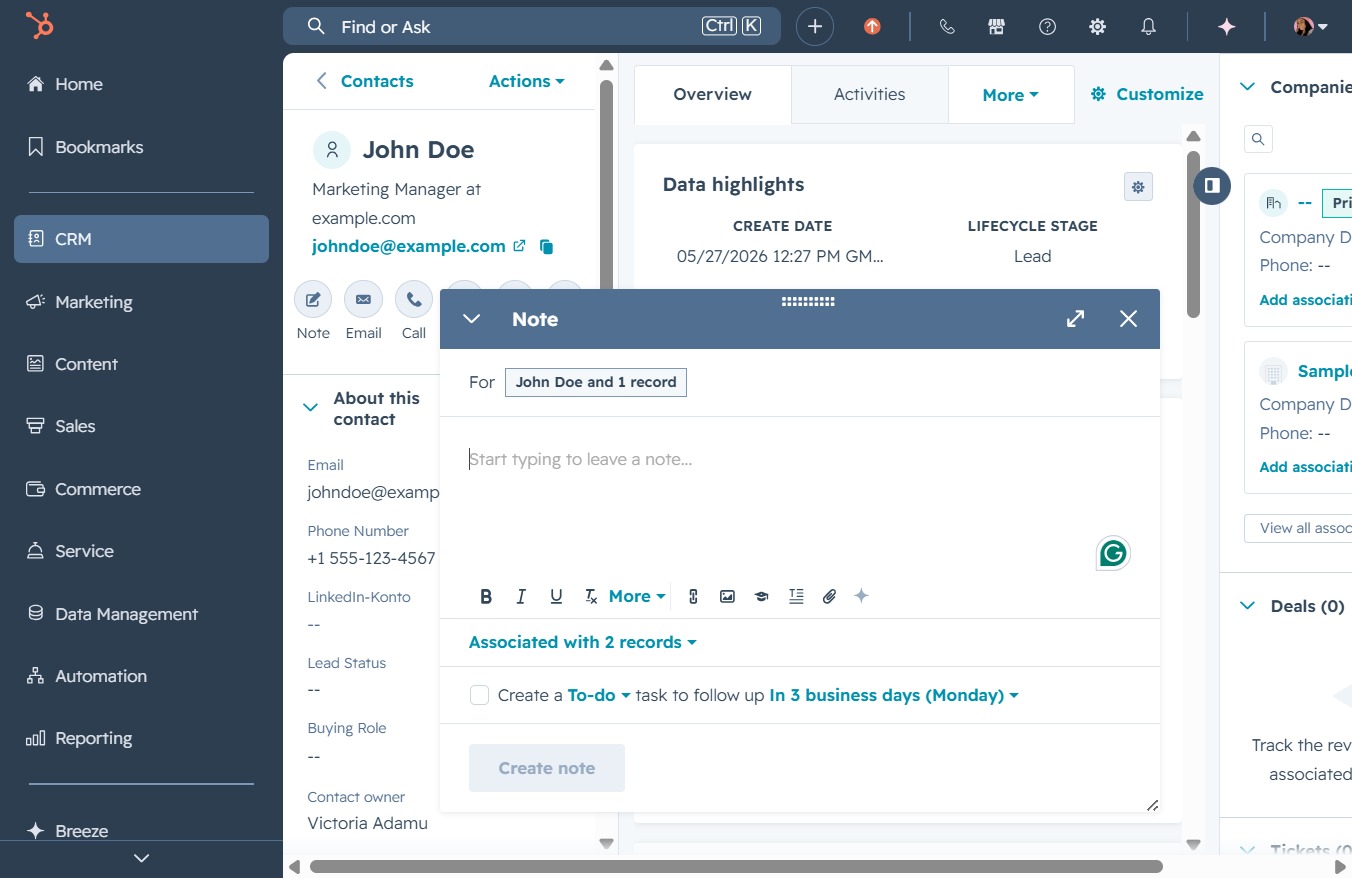
This action opens the detailed view of the contact named John Doe, allowing you to review or edit relevant information such as email and phone number.

Clicking this will open a dialog for you to enter and save a new note related to the selected contact, enhancing your interaction with CRM details.

Clicking this will open a note entry area where you can document details related to John Doe. This allows you to keep track of important information and interactions with the contact.
Enter 'Send project documents' in the Note section to create a reminder or update related to the contact. This note will help keep track of essential follow-up tasks associated with the contact's records.
This action opens a new note window where you can enter details about your tasks or reminders related to the contact.
This action will open a new note interface where you can add details about the project and associate it with the relevant contact records.
