Geteilte Anleitung

How to add a new organization

In this step-by-step guide, you'll learn how to efficiently add a new organization to your contacts list.

victoriaworkflowsvictoriaworkflows
·12 Schritte·63 Aufrufe·Veröffentlicht

In this step-by-step guide, you'll learn how to efficiently add a new organization to your contacts list. Follow the outlined steps to input essential details and categorize your new organization, ensuring a streamlined process for managing your contacts.
Step-by-step Guide12 Schritte
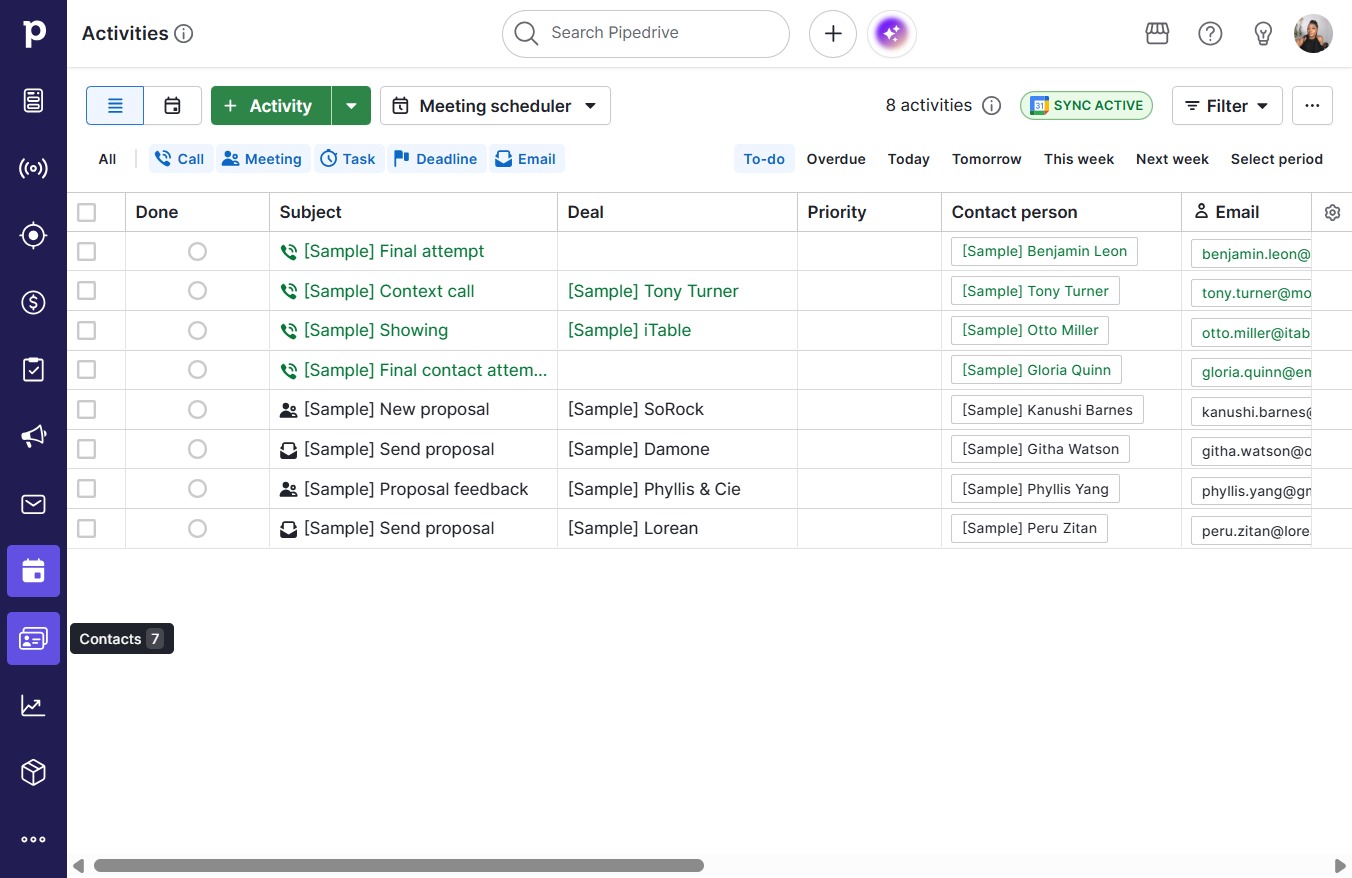
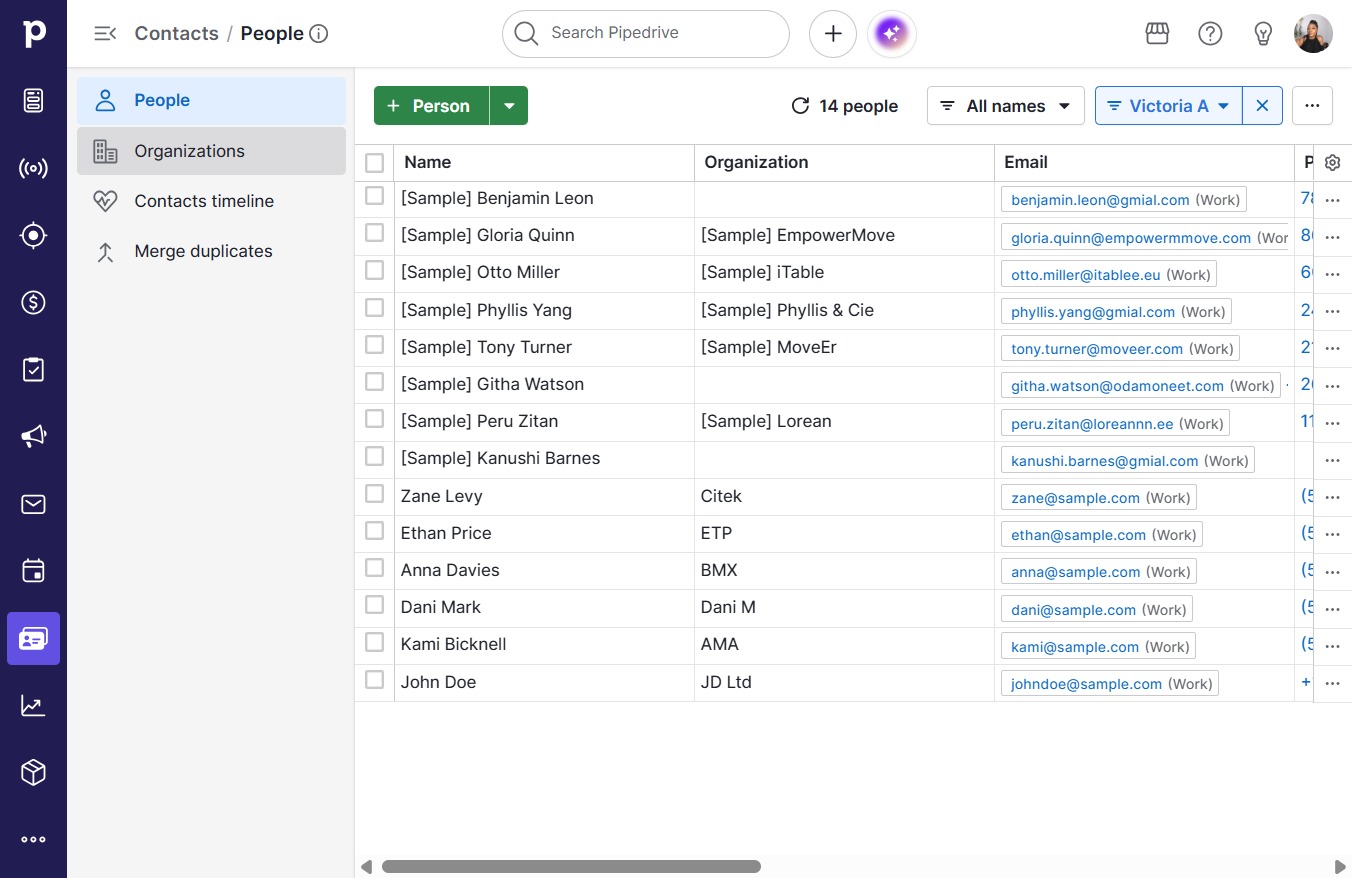
  1. Click Contacts

    Click Contacts
    Loading screenshot…
    100%
  2. Click Organizations

    Click Organizations
    Loading screenshot…
    100%
  3. Click Organization

    Click Organization
    Loading screenshot…
    100%
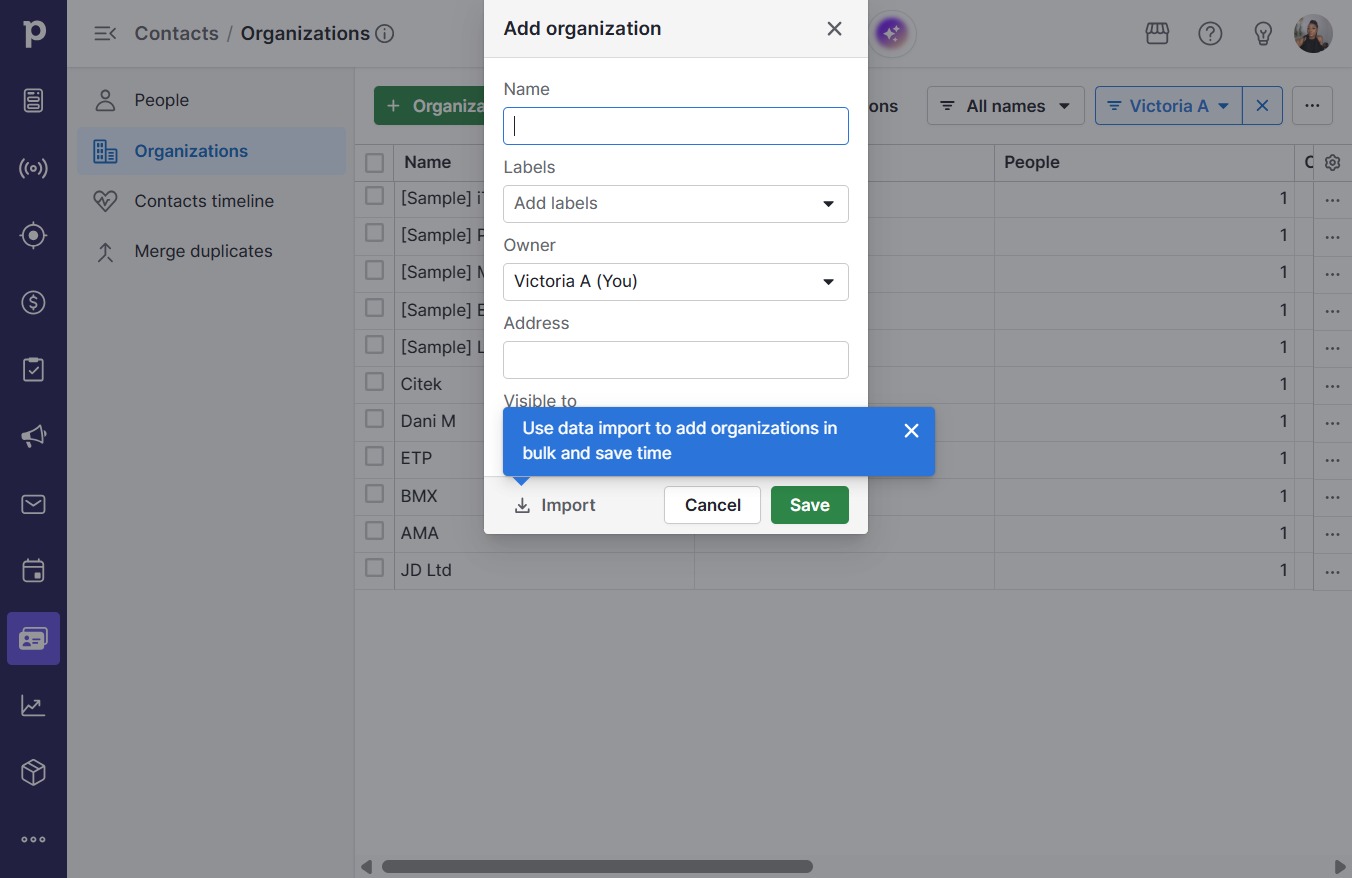
  4. Click on "Click here."

    Click on "Click here."
    Loading screenshot…
    100%
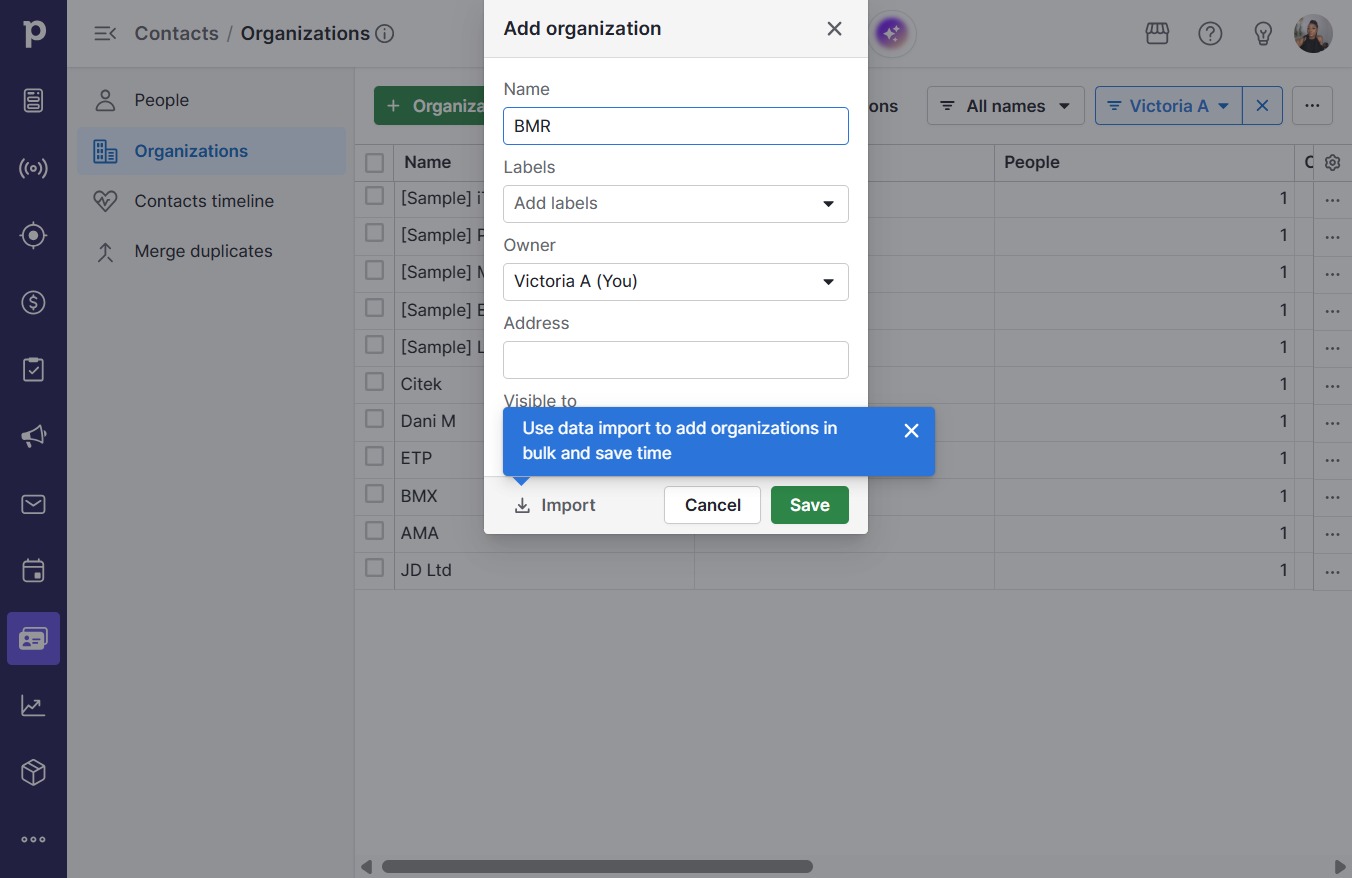
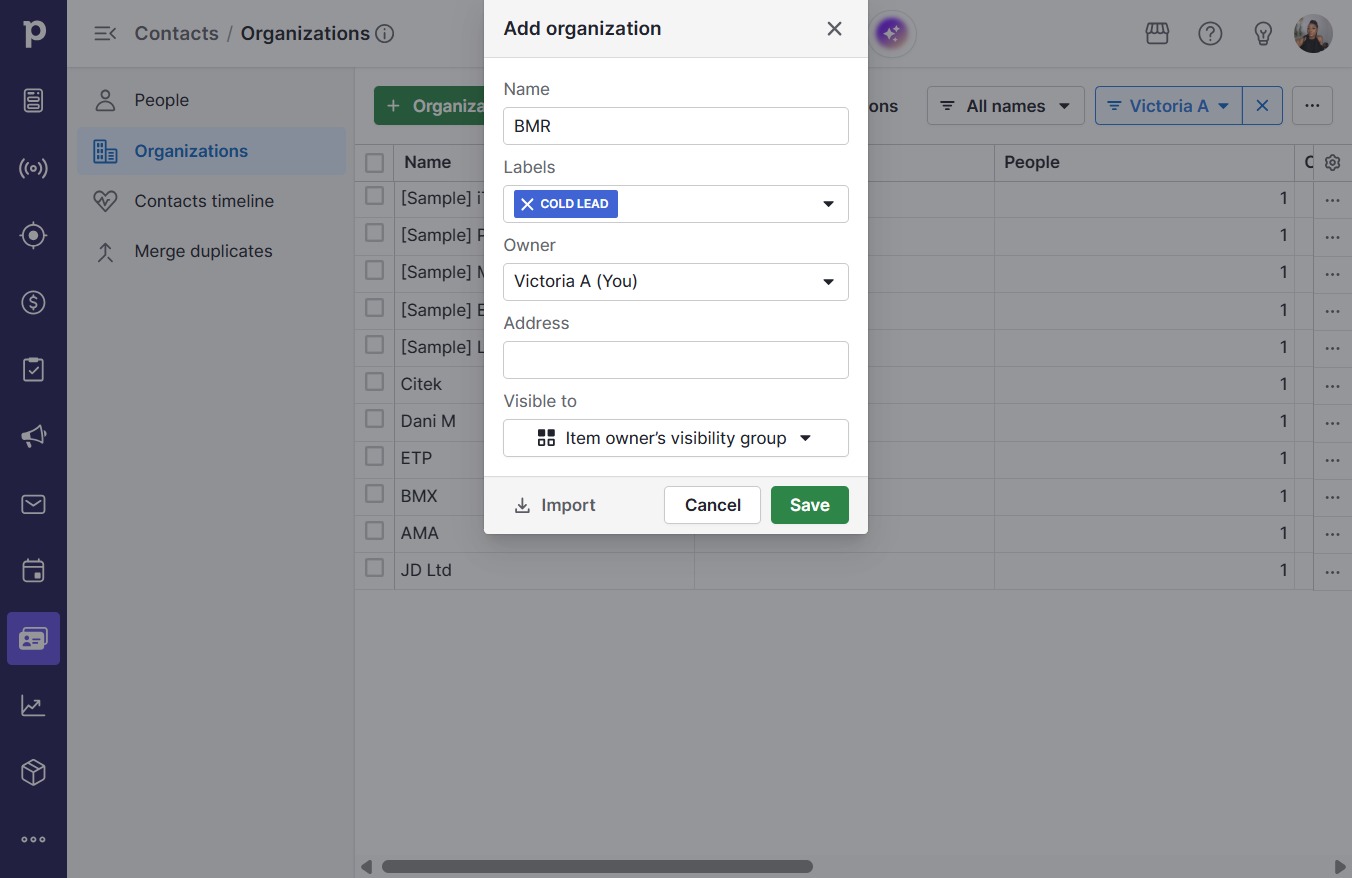
  5. Type "BMR"

  6. Click Add labels

    Click Add labels
    Loading screenshot…
    100%
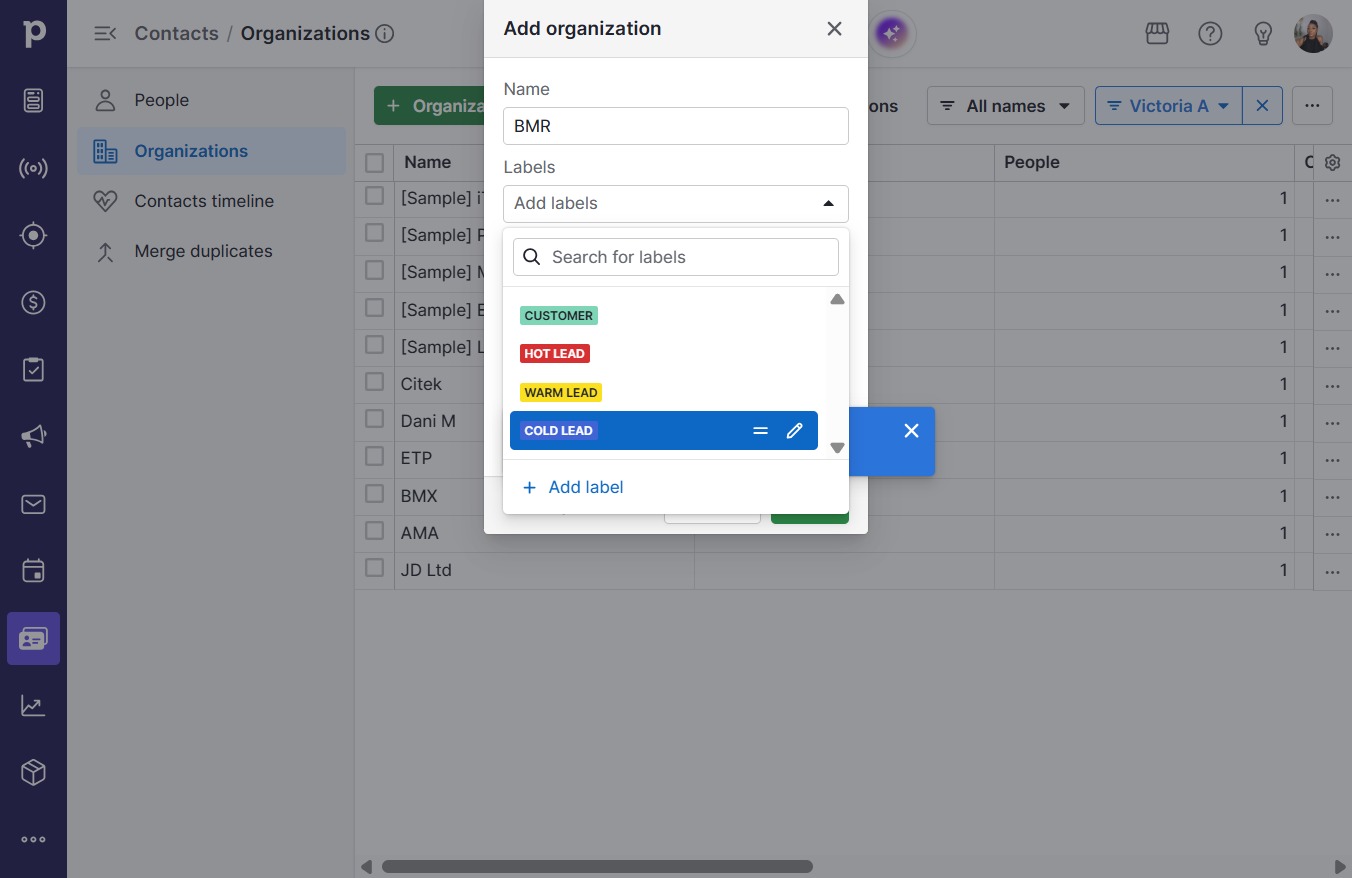
  7. Click Cold lead

    Click Cold lead
    Loading screenshot…
    100%
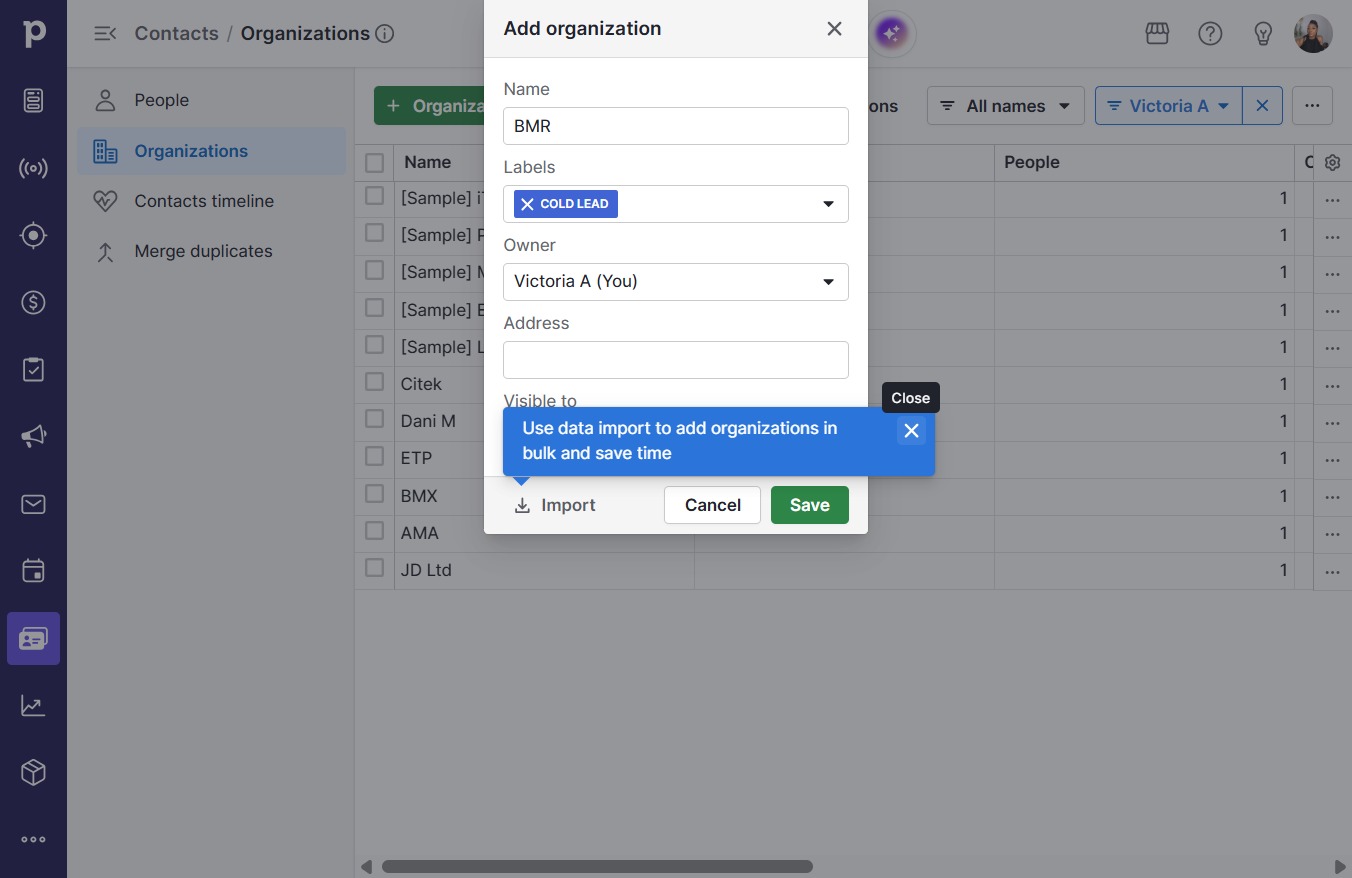
  8. Click on "Click here."

    Click on "Click here."
    Loading screenshot…
    100%
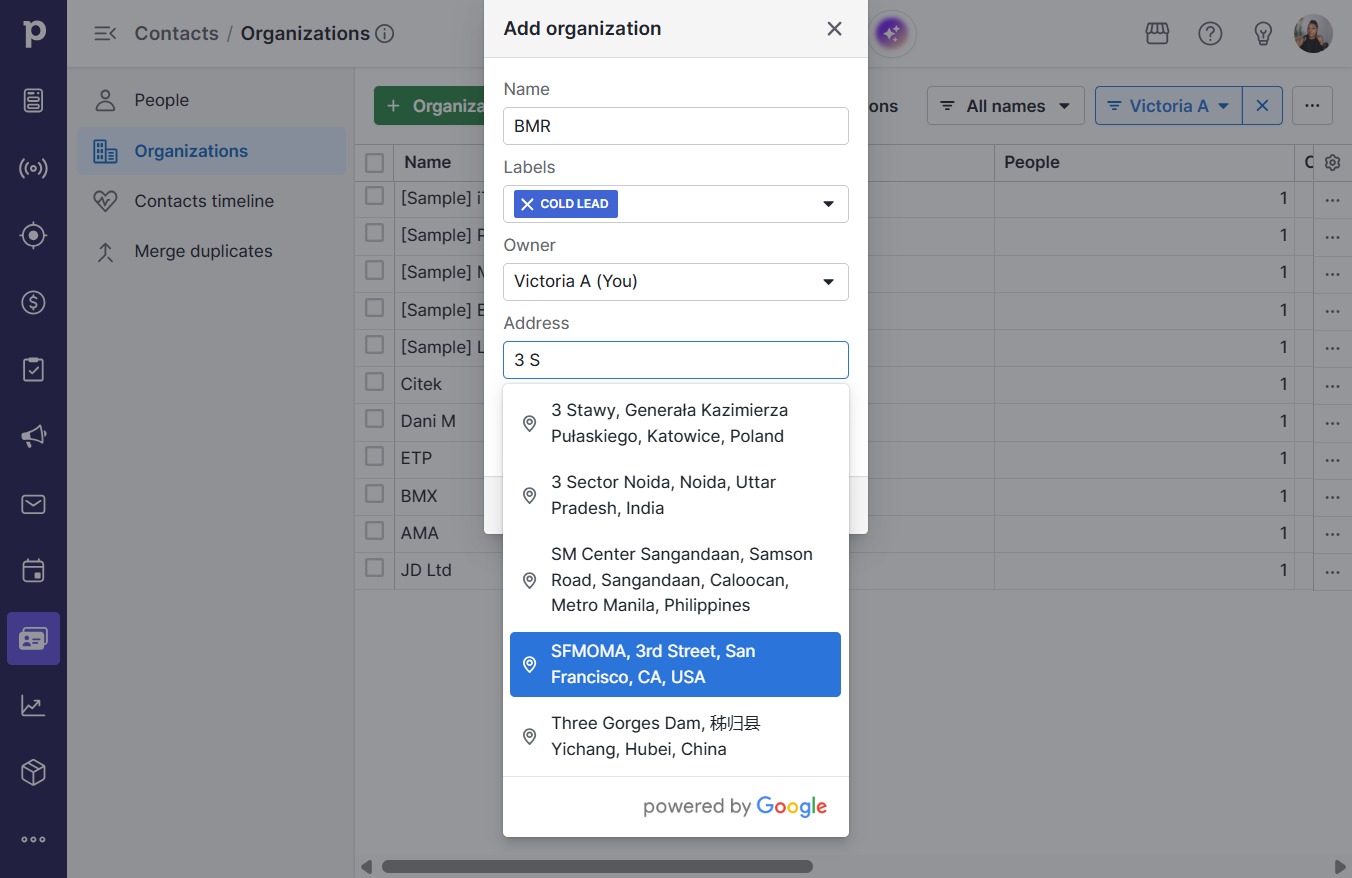
  9. Click on "Click here."

    Click on "Click here."
    Loading screenshot…
    100%
  10. Click SFMOMA, 3rd Street, San Francisco, CA, USA

    Click SFMOMA, 3rd Street, San Francisco, CA, USA
    Loading screenshot…
    100%
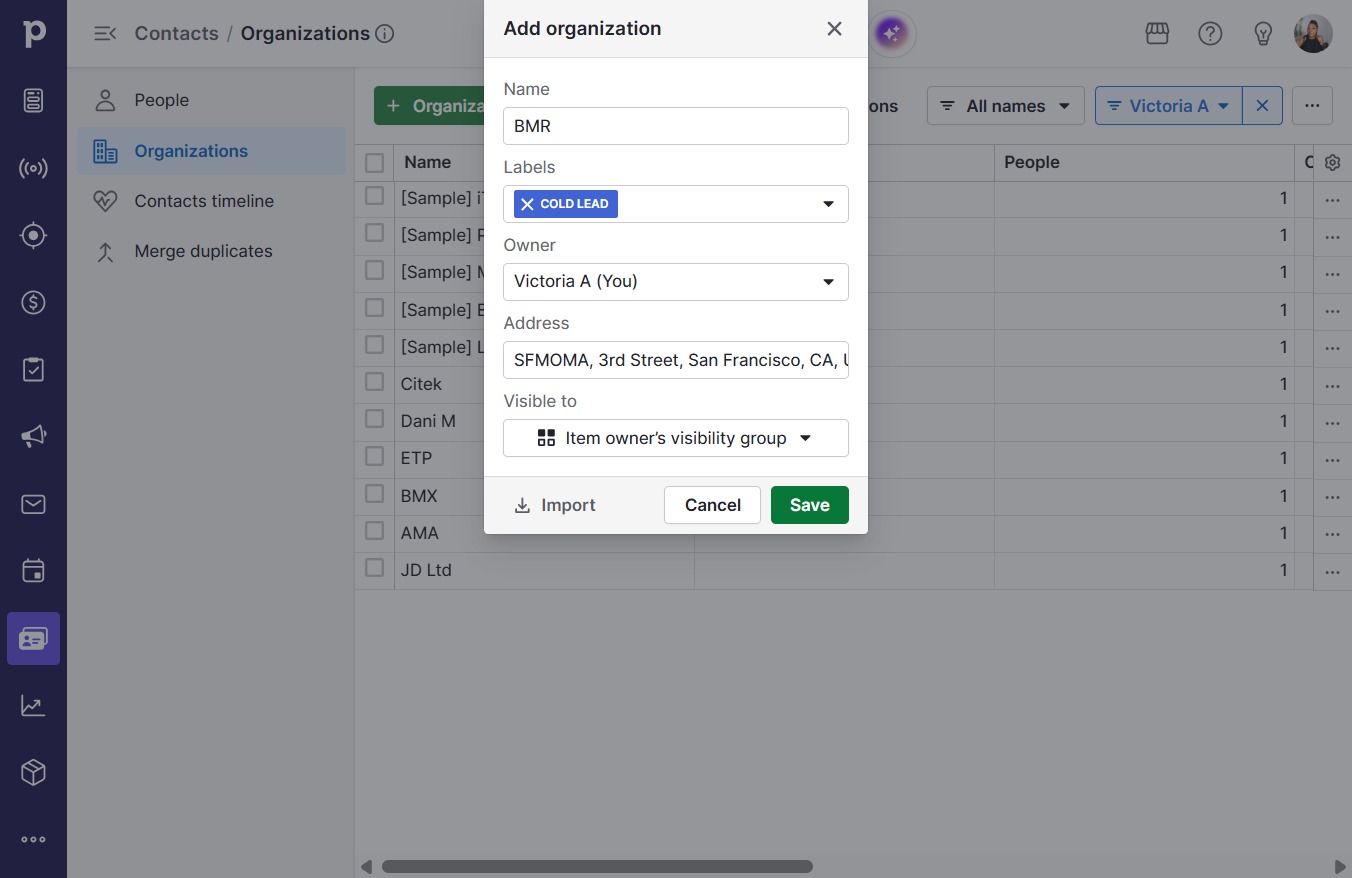
  11. Type "SFMOMA, 3rd Street, San Franci..." in Downshift 1 input

  12. Click Save

    Click Save
    Loading screenshot…
    100%