Shared guide

Export a document as HTML in DocuFast

Export your document as HTML in DocuFast to make it web-friendly and easily shareable by accessing your company knowledge documents and using the export feature.

viktoriaviktoria
·4 steps·11 views·Published

Export your document as HTML in DocuFast to make it web-friendly and easily shareable by accessing your company knowledge documents and using the export feature.

Step-by-step Guide4 steps
  1. Click on the Knowledge Documents Guide

    To access essential company knowledge documents, click on the guide titled 'How to access company knowledge documents in Docufast.' This guide will provide you with the information needed for document access.
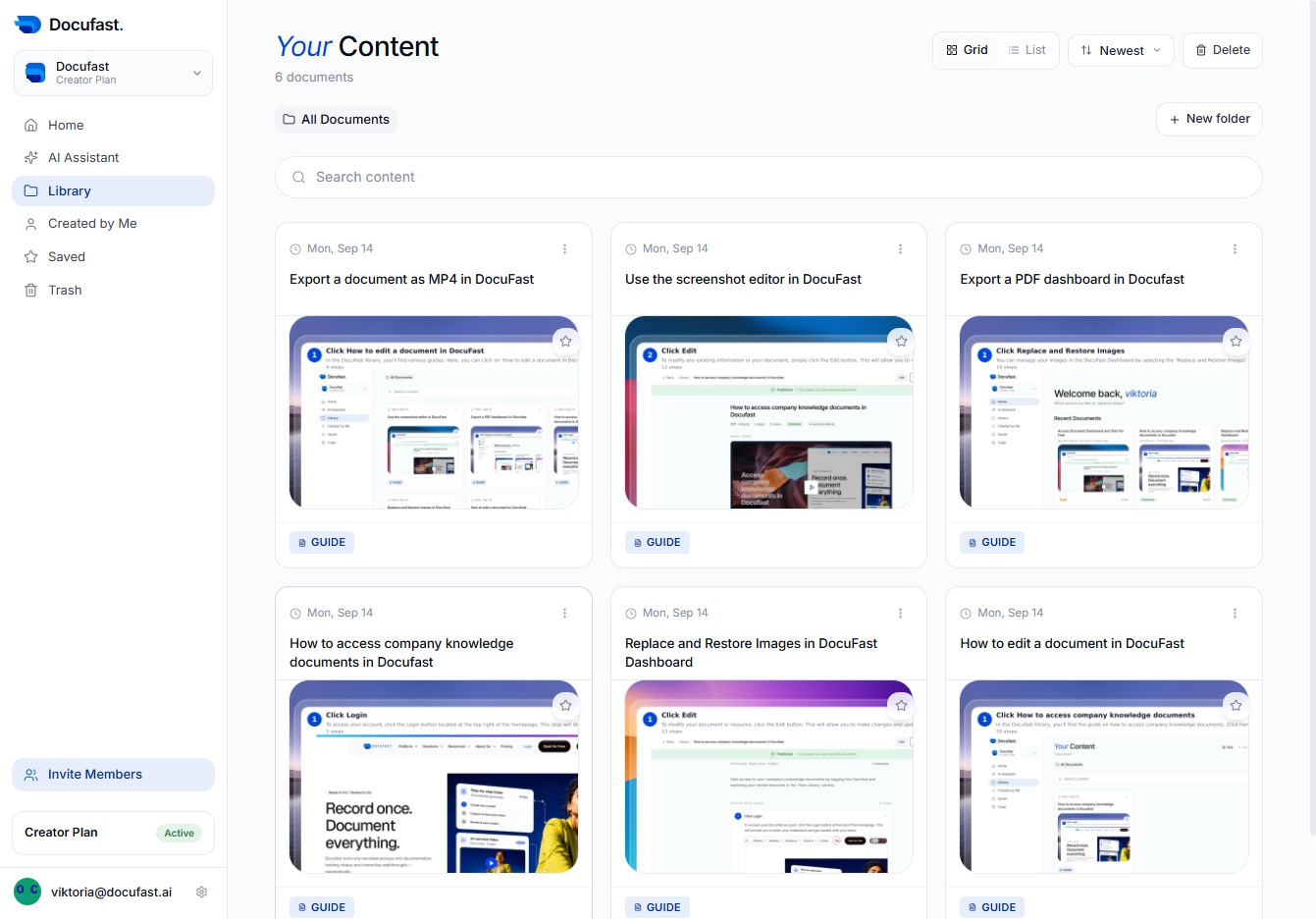
    Click on the Knowledge Documents Guide
    Loading screenshot…
    100%
  2. Click Share

    Here, you can easily share your document with others by clicking the Share button, which allows you to send links or invite collaborators directly to your file.

    Click Share
    Loading screenshot…
    100%
  3. Click Export

    In this step, you'll click the 'Export' button to start exporting your documents. This feature allows you to easily save your knowledge documents for sharing or offline access.

    Click Export
    Loading screenshot…
    100%
  4. Click Export document as HTML

    To export your document in HTML format, click the 'Export document as HTML' button. This feature allows you to save your content in a web-friendly format, making it easy to share and view online.

    Click Export document as HTML
    Loading screenshot…
    100%